

In this article
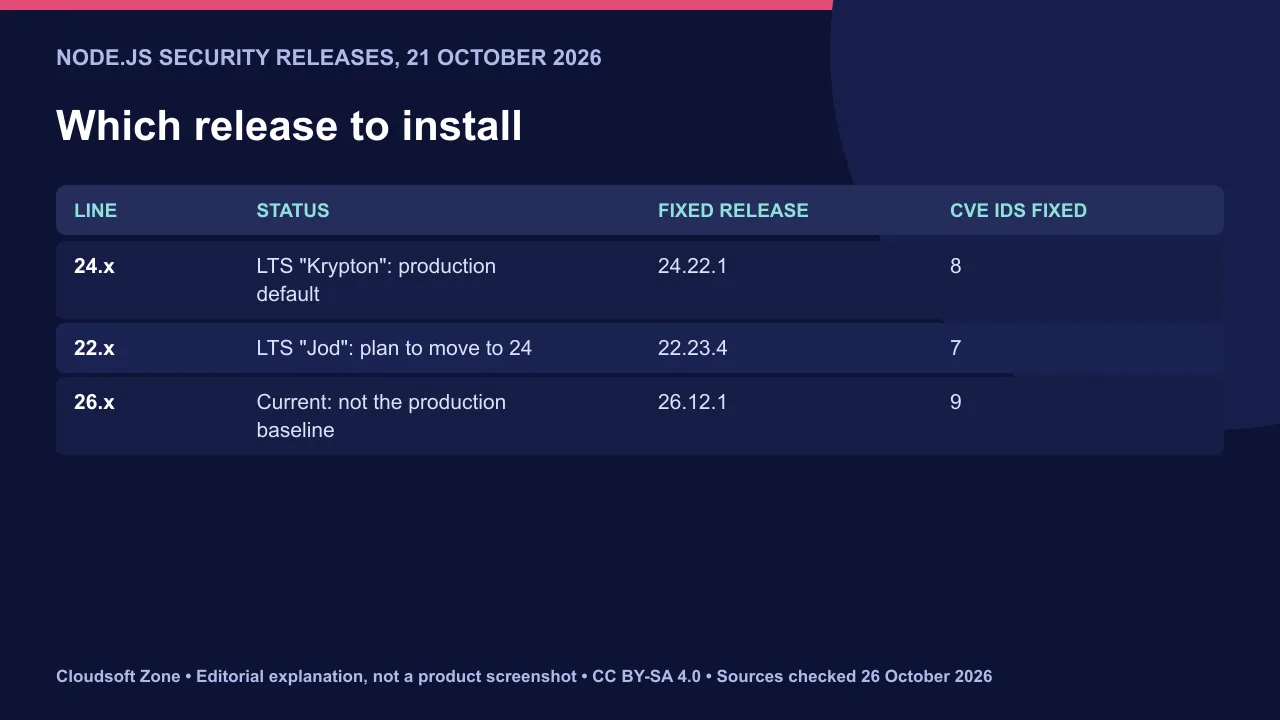
The Node.js security release of 21 October 2026 shipped Node.js 26.12.1 (Current), 24.22.1 LTS "Krypton" and 22.23.4 LTS "Jod". Each fixes high-severity issues in TLS, DNS and the bundled Brotli library, plus medium- and low-severity HTTP, crypto and permission-model bugs.
The number of fixes differs by line. The 26.x release lists nine CVE IDs, 24.x lists eight and 22.x lists seven. Check the line you actually run.
Sources checked on 26 October 2026. Advisories, prices and availability can change; confirm the linked primary sources before acting.
What the Node.js security release fixes
Most fixes ship in all three lines. Severity below is as published in the release notes.
| Fix | Severity | 26.12.1 | 24.22.1 | 22.23.4 |
|---|---|---|---|---|
| TLS rejects non-canonical IP addresses (CVE-2026-106069, CVE-2026-106072) | High | Yes | Yes | Yes |
| DNS validates resolve inputs for null bytes (CVE-2026-105482) | High | Yes | Yes | Yes |
| TLS IP normalisation regression (CVE-2026-105483) | High | Yes | Yes | — |
| Brotli dependency fix (CVE-2026-111497) | High | Yes | Yes | Yes |
| HTTP agent data guard (CVE-2026-105481) | Medium | Yes | Yes | Yes |
| Crypto random caches across snapshots (CVE-2026-106074) | Medium | Yes | Yes | Yes |
| zlib invalid ZIP local headers (CVE-2026-106070) | Low | Yes | — | — |
| Permission model in realpathSync (CVE-2026-106073) | Low | Yes | Yes | Yes |
The Brotli identifier is the same one PHP fixed in its rebuilt Windows packages on 26 October. Bundled libraries cross language boundaries, so check every runtime on a host. See our guide to the PHP RCE vulnerabilities for that side.
Which version should production run?
Production should stay on an LTS line: 24.22.1 for most teams, or 22.23.4 until you migrate. Node.js 26 is the Current line, not the recommended production baseline.
Current releases suit testing upcoming changes. Teams already running 26 in production should still install 26.12.1 now. Our Node.js version guide for October 2026 explains the trade-offs.
Rebuild Docker images, do not just restart
A container keeps the Node.js binary it was built with. Restarting it changes nothing.
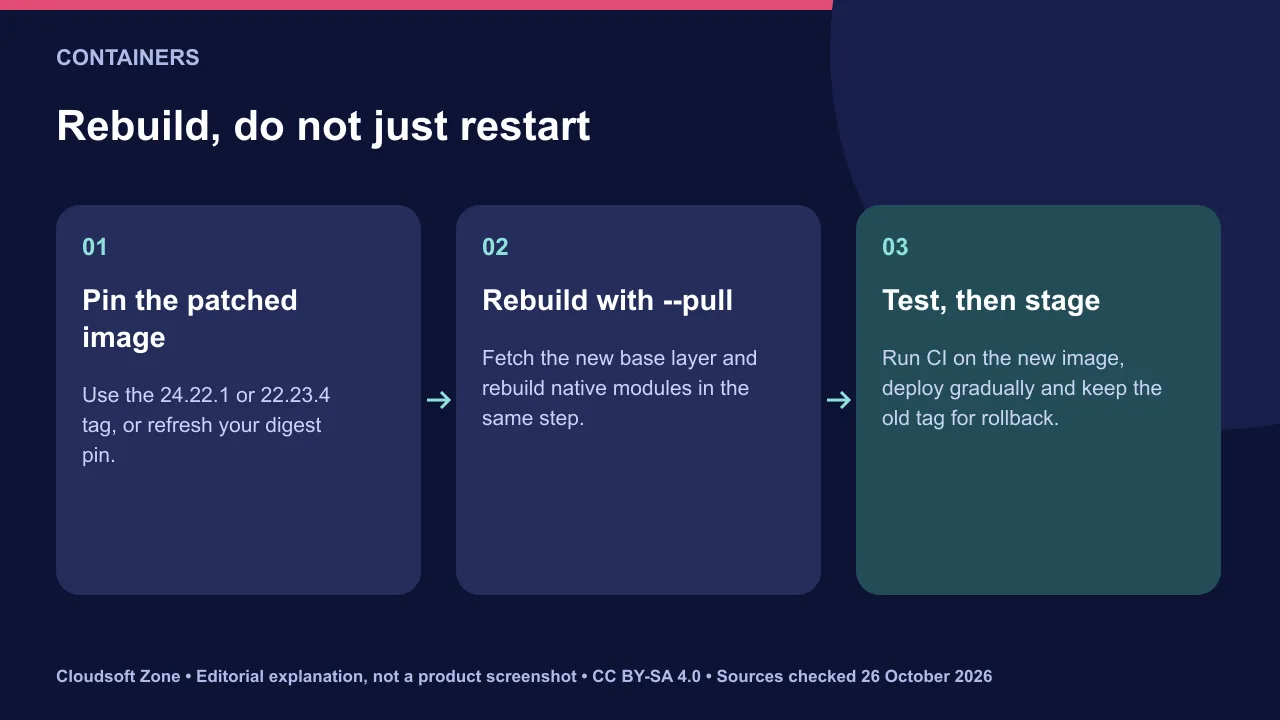
- Pin the base image to the patched tag, such as
node:24.22.1or its slim variant, or refresh your digest pin. - Build with
docker build --pullso an old local base image is not reused. - Rebuild native dependencies in the same build and run your test suite in CI.
- Deploy gradually and keep the previous image tag for rollback.
Our production Dockerfile for Node.js 24 shows a pinned multi-stage layout.
Native dependencies and permission-model users
Patch releases within a major line keep the same module ABI, so native add-ons should not need source changes. Rebuilding them confirms the toolchain still works.
If you run with the permission model (--permission), the realpathSync fix tightens checks. Re-run any flow that reads files through symlinks. Services using a custom HTTP agent deserve a regression test too.
Verify and plan rollback
Confirm the running version, not the installed one. Log process.version at start-up or expose it on an internal health endpoint.
Watch TLS handshake and DNS errors after deployment, because both areas changed. Keep the previous image for one release cycle. Our verdict: upgrade LTS fleets this week, starting with internet-facing TLS services. For a managed upgrade, see our server deployment service and maintenance plans, and our Node.js production security checklist.
Sources and further reading
- Node.js 26.12.1 (Current) — Node.js
- Node.js 24.22.1 (LTS) — Node.js
- Node.js 22.23.4 (LTS) — Node.js
Image credits
Explanatory diagrams: Cloudsoft Zone, CC BY-SA 4.0. Featured photograph: Martin Vorel, CC BY-SA 4.0, via Wikimedia Commons. Rear of rack at NERSC data center - closeup: Derrick Coetzee from Berkeley, CA, USA, CC0, via Wikimedia Commons.
Frequently asked questions
Is Node.js 26 recommended for production?
No. Node.js 26 is the Current line. Use 24.22.1 LTS for production, or 22.23.4 LTS until you migrate.
Does restarting a container apply the fix?
No. Rebuild the image from the patched base tag and redeploy it; a restart reuses the old binary.
Do I need code changes?
Not for patch releases. Run your tests, paying attention to TLS, DNS, custom HTTP agents and permission-model file access.
Your next customer could start right here.
Introduce your tool, product or business to readers exploring technology.
Explore placements and request a private quote
Sources
- Node.js 26.12.1 (Current) — Node.js, 2026-10-21
- Node.js 24.22.1 (LTS) — Node.js, 2026-10-21
- Node.js 22.23.4 (LTS) — Node.js, 2026-10-21
Written with substantial AI assistance. Facts checked against cited sources. Editorial policy.
Comments
No comments yet. Be the first to join the conversation.
Leave a comment
Every comment is read by a moderator before it appears. Your email address is never published; it is used only to contact you about this comment.
More from Cloudsoft Zone
TutorialDevOps
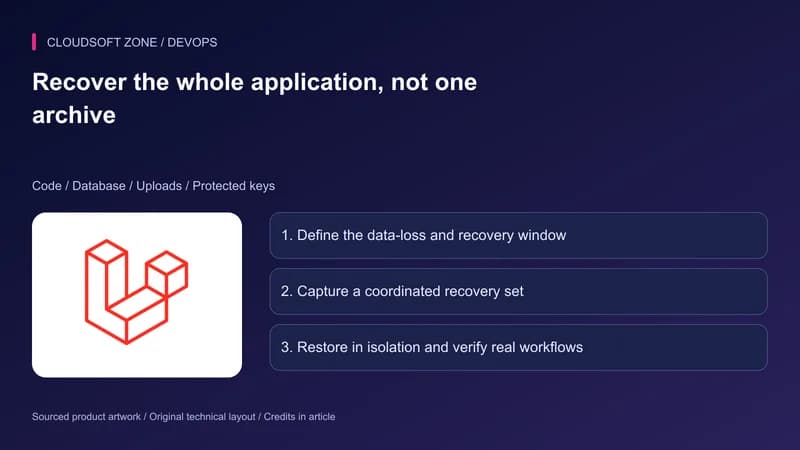
Laravel backup restore: recover the application, database and uploaded files together
Plan Laravel backup restore around a recoverable set of code, database, uploaded objects and protected keys, then verify the complete application in isolation.
By Cloudsoft Zone
TutorialDevOps
Laravel S3 compatible uploads: private files, MinIO endpoints and safe delivery
Build Laravel S3 compatible uploads with a private disk, scoped credentials, validated files, unique object keys and authorized downloads across MinIO or S3.
By Cloudsoft Zone
TutorialDevOps
Laravel queue workers deployment: graceful restarts, durable work and duplicate-safe effects
Plan Laravel queue workers deployment with graceful process replacement, bounded timeouts, durable dispatch, payload compatibility and verification of completed effects.
By Cloudsoft Zone