
In this article
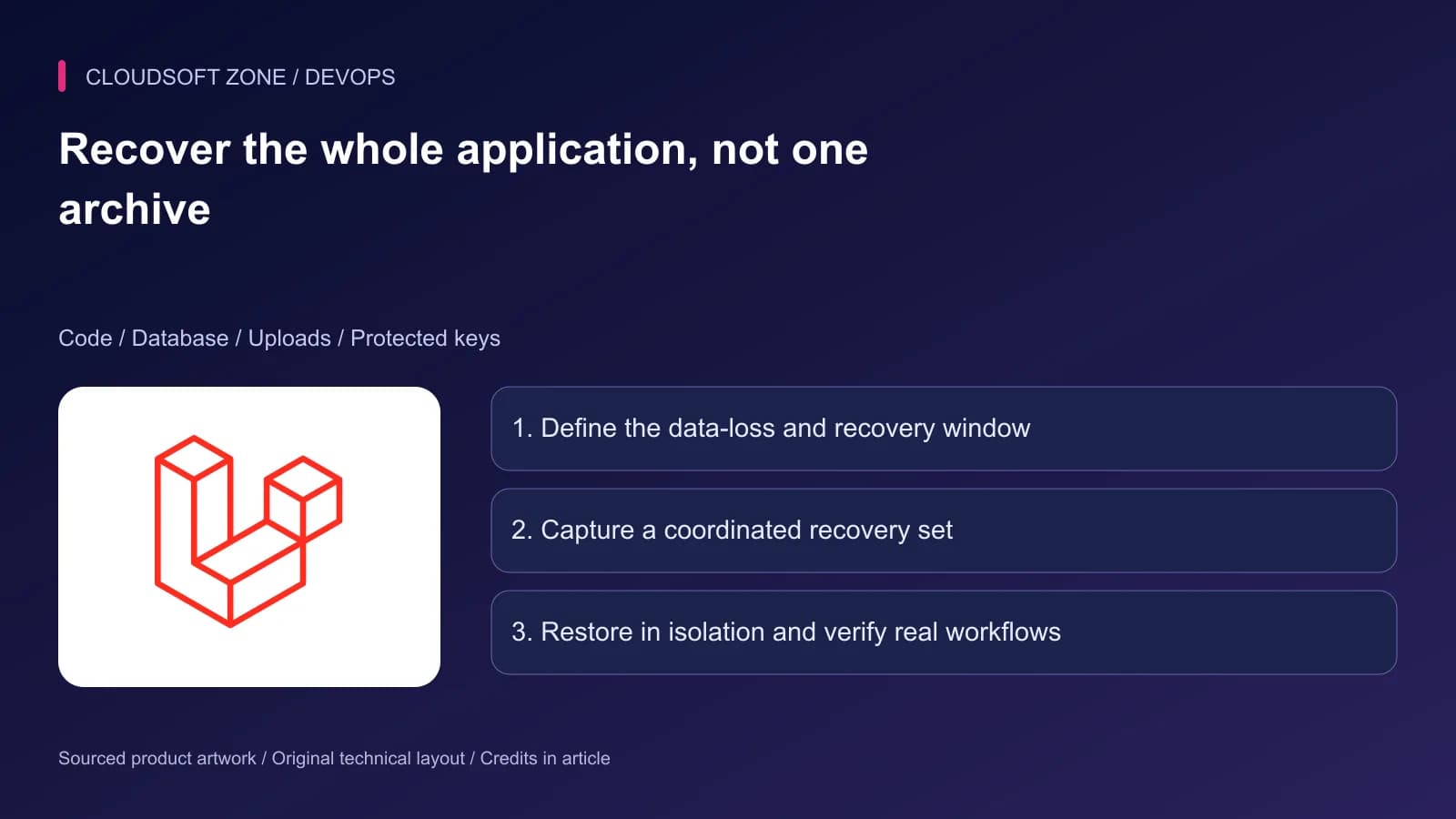
The database restores successfully, but invoices fail to download because the upload bucket was never backed up. A second restore boots the application with a newly generated key and cannot decrypt retained values. Recovery needs the whole application contract.
This Laravel backup restore guide coordinates code, database rows, uploaded files and protected keys. It complements our MySQL backup guide by concentrating on application consistency and a safe restore rehearsal.
The examples describe operator procedures. Do not restore into a retained production database to test an archive. Use a separate isolated environment with an explicitly verified target and disabled live external effects.
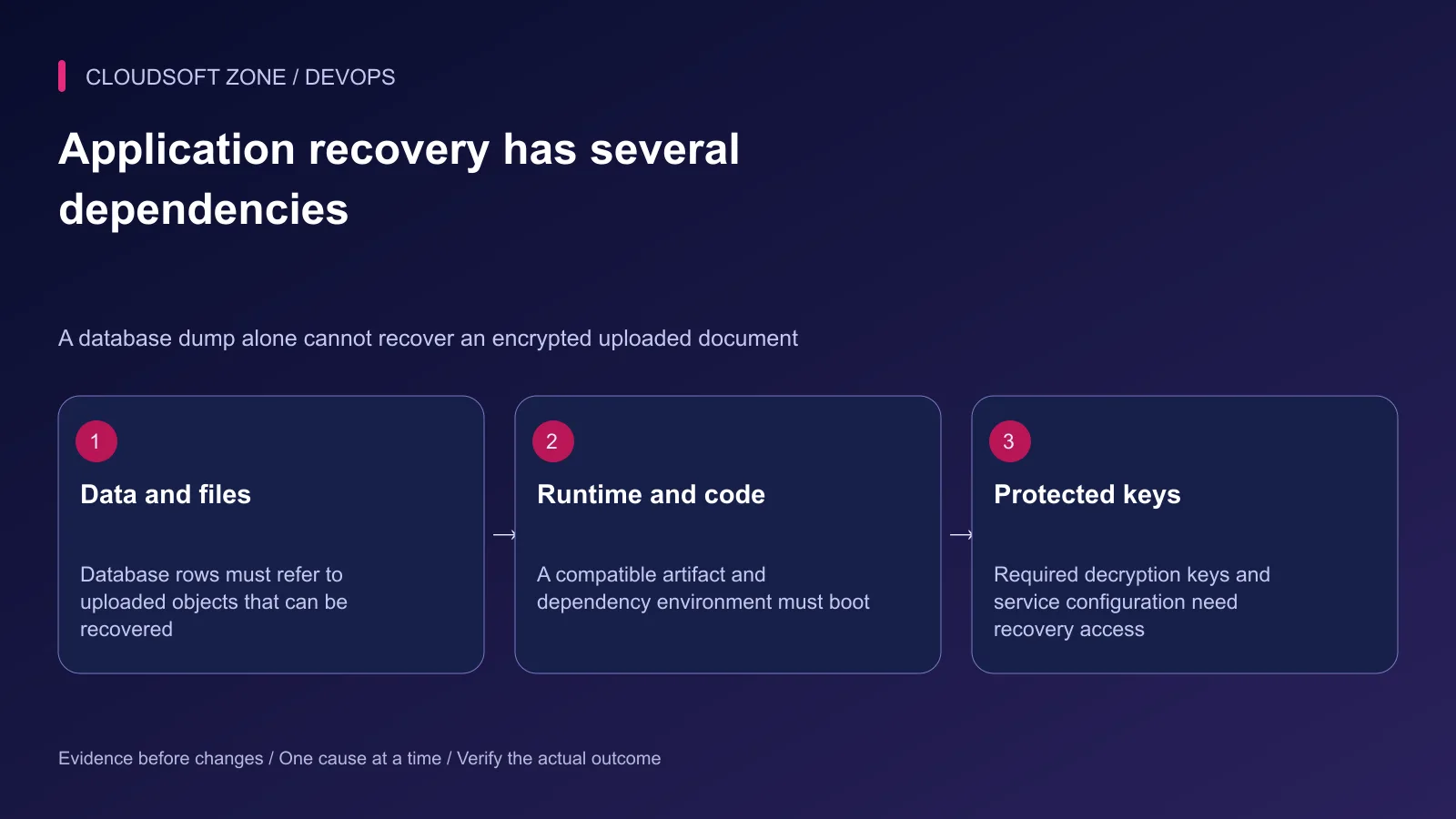
Step 1: Define recovery objectives in business terms
Choose the maximum acceptable loss of accepted changes and the time available to restore service. Tie both to specific workflows. Losing a draft note may be acceptable; losing an accepted payment record has different reconciliation requirements.
Record which data can be recreated and which cannot. Cache entries are often reconstructable, but queues, sessions and coordination state may have operational value. Do not classify all Redis data as disposable without examining its role.
Include an owner who can access backups and keys during an outage. A restore procedure depending on the unavailable application for authentication is a circular recovery dependency.
Step 2: Inventory the recovery set
| Component | Recovery requirement |
|---|---|
| Code and dependencies | Immutable artifact or reproducible locked build |
| Database | Consistent snapshot and any required recovery logs |
| Uploaded files | Recoverable object versions or file snapshot |
| Application key | Protected retained key material and rotation history |
| Runtime configuration | Reviewed destinations and secret recovery process |
| Accepted asynchronous work | Durable operation records and reconciliation plan |
Store a manifest linking these components. Include artifact identifiers, backup completion times, engine versions and checksum references. The manifest should identify secrets by recovery location, not include their plaintext values.
Keep the recovery set outside the failure domain it protects. An archive stored only on the same disk as the database does not survive loss of that disk.
Step 3: Coordinate database rows and files
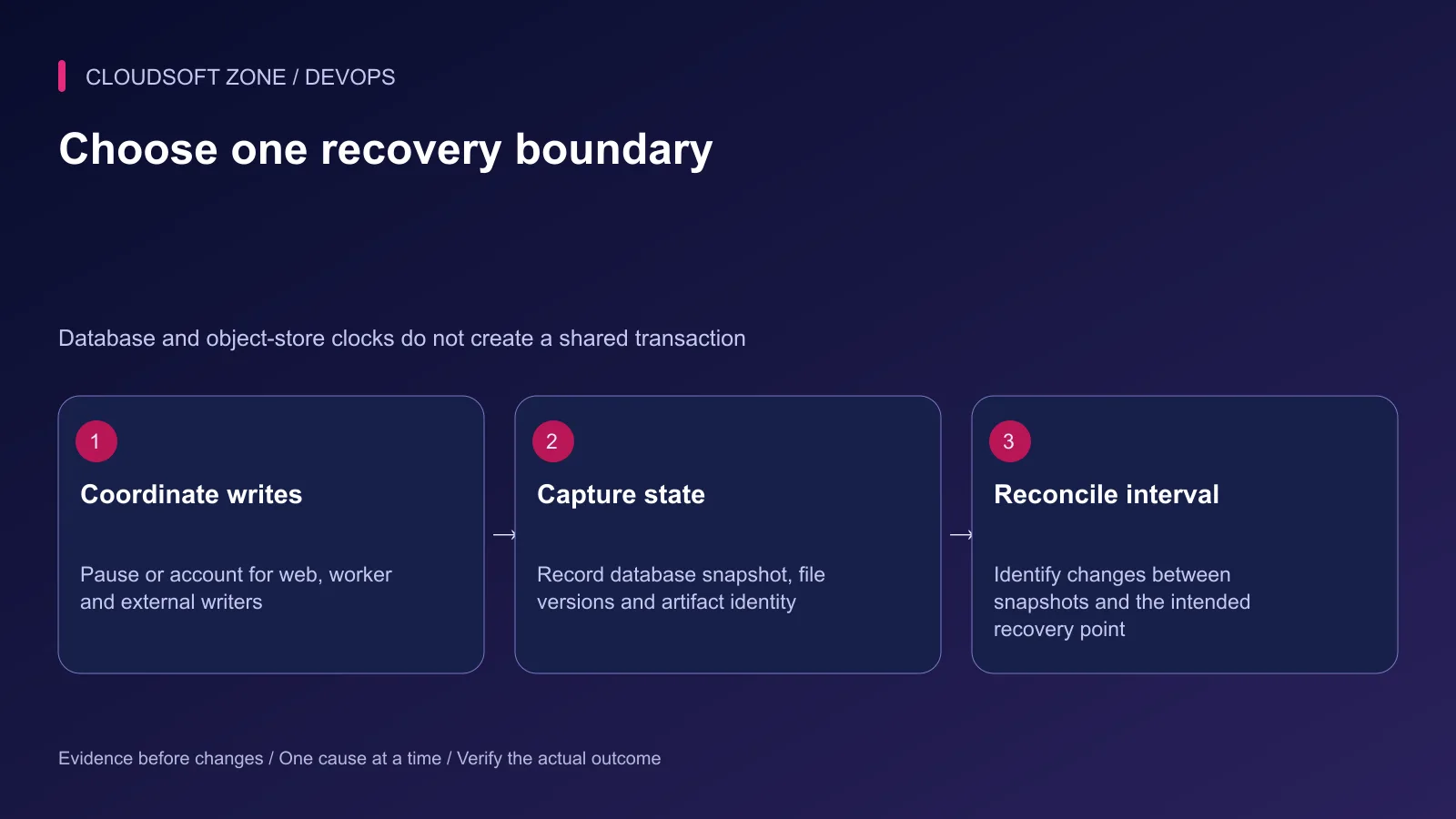
A database snapshot and an object-store snapshot do not share a transaction. If a row references a file uploaded after the file snapshot, recovery can produce a broken document. If deletion or replacement happens between captures, the reverse mismatch is possible too.
For a small application, a controlled write pause can simplify a coordinated capture. Account for web requests, queue workers, scheduled tasks and direct integrations. A public maintenance page alone does not prove all writers stopped.
For continuously writable systems, use durable object identity/version records and a reconciliation design matched to the recovery point. Record the capture interval and verify the objects needed by restored rows. Do not invent consistency merely because timestamps are close.
Step 4: Capture the database with known limitations
For a small all-InnoDB application, a logical dump can be a useful component. This illustrative command writes into an already-created protected backup directory and reads credentials from a protected option file:
umask 077
mysqldump --defaults-extra-file=/etc/example-app/backup.cnf \
  --single-transaction --quick --no-tablespaces \
  --routines --events --triggers \
  example_app > /srv/protected-backups/RECOVERY_SET_ID/database.sql
Replace every identity and path deliberately. The option file must target the intended server and use an appropriately scoped backup account. Inspect the exit status before accepting the file; redirection can create an empty or partial archive when the command fails.
The transactional snapshot does not make nontransactional tables consistent. Concurrent DDL can also invalidate assumptions. Review table engines, schema-change activity, GTID requirements and stored-object privileges for the installed server. For larger datasets, evaluate a suitable physical or parallel backup method and measure restore time.
Use our automated MySQL backups guide for the existing automation pattern. This command alone is not a complete backup job.
Step 5: Capture uploads and protect keys
For local uploads, use a coordinated filesystem backup or snapshot of the actual persistent storage path, preserving the required metadata. Do not assume files inside an old release directory include every active upload.
For object storage, define which versions and metadata the backup retains. S3 versioning can preserve earlier object generations, but it needs deliberate policy, retention and recovery access. Replication and versioning do not automatically create an independent backup outside the same administrative failure boundary.
Protect APP_KEY and any previous keys still required to decrypt retained data. Store them through the established secret backup process. Generate neither a new application key nor new encrypted values merely to make a restored environment boot.
Step 6: Restore into a physically isolated target
Create a separate restore environment with a verified database identity and isolated storage namespace. Keep its network access away from production databases and provider write endpoints where possible. Use controlled test destinations for mail, payments and webhooks.
Inspect the archive before loading it. A dump can include database selection, qualified object names, definers, events or statements that affect the target. Do not assume a command-line database argument neutralizes every embedded instruction.
Restore the intended database and files, then configure the compatible artifact with recovered keys and deliberate rehearsal destinations. Keep workers, schedulers and outbound effects disabled until the rehearsal owner authorizes harmless checks.
Step 7: Verify application usability
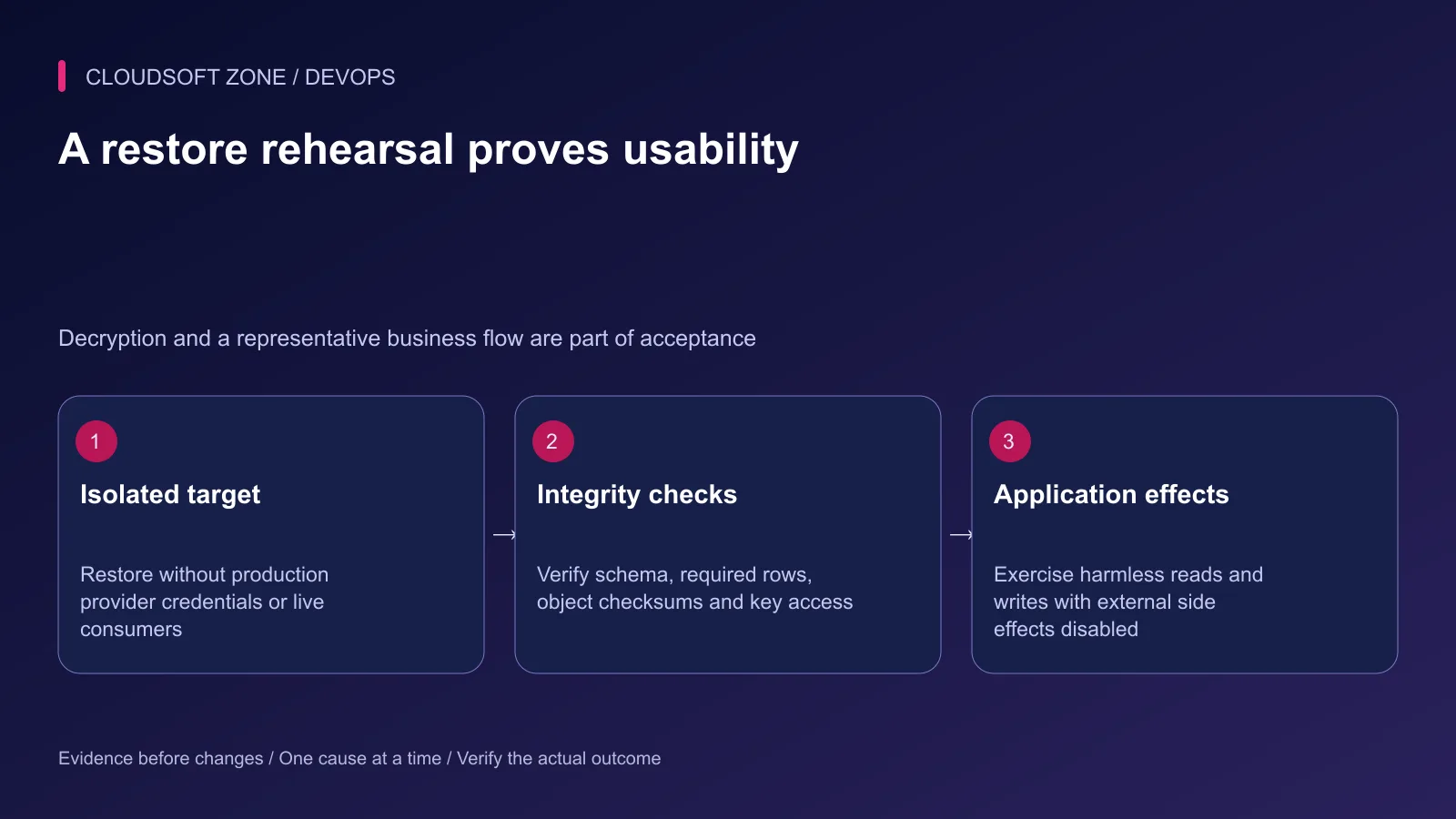
Check schema, selected row counts and important relationships. Verify a representative uploaded object's presence and checksum. Boot the application and confirm an encrypted retained value can be read without exposing it in logs.
Exercise login, a harmless read and a disposable write through the intended application path. Reconcile asynchronous operations by their durable identifiers rather than replaying every retained queue entry into real providers.
Measure actual recovery time and the recovered data boundary. A valid archive checksum proves file integrity, not business completeness. Record missing dependencies and fix the backup procedure before describing it as recoverable.
Step 8: Keep the recovery plan current
Repeat the rehearsal after material schema, storage, encryption or hosting changes. Apply retention only after a newer recovery set has passed the required verification; keep deletion privileges separate from routine backup creation where appropriate.
For an application-level recovery review, contact Cloudsoft Zone.
Featured image: Cloudsoft Zone technical layout with laravel artwork by Laravel (Public domain). Product mark resized proportionally for identification; no endorsement implied. Layout: CC BY-SA 4.0.
Frequently asked questions
Is a MySQL dump a complete Laravel backup?
No. Recovery can also require uploads, a compatible code artifact, protected application keys and configuration, plus a plan for queued or external effects.
Can object versioning replace backups?
Versioning helps recover earlier objects, but its configuration, retention, credentials and database relationship still need review. It does not automatically provide an independent recoverable application backup.
Should I rehearse by restoring over the live database?
No. Use a clearly isolated target, inspect the restore instructions and prevent real workers or providers from producing live side effects.
Your next customer could start right here.
Introduce your tool, product or business to readers exploring technology.
Explore placements and request a private quote
Sources
- MySQL logical backup behavior — Oracle MySQL
- MySQL backup and recovery types — Oracle MySQL
- Laravel filesystem configuration — Laravel
- Laravel encryption and key retention — Laravel
- S3 object versioning — AWS
Comments
No comments yet. Be the first to join the conversation.
Leave a comment
Every comment is read by a moderator before it appears. Your email address is never published; it is used only to contact you about this comment.
More from Cloudsoft Zone
TutorialDevOps
Laravel pending migrations: deploy safely without breaking the running application
Review Laravel pending migrations before activation: confirm the target database, check code compatibility, rehearse schema changes and verify recovery without resetting data.
By Cloudsoft Zone
TutorialDevOps
Laravel S3 compatible uploads: private files, MinIO endpoints and safe delivery
Build Laravel S3 compatible uploads with a private disk, scoped credentials, validated files, unique object keys and authorized downloads across MinIO or S3.
By Cloudsoft Zone
TutorialDevOps
Laravel queue workers deployment: graceful restarts, durable work and duplicate-safe effects
Plan Laravel queue workers deployment with graceful process replacement, bounded timeouts, durable dispatch, payload compatibility and verification of completed effects.
By Cloudsoft Zone