
GitHub public monitoring: triage leaked secrets with API and webhooks
GitHub public monitoring adds validity checks, alert timelines, a REST API and webhooks for leaked enterprise secrets. Build a response from alert to rotation.
3 min read

In this article
GitHub public monitoring watches public GitHub repositories for secrets attributed to your enterprise. On 23 October 2026 it gained alert triage, continuous validity checks, a REST API and a webhook. It remains in public preview for GitHub Enterprise Cloud customers.
It is included with GitHub Advanced Security or GitHub Secret Protection at no extra cost. Enterprise admins and enterprise security managers turn it on from the enterprise security dashboard.
Sources checked on 26 October 2026. Features, prices and availability can change; confirm the linked primary sources before acting.
What changed in GitHub public monitoring
Alerts can now be triaged, filtered and automated. Validity checks tell you which leaked credentials still work.
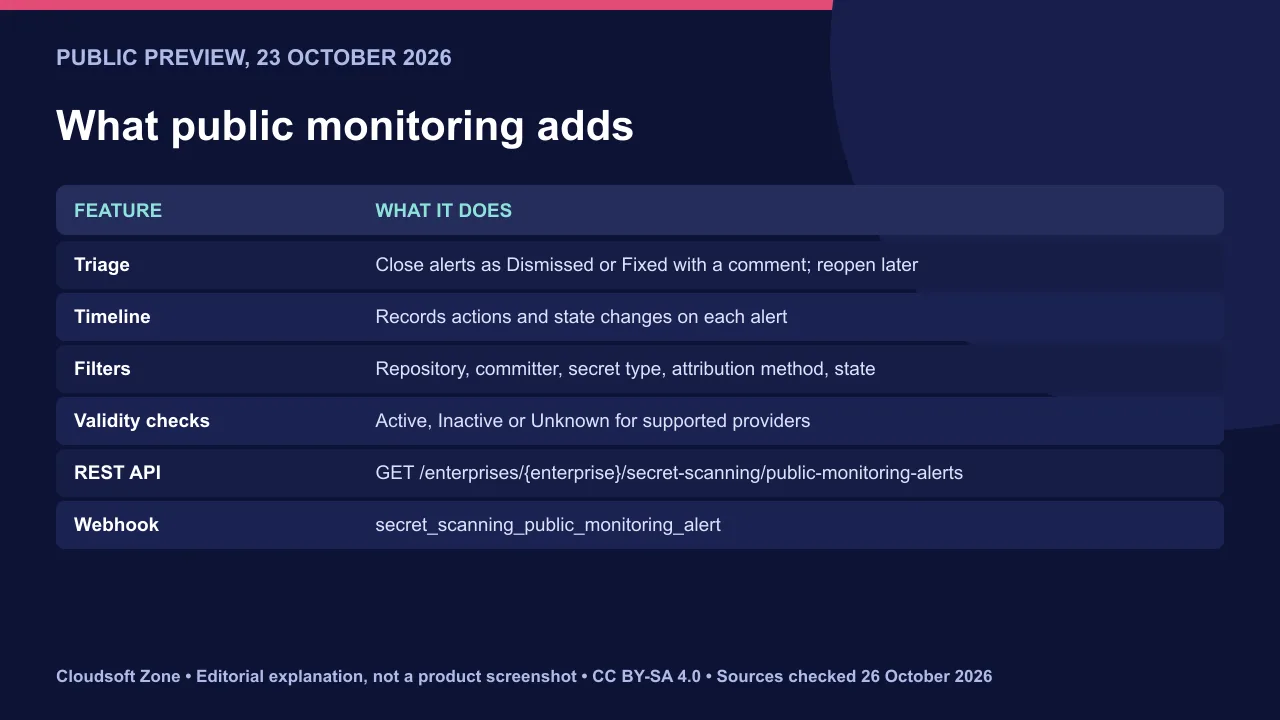
Validity checks run continuously for supported providers and show Active, Inactive or Unknown. The REST API returns alert metadata, secret type, attribution and exposed locations. The webhook fires when a new leak is attributed to your organisation.
Dismissing an alert does not revoke the secret
Closing an alert changes its state for your enterprise only. It does not revoke the credential or remove it from the public repository.
Anyone who copied the secret can still use it until you revoke it at the provider. Treat every alert as a live incident until rotation is confirmed.
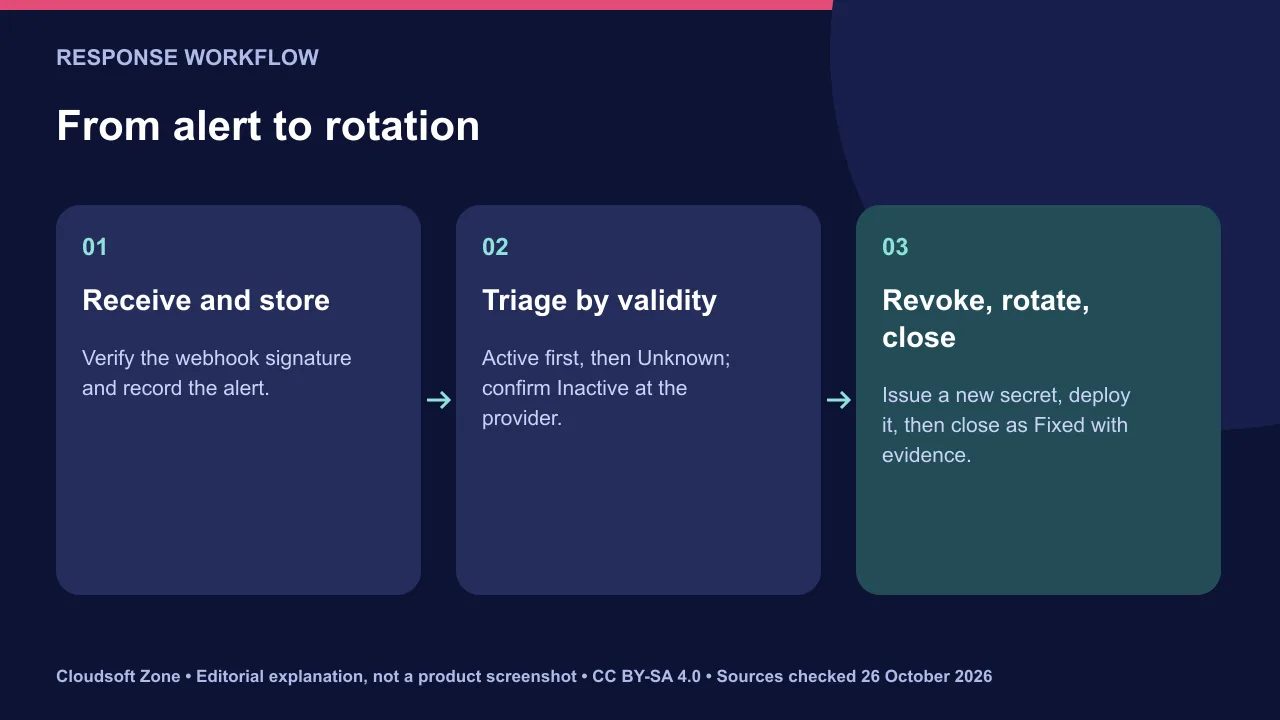
Build a response workflow from webhook to rotation
Automate intake and triage, then keep a person on revocation. This order limits exposure time.
- Receive. Point the
secret_scanning_public_monitoring_alertwebhook at an internal endpoint. Verify the signature and store the event. - Enrich. Fetch the alert from the REST API for its secret type, attribution and locations.
- Prioritise. Active credentials first, Unknown next. Confirm Inactive ones at the provider rather than trusting the label.
- Revoke and rotate. Revoke at the provider, issue a new credential and deploy it through your secret manager.
- Request removal. Ask the repository owner to remove the file. Rotation comes first, because history and forks may keep copies.
- Close with evidence. Mark the alert Fixed with a comment linking the rotation ticket.
Audit evidence and post-incident rotation
The alert timeline becomes part of your audit trail. Add what GitHub cannot see.
- Check provider logs for use of the credential during the exposure window.
- Record who rotated what and when, and which systems received the new secret.
- Enable push protection and pre-commit scanning to stop the next leak.
- Prefer short-lived credentials so a future leak expires on its own.
Our verdict: wire the webhook into your incident process now, even in preview, but never let closing an alert stand in for revocation. Our Docker Compose production checklist covers secret handling in deployments. For a secret-scanning and response setup, see our application maintenance and support service.
Sources and further reading
Image credits
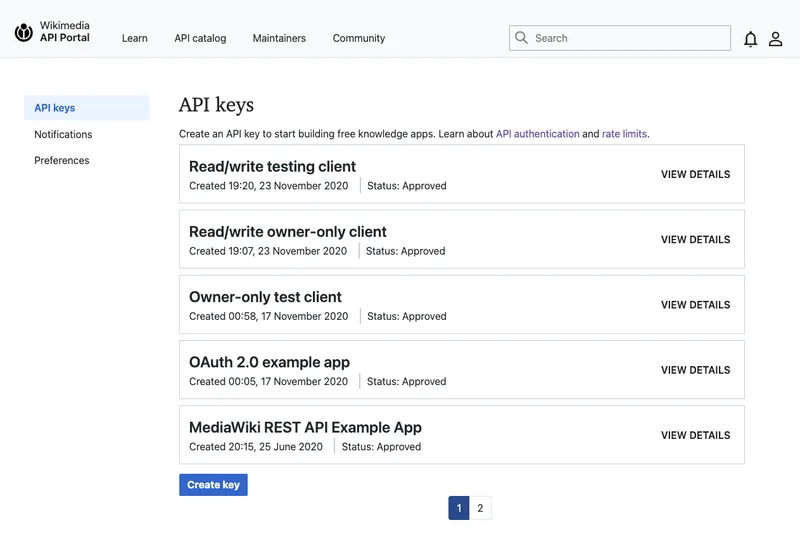
Explanatory diagrams: Cloudsoft Zone, CC BY-SA 4.0. Featured photograph: ImagePerson, CC BY-SA 4.0, via Wikimedia Commons. API Portal - API key management: APaskulin (WMF), CC BY-SA 4.0, via Wikimedia Commons.
Frequently asked questions
Does dismissing a public monitoring alert revoke the secret?
No. GitHub states that it does not revoke the credential or remove it from the public repository. Revoke it at the provider.
Who can use public monitoring?
GitHub Enterprise Cloud customers, in public preview, included with GitHub Advanced Security or GitHub Secret Protection.
Which webhook event reports new leaks?
The enterprise-level secret_scanning_public_monitoring_alert event.
Your next customer could start right here.
Introduce your tool, product or business to readers exploring technology.
Explore placements and request a private quote
Sources
- Public monitoring adds triage, validity, API and webhooks — GitHub, 2026-10-23
Written with substantial AI assistance. Facts checked against cited sources. Editorial policy.
Comments
No comments yet. Be the first to join the conversation.
Leave a comment
Every comment is read by a moderator before it appears. Your email address is never published; it is used only to contact you about this comment.
More from Cloudsoft Zone
TutorialDevOps
nginx Certbot renewal: configure HTTPS and diagnose certificate failures
Keep nginx Certbot renewal working with domain validation checks, safe certificate installation, deployment hooks and a clear expiry troubleshooting sequence.
By Cloudsoft Zone

Industry updateDevOps
eMudhra certificate compromise: find and replace affected TLS chains
The eMudhra certificate compromise led Chrome to distrust emSign ECC Root CA - G3 on 27 October. How to find affected TLS chains and replace them safely.
By Cloudsoft Zone
Architecture guideDevOps
When SaaS needs Kubernetes: workload signals and a practical pilot
Decide when SaaS needs Kubernetes using measured orchestration problems, replica readiness, operating ownership, a bounded pilot and verified recovery.
By Cloudsoft Zone