
Docker Compose production checklist: health checks, secrets and volumes
A Docker Compose production checklist for immutable images, readiness, private networks, secret files, persistent volumes and compatible recovery.
7 min read
In this article
A Compose stack can look healthy because every container is running, while the database is still initializing, the application cannot read its secret file and the only copy of customer uploads lives in a container's writable layer. Development convenience becomes a production failure when the deployment does not describe its data and recovery boundaries.
This Docker Compose production checklist reviews a single-server web application before launch and before significant releases. We will inspect immutable images, private networks, readiness, secrets, persistent volumes, resource bounds and recovery. It is a review procedure, not a promise that Compose provides multi-host failover.
Use your existing project name consistently and review commands against an isolated staging stack first. The tutorial uses saas-prod as an example project; do not run these commands against an unrelated Docker context or retained production volumes. The review applies to a web/API/database/queue stack without requiring one particular framework.
Step 1: Inspect the effective configuration and target host
Compose can merge several files, interpolate variables and select a project name from different sources. Review the final configuration rather than trusting one file. Confirm the Docker context points to the intended server before performing any mutation.
docker context show
docker compose --project-name saas-prod \
  -f compose.yaml -f compose.production.yaml config --quiet
config --quiet validates without printing the resolved configuration. A normal config output can contain substituted secrets, so inspect it privately if needed. Record the Compose plugin version and the exact file set in the release procedure. Newer options may not work on an older host.
Set project identity explicitly in automation. Accidentally changing it can create another set of networks and project-scoped volumes, making an application appear to have lost its database. The old volume may still exist, but recovering by guesswork is risky.
Step 2: Ship immutable application images
Build the release in CI from reviewed source and lockfiles. Deploy a recorded digest or another immutable registry reference. Reusing a mutable latest tag makes rollback ambiguous: the same label can refer to a different image tomorrow.
services:
  api:
    image: "${API_IMAGE:?set the reviewed API image reference}"
    restart: unless-stopped
    init: true
    stop_grace_period: 30s
This is an excerpt, not a runnable full application. Supply a release-specific image reference, ideally including its digest. Remove development source-code bind mounts and hot-reload commands from production. Keep compilers and unnecessary package caches out of runtime images where possible.
The image should start the application directly with an appropriate PID 1 strategy and graceful termination behaviour. init: true helps reap child processes; it cannot implement database cleanup or finish a half-written business operation for your application.
Step 3: Publish only the intended edge
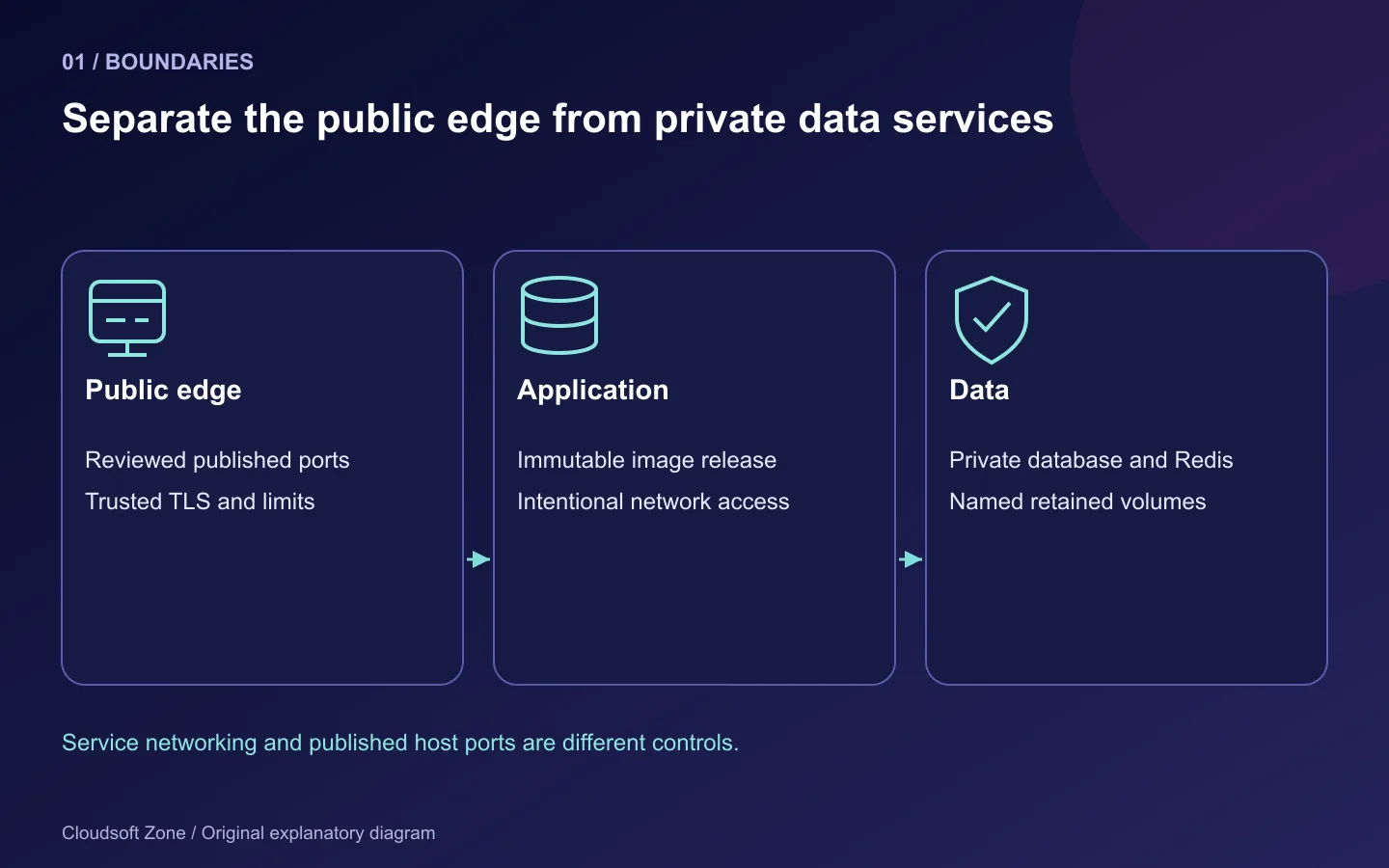
A Compose service can reach another service by its network name. It does not need the database's port published on every host interface. Keep databases and Redis on the intended private application network, and expose only the reverse proxy or deliberately bound host listener.
services:
  web:
    ports:
      - "127.0.0.1:3000:3000"
    networks: [application]
  api:
    networks: [application, data]
  db:
    networks: [data]
  redis:
    networks: [data]
networks:
  application: {}
  data:
    internal: true
This layout assumes host nginx routes to the loopback-bound frontend. Add an intentional API listener if host nginx must reach it, or run the edge inside the application network. A service's expose declaration is not a firewall rule. Check the effective published ports and the host's reachable network surface.
An internal network limits external connectivity for that network, but an application attached to another network may still have egress. Decide which services need external APIs, email or object storage. Do not disable all egress and then silently remove isolation when startup fails.
Step 4: Distinguish startup order from readiness
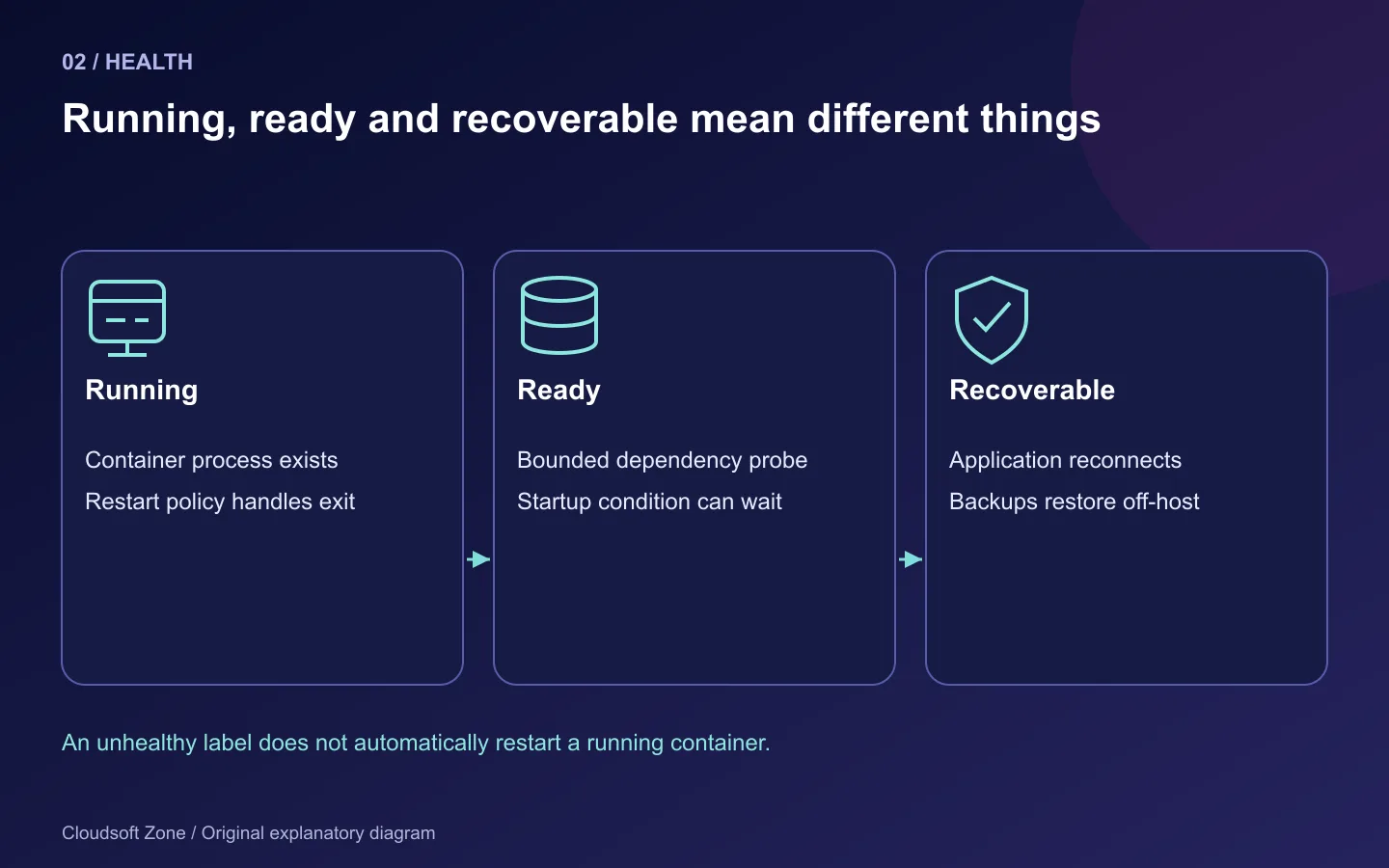
Short-form depends_on orders startup; it does not wait for a database to accept application queries. A health check and condition: service_healthy can gate initial dependent startup. The probe must exist in the image and must test something meaningful.
services:
  api:
    depends_on:
      db:
        condition: service_healthy
    healthcheck:
      test: ["CMD", "node", "healthcheck.cjs"]
      interval: 20s
      timeout: 5s
      retries: 3
      start_period: 30s
Provide the healthcheck.cjs file in the API image. A database ping may prove process availability without proving the application's account, schema or permissions. Use an application readiness probe for those bounded dependencies and keep detailed diagnostics private.
A health status of unhealthy does not automatically restart an otherwise running container under a normal restart policy. restart: unless-stopped acts on process exit and daemon lifecycle. Dependency ordering is also not a runtime failover mechanism; applications need bounded retries, connection recovery and honest error responses after a dependency outage.
Step 5: Grant secrets only to the services that need them
Compose secrets mount files for explicitly granted services. This reduces accidental exposure compared with embedding credentials in source or image layers. Local file-based Compose secrets are still files on the host; this is not an encrypted external secret manager.
services:
  api:
    secrets: [db_password]
    environment:
      DB_PASSWORD_FILE: /run/secrets/db_password
secrets:
  db_password:
    file: ./secrets/db_password
The application must implement the file convention. An arbitrary NestJS application does not automatically understand DB_PASSWORD_FILE. Some official database images support specific _FILE variables; inspect each image's documented contract rather than assuming all images do.
Restrict host secret files, exclude them from version control and backups that lack appropriate encryption, and test readability under the container's non-root account. Do not print resolved secrets in a health check or startup log. Rotating a file also requires an application-specific reload or replacement procedure.
Step 6: Name persistent data and prove its backup
Use explicit volumes for database storage and any local uploads that must survive container replacement. A volume survives a normal container removal, but it is not a backup and does not protect against host disk loss or operator deletion.
services:
  db:
    volumes:
      - db_data:/var/lib/mysql
  api:
    volumes:
      - uploads:/app/uploads
volumes:
  db_data: {}
  uploads: {}
Use the path the database image actually documents. Verify that the application writes uploads to the mounted location, not another directory. Confirm ownership under the runtime user and test retention by replacing a staging application container.
For MySQL, use a database-consistent backup method appropriate to the workload. Copying a live data directory into an archive can produce an unusable backup. Include encryption keys, configuration and upload metadata in the recovery plan. Keep off-host copies and prove restoration into an isolated environment.
Avoid destructive volume-removal commands in routine deployment procedures. A generic cleanup command is not an acceptable way to resolve a schema error. The recovery runbook should identify the retained volume and backup before any repair is attempted.
Step 7: Bound resources, logs and shutdown behaviour
Set memory and CPU limits deliberately, then inspect the host to confirm they are applied. Leave enough headroom for the kernel, database, image pulls and a temporary old/new application overlap. An API constrained too tightly can repeatedly crash; unconstrained workers can starve the database.
Configure bounded container logs, for example:
services:
  api:
    logging:
      driver: json-file
      options:
        max-size: "10m"
        max-file: "5"
Choose a logging strategy appropriate to the host and central collection. Container log rotation does not rotate application files inside a volume. Redact tokens, cookies and sensitive request data at the application layer.
Set a shutdown grace period consistent with bounded requests and background jobs. Signal handling should stop accepting new work, finish or safely abandon active work, then close resources. A longer grace period alone does not make a non-idempotent job safe.
Step 8: Rehearse an update and a compatible rollback
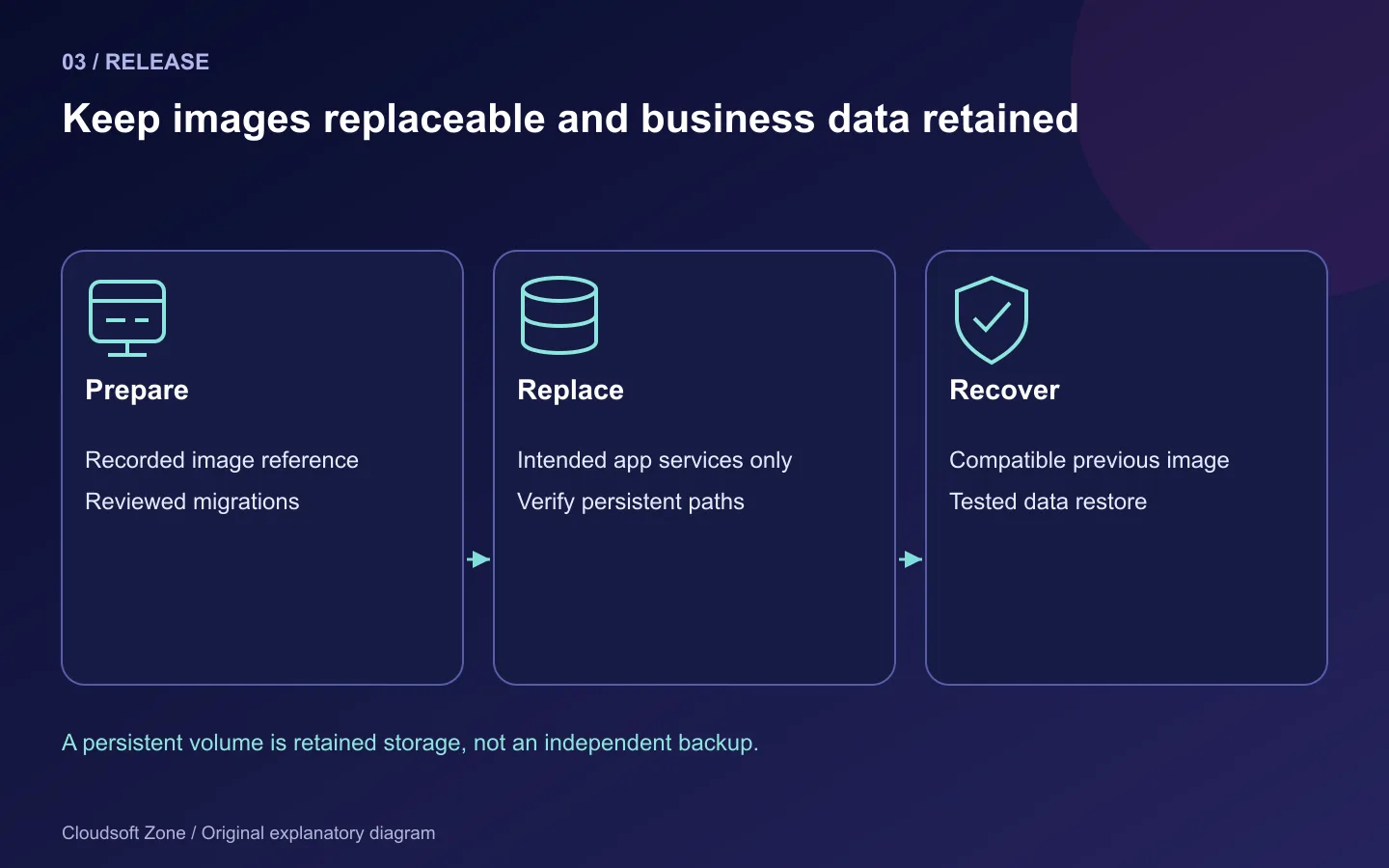
Pull the reviewed images, validate configuration, apply reviewed migrations separately and replace only the intended application services. Container restarts do not pull a new image or guarantee updated environment values. Recreate a service when its image or configuration changes.
| Gate | Evidence |
|---|---|
| Identity | Correct Docker context, project and Compose file set |
| Image | Recorded application digest and runtime command |
| Readiness | Direct application and public workflow checks |
| Secrets | Required files readable, no credentials in logs |
| Persistence | Data survives replacement; off-host restore succeeds |
| Recovery | Previous image works with the current compatible schema |
Keep a migration history and preserve the previous release reference. Single-server Compose does not automatically perform a zero-downtime rolling update. A database change can make the old image unusable even when the registry still has it.
Common mistakes include publishing MySQL to the internet, assuming health checks restart containers, changing project names, keeping development bind mounts and treating volumes as backups. Review the production Node Dockerfile guide for image construction. For a scoped deployment and recovery review, contact Cloudsoft Zone.
Featured image: Cloudsoft Zone explanatory layout with sourced product artwork: docker — dotCloud, Inc. (Apache License 2.0); redis — Redis Ltd (Public domain). Product marks resized and arranged for identification; no endorsement implied. Layout: CC BY-SA 4.0.
Frequently asked questions
Does restart: unless-stopped restart an unhealthy container?
Not merely because its health status changes. A normal restart policy acts on process exit; build explicit application recovery and monitoring.
Are local Compose secrets encrypted by Docker?
File-based local Compose secrets are mounted host files. Protect the source files and use an appropriate secret-management design.
Is a named Docker volume a backup?
No. It survives ordinary container replacement but shares host and operator failure risks. Keep consistent off-host backups and test restoration.
Your next customer could start right here.
Introduce your tool, product or business to readers exploring technology.
Explore placements and request a private quote
Sources
- Compose production guidance — Docker
- Compose startup order — Docker
- Compose secrets — Docker
- Docker volumes — Docker
Comments
No comments yet. Be the first to join the conversation.
Leave a comment
Every comment is read by a moderator before it appears. Your email address is never published; it is used only to contact you about this comment.
More from Cloudsoft Zone
Resource guideDevOps
Ubuntu server security checklist for a production VPS
An Ubuntu server security checklist covering tested SSH access, firewall exposure, Docker privileges, updates, application identities, secrets and recovery.
By Cloudsoft Zone
TutorialDevOps
Next.js NestJS Docker Compose deployment with MySQL and Redis
Build a Next.js NestJS Docker Compose stack with standalone web output, compiled API images, private MySQL and Redis, secret files and persistent volumes.
By Cloudsoft Zone
TutorialDevOps
Laravel queue workers in production: Redis, Supervisor and failed jobs
Run Laravel queue workers with Redis and Supervisor, aligned timeouts, safe retries, graceful release restarts and deliberate failed-job recovery.
By Cloudsoft Zone