
In this article
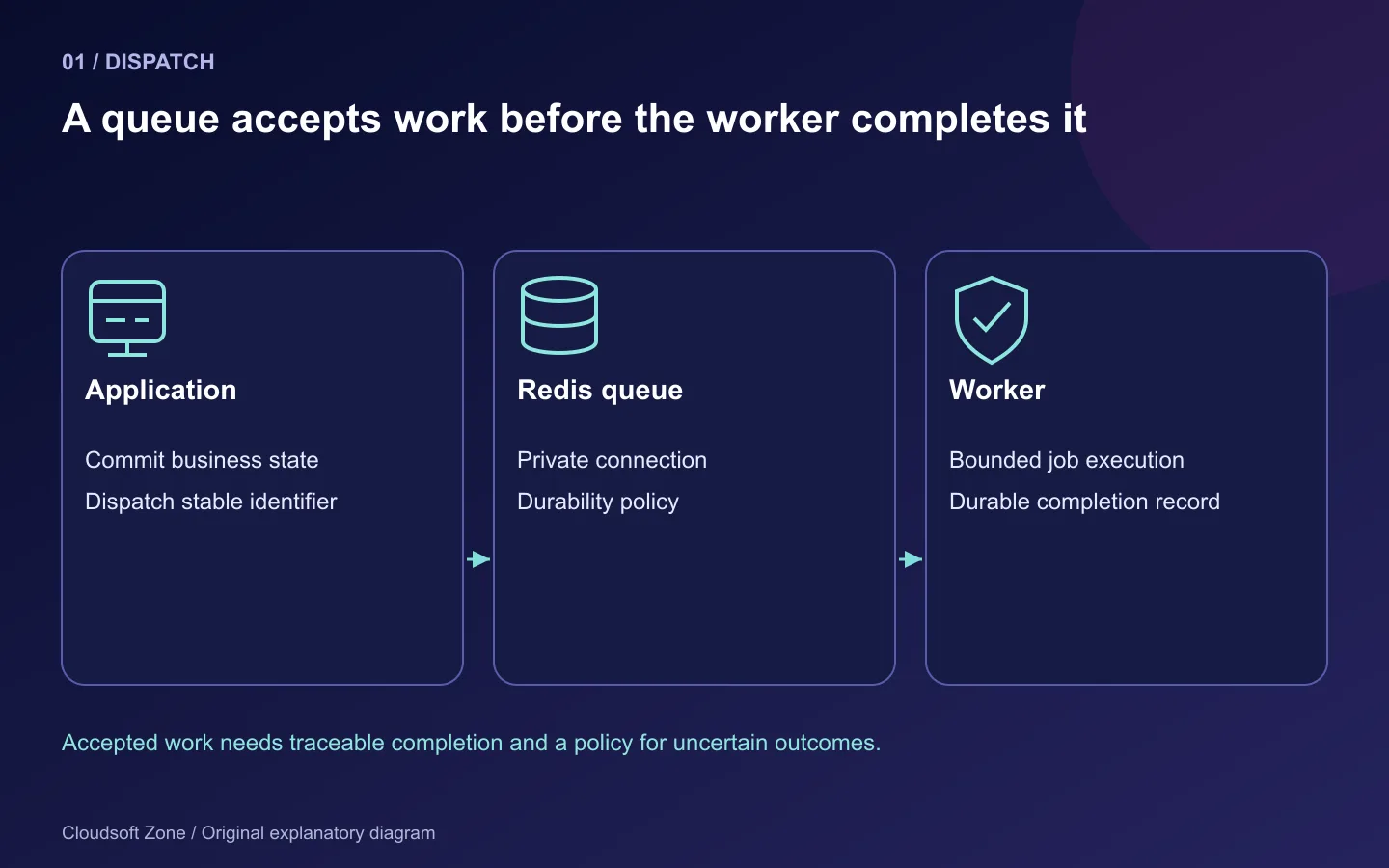
A queued email, export or webhook can appear successful to the browser before any worker has performed it. Redis may hold the job, but a stopped process, mismatched queue name or unsafe timeout can leave it waiting indefinitely—or perform it twice. Production queues need a lifecycle, not an SSH terminal left open.
This guide sets up Laravel queue workers with Redis and Supervisor for a conventional Laravel 13 application. We will separate queue durability from cache eviction, align timeouts, supervise the correct release and handle failed jobs deliberately. If you choose Horizon for its dashboard and balancing features, configure it as the queue supervisor; do not add a competing worker fleet by accident.
Use an isolated staging application for the walkthrough. Record its actual PHP version, Redis client and job workload before tuning the numbers. A queue that sends customer messages or charges money needs application-level idempotency as well as process management.
Step 1: Decide which work belongs in the queue
Background jobs work well for bounded tasks that can report progress or completion later. Examples include generating a small export, processing an uploaded image and notifying a customer after an order is committed. A queue does not make an unbounded task safe; split large work into resumable batches with stable identifiers.
For each job type, record its maximum expected duration, external request timeout, retry policy and business effect. A report that can be regenerated has different recovery requirements from a payment instruction. Specify whether a retry is safe before increasing the number of attempts.
| Workload | Important decision |
|---|---|
| Image processing | Retain source input and bound decoded image resources |
| Export generation | Limit rows per batch and persist progress |
| Notification | Decide how duplicate delivery is detected |
| Payment or webhook effect | Use a durable idempotency key and business transaction |
Keep jobs small enough to understand and recover. Putting a slow HTTP request into a queue changes where it runs, but not whether it can hang, leak memory or expose secrets.
Step 2: Configure a private Redis connection for queue data
Redis should be reachable only through the intended private network and protected access policy. Separate queue storage from aggressively evicted cache storage where practical. Redis logical database numbers do not provide independent memory limits or failure isolation.
Configure Laravel's Redis connection and queue driver using your protected environment source:
QUEUE_CONNECTION=redis
REDIS_CLIENT=phpredis
REDIS_HOST=127.0.0.1
REDIS_PORT=6379
REDIS_QUEUE=default
Supply authentication privately. The addresses are examples for the tutorial server, not this website's local services. Verify the PHP Redis extension if using PhpRedis; choosing a client in configuration does not install it.
In the existing config/queue.php Redis connection, make the visibility and transaction decisions explicit:
'redis' => [
    'driver' => 'redis',
    'connection' => env('REDIS_QUEUE_CONNECTION', 'default'),
    'queue' => env('REDIS_QUEUE', 'default'),
    'retry_after' => 90,
    'block_for' => 5,
    'after_commit' => true,
],
The 90-second interval is an example for short jobs whose worker timeout is 60 seconds. Check any job-specific timeout too. A finite blocking interval lets idle workers return to their lifecycle checks; an indefinitely blocking worker can delay handling a shutdown signal until another job arrives.
after_commit prevents dispatching a job before the surrounding database transaction commits. It does not guarantee exactly-once delivery or coordinate an external payment with the database. Use a durable outbox where reliable cross-system delivery is required.
Step 3: Align job timeouts, retries and shutdown grace
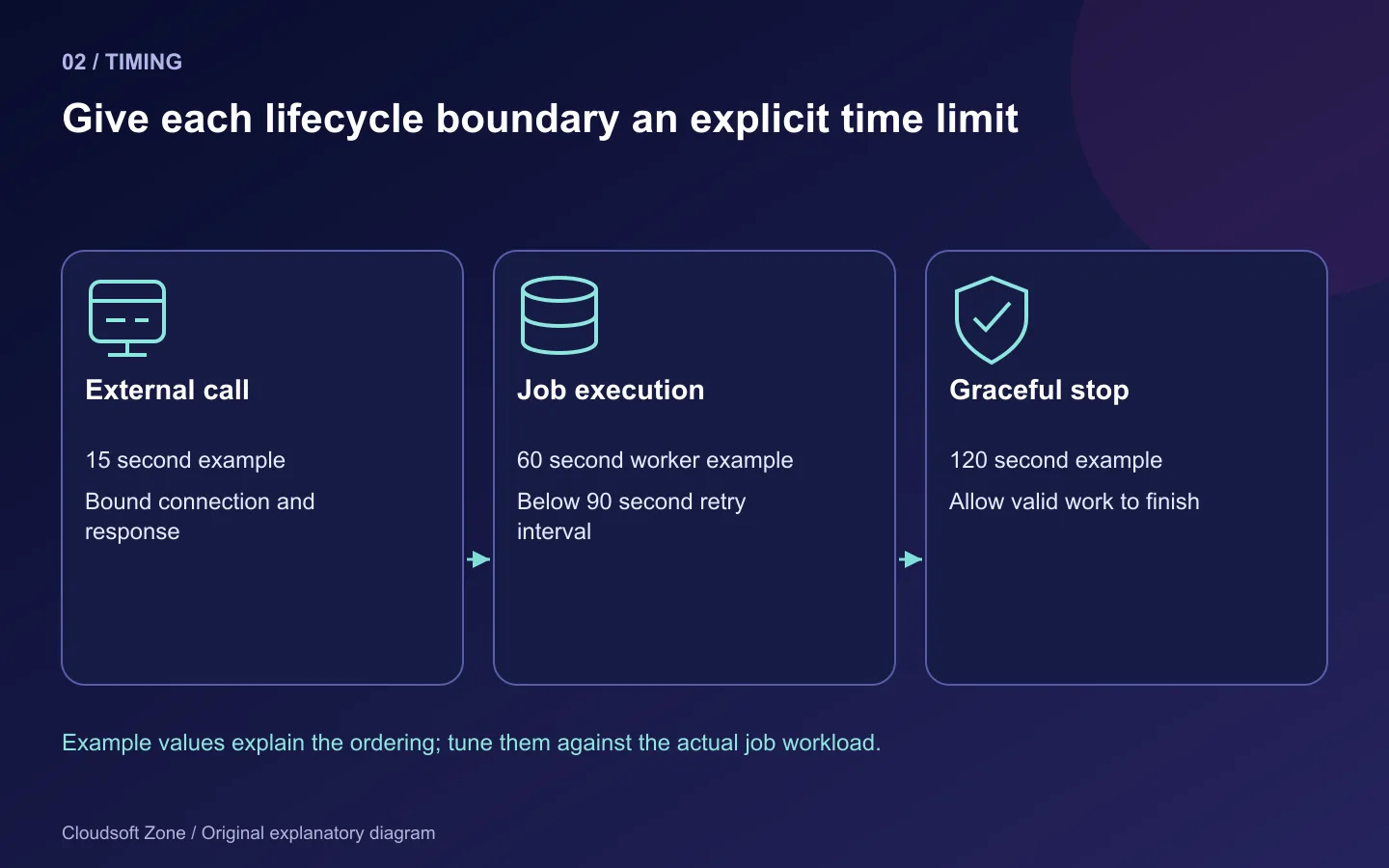
Think of the timing configuration as a set of ordered bounds. External calls should finish or fail within the job's allowed execution time. The worker timeout should be shorter than the connection's retry_after, and the process monitor should allow valid in-flight jobs enough time to finish during shutdown.
External request timeout: 15 seconds
Worker timeout:           60 seconds
Redis retry_after:        90 seconds
Supervisor stopwaitsecs: 120 seconds
These values illustrate the relationship; they are not performance recommendations. A job can override timeout or attempt settings. Long-running exports may need a separate queue and worker policy, while repeated network failures need backoff rather than immediate retries.
Laravel's timeout handling depends on appropriate process-control support. Confirm the CLI environment used by the actual worker. Set explicit HTTP client timeouts: a process deadline does not substitute for bounded network operations and cancellation-aware application code.
Step 4: Make the business operation safe to retry
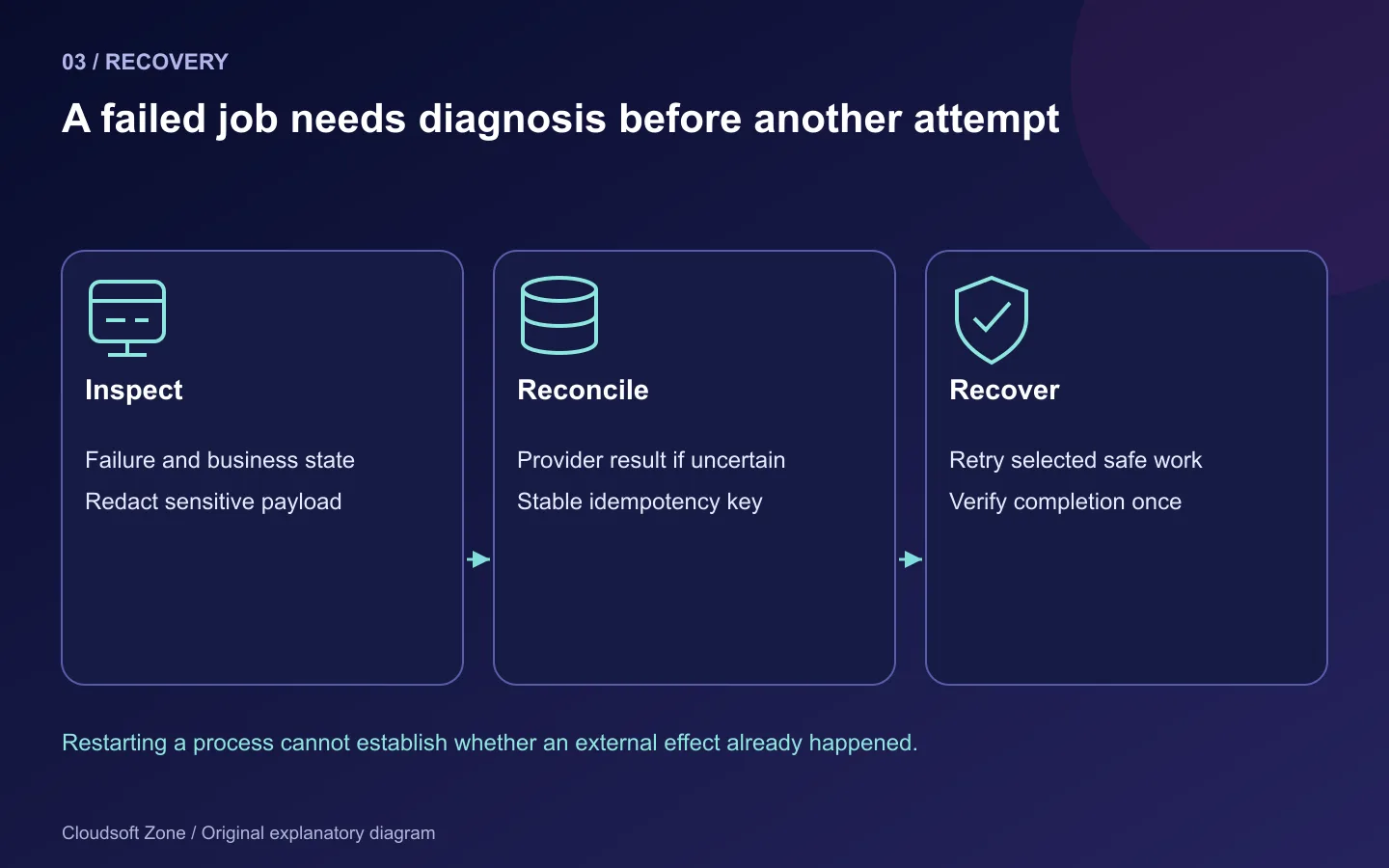
Suppose a job creates a customer report. Give the report request a stable identifier and a unique database constraint. On retry, load that request, detect an already-completed artifact and return rather than creating a second report under a new ID.
For external effects, pass the provider-supported idempotency key where available and record the operation durably. A process can fail after the provider accepted a request but before the local application recorded success. Treat that as an uncertain outcome requiring reconciliation, not proof that the effect never happened.
Laravel job uniqueness and overlap middleware can reduce concurrent work. They do not replace a database constraint or a provider idempotency key. Lock expiry, worker failure and delayed delivery must still be considered.
Keep payloads minimal. Persist a record identifier and reload the necessary state when the job runs. Avoid placing credentials or an entire sensitive customer document into queue payloads or failed-job logs. For jobs that depend on a record still existing, define what deletion or cancellation means.
Step 5: Supervise workers under the application identity
Use a deployment or dedicated worker account with access to the intended release and writable storage. Keep source code deployment-owned and avoid running jobs as root. This Supervisor example starts one process for a bounded default queue:
[program:laravel-default]
directory=/srv/laravel-app/current
command=/usr/bin/php8.3 artisan queue:work redis --queue=default --sleep=3 --tries=3 --timeout=60 --max-time=3600
user=deploy
numprocs=1
autostart=true
autorestart=true
stopasgroup=true
killasgroup=true
stopwaitsecs=120
redirect_stderr=true
stdout_logfile=/srv/laravel-app/shared/storage/logs/queue-default.log
stdout_logfile_maxbytes=10MB
stdout_logfile_backups=5
Replace PHP, paths and queue names with the actual application values. The --max-time option periodically exits a worker after it finishes work; Supervisor's restart policy starts a fresh process. It is not a substitute for finding a memory leak.
sudo supervisorctl reread
sudo supervisorctl update
sudo supervisorctl status laravel-default
Inspect startup errors before changing process counts. Multiple workers increase database connections, memory usage and downstream load. Queue order can prioritize work, but a constantly busy high-priority queue may starve lower-priority jobs; separate worker groups where service requirements differ.
Step 6: Deploy without leaving stale workers alive
After preparing compatible code and configuration, request a graceful worker restart:
php artisan queue:restart
sudo supervisorctl status laravel-default
Run the restart command against the cache configuration the running workers actually share. Verify new process start times and the release path, not just Supervisor's status label. Switching the current symlink does not rewrite code already loaded in a process.
Keep old and new job payloads compatible during the transition. A queued serialized class may outlive the release that created it. Removing a job class or changing required payload fields before draining old work can break a healthy deployment.
For larger changes, pause new dispatch where necessary, let in-flight work reach a known state, then use a documented resume procedure. Never delete queue keys to “clean up” a deployment; those keys may contain accepted customer work.
Step 7: Handle failures and prove restoration
php artisan queue:failed
Inspect a failed job's cause and business state before retrying its specific identifier. Retrying all failed jobs can repeat messages, payments or expensive work. Preserve failure evidence, redact private payloads and define a retention policy. Clearing a failure table is not a repair.
| Symptom | First check |
|---|---|
| Jobs wait indefinitely | Worker connection, queue name and Redis reachability |
| Same effect happens twice | Timeout relationship and business idempotency |
| New release still runs old logic | Worker restart signal and process start time |
| Queue fails after deployment | Serialized payload/class compatibility |
| Redis memory is full | Memory policy, retained jobs and workload growth |
| Process is RUNNING but nothing happens | Actual dispatched job and completion evidence |
Monitor oldest-job age, failures, throughput, worker restarts and dependency latency. Queue length alone can be misleading when a single important job is stuck. Define an alert that reaches someone responsible for recovery.
Redis persistence and tested off-host backups belong to the design if losing queued work is unacceptable. AOF and snapshots have different loss and resource trade-offs; neither promises zero loss under every failure. In staging, dispatch a synthetic job, restart the worker mid-lifecycle and prove the intended durable effect occurs once. Record that result before approving production use.
For release acceptance, use our Laravel release checklist. If you need help reviewing queue reliability, discuss your application with Cloudsoft Zone.
Featured image: Cloudsoft Zone explanatory layout with sourced product artwork: laravel — Laravel (Public domain); redis — Redis Ltd (Public domain). Product marks resized and arranged for identification; no endorsement implied. Layout: CC BY-SA 4.0.
Frequently asked questions
Does Redis guarantee exactly-once job execution?
No. Design business effects to tolerate retries and uncertain completion; use durable constraints and supported provider idempotency.
Why must the worker timeout be shorter than retry_after?
A job should not become available to another worker while the original worker can still execute it. Review job-specific timeout overrides too.
Can Redis database numbers isolate queue memory from cache eviction?
No. Logical databases share the instance's resources and memory policy. Use appropriate service separation where needed.
Your next customer could start right here.
Introduce your tool, product or business to readers exploring technology.
Explore placements and request a private quote
Sources
- Laravel queues — Laravel
- Laravel deployment — Laravel
- Supervisor configuration — Supervisor
- Redis persistence — Redis
Comments
No comments yet. Be the first to join the conversation.
Leave a comment
Every comment is read by a moderator before it appears. Your email address is never published; it is used only to contact you about this comment.
More from Cloudsoft Zone
Resource guideDevOps
Laravel production deployment checklist: release gates, evidence and rollback
A Laravel production deployment checklist built around release evidence, compatible migrations, worker refreshes, persistent storage and recovery gates.
By Cloudsoft Zone
TutorialDevOps
How to deploy Laravel 13 on Ubuntu 24.04 with nginx, PHP-FPM, MySQL and Redis
Laravel 13 Ubuntu deployment with nginx, PHP-FPM, MySQL and Redis: private data services, persistent storage, queue workers and recovery checks.
By Cloudsoft Zone
TutorialDevOps
Next.js NestJS VPS deployment with nginx and PM2
Next.js NestJS VPS deployment with private listeners, locked builds, nginx routing, PM2 startup, browser verification and compatible release recovery.
By Cloudsoft Zone