
Next.js NestJS VPS deployment with nginx and PM2
Next.js NestJS VPS deployment with private listeners, locked builds, nginx routing, PM2 startup, browser verification and compatible release recovery.
7 min read

In this article
A Next.js frontend and a NestJS API can both run successfully over SSH, then disappear after a server restart. Another deployment fails differently: the browser calls the VPS's loopback address, nginx forwards the wrong path, or PM2 starts the API from a directory with no production build. These are integration problems, not reasons to reinstall Node.
This guide covers Next.js NestJS VPS deployment with nginx and PM2. We will give each application a private listener, supervise it under a non-root account, route two public hostnames and verify the full browser-to-API path. The target is one Linux VPS and one instance of each application. Database setup and high availability are separate decisions.
Use a staging VPS first. Record the application's locked Next.js, NestJS and Node versions, because build layouts and framework features vary. The commands below assume npm lockfiles and conventional separate application directories. For pnpm workspaces, use the committed workspace lockfile and your existing build scripts instead of converting package managers.
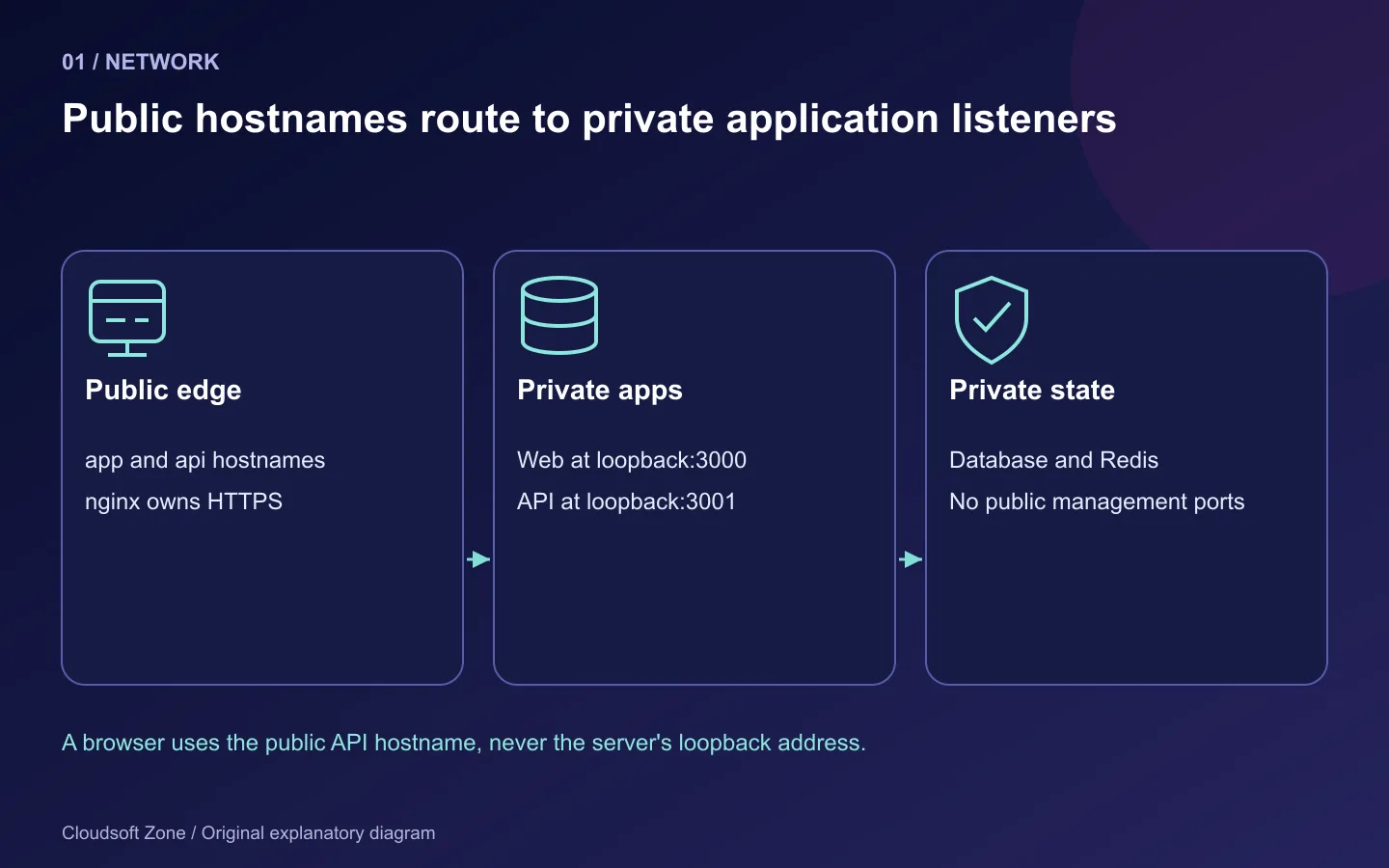
Step 1: Define the network and release boundaries
A simple layout keeps the frontend on 127.0.0.1:3000 and the API on 127.0.0.1:3001. nginx accepts public HTTP and HTTPS. MySQL, Redis and management interfaces remain private. PM2 manages application processes, not the database or nginx.
app.example.com -> nginx -> Next.js 127.0.0.1:3000
api.example.com -> nginx -> NestJS  127.0.0.1:3001
                          -> private database and Redis
Separate hostnames keep API path rewriting out of the example. You can use one hostname with /api, but then document whether nginx preserves that prefix and whether Nest uses a global prefix. A browser's 127.0.0.1 refers to the visitor's computer, so it must never be the public API address in client-side code.
Use versioned directories such as /srv/saas/releases/<release-id>/web and /api, plus /srv/saas/current. Retain uploads and private configuration outside disposable releases. The deployment account owns code; request processes should not need root permissions.
Step 2: Build the exact release you intend to run
Install a supported Node version through your approved runtime method. Pin it in the project and CI. An interactive shell using one Node binary while the boot service uses another creates failures that are hard to reproduce.
For each application, install dependencies from its lockfile and run its build:
cd /srv/saas/releases/<release-id>/web
npm ci
npm run build

cd /srv/saas/releases/<release-id>/api
npm ci
npm run build
Build tools normally require development dependencies. Do not install with production-only dependencies before compiling TypeScript unless your build pipeline provides those tools separately. If you prune runtime dependencies afterwards, confirm the artifact still starts and includes native modules compiled for the target platform.
Inspect the real API entry point. A Nest project may produce dist/main.js or dist/src/main.js, and a monorepo can produce another layout. Set the PM2 script to the file your build actually generated. Do not guess and then mask the error with an endless restart loop.
Step 3: Make environment values explicit
Next.js public variables are included in the browser bundle at build time. Changing a runtime environment file does not rewrite an already-built NEXT_PUBLIC_ value. Never use that prefix for secrets. Server-only variables may be read at runtime where the rendering path actually executes dynamically; static generation can still evaluate values during the build.
A useful separation is:
# Frontend build-time public setting, only if browser requests need it
NEXT_PUBLIC_API_ORIGIN=https://api.example.com

# Frontend server-only setting for server-side requests
API_ORIGIN=http://127.0.0.1:3001

# API runtime settings
NODE_ENV=production
PORT=3001
HOST=127.0.0.1
The frontend must implement the intended server/browser separation; merely naming a variable does not enforce it. Supply real secrets through a protected service environment or secret store. PM2 can expose environment values through inspection commands, so restrict access to the deployment account and keep diagnostics private.
In Nest's bootstrap, bind deliberately and enable shutdown hooks when the application has resources to close:
const app = await NestFactory.create(AppModule);
app.enableShutdownHooks();
await app.listen(Number(process.env.PORT ?? 3001), '127.0.0.1');
Add configuration validation and a readiness route appropriate to your application. The literal host is intentional for this VPS example. A container deployment needs a different bind address.
Step 4: Start both applications with a reviewed PM2 declaration
Store a CommonJS ecosystem file named ecosystem.config.cjs, which also works when the project uses ES modules. This example assumes a standard next start deployment and an API output at dist/main.js:
module.exports = {
  apps: [
    {
      name: 'saas-web',
      cwd: '/srv/saas/current/web',
      script: './node_modules/next/dist/bin/next',
      args: 'start --hostname 127.0.0.1 --port 3000',
      instances: 1,
      exec_mode: 'fork',
      env: { NODE_ENV: 'production' },
      kill_timeout: 10000,
    },
    {
      name: 'saas-api',
      cwd: '/srv/saas/current/api',
      script: 'dist/main.js',
      instances: 1,
      exec_mode: 'fork',
      env: { NODE_ENV: 'production', PORT: '3001' },
      kill_timeout: 10000,
    },
  ],
};
Run PM2 as the deployment account. Configure its version through your reviewed toolchain; do not install an unspecified latest binary during every deployment. Start the declaration and check each listener directly:
pm2 start ecosystem.config.cjs
pm2 list
curl --fail --max-time 5 http://127.0.0.1:3000/
curl --fail --max-time 5 http://127.0.0.1:3001/health/ready
Implement the readiness route before using it. A PM2 ONLINE label cannot prove database connectivity or successful requests. Confirm the process working directory, listener, logs and restart count under the correct user.
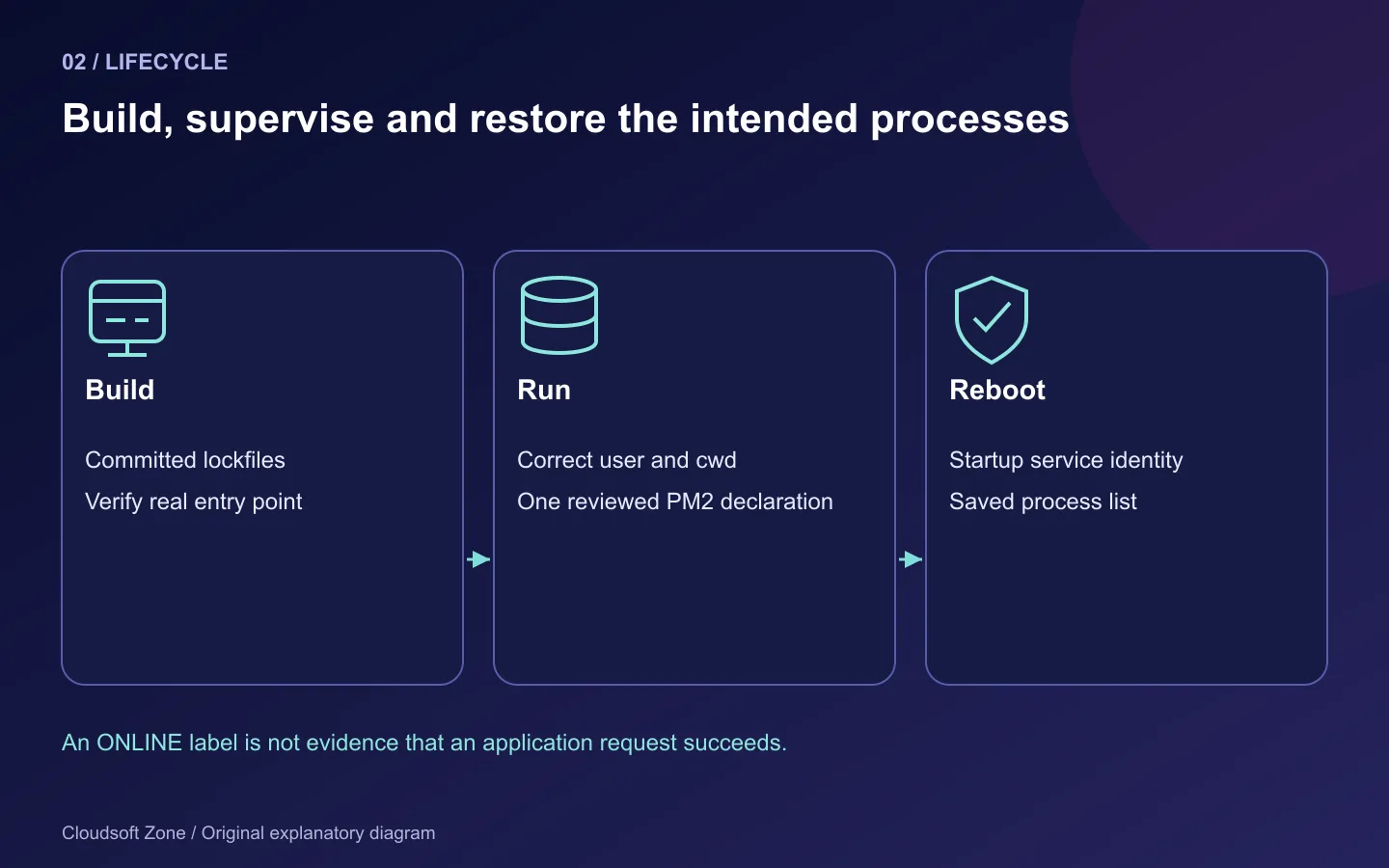
Step 5: Put nginx in front of the private listeners
The following HTTP blocks are a bootstrap configuration. Add trusted TLS and renewal verification before accepting production credentials. Reuse your existing certificate procedure or our nginx HTTPS guide.
server {
    listen 80;
    server_name app.example.com;
    location / {
        proxy_pass http://127.0.0.1:3000;
        proxy_http_version 1.1;
        proxy_set_header Host $host;
        proxy_set_header X-Forwarded-Proto $scheme;
        proxy_set_header X-Real-IP $remote_addr;
        proxy_set_header X-Forwarded-For $remote_addr;
        proxy_buffering off;
    }
}
server {
    listen 80;
    server_name api.example.com;
    location / {
        proxy_pass http://127.0.0.1:3001;
        proxy_http_version 1.1;
        proxy_set_header Host $host;
        proxy_set_header X-Forwarded-Proto $scheme;
        proxy_set_header X-Real-IP $remote_addr;
        proxy_set_header X-Forwarded-For $remote_addr;
    }
}
This example assumes nginx is the only trusted edge and overwrites client-supplied forwarding information. A CDN or additional proxy requires a separately reviewed trusted-proxy chain. Disabling buffering on the frontend supports streamed responses; confirm any intervening CDN does not buffer them again.
WebSockets require explicit upgrade handling when the application uses them. Set upload limits and timeouts for real routes rather than copying enormous global values. Apply a syntax-checked reload and verify requests through the selected public hostname.
Step 6: Configure startup and prove it after reboot
Under the deployment account, run pm2 startup. Execute only the administrator command PM2 prints for that user and runtime path, then save the intended process list:
pm2 startup
pm2 save
Check the generated service identity before using sudo. After upgrading Node, regenerate startup integration as documented by PM2; the old service may reference a removed binary. A saved process list and an enabled service are separate requirements.
On staging, reboot and repeat the public checks. That verifies the startup environment rather than the environment inherited from your SSH session. Configure log rotation and retention without recording authorization headers, cookies or database passwords.
Step 7: Verify browser behaviour and retain compatible releases
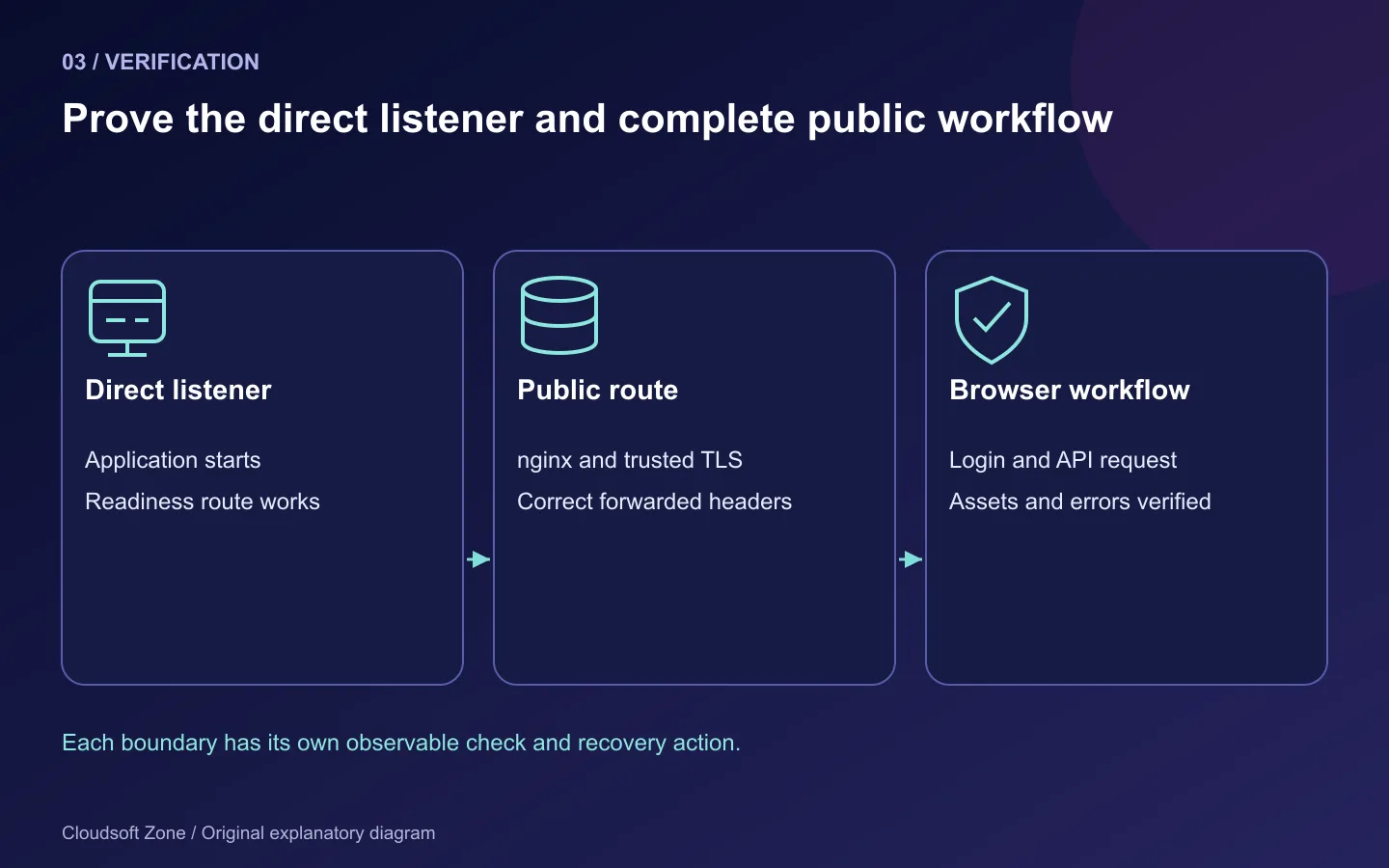
| Symptom | Check first |
|---|---|
| Browser cannot reach API | Public API origin, CORS allowlist and mixed content |
| nginx returns 502 | Real upstream listener and PM2 working directory |
| Works until reboot | Correct user's startup service and saved list |
| Old API URL after env change | Frontend build-time public configuration |
| Streaming arrives all at once | Proxy/CDN buffering along the whole route |
| Old tabs fail after release | Asset retention and version-skew strategy |
Verify login, a representative API request, logout, error states and a mobile layout. Cross-origin cookie authentication needs an intentional CORS/credentials/cookie policy; do not enable every origin to make a request succeed. For diagnosis, use our nginx 502 guide.
Keep the previous artifact and a compatible database state. This single-instance fork deployment may interrupt requests during restart; PM2 does not turn it into guaranteed zero downtime. Introduce multi-instance rolling releases only after reviewing Next.js cache coordination, encryption keys, old assets and API migration compatibility. For an application deployment review, contact Cloudsoft Zone.
Featured image: Cloudsoft Zone explanatory layout with sourced product artwork: nextjs — Vercel (CC BY-SA 4.0); nestjs — NestJS (Public domain); nginx — Igor Sysoev (Public domain). Product marks resized and arranged for identification; no endorsement implied. Layout: CC BY-SA 4.0.
Frequently asked questions
Can I point browser API requests at 127.0.0.1?
No. In a visitor's browser that address refers to the visitor's machine. Use the public API origin or an intentional same-origin proxy.
Why does changing NEXT_PUBLIC_API_ORIGIN not change my built frontend?
Public Next.js variables are embedded during the build. Rebuild with the reviewed public value; keep secrets server-side.
Does PM2 guarantee zero-downtime releases here?
No. This single-instance fork example can interrupt requests. Multi-instance releases require application and state coordination.
Your next customer could start right here.
Introduce your tool, product or business to readers exploring technology.
Explore placements and request a private quote
Sources
- Next.js self-hosting — Next.js
- NestJS deployment — NestJS
- PM2 ecosystem declaration — PM2
- PM2 startup integration — PM2
- nginx HTTP proxy module — nginx
Comments
No comments yet. Be the first to join the conversation.
Leave a comment
Every comment is read by a moderator before it appears. Your email address is never published; it is used only to contact you about this comment.
More from Cloudsoft Zone

Troubleshooting guideDevOps
How to fix nginx 502 Bad Gateway in PHP-FPM, Node.js and PM2
Fix nginx 502 Bad Gateway by tracing the failed upstream: PHP-FPM sockets, Node.js listeners, PM2 processes and targeted recovery checks.
By Cloudsoft Zone
TutorialDevOps
Laravel queue workers in production: Redis, Supervisor and failed jobs
Run Laravel queue workers with Redis and Supervisor, aligned timeouts, safe retries, graceful release restarts and deliberate failed-job recovery.
By Cloudsoft Zone
Resource guideDevOps
Laravel production deployment checklist: release gates, evidence and rollback
A Laravel production deployment checklist built around release evidence, compatible migrations, worker refreshes, persistent storage and recovery gates.
By Cloudsoft Zone