
In this article
A deployment can pass every command and still fail the first real customer. The web route works, but the queue runs yesterday's release, a migration removed a column the previous release needs, and nobody knows whether the latest backup can be restored. A command finishing successfully is only one piece of evidence.
This Laravel production deployment checklist turns a release into a set of explicit acceptance gates. It focuses on repeat deployments to an existing application, rather than installing a new server. For the foundation, start with our Laravel 13 server checklist. Here we will record what changed, prove the critical paths and decide when a release should stop.
The examples target a conventional Laravel 13 application behind nginx and PHP-FPM. Commands assume the reviewed release directory and deployment identity have already been selected. Validate the procedure on staging with representative data; the examples are not a claim that your application's migrations or jobs are safe.
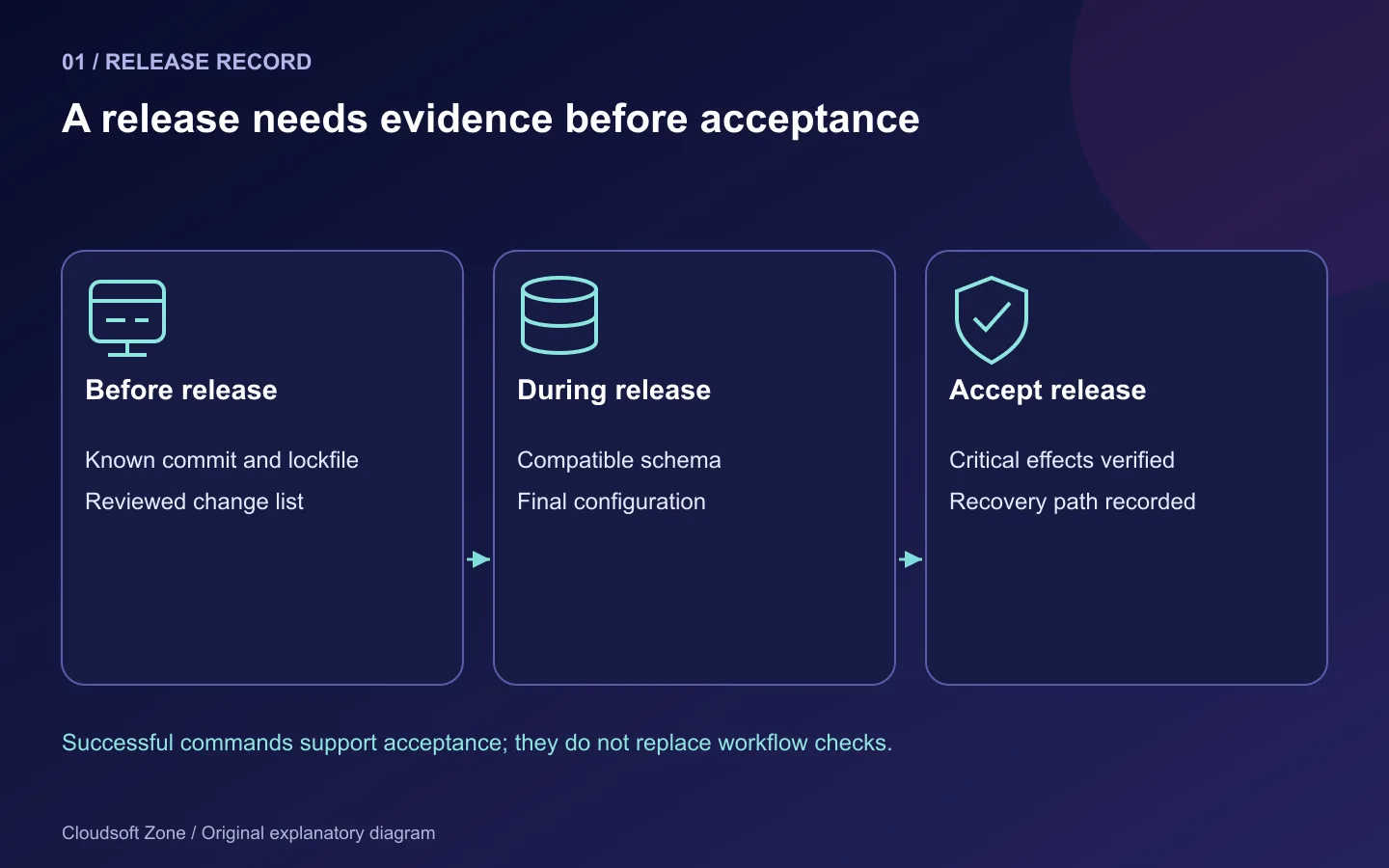
Step 1: Write a release record before touching production
Keep a short record alongside the deployment artifact. It should identify the commit, lockfile, build output, schema changes, configuration changes, operator and previous compatible release. Include a maintenance contact and a clear stop condition. A small team can use a reviewed issue or release note; an unstructured chat history is harder to use during an incident.
Release: <reviewed commit and artifact identifier>
Application: <service and environment>
Database changes: <migration names and compatibility review>
Configuration changes: <key names, never secret values>
Previous compatible release: <artifact identifier>
Backup restore evidence: <date and isolated restore record>
Verification owner: <named operator>
Stop conditions: <failed login, failed writes, rising queue age>
Record observable outcomes rather than “looks fine.” For example, a release that changes invoicing should prove one synthetic invoice can be created and read back. A CSS-only release does not need to replay real payments. Scale the checks to the change while retaining the basic health and recovery gates.
Step 2: Prove the artifact and runtime agree
A production server should receive a known artifact, not resolve a different dependency graph during deployment. Composer installs the committed lockfile; it should not update dependencies as part of a release. Confirm both the command-line PHP used for migrations and the PHP-FPM runtime used for requests.
cd /srv/laravel-app/releases/<release-id>
composer validate --no-check-publish
composer install --no-dev --prefer-dist --optimize-autoloader --no-interaction
composer check-platform-reqs --no-dev
php artisan about
php artisan migrate:status
Replace the release placeholder before running these commands. Review Composer scripts because they execute application code. check-platform-reqs verifies the current CLI environment; it does not prove a different FPM pool has the same extensions. Compare the installed FPM configuration privately and exercise the application through nginx.
Confirm the frontend artifact belongs to the same commit. A missing build manifest or old JavaScript bundle can break a form while server-side rendering appears healthy. Keep the previous asset generation available if old browser tabs still reference it.
Step 3: Separate configuration correctness from secret handling
Before caching configuration, verify required key names and their intended sources. Do not print the entire environment into the release log. Keep production debugging off, the application URL correct and the existing encryption key stable. Check that queue, cache and session configuration points to the intended private services.
php artisan config:cache
php artisan route:cache
php artisan view:cache
Run these against the new release with its final configuration. If one fails, stop and investigate rather than switching traffic to a half-prepared directory. Configuration caching changes how environment values are read: application code should use Laravel configuration, with env() calls confined to configuration files.
The cache files themselves may contain secrets. Keep them readable only by the required identities and never upload them as public diagnostic attachments. Configuration changes also need to reach long-lived workers; preparing a fresh FPM release does not refresh a worker already running in memory.
Step 4: Classify every migration before approving it
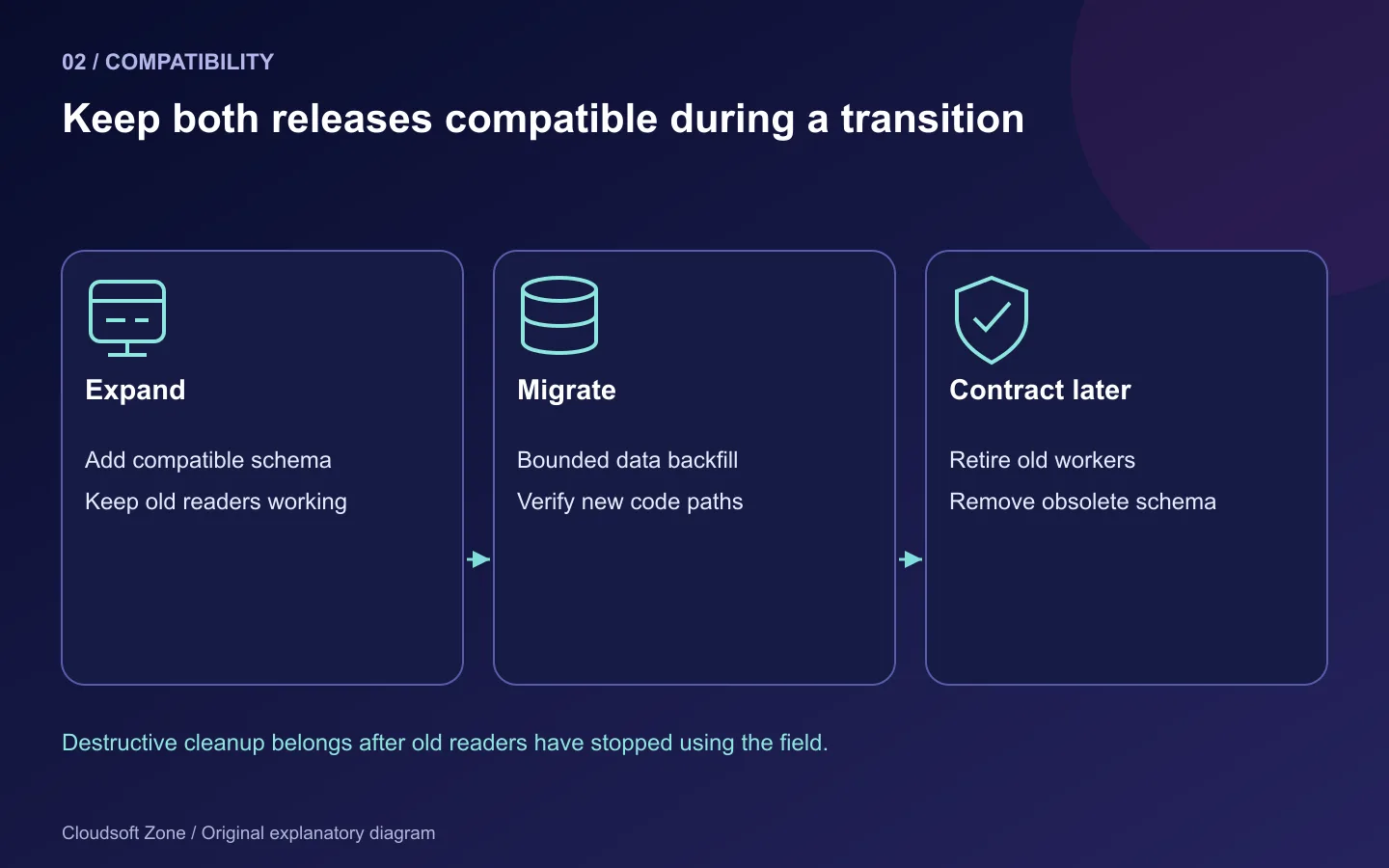
Use a compatibility review, not simply “migrate succeeded.” Ask whether the current release, the new release and the previous rollback candidate can all operate against the transitional schema. A new nullable column may be compatible; renaming a field that active workers still read may not be.
| Migration change | Review question |
|---|---|
| Add a nullable column | Can old code ignore it and new code tolerate empty values? |
| Add an index | What locking and resource cost will the real database version impose? |
| Backfill a large table | Can the work run in bounded batches outside a request? |
| Rename or drop a column | Have all old readers and workers stopped using it? |
| Add a uniqueness rule | Has existing data been checked for conflicts? |
MySQL DDL behaviour depends on the exact operation, version and table. Do not assume every migration is transactional or instantly reversible. Rehearse changes against an isolated representative database and measure their effect there. Preserve production records throughout the rehearsal.
Apply reviewed migrations with the deployment identity and the intended migration privileges. Laravel's --force avoids the production prompt; it provides no extra safety. Avoid executing migrations simultaneously from multiple release workers. Use your deployment lock, or Laravel's isolated migration option where the configured shared cache supports it.
Step 5: Verify persistent state before switching code
A replaceable release must not own the only copy of uploads, sessions or operational logs. Inspect the environment and storage links, plus permissions for both the deployment user and FPM. Verify the complete path, including parent directory traversal.
namei -l /srv/laravel-app/current/public/index.php
namei -l /srv/laravel-app/shared/storage
php artisan storage:link
The storage-link command is relevant when the application uses Laravel's public local disk. Private files should remain private, and object-storage applications have different checks. Do not create a public link for every upload directory just to silence an error.
A useful staging exercise uploads a synthetic file, switches to another release and reads the same file back. The exercise proves retention across release changes. Checking only that a directory exists cannot establish that the application uses it.
Step 6: Refresh workers and prove one background effect
Laravel queue workers are long-lived. They need a controlled refresh after code changes, and a process monitor must bring them back. With conventional queue:work workers, a graceful restart signal lets a worker finish its current job before exiting.
php artisan queue:restart
sudo supervisorctl status laravel-app-worker
php artisan queue:failed
php artisan schedule:list
Use the actual monitored program name. A restart signal relies on the cache configuration being visible to the running workers. Confirm that new processes use the new release path and intended environment. Horizon has its own lifecycle commands; do not run a second Supervisor worker fleet over the same queues accidentally.
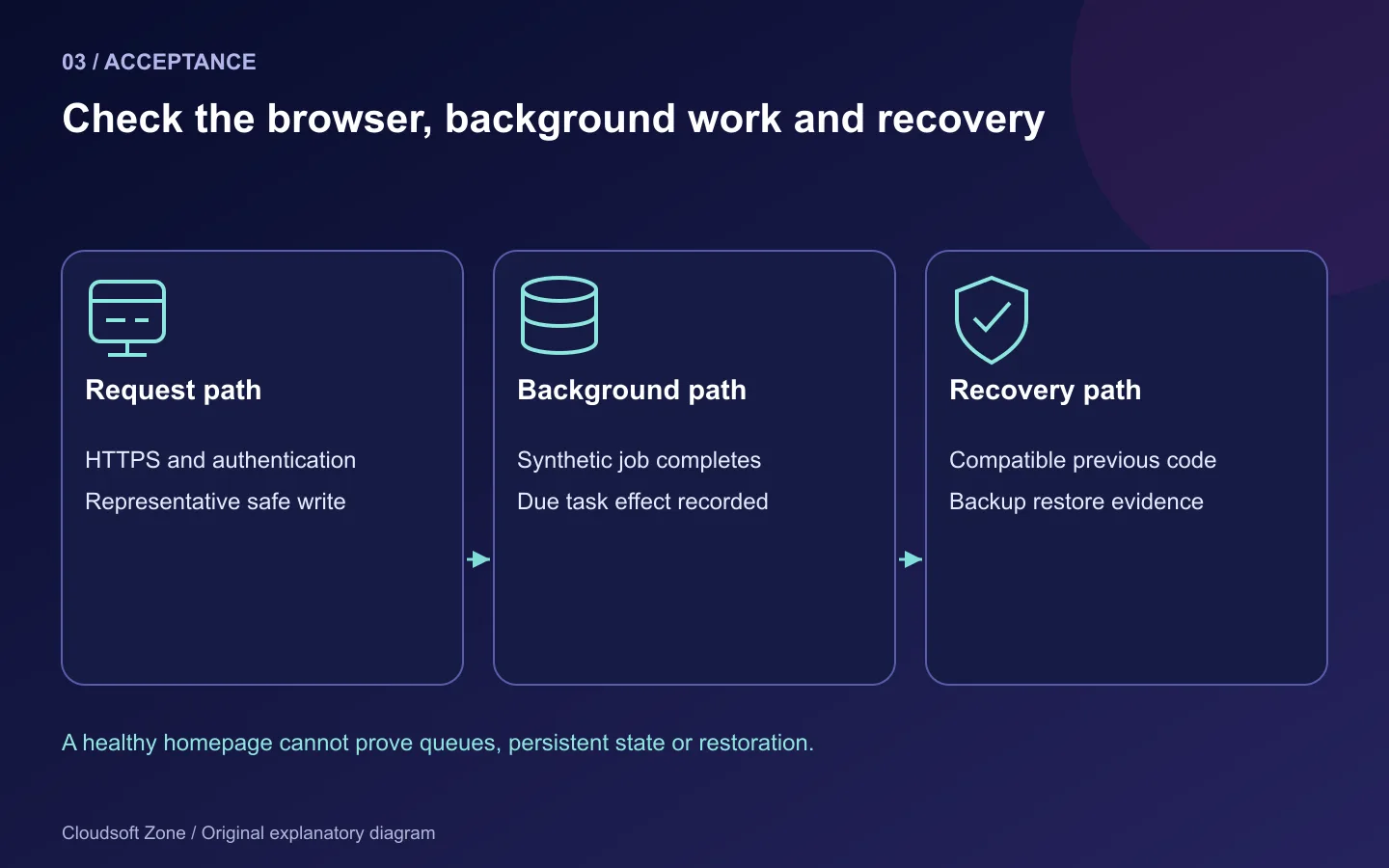
Dispatch a safe synthetic job with a traceable identifier. Confirm its recorded completion once, and check queue age rather than just process count. Test a due scheduler action too. A worker marked RUNNING and a cron entry on disk do not prove either business effect occurred.
Step 7: Check the public path and define rollback limits
Inspect nginx syntax, then use real HTTPS routes through the normal hostname. Verify authentication, one relevant write, assets and a bounded dependency check. An /up success is a useful framework boot signal, but it is not automatically a database, Redis or payment-service check.
sudo nginx -t
curl --fail --max-time 10 https://app.example.com/up
curl --head --max-time 10 https://app.example.com/.env
The second response must not expose configuration; inspect the actual status and routing. Replace the example host and health route. HEAD may differ from GET in your application, so use the implemented method for health verification.
| Release gate | Pass evidence | Stop condition |
|---|---|---|
| Artifact | Recorded commit, locked dependencies, matching assets | Unknown or mixed artifact |
| Schema | Rehearsed compatible migrations | Unreviewed destructive change |
| Runtime | HTTPS workflow and synthetic write succeed | Authentication or persistence fails |
| Background work | Job and scheduler effects observed | Backlog age rises or jobs duplicate |
| Recovery | Previous compatible code and restored backup verified | Recovery depends on guesswork |
Code rollback cannot undo accepted payments, customer writes or destructive DDL. Decide whether to revert the artifact, disable one feature or follow a database recovery procedure. Blindly running migrate:rollback can cause more damage than the failed release.
Common mistakes
Running composer update on the server changes the release you reviewed. Clearing every cache can remove useful locks or application state. Restarting all services may disrupt healthy workloads and erase transient evidence. Using real customer actions as smoke checks can create duplicate orders or messages.
A repeatable release ends with recorded evidence and an explicit acceptance decision. Keep the checklist small enough to run, but specific enough to catch the failures your application can actually have. For a scoped deployment review, discuss your application with Cloudsoft Zone.
Featured image: Cloudsoft Zone explanatory layout with sourced product artwork: laravel — Laravel (Public domain). Product marks resized and arranged for identification; no endorsement implied. Layout: CC BY-SA 4.0.
Frequently asked questions
Does migrate --force make a migration safe?
No. It suppresses the production confirmation. Compatibility, locking, data preservation and recovery still need review.
Is Laravel's up route enough to accept a release?
No. Add checks for the dependencies and business effects the release changes, keeping detailed diagnostics private.
Should every deployment roll back migrations on failure?
No. Code rollback and database recovery are different operations. Use the rehearsed compatible recovery procedure.
Your next customer could start right here.
Introduce your tool, product or business to readers exploring technology.
Explore placements and request a private quote
Sources
- Laravel deployment — Laravel
- Laravel migrations — Laravel
- Laravel queues — Laravel
- Composer CLI — Composer
Comments
No comments yet. Be the first to join the conversation.
Leave a comment
Every comment is read by a moderator before it appears. Your email address is never published; it is used only to contact you about this comment.
More from Cloudsoft Zone
TutorialDevOps
Laravel queue workers in production: Redis, Supervisor and failed jobs
Run Laravel queue workers with Redis and Supervisor, aligned timeouts, safe retries, graceful release restarts and deliberate failed-job recovery.
By Cloudsoft Zone
TutorialDevOps
How to deploy Laravel 13 on Ubuntu 24.04 with nginx, PHP-FPM, MySQL and Redis
Laravel 13 Ubuntu deployment with nginx, PHP-FPM, MySQL and Redis: private data services, persistent storage, queue workers and recovery checks.
By Cloudsoft Zone
TutorialDevOps
Next.js NestJS VPS deployment with nginx and PM2
Next.js NestJS VPS deployment with private listeners, locked builds, nginx routing, PM2 startup, browser verification and compatible release recovery.
By Cloudsoft Zone