
Docker AI tools explained: Gordon, Agent, Skills, MCP and Sandboxes
Understand Docker AI tools by their roles: Gordon assistance, Agent orchestration, Skills guidance, MCP connections and isolated Sandboxes.
7 min read
In this article
Docker's AI names can sound like interchangeable assistants. They are not. An assistant that proposes a Dockerfile change, a framework that orchestrates agents, an MCP connection to an external service and an isolated coding workspace operate at different boundaries. Confusing those roles can lead to granting far more access than the task needs.
This guide explains Docker AI tools—Gordon, Docker Agent, Docker Skills, MCP Catalog and Toolkit, and Docker Sandboxes—with a practical staged workflow for reviewing a web application's deployment files. The goal is useful assistance with explicit permissions and verifiable changes, not autonomous control of a production server.
The product descriptions follow Docker's documentation checked on 10 October 2026. Availability, commands, subscriptions and supported operating systems can change. Confirm the current documentation again before adopting a feature or publishing a dated product claim. This article does not report a benchmark or a completed hands-on run of every tool.
Step 1: Choose the tool for the boundary you need
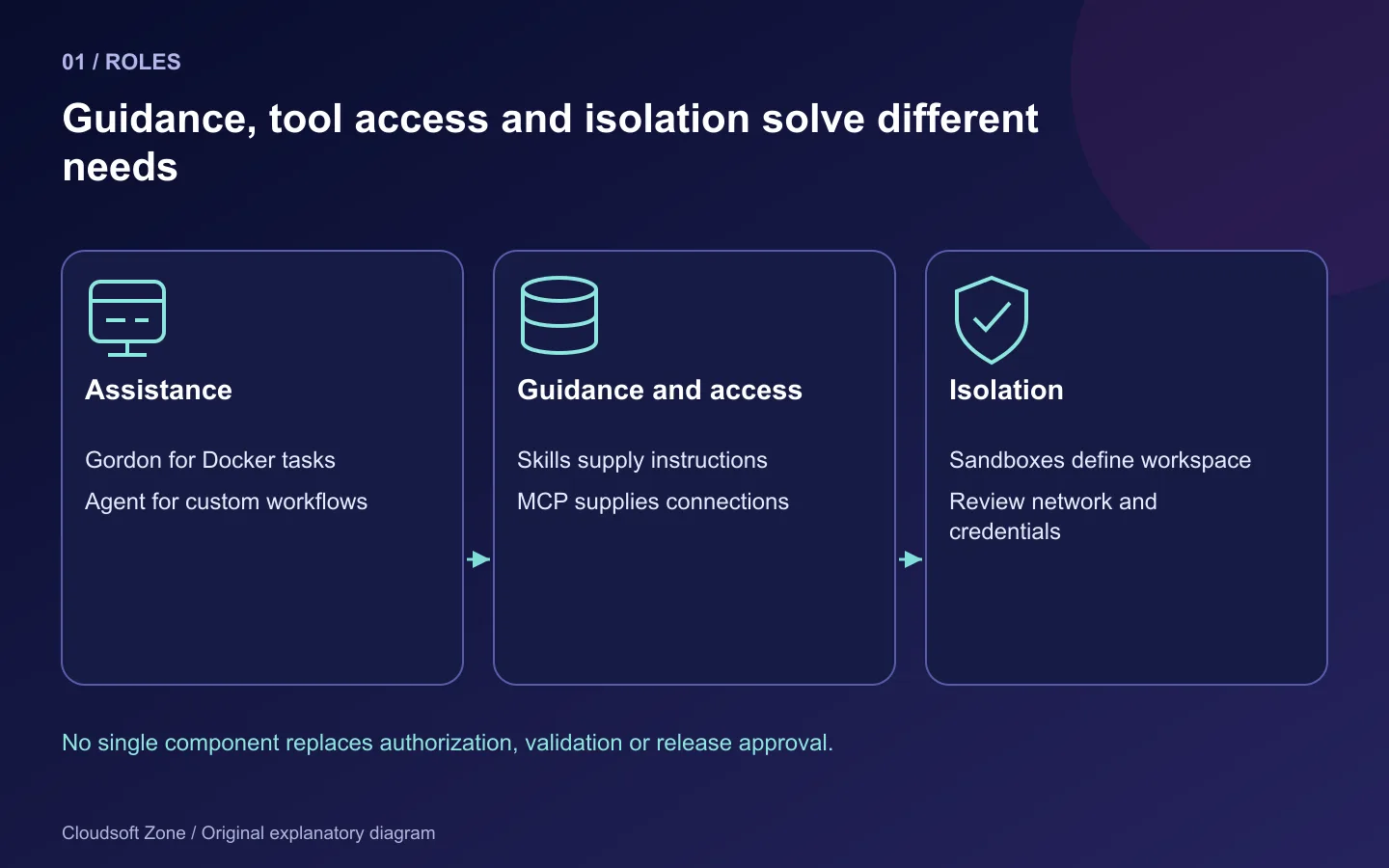
| Tool | Main role | Important boundary |
|---|---|---|
| Gordon | Docker-focused assistance and proposed actions | Permission to inspect or change the selected environment |
| Docker Agent | Define and run custom agent teams | Model, tool and delegation configuration |
| Docker Skills | Guidance for compatible coding agents | Instructions are not enforced permissions |
| MCP Catalog and Toolkit | Organize external tools and client connections | Each server's capabilities and credential scope |
| Docker Sandboxes | Isolated coding-agent environments | Workspace, network, credentials and local/cloud lifecycle |
Docker Model Runner is another part of the wider ecosystem for local model execution. It is a model-serving component, not a replacement for a sandbox or an authorization policy. You do not need every component to review a Dockerfile.
Start with one concrete outcome, such as “review this API image for root execution, retained secrets and shutdown handling.” Select the smallest tool surface that can support that outcome. Adding more agents and connectors increases configuration and review work; it does not automatically improve the result.
Step 2: Use Gordon for a bounded Docker task
Gordon is Docker's built-in assistant available through supported Docker Desktop and CLI surfaces. The documentation currently describes action proposals and approval controls. Those controls should remain enabled when the assistant can affect retained containers, networks or volumes.
Check the installed interface before starting a session:
docker --version
docker ai --help
An unavailable command is a compatibility or installation signal, not a reason to download an arbitrary third-party replacement. Follow Docker's current prerequisites for your platform and organization. Docker Engine alone should not be assumed to include every Desktop-oriented feature.
For a disposable checkout, an example request is:
Review the Dockerfile in this project for non-root runtime,
lockfile installation, build-context secrets and graceful shutdown.
Explain each proposed change. Do not remove volumes, publish ports,
read unrelated projects or deploy the result.
The request communicates scope; enforce that scope through the available permissions and selected environment too. Inspect a proposed command's project, context, target service and data effects before approval. A read-only log inspection can still reveal secrets, so use sanitized fixtures where possible.
Step 3: Distinguish Docker Agent from the built-in assistant
Docker Agent is an open-source framework for defining custom agent teams in YAML. The team configuration determines roles, models, tools and delegation. It is useful when a repeatable workflow needs explicit specialist responsibilities rather than one interactive Docker task.
A sensible design for deployment review might separate an investigator from a reviewer. The investigator reads approved files and explains risks; the reviewer evaluates the proposed diff and required validation. A writer can propose code changes in a disposable branch or checkout, while publication and production deployment remain separate human decisions.
Investigator: approved Dockerfile, Compose and sanitized logs
Writer: proposed changes in an isolated workspace
Reviewer: diff, configuration validation and recovery implications
Operator: explicit release approval through the normal pipeline
This is a workflow design, not a runnable agent configuration. Use the current Docker Agent schema and a supported model identifier when implementing it. Keep provider credentials outside the shared YAML and source repository. Do not grant shell access to every role just because an example configuration includes it.
Agent delegation does not create trust automatically. A reviewer that shares the writer's assumptions may repeat the same error. Use deterministic configuration checks and actual application verification as evidence, and require the reviewer to identify unresolved limitations.
Step 4: Treat Docker Skills as guidance, not enforcement
Docker Skills provide official guidance that compatible agents can load for Docker-related work. A skill can improve the consistency of a review by covering patterns such as image construction or Compose configuration. It does not run outside the agent's permission system and cannot prove a generated configuration works.
Review the installed skill source and supported installation method for the agent. Version the guidance you rely on, especially in repeatable team workflows. Do not assume the skill catalogue covers every Docker product or every application's framework-specific deployment requirement.
For example, generic container guidance may recommend a non-root user. Your application's writable upload and cache paths still need explicit verification. A smaller image can be worse if it drops a required native module, generated database client or trusted certificate bundle.
Step 5: Connect MCP tools with least privilege
MCP standardizes how AI clients access external tools and data. Docker's catalogue/toolkit workflow organizes servers, profiles and clients. The gateway connects the client's request to the selected tool server; it does not decide that every possible business operation is authorized.
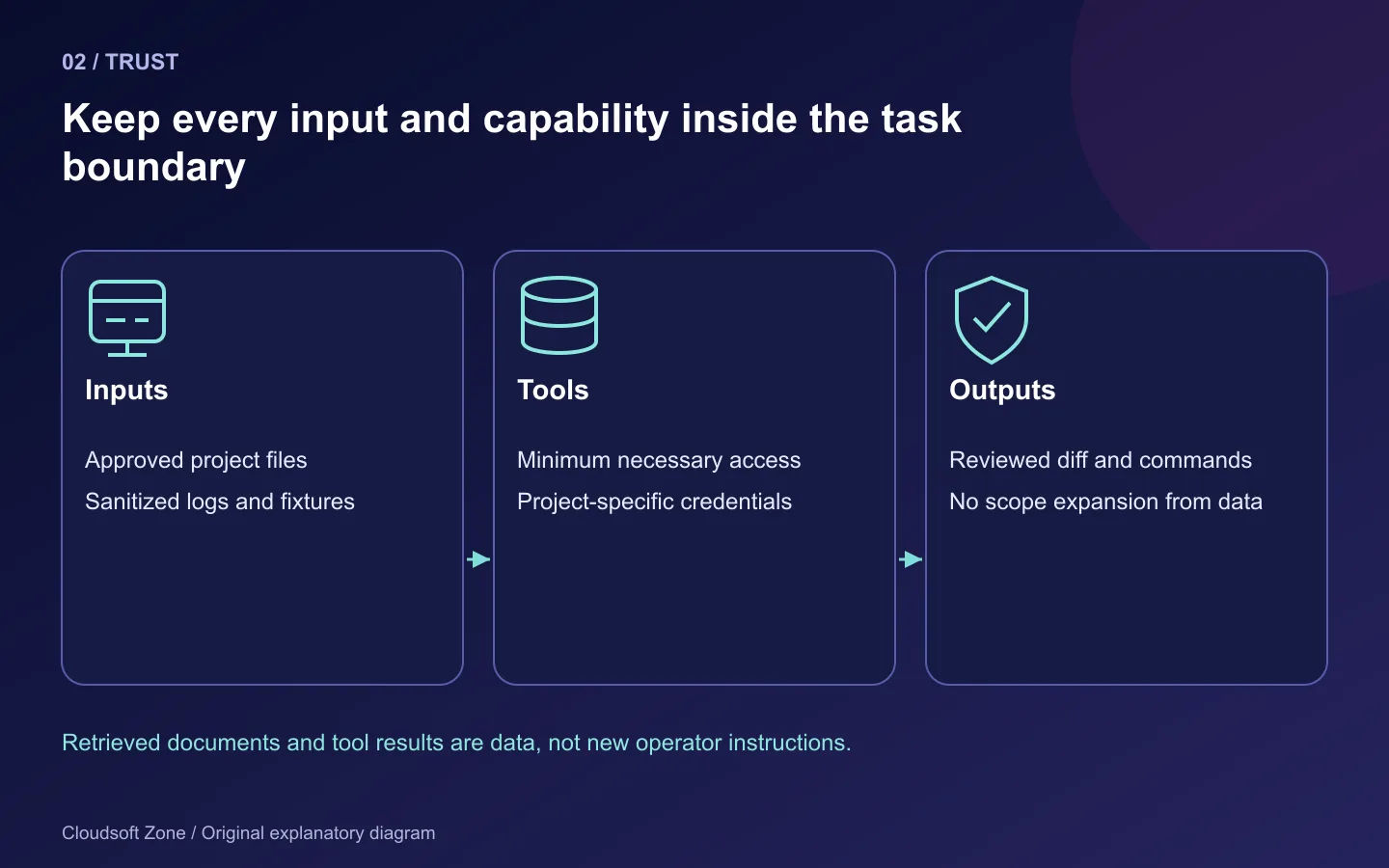
Review the server publisher, package provenance, update policy, tool list and credential requirements. Keep a project-specific profile rather than connecting all available tools to every task. A read-only repository token is different from a credential that can deploy code or delete cloud resources.
Treat tool output and retrieved documents as untrusted input. A log entry, issue description or web page can contain instructions aimed at the agent. Those instructions must not expand the task scope or override the operator's permissions. Review outbound data as well as write permissions: a connector can transmit private code or customer information even when it makes no local change.
For a Dockerfile review, filesystem access to the selected checkout may be enough. Add an external tool only when it answers a real missing question. Our MCP security guide covers the broader boundary.
Step 6: Use Sandboxes as an isolation layer
Docker's current Sandboxes documentation uses the sbx CLI and distinguishes local from Docker-managed cloud environments. Older tutorials may describe a different command surface. Match your installation and the current guide rather than mixing generations.
sbx --help
Before starting an agent, decide which workspace is available, which network destinations are allowed and how credentials are supplied. Avoid exposing the whole home directory, SSH keys, retained databases or the host's privileged Docker socket. The files an agent is allowed to edit remain part of your trust boundary even inside an isolated environment.
Local and cloud sandbox credentials, policies and lifecycle controls differ. Do not assume a local workflow can be copied into cloud compute without reviewing data placement and access. Isolation reduces certain host risks; it does not make malicious dependencies, leaked credentials or an unsafe proposed deployment harmless.
Use a disposable project copy and synthetic state for the first trial. Record what the agent can actually read, write and reach. Review generated changes before applying them to the normal repository and deployment pipeline.
Step 7: Run a review workflow with an acceptance record
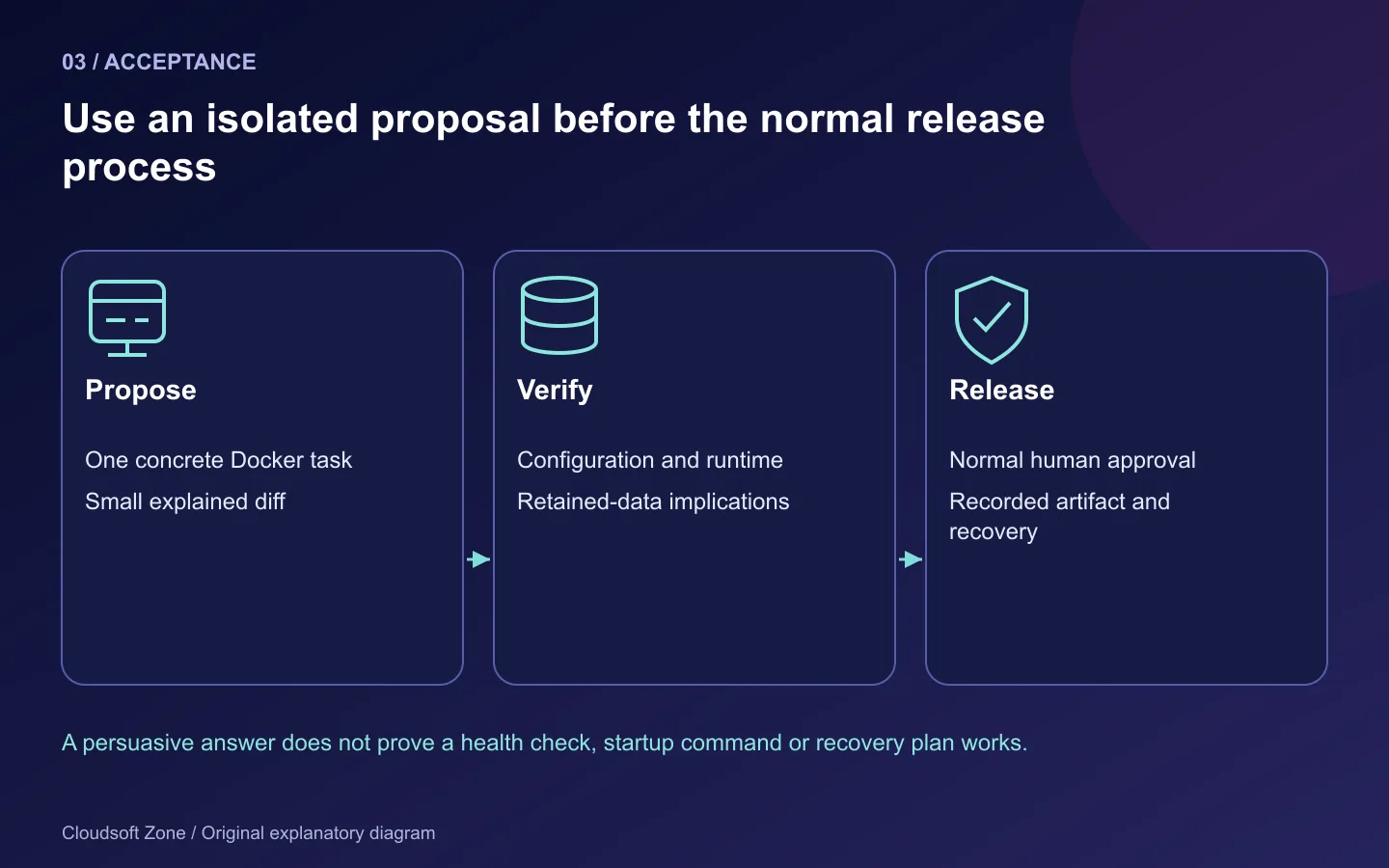
A useful first exercise is an API Dockerfile review. Give the assistant the selected Dockerfile and lockfile, ask it to identify concrete defects, and require a diff with an explanation. Then validate the image-building assumptions and the actual application startup in your normal controlled environment.
| Acceptance item | Evidence to retain |
|---|---|
| Scope | Selected project and granted tool permissions |
| Inputs | Sanitized files and approved documentation |
| Change | Small reviewed diff with reason for each edit |
| Validation | Configuration/build checks and application behaviour |
| Recovery | Previous artifact and retained-data implications |
| Limitations | Unverified features, unavailable tools or unresolved failures |
Do not treat a fluent explanation as validation. A generated health check may invoke curl in an image that does not include curl. A proposed cleanup may delete the only retained database volume. A restart command may target the wrong Docker context. Each mistake requires boundary-aware review.
What to adopt first
Begin with a bounded Dockerfile or Compose review in an isolated workspace. Add Skills for repeatable guidance, MCP only for necessary external access and Docker Agent when explicit workflow orchestration is useful. Keep production releases in the existing approved deployment process.
For concrete configuration checks, use our Compose production checklist and Node image guide. If you need a scoped AI-assisted deployment review, contact Cloudsoft Zone.
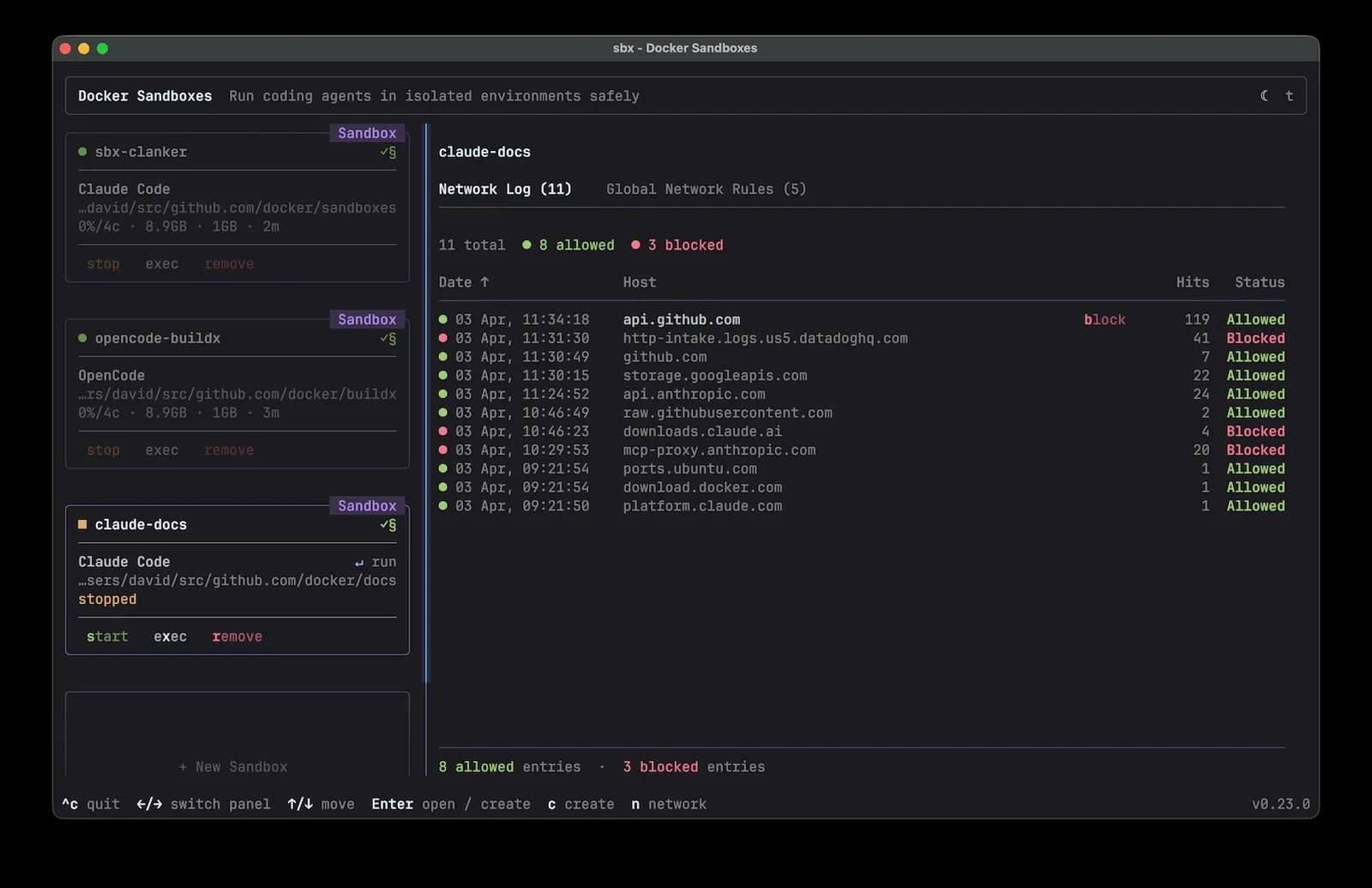
Featured image: Docker, Inc., official Sandboxes dashboard · Apache-2.0 licence. Resized for display. Upstream interface example, not our production environment.
Frequently asked questions
Are Gordon and Docker Agent the same product?
No. Gordon is the built-in Docker assistant; Docker Agent is a framework for custom agent teams and tool configuration.
Do Docker Skills enforce security permissions?
No. They provide guidance to compatible agents. Access control and verification remain separate responsibilities.
Which sandbox command should I use?
Match the current documentation and installed release. The documentation reviewed for this article uses sbx; older command examples may describe another generation.
Your next customer could start right here.
Introduce your tool, product or business to readers exploring technology.
Explore placements and request a private quote
Sources
- Docker AI overview — Docker
- Gordon — Docker
- Docker Agent — Docker
- Docker Skills — Docker
- Docker MCP Catalog and Toolkit — Docker
- Docker Sandboxes — Docker
Comments
No comments yet. Be the first to join the conversation.
Leave a comment
Every comment is read by a moderator before it appears. Your email address is never published; it is used only to contact you about this comment.
More from Cloudsoft Zone
TutorialDevOps
Laravel production deployment: from a Git commit to the first live release
Plan a Laravel production deployment from a reviewed Git commit through dependencies, shared storage, configuration, nginx routing and first-release acceptance.
By Cloudsoft Zone
TutorialDevOps
nginx Certbot renewal: configure HTTPS and diagnose certificate failures
Keep nginx Certbot renewal working with domain validation checks, safe certificate installation, deployment hooks and a clear expiry troubleshooting sequence.
By Cloudsoft Zone
Architecture guideDevOps
When SaaS needs Kubernetes: workload signals and a practical pilot
Decide when SaaS needs Kubernetes using measured orchestration problems, replica readiness, operating ownership, a bounded pilot and verified recovery.
By Cloudsoft Zone