
In this article
A first deployment often fails between components that worked independently on a laptop. PHP-FPM loads different extensions, nginx points at the repository root, or the first release writes uploads into a directory that will be replaced next week. A useful launch procedure makes those boundaries explicit.
This Laravel production deployment guide takes one reviewed Git commit to a first live application. It assumes the server, PHP-FPM, database and private networking already exist. For installing that foundation, use our Laravel server checklist. Here the focus is release construction and application activation.
Use a dedicated deploy account, a deliberately configured runtime account and a release directory such as /srv/example-app. The names below are illustrative. Before running a command, substitute your actual account, PHP executable, pool and database; none of these examples should be executed against unrelated projects.
Step 1: Record the release and recovery assumptions
Record the approved commit, the expected PHP version, required extensions and the database migration list. Define the first acceptance workflow: sign in, create a harmless record, run one background action and retrieve a file. Use non-sensitive test data.
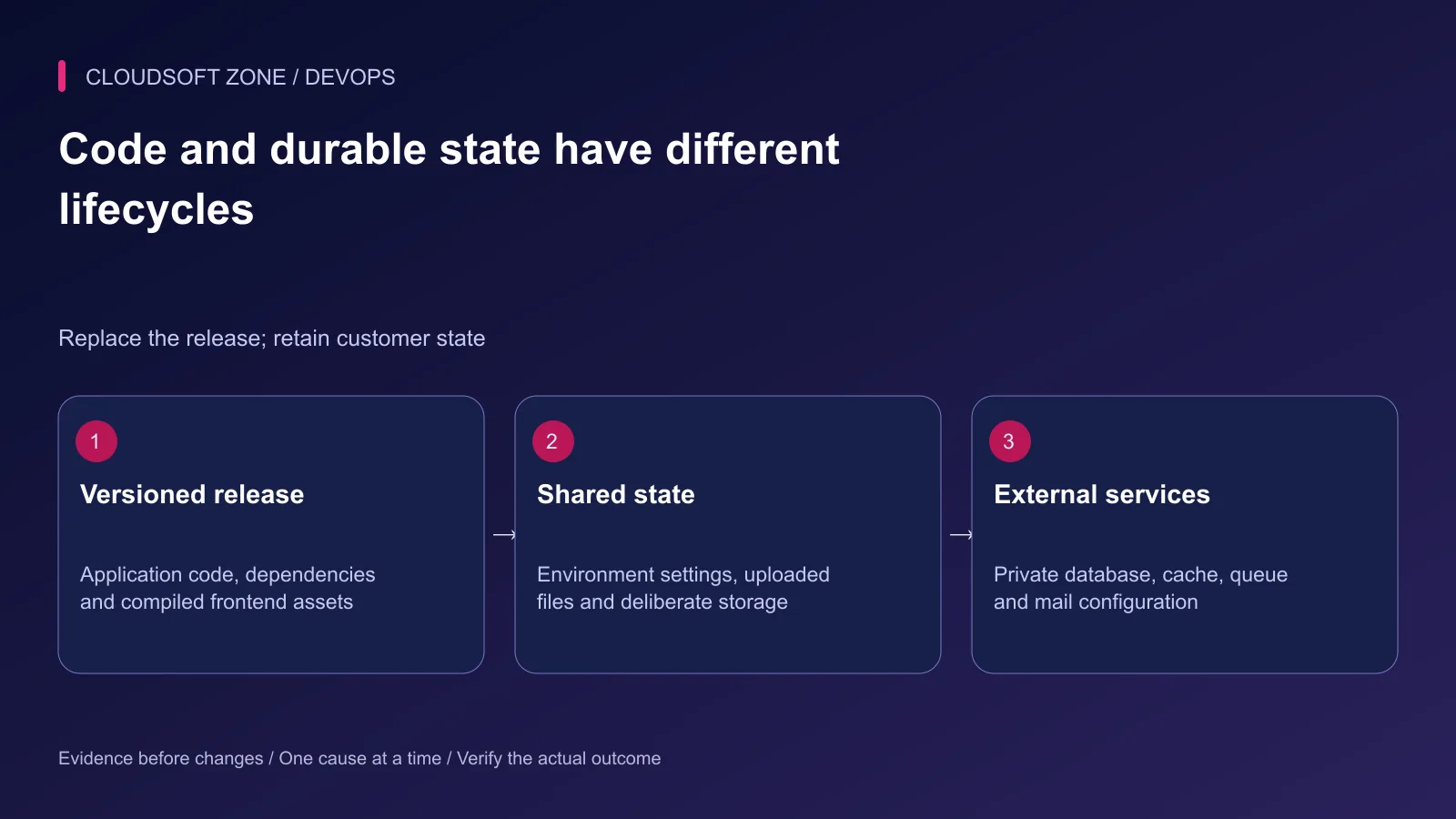
Decide where durable data lives. A release contains code, dependencies and compiled assets. A shared directory contains persistent uploads and runtime configuration. The database remains a separately backed-up service. These paths must be known before nginx starts handling customer requests.
| Owner | What it retains | What a release may replace |
|---|---|---|
| Release directory | One reviewed code generation | Code and generated assets |
| Shared storage | Uploads and selected durable files | Only reviewed runtime cache contents |
| Database service | Business records and migration history | Only approved compatible schema changes |
| Secret management | Production credentials and application key | Explicit rotations, separately reviewed |
Keep the recovery instructions outside the application being deployed. If the deployment fails, you need access to the host and dependency credentials without relying on the broken web UI.
Step 2: Check out an approved commit
Prefer building an artifact in CI and delivering it to the server. If building from Git on the server, clone into a new release directory as the deploy user and select an immutable approved commit. Do not pull into the directory serving active requests.
git clone --no-checkout YOUR_REVIEWED_REPOSITORY /srv/example-app/releases/first-release
cd /srv/example-app/releases/first-release
git checkout --detach YOUR_APPROVED_COMMIT
git status --short
git rev-parse HEAD
The capitalized repository and commit values are operator inputs. Supply a reviewed repository URL and a full commit identifier. Keep deployment credentials read-only where possible, and avoid embedding tokens in URLs that appear in shell history.
Do not print the full environment or copy a laptop's environment file to production. A local application's database name and mail transport are often inappropriate for the server.
Step 3: Install dependencies from the lockfile
Run the build with the selected PHP runtime and the committed Composer lockfile. Installation restores reviewed versions. Updating resolves a new dependency set and belongs in a separate change.
composer validate --no-check-publish
composer install --no-dev --prefer-dist --optimize-autoloader --no-interaction
composer check-platform-reqs --no-dev
Composer scripts can execute project code, so review them before installation. Decide whether they require runtime configuration or whether the build should defer particular actions. Never use platform-requirement overrides as a deployment fix for missing extensions.
Compile frontend assets with the project's existing package manager and lockfile in the build environment. Retain the manifest and hashed assets together. A successful PHP bootstrap does not prove the browser can load the JavaScript bundle.
Step 4: Connect runtime configuration and persistent storage
Create production configuration using the secret-management process. Use production mode, disable debug output and set the correct public URL. Set database, mail, queue and cache values deliberately; Laravel configuration defaults and variable names vary by application version.
For the first environment only, create and retain an application key. Do not regenerate it on later deployments. Before generating a key on an existing application, establish whether encrypted data already depends on the current key.
Make the selected shared storage path writable to the actual runtime account. Keep code and configuration non-writable to the web process wherever the application permits it. Protect the environment file and share it only with the accounts that need to load it.
For a release-directory design, linking the existing shared files is explicit:
cd /srv/example-app/releases/first-release
ln -s /srv/example-app/shared/.env .env
ln -s /srv/example-app/shared/storage storage
Run these only when those paths exist and the release does not already contain a storage directory or environment file. Do not erase an existing storage tree to make the command work. Decide how to initialize and retain its required subdirectories before connecting it.
Private uploads and public uploads need separate access policies. Laravel's public storage link deliberately exposes files on the public disk; create it only for content intended to be public. Do not link private invoices or identity documents into the document root.
Step 5: Review migrations before using the production database
Inspect migration status from the new release and confirm the connection targets the intended database. Keep a verified backup and recovery procedure. Review each migration for data removal, locking, default values and compatibility.
php artisan migrate:status
# Only after database identity, backup and migration review:
php artisan migrate --force
The force option does not reduce database risk. It only suppresses the production confirmation. A first deployment to an empty database is different from importing retained records; do not use a reset command to reconcile the latter.
If two releases might overlap during launch or recovery, keep schema changes compatible. Add the new schema before switching readers, and delay destructive cleanup. A successful code rollback cannot undo writes that the new release accepted.
Step 6: Generate configuration caches in the intended environment
Build caches only after the production configuration is available. Review the application's supported optimization commands and custom boot-time behavior:
php artisan config:cache
php artisan route:cache
php artisan view:cache
When configuration is cached, application code should read configuration values rather than call env outside configuration files. Rebuild the cache after a deliberate configuration change. Keep cache generation tied to the release so a stale cache cannot silently select the old queue or database.
If caching fails, stop activation and inspect the precise cause. Do not ignore a failed build step and let the public site discover the missing provider or route first.
Step 7: Route nginx to the public directory
Set the server block's document root to the release's public directory, reached through your active release pointer. Keep the application root, environment file and dependency directory outside public serving.
# Excerpt inside the reviewed server block.
root /srv/example-app/current/public;
index index.php;

location / {
    try_files $uri $uri/ /index.php?$query_string;
}

location ~ ^/index\.php(/|$) {
    include fastcgi_params;
    fastcgi_param SCRIPT_FILENAME $realpath_root$fastcgi_script_name;
    fastcgi_pass unix:/run/php/your-app-fpm.sock;
    fastcgi_hide_header X-Powered-By;
}

location ~ \.php$ {
    return 404;
}
The socket path is an explicit configuration input; replace it with the actual pool listener. Confirm the installed FastCGI include and review path-info behavior for your application. This excerpt is not an entire HTTPS server block.
Point current at the verified release for the first activation. On subsequent deployments, use your reviewed atomic-switch procedure rather than copying files into the live directory. Validate nginx before reloading, then check HTTPS and static assets from outside the host.
Step 8: Start background owners and accept the release
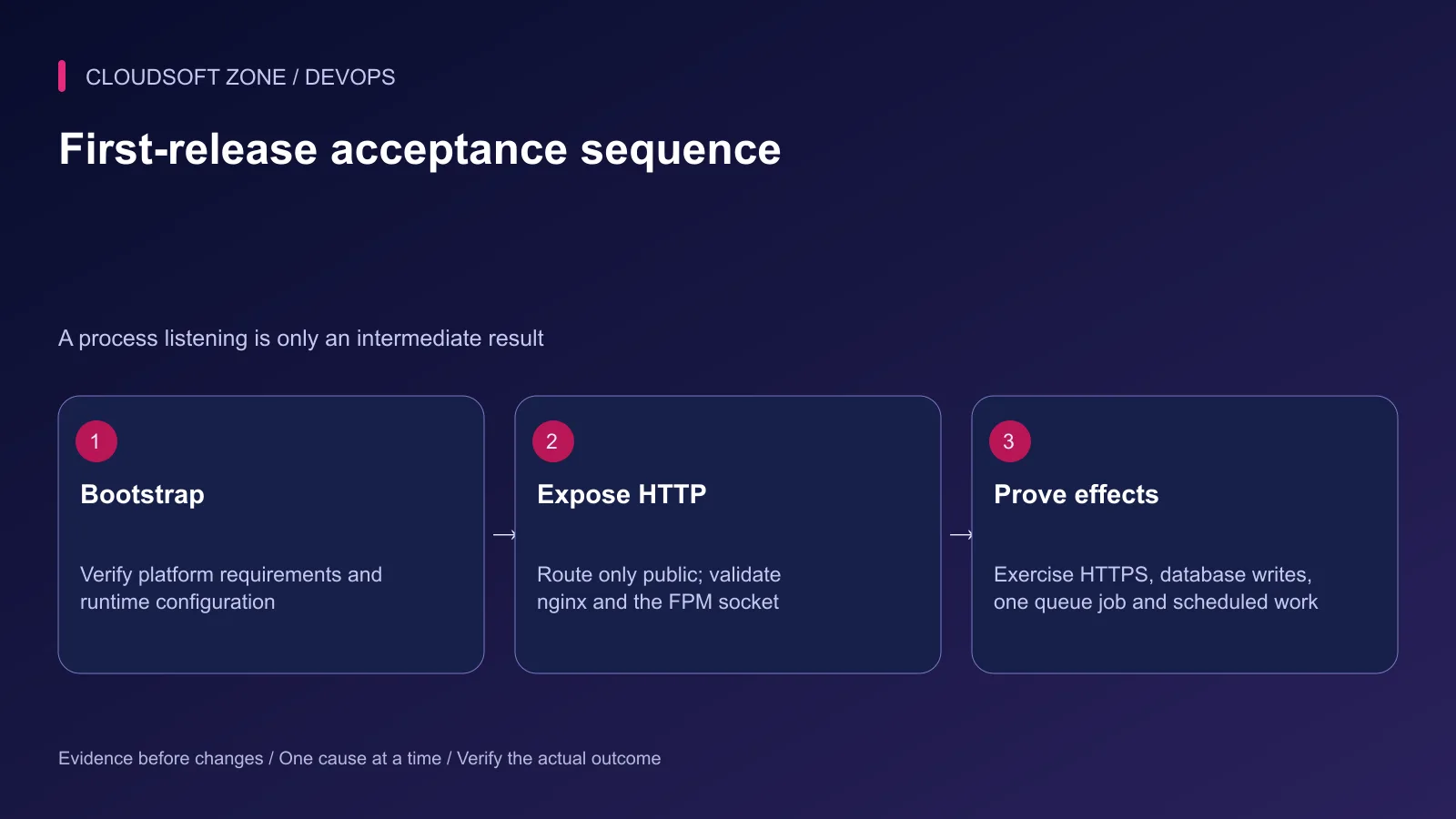
Use the existing process supervisor for workers, with the correct runtime user, working directory and bounded shutdown time. Use one documented scheduler owner for the application. Verify a harmless queued job's final effect and a scheduled command's evidence.
A queue process remaining alive does not prove it consumes the right queue. Record the connection, queue name and job identifier used for acceptance. Avoid dispatching a payment, email campaign or another irreversible effect just to check worker connectivity.
Recovery and common launch mistakes
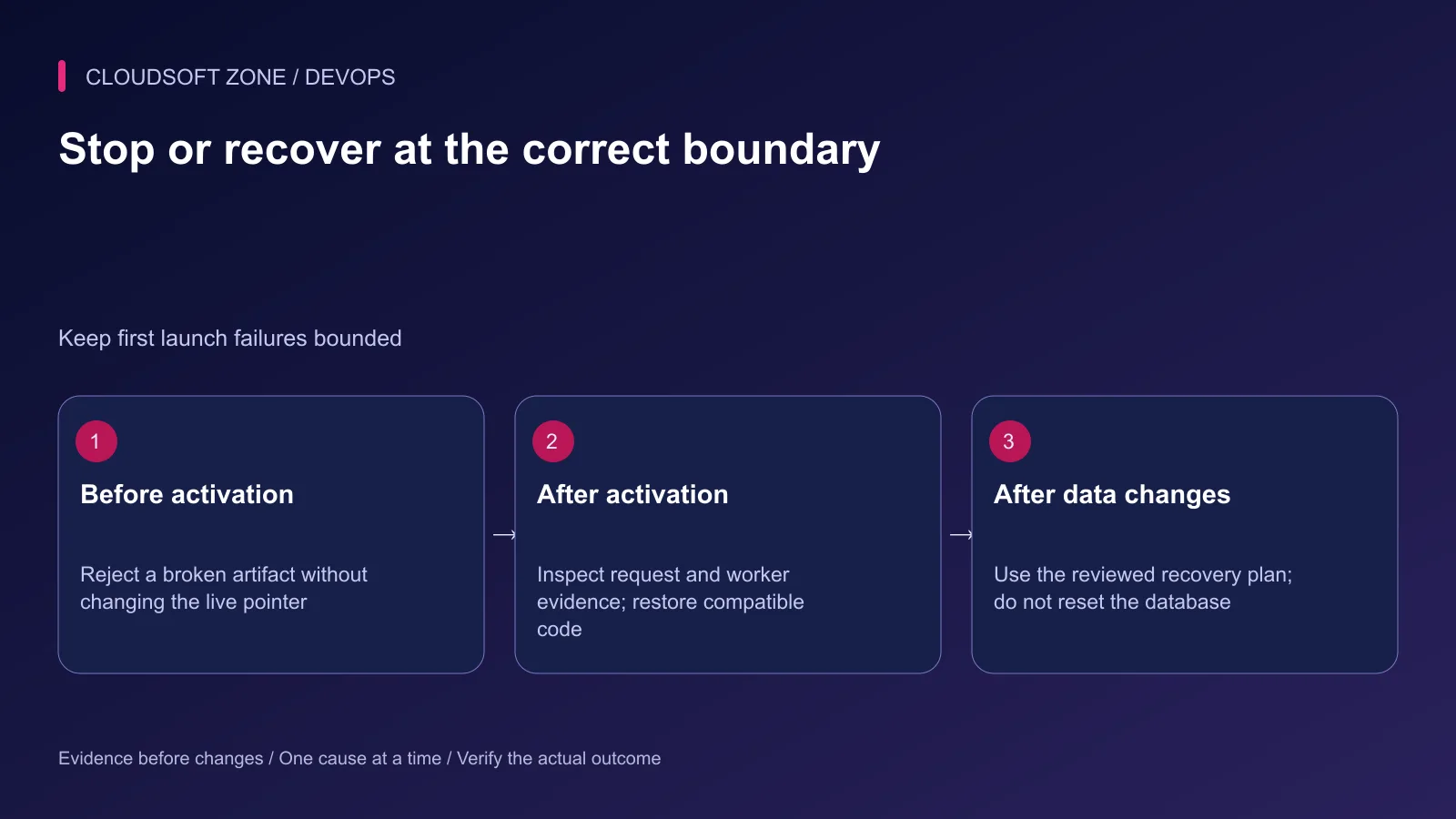
| Failure | Investigate | Recovery boundary |
|---|---|---|
| Missing class or extension | Artifact and platform requirements | Rebuild before activation |
| Configuration selects local services | Cached configuration and environment owner | Correct configuration and rebuild cache |
| nginx returns 502 | Actual FPM listener and permissions | Repair routing without resetting the application |
| Files disappear next release | Persistent storage contract | Restore files from the retained storage backup |
| Worker uses old code | Supervisor path and restart evidence | Gracefully replace the relevant process |
Accept the release only after the defined workflows pass and protected diagnostics are clean. Record the commit, deployment time, checks and unresolved limitations. For an application-specific deployment review, contact Cloudsoft Zone.
Featured image: Cloudsoft Zone technical layout with laravel artwork by Laravel (Public domain). Product mark resized proportionally for identification; no endorsement implied. Layout: CC BY-SA 4.0.
Frequently asked questions
Should I run composer update on the production server?
Install from the reviewed composer.lock file. Dependency updates belong in a reviewed development change, not an unplanned production deployment.
Should I run key:generate during each deployment?
No. Keep the existing production application key. Changing it can invalidate sessions and make encrypted application data unreadable.
Is a successful migrate --force enough to accept the release?
No. That option suppresses confirmation. You still need migration review, compatible code, workflow checks and a recovery plan.
Your next customer could start right here.
Introduce your tool, product or business to readers exploring technology.
Explore placements and request a private quote
Sources
- Laravel deployment — Laravel
- Laravel configuration — Laravel
- Laravel filesystem — Laravel
- Laravel migrations — Laravel
- Composer install and platform checks — Composer
- nginx FastCGI configuration — nginx
- PHP-FPM pool configuration — PHP
Comments
No comments yet. Be the first to join the conversation.
Leave a comment
Every comment is read by a moderator before it appears. Your email address is never published; it is used only to contact you about this comment.
More from Cloudsoft Zone
TutorialDevOps
Zero-downtime Laravel deployment: migrations, queues and rollback
Design a zero-downtime Laravel deployment with compatible migrations, atomic release links, persistent storage, graceful workers and measured rollback checks.
By Cloudsoft Zone
TutorialDevOps
Laravel queue workers in production: Redis, Supervisor and failed jobs
Run Laravel queue workers with Redis and Supervisor, aligned timeouts, safe retries, graceful release restarts and deliberate failed-job recovery.
By Cloudsoft Zone
Resource guideDevOps
Laravel production deployment checklist: release gates, evidence and rollback
A Laravel production deployment checklist built around release evidence, compatible migrations, worker refreshes, persistent storage and recovery gates.
By Cloudsoft Zone