
In this article
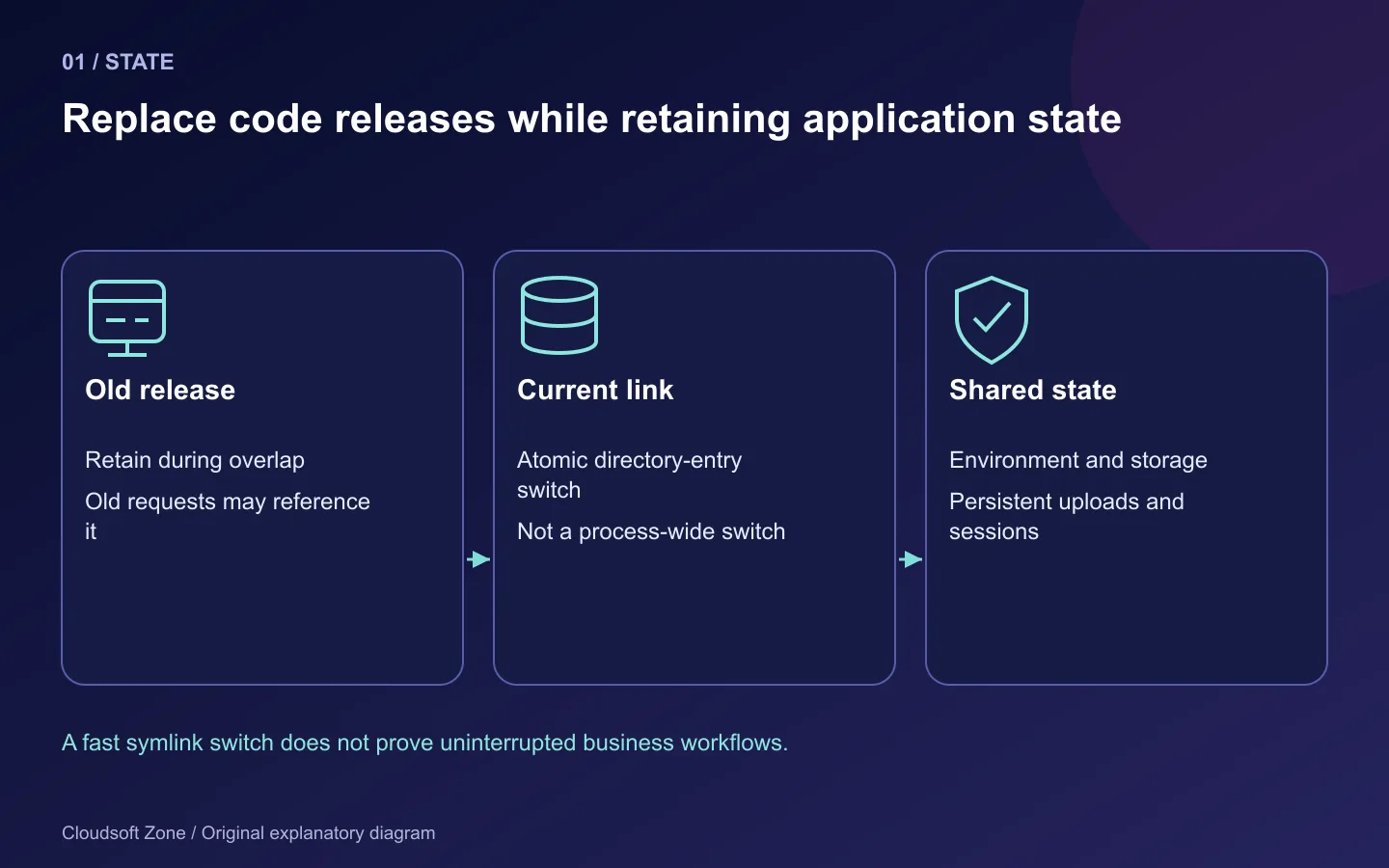
Changing a symlink takes little time. Keeping a Laravel application available while requests, workers and database changes overlap is the difficult part. A release can switch instantly and still fail because an old worker reads a removed column, a new process cannot see shared storage or OPcache serves an unexpected code generation.
This guide designs a zero-downtime Laravel deployment around compatible release directories, shared state, worker lifecycle and an explicit rollback decision. It targets a conventional nginx/PHP-FPM application on one Linux server. The method reduces interruption risk; actual zero downtime must be demonstrated against your application's traffic and dependencies.
Start with our Laravel Ubuntu guide for server installation and our release acceptance checklist for evidence. The procedure below assumes those foundations exist and uses staging first. It does not run destructive migrations or delete retained releases automatically.
Step 1: Define what must remain available
List the paths that matter: login, normal reads, writes, uploads, queue dispatch, job completion and scheduled actions. A cached homepage staying online is not enough if every new order fails. Record an acceptable request-error budget and stop conditions before the deployment.
Identify long-lived requests, streamed responses and jobs with external effects. Decide how old and new processes can coexist. Some changes genuinely require maintenance or a feature pause; claiming zero downtime should not override data safety.
A useful deployment record contains the old and new artifact identifiers, migration list, compatibility window, verification owner and rollback candidate. Include the actual staging results rather than a marketing claim based on symlink speed.
Step 2: Keep replaceable code separate from persistent state
Use immutable release directories with a stable current link:
/srv/laravel-app/
  releases/<old-release>/
  releases/<new-release>/
  shared/.env
  shared/storage/
  current -> releases/<old-release>
Each release contains its own dependencies, frontend build and generated configuration. Both point to the intended shared storage and private environment source. Confirm that logs, sessions and uploads use retained paths. The encryption key must remain stable unless a separate reviewed key-rotation procedure is being performed.
FPM reads application code; deployment tooling writes releases. Grant request processes write access only to necessary storage/cache paths. Verify complete path traversal and recreate cache-directory permissions for each release. A permissions fix that lets PHP overwrite the whole artifact defeats the release boundary.
Step 3: Prepare the new release without moving traffic
Install locked dependencies and build assets before switching the current link. Use the exact runtime and dependency policy chosen for the application. Run cache generation in the new release with its final configuration:
cd /srv/laravel-app/releases/<new-release>
composer install --no-dev --prefer-dist --optimize-autoloader --no-interaction
composer check-platform-reqs --no-dev
php artisan config:cache
php artisan route:cache
php artisan view:cache
Replace placeholders and use the intended PHP binary. Keep build-time network access and credentials bounded. If a cache command fails, stop before directing traffic to an incomplete release.
Use a private staging hostname, isolated instance or other reviewed verification route to exercise the candidate without exposing it as public production traffic. Do not temporarily repoint the live site just to check whether the new artifact starts. Verify the actual framework boot and the dependencies needed for its critical paths.
Step 4: Expand the schema before switching readers
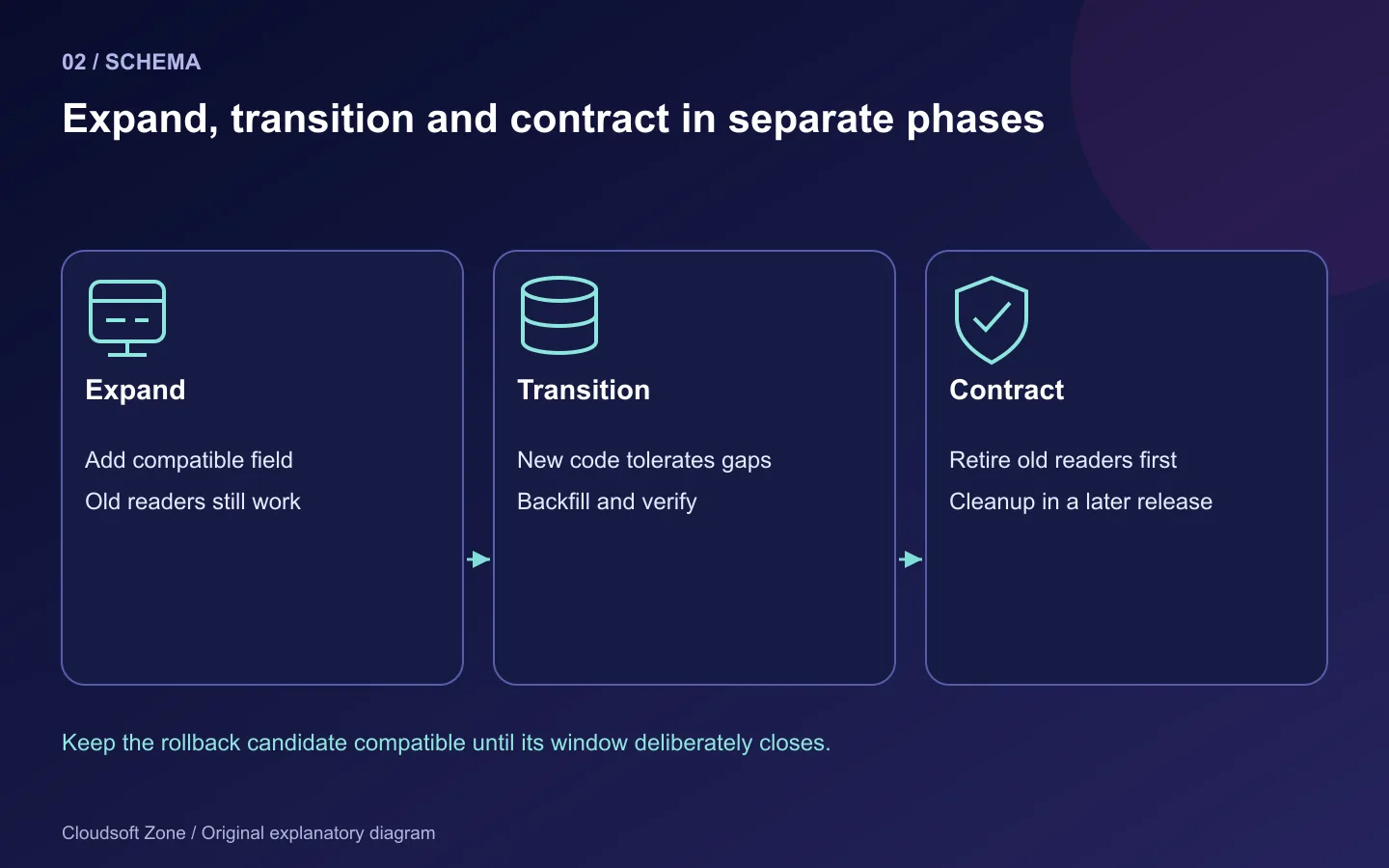
For a renamed field, a compatible sequence is more reliable than a one-step rename. Add the new field while retaining the old one, deploy code that handles both, backfill data in bounded batches and remove the old field only after every old reader is retired.
| Phase | Schema | Application behaviour |
|---|---|---|
| Expand | Old field plus new compatible field | Old release still works |
| Transition | Both retained during backfill | New release tolerates partial progress |
| Verify | Backfill checked and readers updated | Old workers and artifacts retired |
| Contract | Obsolete field removed later | No supported release depends on it |
This is a compatibility strategy, not a generic database migration script. MySQL index creation, default changes and table alterations can have different lock and resource effects. Rehearse the exact migration against representative isolated data and understand whether it implicitly commits.
Run only reviewed migrations with deliberate migration privileges and one deployment owner. Laravel's isolated migration option can coordinate a shared-cache lock, but it does not make the SQL backward compatible. Keep a tested backup and recovery record before retained data is changed.
Step 5: Switch the current link with a same-directory rename
For a GNU/Linux staging environment, the following Bash fragment illustrates an atomic link replacement. It assumes the new release is fully prepared, the existing current path is a symlink and the temporary link name is unused:
set -euo pipefail
baseDir=/srv/laravel-app
releaseDir="$baseDir/releases/20261023-01"
nextLink="$baseDir/current.next-20261023-01"
test -L "$baseDir/current"
test -f "$releaseDir/public/index.php"
test -f "$releaseDir/bootstrap/cache/config.php"
ln -s "$releaseDir" "$nextLink"
mv -Tf "$nextLink" "$baseDir/current"
readlink -f "$baseDir/current"
The release identifier is an example, not a claim that it already exists. Both link names live in the same parent directory so the rename replaces the directory entry atomically. The fragment fails if the temporary path already exists rather than overwriting an unknown target. Review filesystem behaviour for your actual environment; this is not a portable macOS command recipe.
Atomic replacement prevents a period with no current link. It does not atomically switch every running process or database state. Retain the old release while in-flight requests and workers may still reference it. Avoid deleting old directories immediately after traffic moves.
Step 6: Handle FPM, OPcache and workers deliberately
A nginx FastCGI configuration using the resolved release path helps distinguish code generations. Verify the actual $realpath_root and script mapping rather than assuming a symlink alone handles caching. Review the FPM pool's OPcache settings, including timestamp validation and revalidation behaviour.
A CLI OPcache reset does not necessarily reset the FPM cache, because the processes have different runtime contexts. Use the documented, rehearsed FPM lifecycle procedure for your service manager. Confirm how it treats in-flight requests before using a reload in a zero-interruption claim.
For conventional queue workers, request a graceful restart through the correct shared cache:
php artisan queue:restart
sudo supervisorctl status laravel-default
Ensure the process monitor starts workers from the new release after their current job finishes. Keep job payloads compatible across the window. A serialized job produced by old code may not execute under a release that removed its class.
Scheduler tasks can overlap deployment boundaries too. Use reviewed locks for non-overlapping or single-server work where appropriate, and ensure all relevant processes share the intended lock store. Keep the cron entry stable while the release link changes.
Step 7: Verify new traffic and preserve old browser assets
Run public HTTPS checks for the actual changed workflow and monitor errors, request latency, queue age and worker restarts. Add a safe release identifier to private operational diagnostics so you can distinguish which code handled a request. Do not expose secrets or detailed infrastructure in public health output.
Old browser tabs can request old JavaScript chunks after the server changes. Retain immutable assets for the required compatibility window or serve them from an asset store with deliberate retention. An atomic server switch cannot force every browser to refresh instantly.
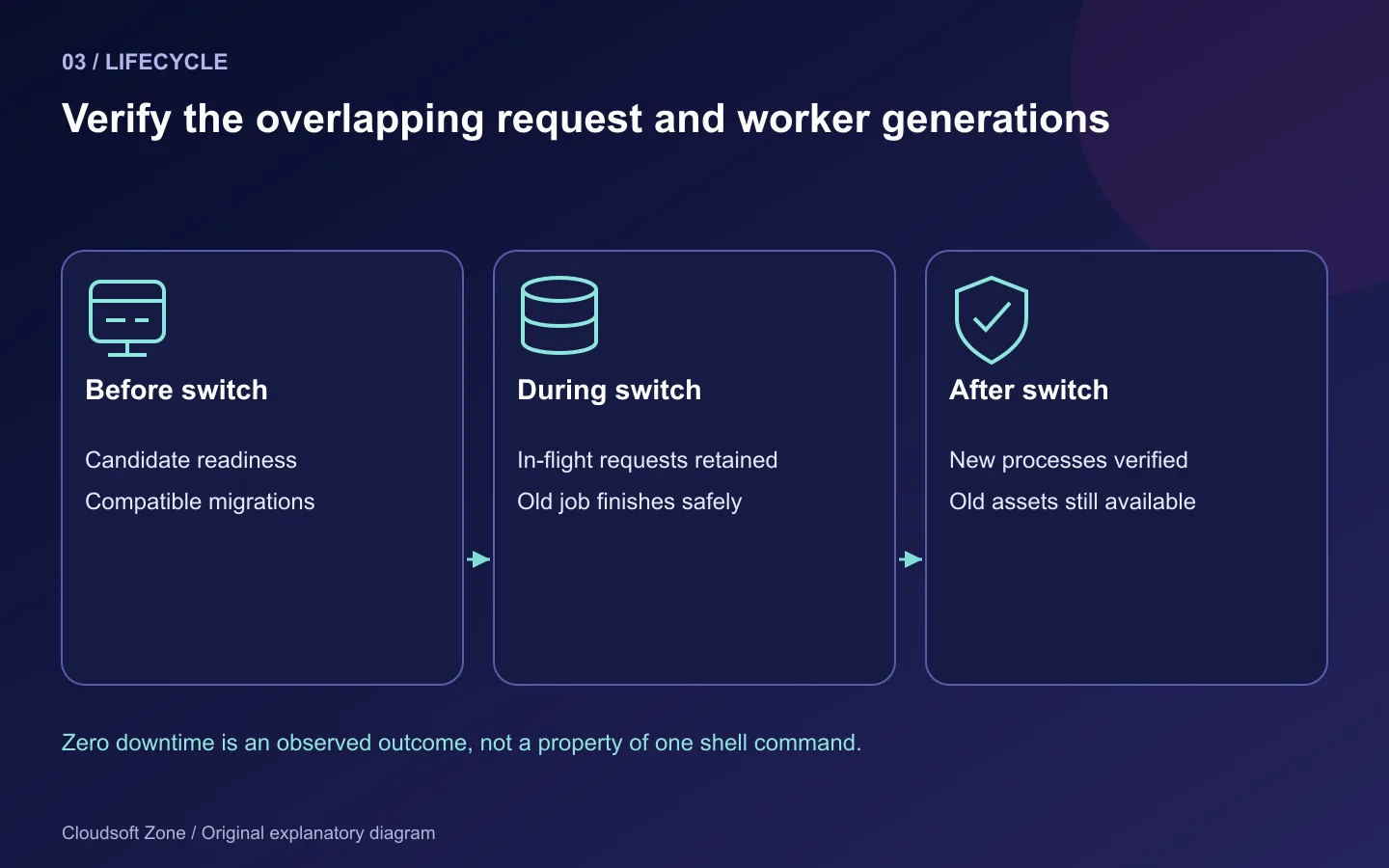
| Verification | Evidence |
|---|---|
| New request | Expected release and representative workflow succeed |
| In-flight request | Completes within the allowed bound during switch |
| Worker | Old job finishes; new process starts with new code |
| Storage | Existing upload remains readable across releases |
| Schema | Transitional old/new readers both work |
| Assets | Old browser references remain available |
Step 8: Roll back only while compatibility holds
If stop conditions are met, first determine whether reverting code is safe against the current schema and accepted business writes. Pointing the current link back is useful only while the previous release remains compatible. Refresh the relevant long-lived processes through the same rehearsed lifecycle and verify the public workflow again.
Do not automatically run down-migrations. A rollback migration may discard data written after release or lock an active table. If compatibility is broken, use the specific recovery plan, feature disablement or maintenance procedure that was reviewed before deployment.
Common mistakes include deleting old releases too early, caching configuration with the wrong credentials, restarting workers against another cache store and combining destructive schema cleanup with the first rollout. Use our Laravel queue worker guide for lifecycle details. For help designing a measured release and rollback procedure, contact Cloudsoft Zone.
Featured image: Cloudsoft Zone explanatory layout with sourced product artwork: laravel — Laravel (Public domain); nginx — Igor Sysoev (Public domain); redis — Redis Ltd (Public domain). Product marks resized and arranged for identification; no endorsement implied. Layout: CC BY-SA 4.0.
Frequently asked questions
Does an atomic symlink switch guarantee zero downtime?
No. Requests, workers, schema compatibility, caches and browser assets still need coordinated lifecycle checks.
Can a CLI OPcache reset refresh PHP-FPM?
Do not assume it can. CLI and FPM operate in different process contexts; use the reviewed FPM lifecycle procedure.
Should I automatically roll back migrations when code fails?
No. Confirm compatibility and retained data first. A down-migration can discard new writes or introduce further interruption.
Your next customer could start right here.
Introduce your tool, product or business to readers exploring technology.
Explore placements and request a private quote
Sources
- Laravel deployment — Laravel
- Laravel migrations — Laravel
- Laravel queues — Laravel
- PHP OPcache settings — PHP
Comments
No comments yet. Be the first to join the conversation.
Leave a comment
Every comment is read by a moderator before it appears. Your email address is never published; it is used only to contact you about this comment.
More from Cloudsoft Zone
TutorialDevOps
Laravel production deployment: from a Git commit to the first live release
Plan a Laravel production deployment from a reviewed Git commit through dependencies, shared storage, configuration, nginx routing and first-release acceptance.
By Cloudsoft Zone
TutorialDevOps
Laravel queue workers in production: Redis, Supervisor and failed jobs
Run Laravel queue workers with Redis and Supervisor, aligned timeouts, safe retries, graceful release restarts and deliberate failed-job recovery.
By Cloudsoft Zone
Resource guideDevOps
Laravel production deployment checklist: release gates, evidence and rollback
A Laravel production deployment checklist built around release evidence, compatible migrations, worker refreshes, persistent storage and recovery gates.
By Cloudsoft Zone