
Amazon ECS Gateway explained: simpler ingress and shared ALBs
Amazon ECS Gateway manages Application Load Balancers for ECS services: up to 25 services per ALB, a hostname each, no extra charge. When to use it.
Updated 2 min read
In this article
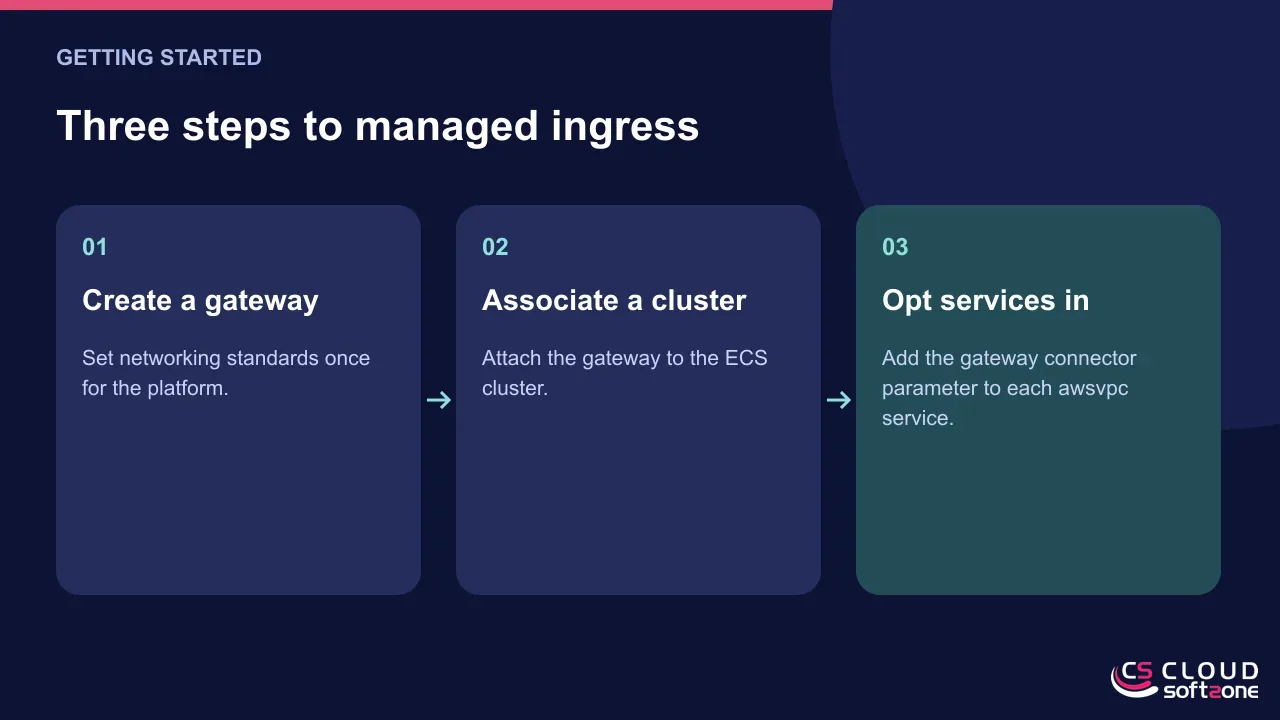
Amazon ECS Gateway launched on 20 October 2026 to simplify ingress for containerised applications. It provisions and manages Application Load Balancers in your own account, so platform teams set networking standards once and application teams opt in.
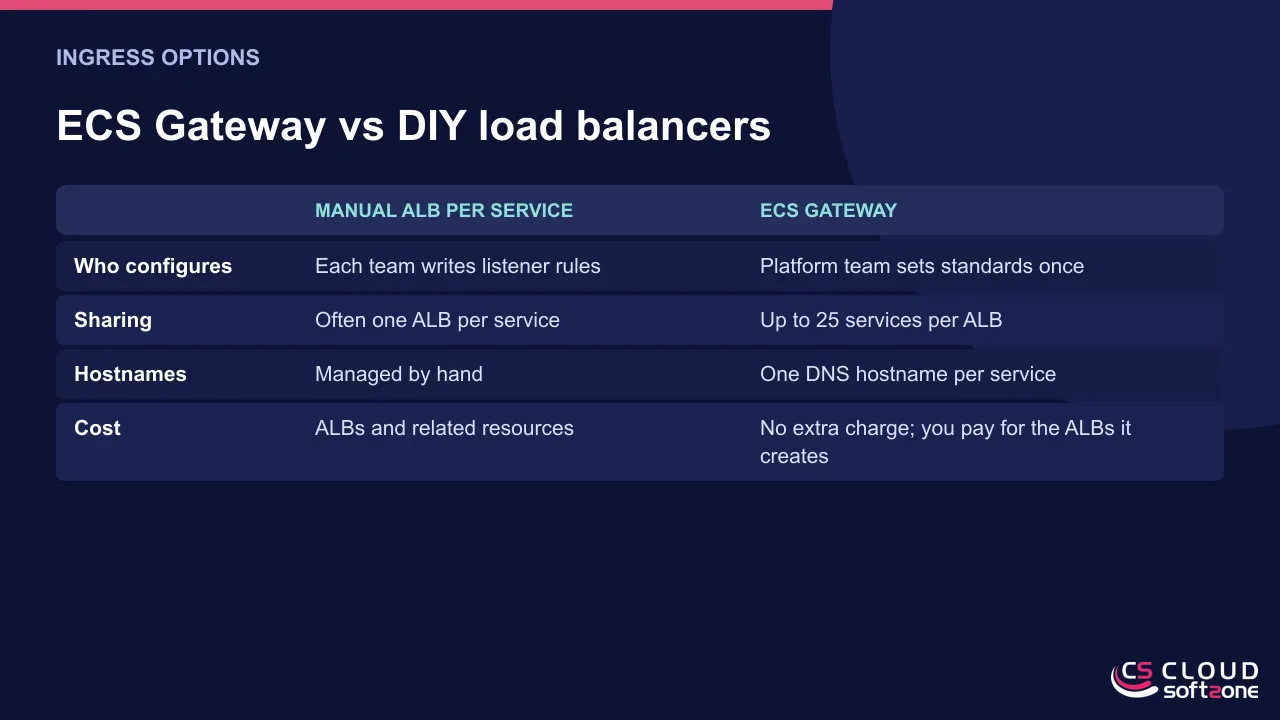
Amazon ECS Gateway provisions and manages Application Load Balancers in your own account, and up to 25 services can share one. The article covers ECS Gateway pricing, when an ECS shared ALB saves money, how to adopt it and the limits to plan around.
Up to 25 services can share one ALB, each with its own DNS hostname. The gateway has no additional charge, but you still pay for the load balancers and related infrastructure it creates.
Sources checked on 26 October 2026. Features, availability and vendor figures can change; confirm the linked primary sources before acting.
What Amazon ECS Gateway manages for you
The gateway owns the load balancer setup that teams usually repeat by hand. It supports ECS services using the awsvpc network mode across all launch types.
Host-based routing gives each service its own hostname on a shared ALB. That replaces hand-written listener rules and the habit of one load balancer per service. It is available in all commercial AWS Regions.
When a shared ALB saves money
Load balancers have a fixed hourly cost, so ten small services on ten ALBs pay that cost ten times. Sharing reduces it.
Fewer ALBs also means fewer things to patch, monitor and tag. Keep separate gateways where you need isolation, for example between production and staging, or between teams with different security rules.
How to adopt ECS Gateway
Start with new services, then move existing ones one at a time. The setup works through the console, CLI, API, SDKs or CloudFormation.
- Agree the standards first: TLS policy, logging, health checks and naming.
- Move low-traffic services before critical ones.
- Lower DNS TTLs before switching hostnames, and keep the old ALB until traffic has moved.
- Check services that do not use awsvpc mode; they need changes first.
Limits to plan around
Twenty-five services per ALB is the ceiling. Larger estates will need several gateways or ALBs.
Services with special listener needs, unusual protocols or strict isolation may still be better on their own load balancer. Treat the gateway as the default path, not the only one.
Our verdict: a sensible default for new ECS services and a cost win for estates with many small ones. For ECS migrations and cost reviews, see our server deployment and cloud setup service. Related: VPS vs PaaS vs containers vs serverless.
Sources and further reading
Image credits
Explanatory diagrams: Cloudsoft Zone, CC BY-SA 4.0. Featured photograph: AgainErick, CC BY-SA 4.0, via Wikimedia Commons. Amazon AWS us-west-2 beach AZ: Tedder, CC BY-SA 4.0, via Wikimedia Commons.
Frequently asked questions
Does Amazon ECS Gateway cost extra?
No additional charge for the gateway. You pay for the Application Load Balancers and related infrastructure it provisions in your account.
How many services can share one load balancer?
Up to 25 ECS services per Application Load Balancer, each with its own DNS hostname.
Which ECS services are supported?
Services using the awsvpc network mode, across all launch types, in all commercial AWS Regions.
Sources
- Announcing Amazon ECS Gateway — AWS, 2026-10-20
Written with substantial AI assistance. Facts checked against cited sources. Editorial policy.
Read next
TutorialDevOps5 min read
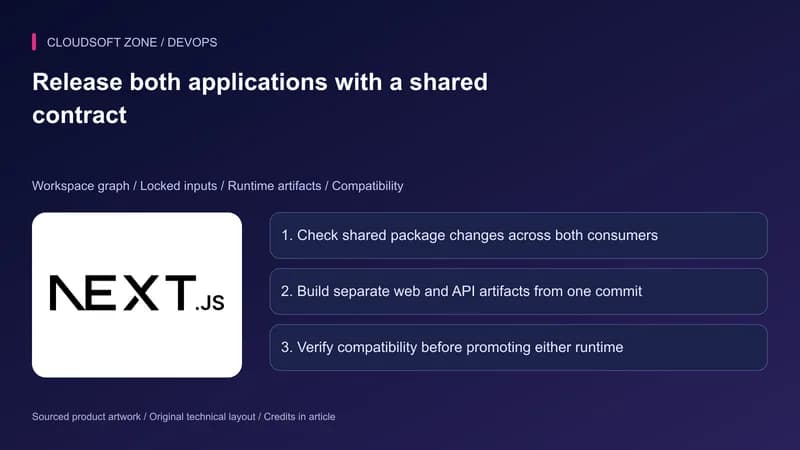
CI/CD for a Next.js and NestJS monorepo: shared packages, artifacts and compatible releases
Design CI/CD for a Next.js and NestJS monorepo with one lockfile, dependency-aware checks, separate runtime artifacts and verified API compatibility during promotion.
Comments
No comments yet. Be the first to join the conversation.
Leave a comment
Every comment is read by a moderator before it appears. Your email address is never published; it is used only to contact you about this comment.
More from Cloudsoft Zone
TutorialDevOps5 min read
GitLab CI/CD for Laravel: test, build and deploy a reviewed release to a VPS
Design GitLab CI/CD for Laravel with a reviewed PHP image, disposable MySQL checks, explicit artifacts, protected credentials and serialized VPS deployments.
By Nilesh Kushvaha
TutorialDevOps5 min read
Laravel CI/CD with GitHub Actions: verification, release artifacts and guarded deployment
Build Laravel CI/CD with GitHub Actions using locked dependencies, isolated verification, immutable release artifacts and a protected deployment job with explicit recovery gates.
By Nilesh Kushvaha
TutorialDevOps5 min read
AI-assisted incident response: what to automate and what an operator must decide
Use AI-assisted incident response for evidence summaries and draft updates while keeping impact assessment, production changes and recovery decisions with accountable operators.
By Nilesh Kushvaha