
VPS, PaaS, managed containers or serverless: where to run a small SaaS
A plain comparison of the four main ways to host a SaaS application in 2026, with what you operate, how you pay, the hard limits of Lambda and Cloud Run, where Kubernetes fits, and a sensible default for small teams.
Updated 8 min read
In this article
Every new SaaS product hits the same question early: where should the application actually run? The options look endless, but most of them fall into four models: a virtual private server you manage yourself, a platform-as-a-service that runs your code for you, a managed container service, and serverless functions. Kubernetes sits on top as a fifth, more demanding option.
Each model moves a different amount of operational work from you to the provider, and charges for that in money, flexibility or both. Choosing badly rarely kills a product, but it can waste months of engineering time or produce surprising bills.
This explainer compares the models on the things that matter to a small team in 2026: how much you operate, how you pay, the hard limits you will hit, and what migration looks like later. It uses AWS and Google Cloud documentation for concrete limits; the same trade-offs apply to other providers.
The four models at a glance
| Model | You manage | Provider manages | Billing shape | Typical fit |
|---|---|---|---|---|
| VPS / virtual machine | OS patches, runtime, web server, process manager, scaling, backups | Hardware, hypervisor, network | Fixed monthly or hourly per machine | Steady traffic, tight budgets, teams comfortable with Linux |
| PaaS (app platform) | Your code and configuration | Build, runtime, routing, TLS, scaling within limits | Per instance or per usage, usually with a premium over raw compute | Small teams who want to ship features, not run servers |
| Managed containers (e.g. Cloud Run, AWS Fargate) | Container image, service configuration | Servers, scheduling, scaling | Per vCPU and memory over time, sometimes per request | Teams already using Docker who want scale-to-zero or autoscaling |
| Serverless functions (e.g. AWS Lambda) | Function code and event wiring | Everything else | Per invocation and duration | Spiky or event-driven workloads, background jobs, glue code |
Virtual private servers: maximum control, maximum chores
A VPS is a virtual machine with a public IP address. You install the runtime, a reverse proxy, a process manager and a database, or connect to a managed database. It is the cheapest way to run a predictable workload, and nothing about your application has to change to fit the platform.
The cost is operational. You own security patches, TLS renewal, log rotation, monitoring, backups and recovery when the machine fails. Scaling means resizing the machine or adding a load balancer and more machines yourself. A single VPS is also a single point of failure unless you design around it.
Choose it when traffic is steady, someone on the team is comfortable with Linux administration, and keeping a fixed monthly bill matters more than automatic scaling. Wrap the app in a container even here; it makes moving to any of the other models later much easier.
Platform as a service: the fastest path to production
A PaaS takes your repository or container image and handles build, deployment, routing, TLS certificates and basic scaling. Most add managed databases, preview environments and rollbacks. For a small team, the time saved on infrastructure work is usually worth more than the price premium over raw compute.
The limits are the platform's opinions. Long-running background workers, WebSockets, custom networking or unusual runtimes may be restricted or priced differently. Read the platform's documented limits for request timeouts, instance sizes and regions before committing, and confirm it can run your background jobs, not only your web process.
Choose it when you have a conventional web app plus a database, a small team, and you want deployment to be a git push.
Managed containers: Docker images without servers
Managed container services run your container image and scale it for you. Google Cloud Run is a good reference point because it shows the trade-offs clearly:
- It scales to zero by default; the minimum instances setting defaults to 0. Google's documentation notes that instances kept warm with minimum instances "do incur billing costs", which is the price of avoiding cold starts.
- Requests have a timeout of 5 minutes by default, which can be raised to 60 minutes.
- Billing can be request-based, where idle instances are charged at a lower rate, or instance-based, where you pay for the whole instance lifetime.
AWS Fargate (behind ECS or EKS) offers a similar "containers without managing servers" model, with more networking and load-balancer configuration to own; check how its scaling behaves for your traffic pattern before assuming it matches Cloud Run.
The appeal is portability: the same image runs on a laptop, a VPS, a managed container service or Kubernetes. The cost is that your app must behave like a good container: stateless, configured through environment variables, quick to start, and able to shut down cleanly on SIGTERM.
Choose it when you already build container images, traffic is uneven, and you want autoscaling without operating a cluster.
Serverless functions: pay per invocation, live within limits
Functions such as AWS Lambda run your code in response to events (HTTP requests, queue messages, file uploads, schedules) and bill for invocations and execution time. For workloads that are idle most of the time, nothing is cheaper. For glue code between services, nothing is simpler to deploy.
The limits shape your architecture. From the current Lambda quotas page:
- A standard function invocation can run for at most 900 seconds (15 minutes).
- Memory ranges from 128 MB to 10,240 MB, and CPU is allocated in proportion to memory.
- Synchronous request and response payloads are limited to 6 MB each (streamed responses can be larger).
- New accounts start with a default of 1,000 concurrent executions per Region, and AWS notes that new accounts can have reduced concurrency quotas that rise with usage.
- Zip deployment packages are limited to 250 MB unzipped including layers; container images can be up to 10 GB.
Those numbers mean long-running jobs, large file processing and persistent connections need different tools or a split design. Database connections also need care: many short-lived function instances can exhaust a database's connection limit unless you use a connection proxy or a database designed for this pattern.
Choose it when work arrives as discrete events, traffic is spiky or low, and each unit of work finishes in seconds.

Where Kubernetes fits
Kubernetes is not a fifth hosting style so much as a standard control plane for running containers across many machines. Managed offerings (Amazon EKS, Google Kubernetes Engine, Azure Kubernetes Service and others) run the control plane for you, but you still own cluster upgrades, node pools, ingress, autoscaling configuration, observability and security policies.
For a team of two or three building an early product, that is usually more platform than the product needs. It starts to pay off when you run many services, need consistent deployment across clouds or on-premises, or have people whose job includes operating the platform. If you build twelve-factor containers from the start, moving to Kubernetes later is a deployment change, not a rewrite.
A decision checklist
- Who will be on call? If nobody wants to patch servers at midnight, rule out an unmanaged VPS for anything customer-facing.
- What does traffic look like? Steady traffic favours fixed-price machines; spiky or low traffic favours scale-to-zero containers or functions.
- How long does the longest unit of work take? Anything near or over 15 minutes does not fit standard Lambda; anything over an hour does not fit a Cloud Run request.
- Does the app hold state in memory or on local disk? If so, fix that before choosing an autoscaling platform, or accept a single VM.
- Where is your data, and where are your users? Pick a region close to both, and check that it is available for the services you need. For many readers in India that means comparing a provider's Indian regions with nearby options such as Singapore, and confirming every service you need is offered in the region you pick.
- What will it cost at ten times today's traffic? Use the provider's pricing calculator for your expected request volume, duration and memory, not only the free tier.
- How would you leave? Prefer standard container images, environment-based configuration and managed open-source databases (PostgreSQL, MySQL) to proprietary data stores, unless the proprietary service clearly earns its keep.
A sensible default for a new SaaS
For a typical web application with a relational database and a handful of background jobs, a reasonable 2026 default is:
- Package the app as a container image from day one.
- Run the web process on a PaaS or a managed container service with at least one warm instance once you have paying customers.
- Use the provider's managed PostgreSQL or MySQL with automated backups and point-in-time recovery.
- Use serverless functions or a queue-driven worker for event-driven and scheduled jobs that finish within the platform limits.
- Revisit the choice when the monthly bill or operational pain clearly justifies it, not before.

Summary
There is no single best place to run a SaaS. A VPS trades your time for a low, fixed bill. A PaaS trades money and flexibility for speed. Managed containers give portability and autoscaling with modest constraints. Serverless functions are excellent for event-driven work but impose hard limits on duration, memory and payload size. Start with the simplest model your workload fits, keep your app portable, and let real traffic and real bills tell you when to move.
Frequently asked questions
Is serverless always cheaper for a small SaaS?
No. Functions are very cheap for idle or spiky workloads because you pay per invocation and duration. For steady, high traffic, an always-on instance can cost less. Model your expected request volume, duration and memory in the provider's pricing calculator before deciding.
What is the maximum run time for AWS Lambda and Cloud Run?
A standard AWS Lambda invocation can run for up to 900 seconds (15 minutes). Cloud Run services have a default request timeout of 5 minutes that can be raised to 60 minutes.
Do I need Kubernetes to run a SaaS?
Usually not at the start. A PaaS or managed container service covers most early products with far less operational work. Kubernetes pays off when you run many services, need the same platform across environments, and have people to operate it.
How do I avoid lock-in?
Package the app as a standard container image, keep configuration in environment variables, and prefer managed open-source databases such as PostgreSQL or MySQL. That keeps a move between VPS, PaaS, containers and Kubernetes a deployment change rather than a rewrite.
Your next customer could start right here.
Introduce your tool, product or business to readers exploring technology.
Explore placements and request a private quote
Sources
- Lambda quotas — Amazon Web Services
- Set request timeout for services (Cloud Run) — Google Cloud
- Set minimum instances for services (Cloud Run) — Google Cloud
- Silo, pool, and bridge models (SaaS Lens) — Amazon Web Services
Written with substantial AI assistance. Facts checked against cited sources. Editorial policy.
Comments
No comments yet. Be the first to join the conversation.
Leave a comment
Every comment is read by a moderator before it appears. Your email address is never published; it is used only to contact you about this comment.
More from Cloudsoft Zone

Architecture guideSaaS and Cloud
Stripe subscription billing architecture that survives webhooks
Design Stripe subscriptions for a SaaS that stay correct when webhooks repeat or arrive out of order: data model, verified endpoint, worker and access rules.
By Cloudsoft Zone
TutorialSaaS and Cloud
Automated MySQL 8.4 backups to S3 with mysqldump, retention and restore tests
Set up nightly MySQL 8.4 logical backups to Amazon S3 or any S3-compatible store: a least-privilege backup user, integrity checks before upload, an upload-only IAM policy, lifecycle retention and an automated restore test.
By Cloudsoft Zone
ComparisonSaaS and Cloud
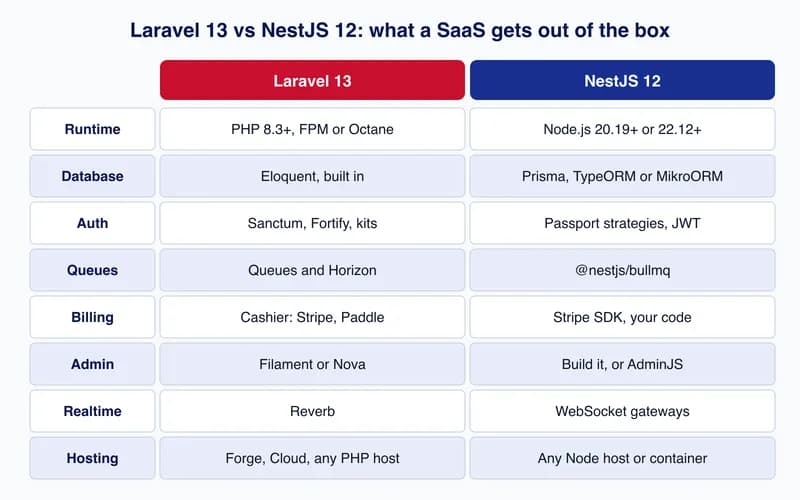
Laravel vs NestJS for SaaS development in 2026: an honest comparison
Laravel 13 or NestJS 12 for a SaaS? Ecosystem for auth, billing, queues and admin, typing, performance, hiring, testing and deployment, with the same endpoint built in both.
By Cloudsoft Zone