

AI toolAI tools
Mistral AI
French AI company behind Vibe (formerly Le Chat), a chat assistant and coding agent, plus open-weight and commercial models offered through an API.
3 years active (founded 2023)

Essential details
- Pricing
- Freemium · Free planFree plan; Pro subscription; Team billed per user per month; Enterprise custom; API billed per token
- Platforms
- Web, iOS, Android, Command line, API, Self-hosted
- Service region
- Worldwide
- Website
- mistral.ai
Details last checked 10 October 2026
Photos
A Le Chat answer written in Polish, captured in February 2025 before the assistant was renamed Vibe. Le Chat answering a role-play prompt in French, captured in April 2025. Arthur Mensch, co-founder and chief executive of Mistral AI, on stage at Techarena 2026.
About Mistral AI
Mistral AI is a French artificial intelligence company, founded in 2023, that trains its own language models and sells products built on them. For most people its main product is Vibe, the assistant previously called Le Chat; with the rename, existing conversations, settings and plans carried over.
Vibe brings two tools together. Vibe for work is a chat assistant for research, writing, data analysis and producing documents, and Vibe for code is a coding agent that works in a terminal, in an IDE or remotely. Behind both sit Mistral's models, which developers can also call directly through Mistral Studio, and some of which are published as open weights for self-hosting.
Key features
- Chat, search and deep research. Ask questions, search the web and compile sourced reports from the web, internal documents and connected tools.
- Documents and data. Upload PDFs, images, CSV, text and Office files to libraries, and generate spreadsheets, slides, PDFs and reports.
- Coding agent. The Vibe CLI and the VS Code and JetBrains plugins offer tab completion, code editing and chat, and remote agents can write, test and open pull requests.
- Connectors. More than 100 connectors and MCP support link Vibe to email, calendar, Slack, GitHub, Jira and other tools.
- Voice and images. Voice input is powered by Mistral's Voxtral models, and Vibe can generate and edit images.
- Scheduled tasks and workflows. Recurring tasks and reusable agents can run on a schedule or a trigger.
- Models and API. Mistral Studio provides API access to models such as Mistral Medium and Mistral Large, document OCR and Voxtral audio, with usage tracking.
Who it is for
The free plan suits individuals who want a general assistant. Developers are the natural audience for Pro, which includes all-day use of the coding agent and monthly API credits. Small teams use Team for a shared workspace with more storage and data export. Enterprises and public bodies that need private deployment, on-premises or in a private cloud with data residency, or custom models, choose Enterprise, and product teams wanting a European model provider build on the API.
Pricing at a glance
Free includes limited messages, web searches, coding sessions and image generation, with access on web and mobile. Pro is $14.99 per month excluding taxes and adds higher limits, all-day coding, spreadsheet and slide generation and $25.50 per month in API credits; verified students can get an education plan for $5.99 per month for up to 12 months. Team is $24.99 per user per month, with up to 30 GB of storage per user, domain verification and data export. Enterprise is priced on request. API models are priced per million tokens; Mistral Large, for example, costs $0.50 per million input tokens and $1.50 per million output tokens. Prices as checked on 10 October 2026; the pricing page can also show euros; confirm on the vendor's pricing page.
Things to consider
- The comparison table lists model training as opt-out on Pro, Team and Enterprise; check the data settings in your account if you do not want your conversations used.
- Open-weight models are free to self-host for research and individual use, but Mistral states that commercial deployments may need a Mistral licence.
- Plan usage is subject to fair-use limits rather than fixed message counts.
- The rename from Le Chat to Vibe is recent, so older guides and reviews use the old name.
Getting started
- Sign in to Vibe on the web or install the iOS or Android app and try it on a real task.
- Connect the tools you use, such as Slack or GitHub, if you want Vibe to work with their content.
- For coding, install the Vibe CLI or the VS Code or JetBrains plugin.
- Compare plans on the pricing page, and read the documentation before building on the API.
Capabilities
- Code completion
- Chat assistant
- Model API
- Image generation
- Document analysis
Pricing, platforms and fit
- Pricing
- FreemiumFree planFree plan; Pro subscription; Team billed per user per month; Enterprise custom; API billed per token
- Integrations
- SlackGitHubGitLabJiraVisual Studio CodeJetBrains IDEsZed
- Service region
- Worldwide
Reviews
No reviews yet
Ratings appear once our moderators have approved the first review. Nothing is published automatically.
Be the first to reviewWrite a review
Related AI tools
Other published listings in the same category.

AI toolsAI tool
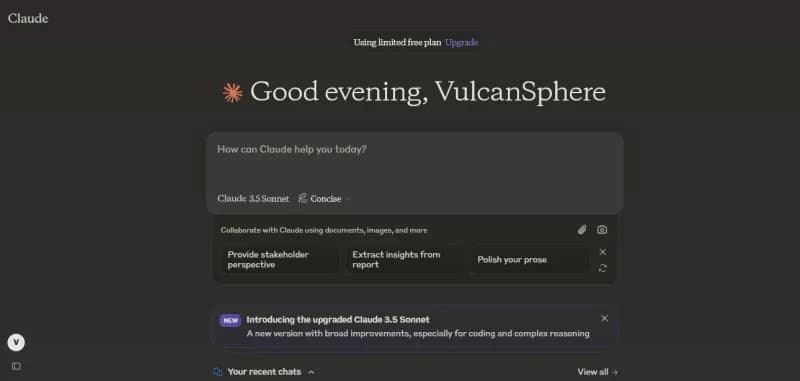
Claude
Anthropic's AI assistant for chat, writing, research, coding and file analysis, available on web, desktop and mobile and through a developer API.
Freemium · free plan
View detailsContact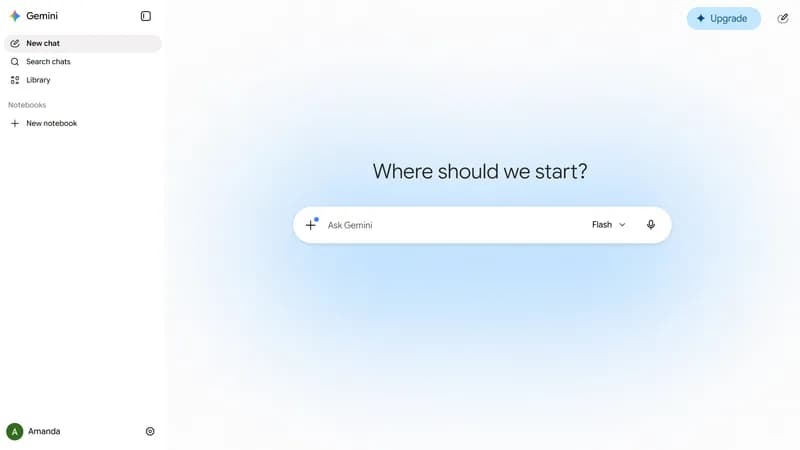

AI toolsAI tool
Google Gemini
Google's AI assistant for chat, research, image and video generation and document analysis, with a developer API for the Gemini models.
Freemium · free plan
View detailsContact

AI toolsAI tool
Hugging Face
Platform for hosting and sharing machine learning models, datasets and Spaces apps, with managed inference and open-source ML libraries.
Freemium · free plan
View detailsContact

AI toolsAI tool
Cursor
AI code editor and coding agent with autocomplete, available for macOS, Windows and Linux, from the terminal and as cloud agents.
Freemium · free plan
View detailsContact