

AI toolAI tools
Claude
Anthropic's AI assistant for chat, writing, research, coding and file analysis, available on web, desktop and mobile and through a developer API.
3 years active (founded 2023)

Essential details
- Pricing
- Freemium · Free planFree plan; Pro and Max subscriptions; Team and Enterprise billed per seat; API billed per token
- Platforms
- Web, Windows, macOS, iOS, Android, Browser extension, API
- Service region
- Worldwide
- Website
- claude.com
Details last checked 7 October 2026
Photos
The Claude web app on the free plan, captured in November 2024 when Claude 3.5 Sonnet was the default model. Dario Amodei, co-founder and chief executive of Anthropic, the company behind Claude, at TechCrunch Disrupt 2023. Dario Amodei discussing Anthropic's work during an on-stage interview at TechCrunch Disrupt in September 2023. Anthropic's Dario Amodei with the heads of DeepMind and OpenAI at a meeting with the UK Prime Minister in May 2023.
About Claude
Claude is an AI assistant made by Anthropic PBC. It works as a chat assistant on the web, on desktop (macOS and Windows) and on iOS and Android, and the same models are offered to developers through the Claude API. Beyond answering questions, it can research a topic, write and edit documents, analyse files and produce editable Word, Excel and PowerPoint files.
The problem it addresses is everyday knowledge work and software work that takes many small steps: drafting, summarising, reconciling data, writing code and pulling information from several sources into one organised result. Paid plans add Claude Code, Anthropic's coding agent, so the same subscription covers writing and development work.
Key features
- Projects and memory. Projects keep files and instructions together for a piece of work, and memory lets Claude carry context between conversations.
- Artifacts and file creation. Claude can build shareable pages, documents and designs, and create or edit Word, Excel and PowerPoint files.
- Research and web search. Web search is included on the free plan, and Claude can gather information from several sources into a structured answer.
- Claude Code. Included from the Pro plan, Claude Code is a coding agent that reads a codebase, edits files and runs commands with your approval.
- Connectors. Connectors link Claude to external apps and data sources, so it can work with information that lives outside the chat.
- Extensions and integrations. Claude in Chrome, Microsoft 365 apps and Slack are listed as places where Claude can be used.
- Developer API. The Claude API offers the model family (Opus, Sonnet and Haiku) with batch processing and prompt caching to reduce cost.
Who it is for
Individuals can start on the free plan for writing, research and analysis. Developers and technical founders tend to choose Pro or Max because they include Claude Code and Opus access. Small and growing teams use the Team plan for central billing, single sign-on and admin controls, while larger organisations use Enterprise for SCIM, audit logs, role-based access and custom data retention. Product teams that want to build Claude into their own software use the API directly.
Pricing at a glance
Free costs $0 and includes chat on web, desktop and mobile, web search, file creation, code execution, memory and artifacts, with the Sonnet and Haiku models. Pro costs $20 per month, or $17 per month billed annually ($200 a year), and adds Claude Code, Projects, Opus access and more usage. Max starts at $100 per month, with tiers offering 5x or 20x the usage of Pro and priority access at busy times. Team has a Standard seat at $20 per seat per month billed annually ($25 monthly) and a Premium seat at $100 per seat per month billed annually ($125 monthly) with 5x more usage. Enterprise is $20 per seat per month plus usage at API rates, billed annually. On the API, Opus 5.5 is $4 per million input tokens and $20 per million output tokens, Sonnet 5.5 is $2 and $10, and Haiku 4.5 is $1 and $5. Prices as checked on 7 October 2026; confirm on the vendor's pricing page.
Things to consider
- Usage on Free, Pro and Max is limited per session rather than unlimited; heavy coding work can reach the limits, which is why the Max tiers exist.
- Claude Code and Opus access are not part of the free plan.
- Under consumer terms announced in August 2025, chats on Free, Pro and Max can be used to train new models when the training setting is on, with retention extended to five years in that case; you can change the setting at any time. Team, Enterprise and API use are covered by commercial terms instead.
- Admin features such as SCIM, audit logs and custom data retention are reserved for Enterprise.
Getting started
- Create a free account at claude.com and try it on a real task from your week.
- Review the privacy settings and decide whether your chats may be used for model training.
- Compare usage needs on the pricing page and upgrade to Pro if you need Claude Code or Projects.
- For a team, start a Team plan, set up single sign-on and invite colleagues.
Capabilities
- Chat assistant
- Model API
- Document analysis
Pricing, platforms and fit
- Pricing
- FreemiumFree planFree plan; Pro and Max subscriptions; Team and Enterprise billed per seat; API billed per token
- Integrations
- Google DriveGmailSlackSalesforceMicrosoft ExcelMicrosoft WordMicrosoft PowerPointGoogle BigQueryAmplitudeGong
- Service region
- Worldwide
Reviews
No reviews yet
Ratings appear once our moderators have approved the first review. Nothing is published automatically.
Be the first to reviewWrite a review
Related guides
- Guide
How to build a tool-use loop with the Claude API in Node.js
A step-by-step Node.js tutorial for Claude tool use: define a strict tool schema, run the request and result loop, handle every stop reason, report tool errors, and avoid the forced-tool 400 error on the Claude 5.5 models.
The tutorial implements tool use with the Claude API in Node.js.
- Guide
GitHub Copilot, Cursor, Claude Code and Gemini Code Assist: plans compared
A plain comparison of four AI coding assistants as of October 2026: where each runs, individual and team prices, how usage is billed, admin controls, and a two-week trial plan to choose the right one for your team.
This article discusses Claude. Read the directory profile alongside the guide and verify current product details with its official sources.
- Guide
Build a RAG pipeline in Python with Voyage embeddings and Claude
A step-by-step Python RAG tutorial: chunk documents, embed them with Voyage AI, search and rerank, then have Claude answer with citations from your own data.
The pipeline generates answers with the Claude API.
- Guide
AI agents vs traditional workflow automation: when to use each
Use a workflow when you can write the steps down and an agent only when you cannot. Cost, reliability and audit compared, with a tested hybrid invoice workflow.
The workflow example discusses Claude model calls and their illustrative token costs.
- Guide
A provider-neutral AI layer with OpenAI, Gemini and Claude fallbacks
Build one TypeScript interface over the official OpenAI, Gemini and Claude SDKs, with capability checks, retries, fallbacks, shared schemas, tool calling and cost routing.
This article discusses Claude. Read the directory profile alongside the guide and verify current product details with its official sources.
- Guide
How to prevent AI hallucinations in business automation
Hallucinations cannot be removed from language models, but they can be kept out of your workflows: ground, constrain, verify in code, route to people, and measure.
The article discusses Anthropic guidance, Claude citations and validation of generated output.
Related AI tools
Other published listings in the same category.

AI toolsAI tool
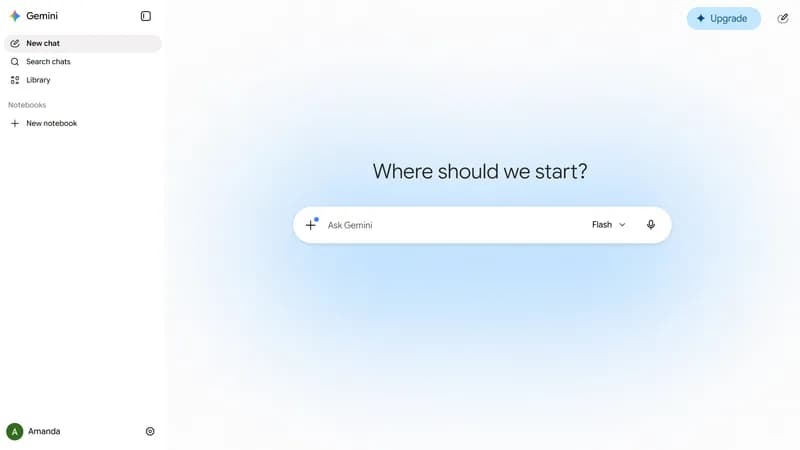
Google Gemini
Google's AI assistant for chat, research, image and video generation and document analysis, with a developer API for the Gemini models.
Freemium · free plan
View detailsContact

AI toolsAI tool
Hugging Face
Platform for hosting and sharing machine learning models, datasets and Spaces apps, with managed inference and open-source ML libraries.
Freemium · free plan
View detailsContact

AI toolsAI tool
Cursor
AI code editor and coding agent with autocomplete, available for macOS, Windows and Linux, from the terminal and as cloud agents.
Freemium · free plan
View detailsContact

AI toolsAI tool
GitHub Copilot
GitHub's AI coding assistant offering code completion, chat, a coding agent and pull request review across IDEs, GitHub.com and the terminal.
Freemium · free plan
View detailsContact