
AI toolAI tools

Midjourney
AI image and video generator sold by subscription, from Basic at $10 to Mega at $120 a month; plans differ in Fast GPU time, Relax mode, privacy and concurrency.
2 min read4 years active (founded 2022)
At a glance
Pricing: Subscription
Basic $10, Standard $30, Pro $60, Mega $120 a month; 20% off paid annually; extra Fast GPU time $4/hour
- Platforms
- Web
- Service region
- Worldwide
- Website
- www.midjourney.com
Details last checked 1 November 2026
Gallery
A panoramic image made with Midjourney version 4 from the prompt "castle on a hill, forest, england, evening, sunset" in February 2023. A watercolour-style image from the short prompt "sleigh ride, watercolor painting", made with Midjourney version 4 in 2023. Asked for the letters CC in a blueprint style in May 2024, Midjourney produced a striking render but garbled text, a common limitation.
What Midjourney does
With Midjourney, the monthly fee matters less than the GPU time behind it. Each plan includes a set amount of Fast GPU time, and from Standard upwards a slower Relax mode allows unlimited images. Two other limits catch people out: Stealth Mode, which keeps work private, is only on the two higher plans, and a large company cannot use the cheaper ones at all.
Plans and prices, checked 1 November 2026
From the official plan comparison, in US dollars. Paying a year upfront saves 20%.
- Basic: $10 a month, or $96 a year. 3.3 hours of Fast GPU time, no Relax mode, SD video only.
- Standard: $30 a month, or $288 a year. 15 hours of Fast time and unlimited Relax images.
- Pro: $60 a month, or $576 a year. 30 hours of Fast time, unlimited Relax images and SD video, and Stealth Mode.
- Mega: $120 a month, or $1,152 a year. 60 hours of Fast time, with the same Relax and Stealth access as Pro.
Extra Fast GPU time costs $4 an hour on every plan.
Limits and surprises
- Revenue rule: a company making more than $1,000,000 a year in gross revenue must buy Pro or Mega.
- Privacy: without Stealth Mode, images and videos are not kept private, so Basic and Standard are a poor fit for confidential client work.
- Concurrency: Basic and Standard run 3 image prompts at once in Fast mode, while Pro and Mega run 12. Basic runs 1 video at a time.
- Relax is image-first: Standard's unlimited Relax mode does not cover video, and Basic has none, so heavy video work uses up Fast time.
- Rights: Midjourney says subscribers can use their images and videos under its general commercial terms. Copyright protection for AI images varies by country, so take advice before relying on exclusive rights.
Who it suits
Designers, marketers and founders who want concept art, mood boards and campaign visuals, and who will work through many variations. Standard is the first plan with unlimited Relax images, so it is the natural start for regular use. Agencies and larger companies should budget for Pro.
Who should look elsewhere
Someone who makes only a few images a year may not need a subscription. Anyone who needs exact text, logos or layouts should plan for manual correction. Teams that want image generation inside their own software should confirm in the documentation whether an API is offered.
Midjourney alternatives
- Google Gemini: its Free plan includes image generation and editing, and paid Google AI plans bundle storage, which suits occasional images beside other work.
- Mistral AI: its Free plan includes basic image generation, and Pro costs $14.99 a month excluding taxes.
- ChatGPT: includes limited image creation on Free and more on paid plans, for people who want images and an assistant in one subscription.
Capabilities
- Image generation
Midjourney pricing, platforms and fit
- Pricing
- SubscriptionBasic $10, Standard $30, Pro $60, Mega $120 a month; 20% off paid annually; extra Fast GPU time $4/hour
- Platforms
- Web
- Integrations
- Discord
- Service region
- Worldwide
Midjourney reviews
No reviews yet
Ratings appear once our moderators have approved the first review. Nothing is published automatically.
Be the first to reviewWrite a review
Related guides
- Guide
AI-assisted incident response: what to automate and what an operator must decide
Use AI-assisted incident response for evidence summaries and draft updates while keeping impact assessment, production changes and recovery decisions with accountable operators.
Further reading for the ai tools category; this is not a tutorial or endorsement of this provider.
- Guide
Build an AI-powered server log analyser with Laravel or NestJS and bounded jobs
Build an AI-powered server log analyser with authorized evidence snapshots, redacted fields, bounded queue jobs and validated findings that link back to actual records.
Further reading for the ai tools category; this is not a tutorial or endorsement of this provider.
- Guide
AI agents for production servers: permissions, approval boundaries and safe failure
Evaluate AI agents for production servers with bounded diagnostics, backend permissions, resource-specific approvals and failure controls before allowing operational changes.
Further reading for the ai tools category; this is not a tutorial or endorsement of this provider.
Midjourney alternatives
Other published AI tools listings in the same category.
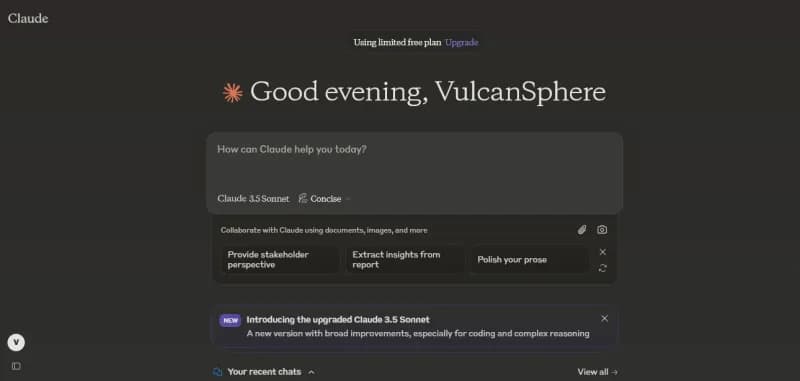

AI toolsAI tool
Claude
Anthropic's assistant sold as Free, Pro, Max, Ultra, Team and Enterprise plans with rolling 5-hour and weekly usage limits, plus a per-token API.
Freemium · free plan
View detailsContact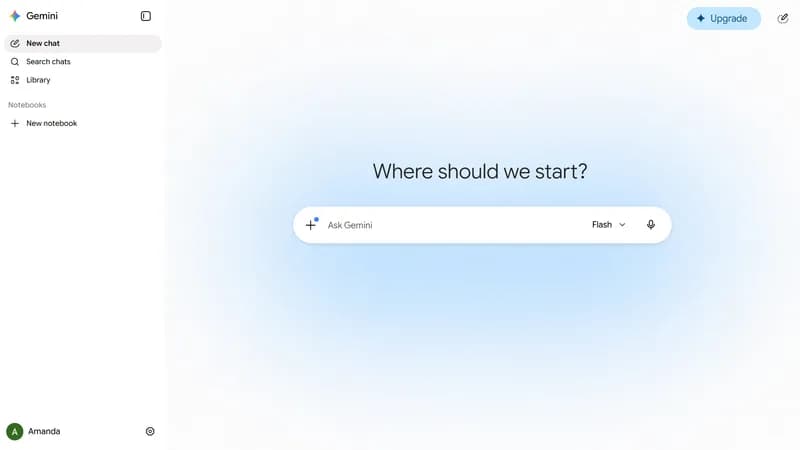

AI toolsAI tool
Google Gemini
Google's AI assistant with Free, Google AI Plus ($4.99), Pro ($19.99) and Ultra (from $99.99) plans on the US page; chat data handling depends on the Keep Activity setting.
Freemium · free plan
View detailsContact

AI toolsAI tool
Hugging Face
A hub for open models, datasets and Spaces demo apps, with PRO, Team and Enterprise plans and separately billed storage, Spaces hardware and Inference Endpoints.
Freemium · free plan
View detailsContact

AI toolsAI tool
Cursor
AI code editor and agent with Free, Plus ($8), Premium ($30), Super ($100) and Ultra ($200) plans on a weekly usage pool; Privacy Mode controls whether code is used for training.
Freemium · free plan
View detailsContact