

Developer toolDeveloper tools
IntelliJ IDEA
JetBrains IDE for Java and Kotlin with code completion, refactoring, a debugger and Git tools; free core features and a paid Ultimate subscription.
25 years active (founded 2001)
Essential details
- Pricing
- Freemium · Free plan · Free trialCore features free; Ultimate subscription billed monthly or yearly; 30-day trial; free for students and teachers
- Platforms
- Windows, macOS, Linux
- Service region
- Worldwide
- Website
- www.jetbrains.com/idea
Details last checked 10 October 2026
Photos
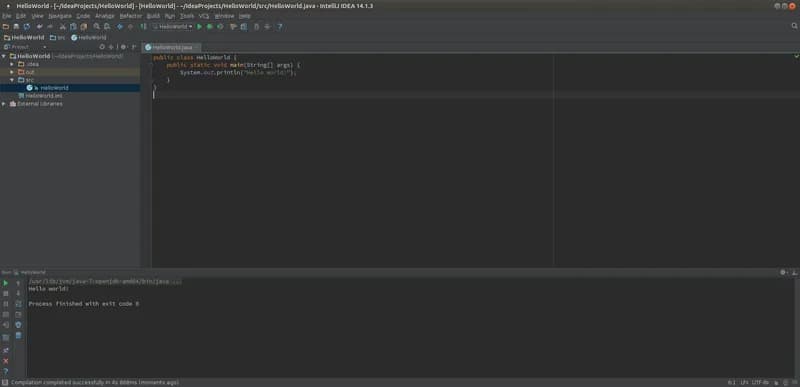
IntelliJ IDEA 14.1.3 on Ubuntu MATE in 2015, running a Hello World Java program from the Run tool window. A ScalaTest specification run from IntelliJ IDEA 2016.3 Community Edition, with both tests passing. Class-name completion in IntelliJ IDEA 9.0.1 Community Edition on Windows, from 2010.
About IntelliJ IDEA
IntelliJ IDEA is an integrated development environment (IDE) made by JetBrains. It is built mainly for languages that run on the Java Virtual Machine, such as Java, Kotlin, Scala and Groovy, and plugins add support for others including JavaScript, TypeScript, Python, PHP, Go and SQL. The IDE indexes a whole project, so completion, navigation and refactoring work across every file rather than one file at a time.
Since version 2025.3, IntelliJ IDEA ships as a single product. The former Community and Ultimate editions were merged: the core features are free, including for commercial work, and an Ultimate subscription unlocks the advanced tooling. JetBrains also keeps an open-source edition that can be built from the intellij-community repository on GitHub.
Key features
- Code completion. Basic and type-matching completion, plus full-line suggestions from machine-learning models that run locally.
- Refactoring. Automated renames, extractions and moves that update every reference in the project, gathered in a single "Refactor This" menu.
- Debugger and profiling. A JVM debugger with conditional breakpoints and expression evaluation, and integration with Java Flight Recorder and Async Profiler.
- Version control. Git, Mercurial, Perforce and Subversion support, with history, diffs, branch management and GitHub pull requests inside the IDE.
- Build tools. Maven and Gradle projects are imported and kept in sync, and build files can be edited with completion.
- Plugins. JetBrains Marketplace offers official and third-party plugins, and the documentation covers Docker, Kubernetes, GitHub and GitLab.
Who it is for
IntelliJ IDEA suits Java and Kotlin developers, from students learning their first language to teams maintaining large server-side codebases. The free core covers most day-to-day JVM work, while teams that need the advanced framework, database and web tooling in one window tend to take the Ultimate subscription. JetBrains offers free educational licences to verified students and teachers.
Pricing at a glance
- Free: the core IDE, for personal and commercial use, with no subscription.
- Ultimate for individuals: US$199 for the first year, US$159 for the second and US$119 from the third year, or US$19.90 billed monthly.
- Ultimate for organisations: US$719 per user per year, or US$71.90 per user per month.
- All Products Pack: every JetBrains IDE for US$299 a year for individuals or US$979 per user a year for organisations.
A 30-day Ultimate trial is offered when the IDE is installed. Taxes are added depending on country. Prices as checked on 10 October 2026; confirm on the vendor's pricing page.
Things to consider
- JetBrains documents the paid tier only as "advanced tooling", so check the feature comparison for the specific frameworks or database tools you rely on before you subscribe.
- When an Ultimate subscription ends, the IDE keeps working with the free features; paid features simply become unavailable.
- The IDE is demanding: JetBrains lists 8 GB of RAM, a four-core CPU and 10 GB of disk space as the requirements.
- Educational licences cannot be used for commercial work.
Getting started
- Install the JetBrains Toolbox App, or download a standalone installer for Windows, macOS or Linux, following the installation guide.
- Open an existing Maven or Gradle project, or clone a repository from Git.
- Configure a JDK; the IDE can download one for you.
- Run and debug the application from the gutter icons next to the main method or tests.
- Start the Ultimate trial if you need the advanced tooling, then decide whether to subscribe.
Capabilities
- Code editor
Pricing, platforms and fit
- Pricing
- FreemiumFree plan · Free trialCore features free; Ultimate subscription billed monthly or yearly; 30-day trial; free for students and teachers
- Integrations
- GitGitHubGitLabDockerKubernetesMavenGradle
- Service region
- Worldwide
Reviews
No reviews yet
Ratings appear once our moderators have approved the first review. Nothing is published automatically.
Be the first to reviewWrite a review
Related developer tools
Other published listings in the same category.

Developer toolsDeveloper tool
GitHub
Git-based platform for hosting code, reviewing pull requests, tracking issues and running CI/CD workflows, with free and per-user paid plans.
Freemium · free plan
View detailsContact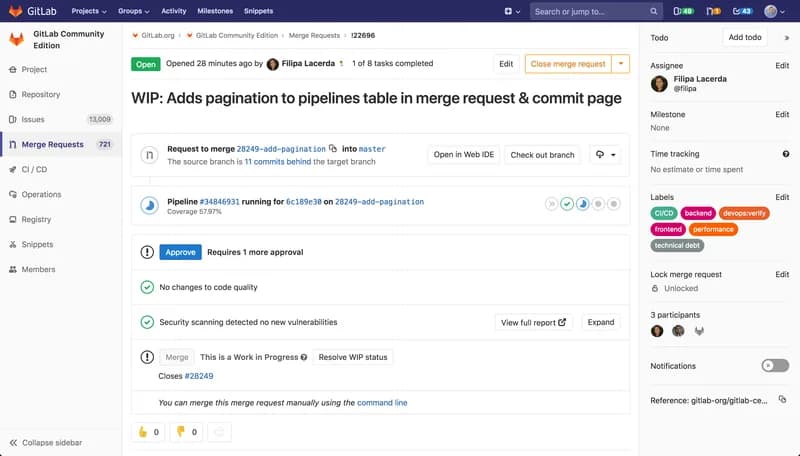

Developer toolsDeveloper tool
GitLab
DevSecOps platform combining Git repositories, merge request reviews, CI/CD pipelines and issue tracking, offered as SaaS, dedicated or self-managed.
Freemium · free plan
View detailsContact

Developer toolsDeveloper tool
Visual Studio Code
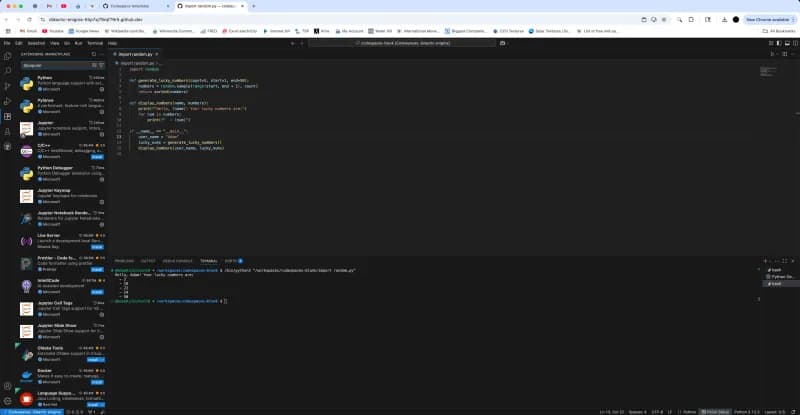
Free source-code editor from Microsoft for Windows, macOS, Linux and the browser, with built-in Git, debugging, a terminal and an extensions marketplace.
Free
View detailsContact

Developer toolsDeveloper tool
Docker
Container platform for building, sharing and running applications, including Docker Desktop, Docker Engine, Docker Hub and Docker Scout.
Freemium · free plan
View detailsContact