

Developer toolDeveloper tools
GitHub
Git-based platform for hosting code, reviewing pull requests, tracking issues and running CI/CD workflows, with free and per-user paid plans.
18 years active (founded 2008)

Essential details
- Pricing
- Freemium · Free plan · Free trialFree plan; Team and Enterprise billed per user per month; Enterprise trial offered
- Platforms
- Web, Windows, macOS, iOS, Android, Command line, API
- Service region
- Worldwide
- Website
- github.com
Details last checked 7 October 2026
Photos
A GitHub Codespaces environment in the browser, with extensions, a Python file and the terminal open. GitHub Codespaces with the Copilot chat panel, code editor and terminal arranged side by side. The GitHub home page as it looked in 2017, before later redesigns.
About GitHub
GitHub is a cloud platform for hosting Git repositories and for the work around them: reviewing code, tracking issues, automating builds and deployments, and securing dependencies. It is used for both open-source projects and private company code.
Git itself records the history of a codebase; GitHub adds hosting, access control and collaboration on top. Teams propose changes in pull requests, discuss them line by line, run automated checks with GitHub Actions and merge when reviews pass. The same account also covers project planning, package hosting, cloud development environments and the GitHub Copilot AI assistant.
Key features
- Repositories. Unlimited public repositories on every plan and unlimited collaborators on private repositories.
- Pull requests and code review. Propose, discuss and review changes before they are merged into the main branch.
- Issues and Projects. Track bugs and feature requests, set milestones and plan work on boards and tables linked to code.
- GitHub Actions. CI/CD workflows defined in YAML. Actions minutes are free for public repositories; private repositories get a monthly allowance by plan.
- Codespaces. Cloud development environments that open in the browser or in VS Code, configured with dev containers.
- Packages and Pages. Host package registries next to your code and publish static documentation or websites.
- GitHub Copilot. An AI coding assistant sold as separate plans, from a limited Free tier to paid individual and business plans.
Who it is for
GitHub serves solo developers and students, open-source maintainers, start-ups and large enterprises. Small teams often start on Free or Team for private repositories with review rules and CI. Enterprises use Enterprise Cloud or Enterprise Server for SAML single sign-on, Enterprise Managed Users, audit requirements and data residency. Project managers, security teams and technical writers also work in GitHub alongside developers.
Pricing at a glance
- Free: $0, with 2,000 Actions minutes and 500 MB of Packages storage a month for private repositories.
- Team: $4 per user per month, shown on the pricing page as the price for the first 12 months; 3,000 Actions minutes and 2 GB of Packages storage, plus the ability to raise the Codespaces spending limit.
- Enterprise: from $21 per user per month, also shown for the first 12 months; 50,000 Actions minutes, 50 GB of Packages storage, SAML SSO, Enterprise Managed Users and data residency options.
- Copilot (separate): Free at $0 with limited chat and agent use and 2,000 inline suggestions a month; Pro $10, Pro+ $39 and Max $100 per month for individuals.
Prices as checked on 7 October 2026; confirm on the vendor's pricing page.
Things to consider
- The Team and Enterprise prices on the pricing page are labelled for the first 12 months; check the price that applies after that before you budget.
- Actions minutes and Packages storage beyond the plan allowance are billed by usage, so busy CI on private repositories can add cost.
- Copilot is not included in the Free, Team or Enterprise plans and is priced separately.
- Pull requests, Actions workflows and Projects are GitHub-specific; moving to another Git host means migrating these as well as the repositories.
Getting started
- Create a free account and read About GitHub and Git.
- Create a repository or push an existing local Git project.
- Invite collaborators and set branch protection on the default branch.
- Add a GitHub Actions workflow that runs your tests on every pull request.
- Compare plans on the pricing page when you need more minutes or governance features.
Capabilities
- Continuous integration
- Version control
- Code review
- Issue tracking
Pricing, platforms and fit
- Pricing
- FreemiumFree plan · Free trialFree plan; Team and Enterprise billed per user per month; Enterprise trial offered
- Integrations
- SlackCircleCITravis CIAzure PipelinesAzure BoardsSnykSonarQube CloudLinearGitGuardianGoogle Cloud Build
- Service region
- Worldwide
Reviews
No reviews yet
Ratings appear once our moderators have approved the first review. Nothing is published automatically.
Be the first to reviewWrite a review
Related guides
- Guide
Merge commit, squash or rebase: choosing a pull request merge strategy
Merge commits, squash merges and rebase merges all land the same code but leave very different history behind. This comparison explains what each method does on GitHub and in plain Git, what you lose with each, and how to pick one rule for your team.
The article compares GitHub's three pull request merge methods.
- Guide
A practical code review checklist for small teams
A code review checklist built on Google's published engineering practices and the OWASP Secure Code Review cheat sheet: what to check in design, behaviour, tests, security and naming, how fast to respond, and how to set up CODEOWNERS so the right people review.
The checklist uses GitHub pull requests and CODEOWNERS to route reviews.
- Guide
Student developer programmes in 2026: GitHub Education, Azure, JetBrains, AWS and Google
What students actually get from GitHub Education, Azure for Students, JetBrains educational licences, AWS Educate and Google Cloud for students, who qualifies, how to verify without an academic email, and what to watch out for.
The guide covers GitHub Education and the Student Developer Pack.
- Guide
GitHub vs GitLab in 2026: plans, CI minutes, self-hosting and AI compared
GitHub and GitLab compared from their published plans: free-tier limits, per-seat prices, CI minutes, branch protection, security tooling, AI pricing and self-hosting, with the same CI job written for both.
This article discusses GitHub. Read the directory profile alongside the guide and verify current product details with its official sources.
- Guide
Employee offboarding IT checklist: revoke access in one day
An IT offboarding checklist for small businesses: block sign-in, wipe devices, rotate shared passwords and hand over data in Google Workspace and Microsoft 365.
The checklist includes GitHub's documented steps for removing a departing member from an organisation.
- Guide
Harden GitHub Actions workflows: a 10-point security checklist
CI workflows hold your deploy keys and tokens. This checklist covers SHA pinning, least-privilege GITHUB_TOKEN, script injection, pull_request_target and OIDC.
The checklist hardens GitHub Actions workflows using GitHub documentation.
Related developer tools
Other published listings in the same category.

Developer toolsDeveloper tool
GitLab
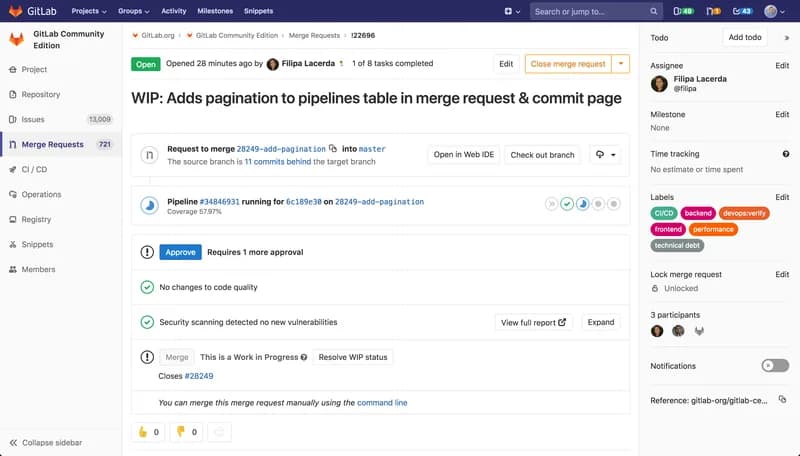
DevSecOps platform combining Git repositories, merge request reviews, CI/CD pipelines and issue tracking, offered as SaaS, dedicated or self-managed.
Freemium · free plan
View detailsContact

Developer toolsDeveloper tool
Visual Studio Code
Free source-code editor from Microsoft for Windows, macOS, Linux and the browser, with built-in Git, debugging, a terminal and an extensions marketplace.
Free
View detailsContact

Developer toolsDeveloper tool
Docker
Container platform for building, sharing and running applications, including Docker Desktop, Docker Engine, Docker Hub and Docker Scout.
Freemium · free plan
View detailsContact

Developer toolsDeveloper tool
Postman
API platform for designing, testing, documenting and monitoring APIs, with desktop and web apps, a CLI and a free plan.
Freemium · free plan
View detailsContact