

Developer toolDeveloper tools
Visual Studio Code
Free source-code editor from Microsoft for Windows, macOS, Linux and the browser, with built-in Git, debugging, a terminal and an extensions marketplace.
11 years active (founded 2015)

Essential details
- Pricing
- Free · Free planFree to download and use
- Platforms
- Windows, macOS, Linux, Web, Command line
- Service region
- Worldwide
- Website
- code.visualstudio.com
Details last checked 7 October 2026
Photos
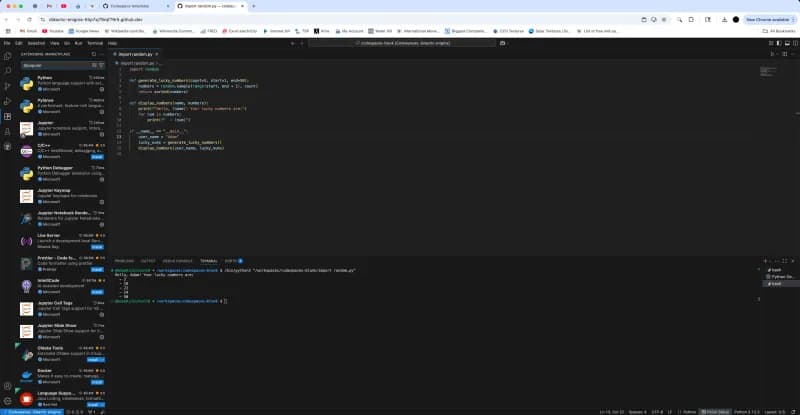
Visual Studio Code with the file explorer, a JavaScript file and the integrated terminal. The Visual Studio Code welcome page, with start actions and getting-started walkthroughs. Visual Studio Code with the LaTeX Workshop extension, showing source and a PDF preview side by side. Visual Studio Code on Linux Mint with the Python extension's getting-started page.
About Visual Studio Code
Visual Studio Code (VS Code) is a free source-code editor from Microsoft for Windows, macOS and Linux, with a browser version as well. It combines a fast editor with IntelliSense code completion, debugging, built-in Git, an integrated terminal and a large extension marketplace. Version 1.141 was released on 7 October 2026.
Microsoft develops VS Code in the open in the Code - OSS repository on GitHub, whose source code is available under the MIT licence. The Visual Studio Code product you download is a Microsoft distribution of that code with Microsoft-specific customisations, released under a Microsoft product licence. Recent releases put a lot of weight on AI agents and GitHub Copilot integration.
Key features
- IntelliSense. Context-aware code completion, parameter hints and navigation for many languages, extended by language extensions.
- Debugging and testing. A built-in debugger with breakpoints, call stacks and an interactive console.
- Source control. Built-in Git: stage changes, view diffs, commit and work with branches from the editor.
- Extensions. A marketplace of extensions for languages, linters, themes, frameworks and cloud services.
- Remote development. Work in code on remote machines over SSH or tunnels, inside Dev Containers, in WSL or in GitHub Codespaces.
- AI agents and Copilot. Chat and agent sessions with GitHub Copilot; version 1.141 adds a grid view for comparing agent sessions and sandboxing that limits agent file and network access.
- Integrated terminal. A terminal with shell integration inside the editor, plus themes, profiles and accessibility options.
Who it is for
VS Code is used by students, hobbyists, professional developers and data scientists, from a single person writing scripts to large teams that share recommended extensions and Dev Container settings. It is a common choice for web, JavaScript and TypeScript, Python and cloud work, and for teams that develop inside containers or on remote servers.
Pricing at a glance
VS Code itself is free to download and use. AI help through GitHub Copilot is a separate subscription from GitHub:
- Copilot Free: $0, with limited chat and agent use and 2,000 inline suggestions a month.
- Copilot Pro: $10 per month, with unlimited inline suggestions and $15 of GitHub AI Credits a month.
- Copilot Pro+: $39 per month, with $70 of AI Credits a month.
- Copilot Max: $100 per month, with $200 of AI Credits a month.
Prices as checked on 7 October 2026; confirm on the vendor's pricing page.
Things to consider
- The official build is released under a Microsoft product licence, not the MIT licence of the Code - OSS source; check the licence if this matters to your organisation.
- Much of the functionality comes from extensions, so quality and maintenance vary; review extensions before installing them on work machines.
- VS Code releases often, so features and settings change between versions; read the release notes when you update.
- It is a code editor, not a full IDE for every stack; some languages and platforms are better served by dedicated IDEs.
Getting started
- Download VS Code for your operating system, or open the web version.
- Open a project folder and install the extensions recommended for its language.
- Work through the basics in the documentation.
- Set up a debug configuration and run your code with breakpoints.
- Connect your GitHub account if you want to use Copilot or Codespaces.
Capabilities
- Code editor
Pricing, platforms and fit
- Pricing
- FreeFree planFree to download and use
- Platforms
- WindowsmacOSLinuxWebCommand line
- Made for
- DevelopersStudents and learners
- Integrations
- GitHubGitHub CopilotGitHub CodespacesDockerJupyterWSL
- Service region
- Worldwide
Reviews
No reviews yet
Ratings appear once our moderators have approved the first review. Nothing is published automatically.
Be the first to reviewWrite a review
Related developer tools
Other published listings in the same category.

Developer toolsDeveloper tool
GitHub
Git-based platform for hosting code, reviewing pull requests, tracking issues and running CI/CD workflows, with free and per-user paid plans.
Freemium · free plan
View detailsContact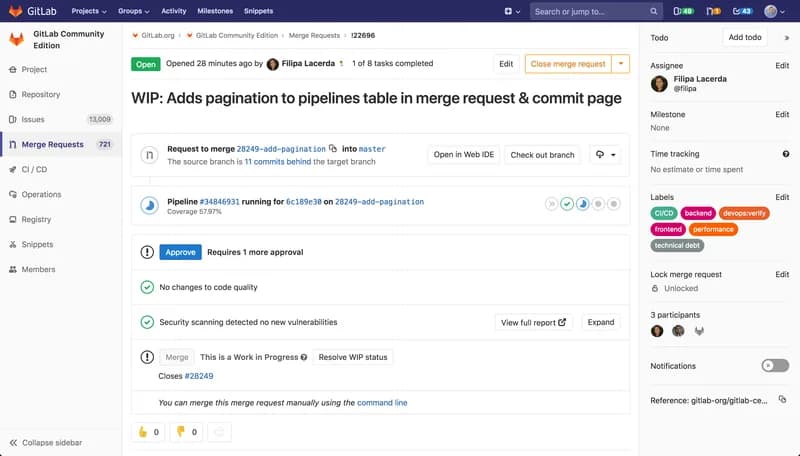

Developer toolsDeveloper tool
GitLab
DevSecOps platform combining Git repositories, merge request reviews, CI/CD pipelines and issue tracking, offered as SaaS, dedicated or self-managed.
Freemium · free plan
View detailsContact

Developer toolsDeveloper tool
Docker
Container platform for building, sharing and running applications, including Docker Desktop, Docker Engine, Docker Hub and Docker Scout.
Freemium · free plan
View detailsContact

Developer toolsDeveloper tool
Postman
API platform for designing, testing, documenting and monitoring APIs, with desktop and web apps, a CLI and a free plan.
Freemium · free plan
View detailsContact