
In this article
An incident search returns thousands of messages containing failed, but none reliably identifies the service, release or operation. Free-form text has become the only interface between the application and its operators.
Structured logging gives Laravel and NestJS a consistent event contract. Define fields first, serialize through the existing logger and preserve request isolation before adding a collector or dashboard.
Our Laravel audit-log guide explains a separate business accountability contract. Diagnostic logs should complement that owner, not replace it.
Step 1: Define a small structured logging event vocabulary
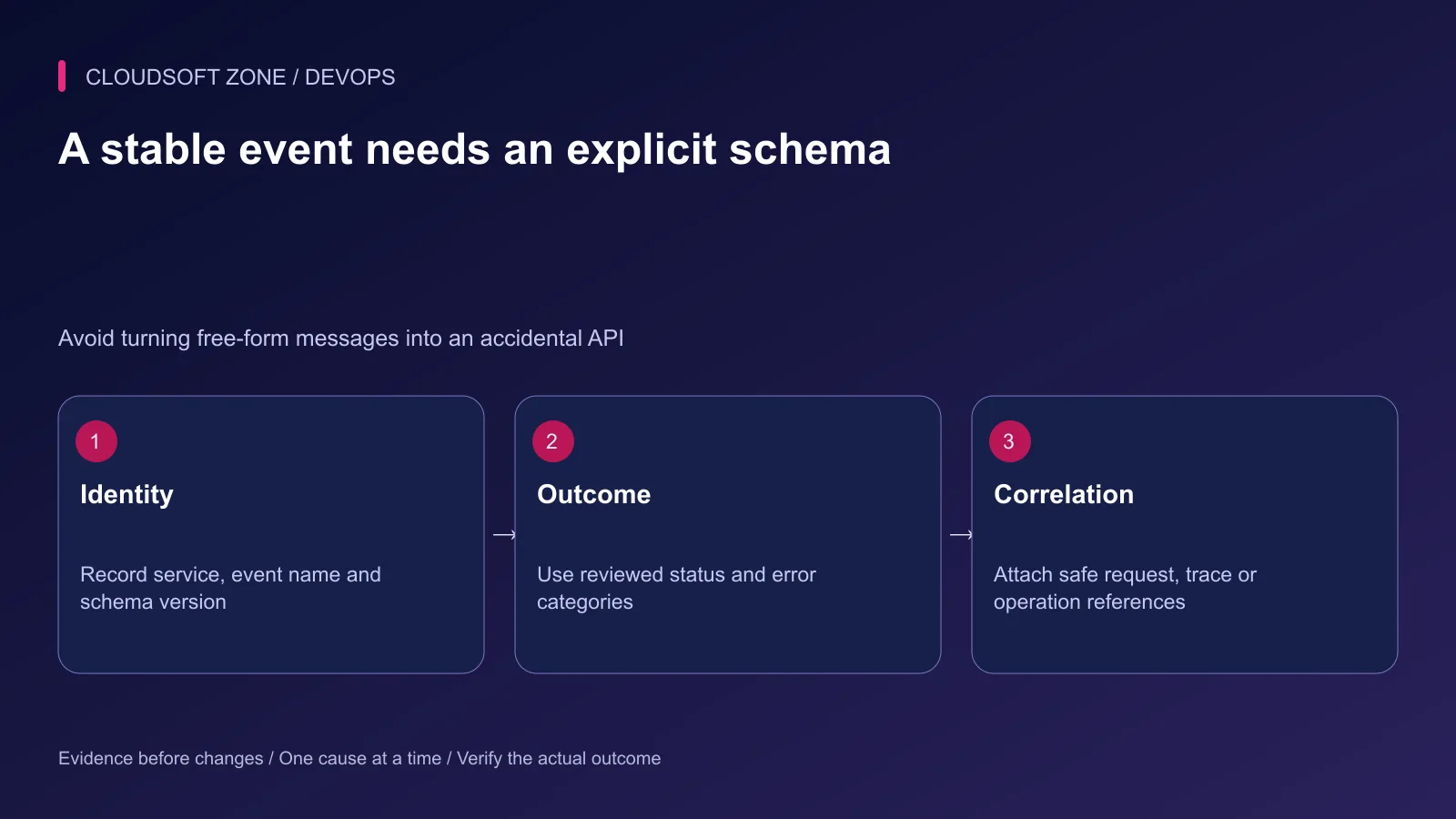
Choose stable event names such as upload.storage_failed or queue.job_completed. Keep an explicit schema version so a field change does not silently break searches or alert rules.
| Field | Contract |
|---|---|
| event | Stable allowlisted operation outcome |
| service | Known producing service |
| schema_version | Explicit event schema revision |
| release | Non-secret deployed artifact reference |
| request_id or trace_id | Validated diagnostic correlation |
| code | Reviewed error or outcome category |
| duration_ms | Numeric duration with a stated unit |
The timestamp and severity may live in the logger's envelope rather than each application payload. Document the actual emitted shape instead of adding competing versions of every field.
Do not use arbitrary URLs, customer text or exception messages as event names. That creates an unstable vocabulary and can leak sensitive values into indexed fields.
Step 2: Emit safe Laravel context
Use the existing logging facade and channel owner. A bounded event can look like this:
use Illuminate\Support\Facades\Log;

Log::warning('upload.storage_failed', [
    'schema_version' => 1,
    'service' => 'example-api',
    'code' => 'UPLOAD_STORAGE_FAILURE',
]);
This records structured context, but its output format still depends on the configured channel. Laravel's Monolog customization supports a formatter through the existing channel's tap configuration.
Choose a JSON formatter where the transport requires it, preserving the channel's rotation, permissions and severity policy. Verify the emitted line before changing the collector. Do not create a second logging service just to use JSON.
Step 3: Enable structured NestJS output deliberately
For a NestJS version that supports the documented JSON ConsoleLogger option, integrate it in the existing bootstrap:
import { ConsoleLogger } from '@nestjs/common';
import { NestFactory } from '@nestjs/core';
import { AppModule } from './app.module';

const app = await NestFactory.create(AppModule, {
  logger: new ConsoleLogger({ json: true }),
});
The fragment ends before the application's existing listen and shutdown configuration. It is not a replacement bootstrap. Review custom logger adapters separately; they may have different object and exception behavior.
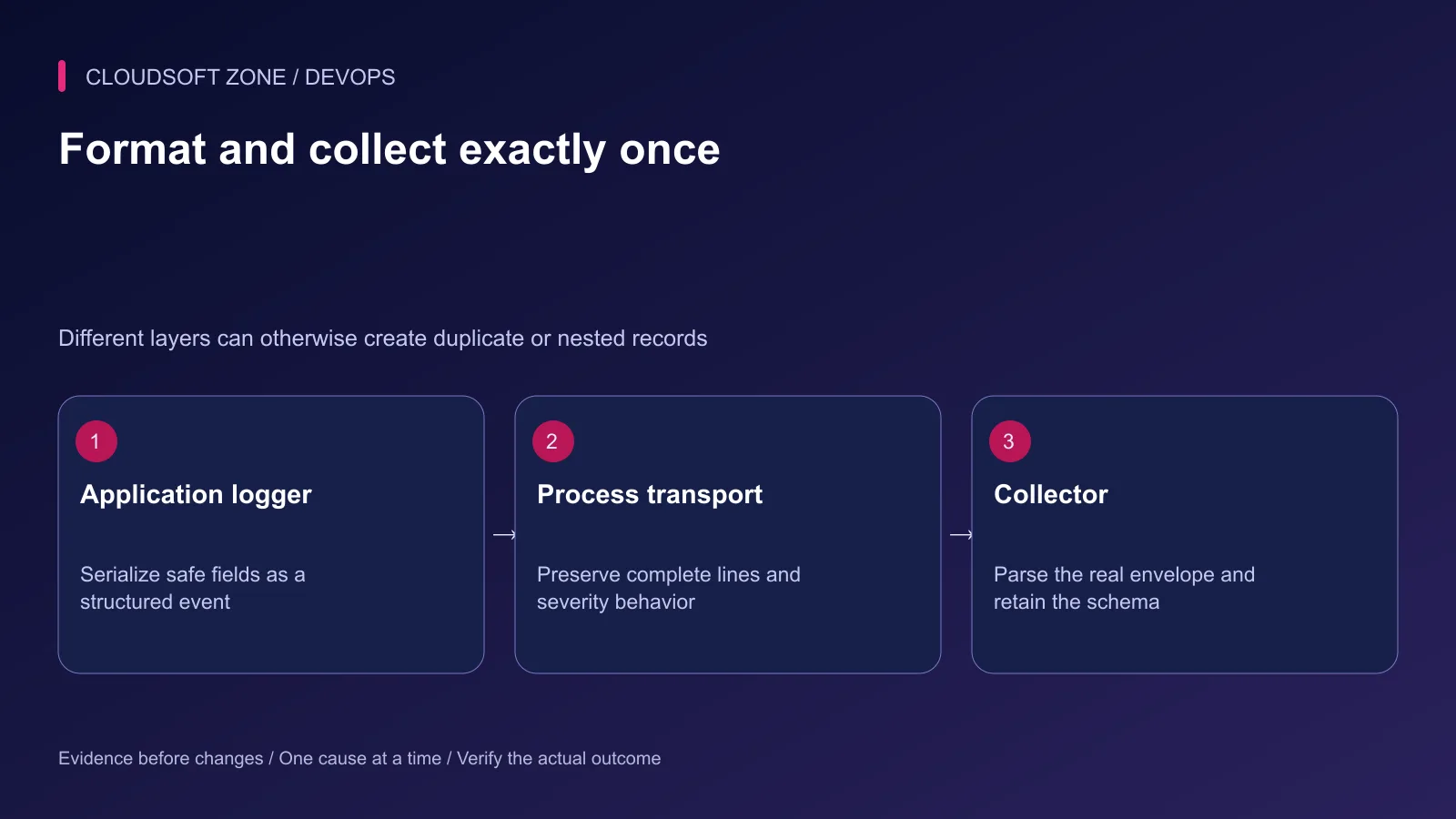
Use the application's logger consistently for request handling, startup and jobs. Avoid JSON-stringifying an object and then passing that string into a logger that serializes again. Nested text can make fields unavailable to collector queries.
Step 4: Isolate correlation context
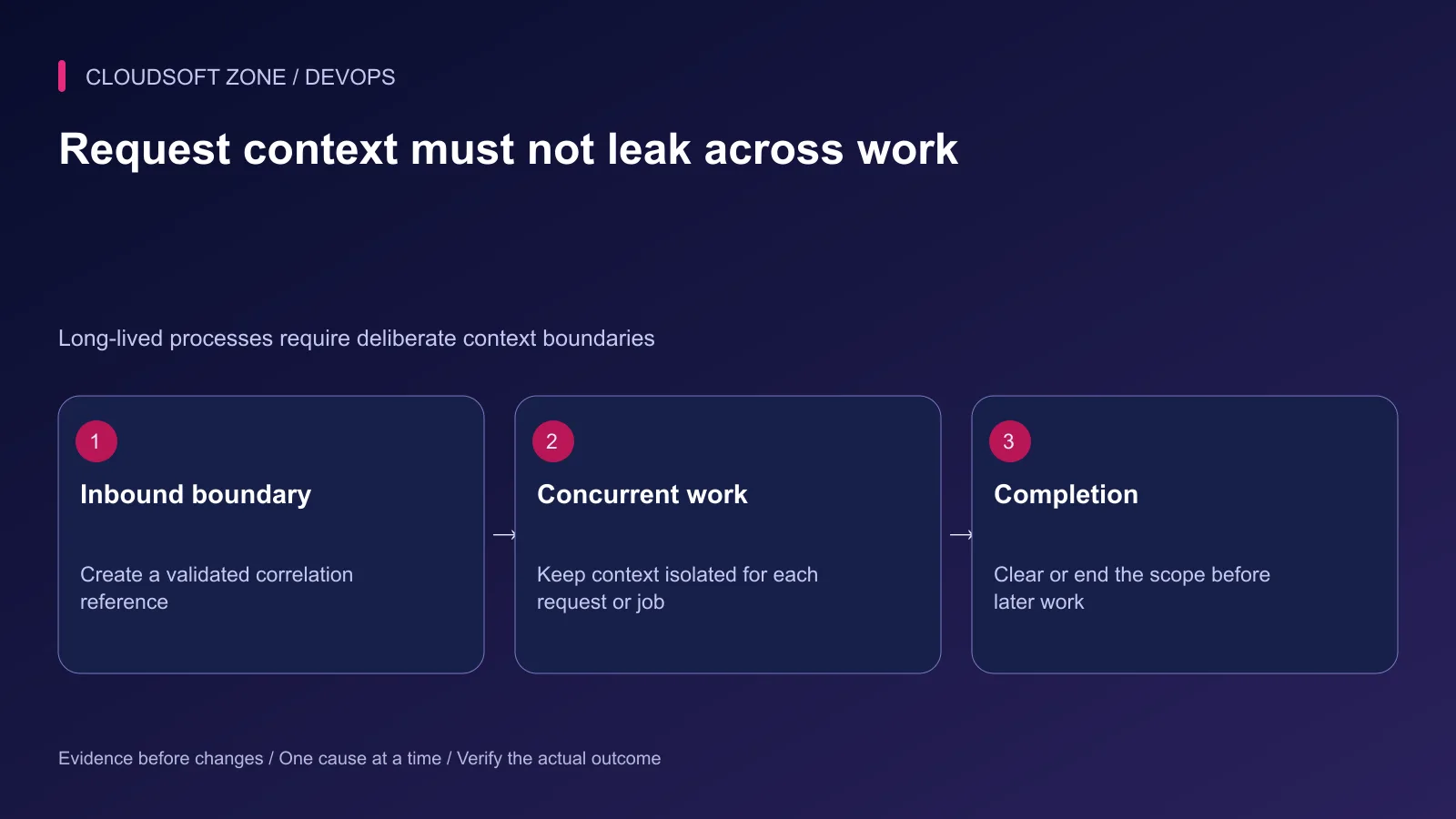
At the inbound boundary, generate or validate a bounded request reference. Never trust an arbitrary caller string as an authorization fact, filesystem path or safe header value.
For Node.js, AsyncLocalStorage can carry request-scoped data through asynchronous work. Use a distinct scope for each request and avoid mutating a globally shared store. Queued jobs need their own propagation and validation contract; a process-local context does not automatically cross a broker.
Laravel shared logging context also needs lifecycle care in long-lived workers and application servers. Context attached to one task must not survive into an unrelated customer's task.
Verify two interleaved requests and sequential worker jobs with different harmless references. Every emitted event should retain the correct scope and omit the other task's values.
Step 5: Review privacy and serialization limits
Exclude passwords, authorization, cookies, full request bodies and raw provider responses. Exception objects need separate review because automatic reporting may include data outside your application event allowlist.
Bound string length and object depth before formatting. Structured encoding helps prevent multiline log injection, but it does not guarantee every collector or console renders untrusted content safely.
Maintain distinct policies for operational logs, security events and business audit records. A debug retention window is not automatically suitable for every purpose.
Step 6: Verify the transport and collector
Send a synthetic event through the real process transport and collector. Confirm that fields are parsed at the expected paths, numeric durations remain numbers and timestamps preserve their timezone meaning.
| Rehearsal | Expected observation |
|---|---|
| Known synthetic event | One searchable event with the intended schema |
| Long or malformed context | Bounded output without breaking parsing |
| Concurrent requests | Correct isolated correlation references |
| Collector unavailable | Application behavior remains within a defined budget |
| Fake secret markers | Absent from stored and forwarded records |
Step 7: Set retention and failure behavior
Define local buffer capacity, disk rotation and provider retention. Decide how the logger behaves when storage or transport fails; blocking every request indefinitely is not an acceptable accidental fallback.
Track collection gaps and dropped events explicitly where supported. A silent loss of logs can make the next incident harder to diagnose even while the application remains available.
Our AI telemetry guide extends correlation and privacy to agent workflows. For a logging design fitted to your application, discuss the project with Cloudsoft Zone.
Featured image: Cloudsoft Zone technical layout with nestjs artwork by NestJS (Public domain). Product mark resized proportionally for identification; no endorsement implied. Layout: CC BY-SA 4.0.
Frequently asked questions
Does JSON formatting automatically make logs safe?
No. It makes serialization structured, but raw payloads, tokens and exception messages can still be included. Define an allowlist and verify emitted data.
Does passing Laravel context guarantee JSON output?
No. Context fields and output formatting are separate. Configure the existing channel formatter and confirm the collector parses its actual output.
Can I trust a caller-provided request ID for authorization?
No. A correlation identifier is diagnostic input. Validate or replace it, bound its length and keep authorization in the application guard chain.
Sources
- Laravel logging channels and customization — Laravel
- NestJS logger and JSON output — NestJS
- Node.js 24 async context — Node.js
- Structured log data model — OpenTelemetry
- Safe logging design — OWASP
Read next
TutorialDevOps4 min read
Laravel failed jobs: monitoring, alerts and safe recovery in production
Monitor Laravel failed jobs with safe event metadata, queue-age signals and deduplicated alerts that still reach an operator when the application queue is unavailable.
New tools, once a week
One short email listing what joined the directory.
Comments
No comments yet. Be the first to join the conversation.
Leave a comment
Every comment is read by a moderator before it appears. Your email address is never published; it is used only to contact you about this comment.
More from Cloudsoft Zone
TutorialDevOps5 min read
Application health checks: why uptime monitoring misses real failures
Design application health checks that separate liveness, readiness and real user outcomes, without creating restart storms or dangerous synthetic side effects.
By Nilesh Kushvaha
TutorialDevOps5 min read
Prometheus and Grafana monitoring for Laravel and Node.js applications
Use Prometheus and Grafana to connect private application metrics, host observations and actionable dashboards for Laravel and Node.js production workloads.
By Nilesh Kushvaha
TutorialDevOps5 min read
Production monitoring for a small SaaS: signals, alerts and recovery evidence you actually need
Build production monitoring around critical user journeys, application errors, queue progress and capacity signals, with actionable alerts and a verified delivery path.
By Nilesh Kushvaha