
nginx WebSocket reverse proxy: configure upgrades, authentication and reconnect behavior
Configure an nginx WebSocket proxy with explicit upgrade headers, bounded idle behavior and application authorization. Distinguish native WebSockets from Socket.IO polling.
5 min read
In this article
A notification panel works through the application's local port but fails through the public domain. After adding upgrade headers, it connects and then disconnects when quiet. During deployment, users miss messages even though their browser reconnects.
An nginx WebSocket setup must forward the upgrade handshake explicitly. The guide builds an nginx WebSocket proxy for a native route, fits timeouts to heartbeats, and describes nginx Socket.IO configuration differences separately.
An nginx WebSocket configuration must fit the route, transport, heartbeat and application state model. A successful upgrade establishes a connection; it does not prove authorized messaging or reliable delivery. This guide follows that complete lifecycle.
Our Laravel WebSocket service comparison explains related service choices. The proxy example below targets a native WebSocket route, with Socket.IO differences described separately.
Step 1: Confirm which protocol you are using
Native WebSocket and Socket.IO are different contracts. NestJS can use different gateway adapters, so inspect the deployed application rather than assuming every gateway accepts the same browser client.
Record the exact public path, private listener, allowed browser origins and authentication mechanism. If Socket.IO supports long-polling, the HTTP polling path must also reach the intended service.
| Question | Why it matters |
|---|---|
| Native WebSocket or Socket.IO? | Determines client protocol and transport behavior |
| Which exact path? | Proxy URI rewriting can change the handshake target |
| Cookie, ticket or another mechanism? | Determines how authentication is safely established |
| What is the heartbeat interval? | Determines acceptable silent periods |
| How are missed events recovered? | Reconnection alone does not restore durable state |
Step 2: Forward the handshake explicitly
The following fragment assumes the native WebSocket server handles /ws/ on a same-host private listener. Use it within an existing HTTPS configuration, with the application's origin and authentication checks still enabled.
# http context
map $http_upgrade $ws_connection {
    default upgrade;
    '' close;
}

# within the intended HTTPS server
location /ws/ {
    proxy_pass http://127.0.0.1:3001;
    proxy_http_version 1.1;
    proxy_set_header Upgrade $http_upgrade;
    proxy_set_header Connection $ws_connection;
    proxy_set_header Host $host;
    proxy_set_header X-Forwarded-Proto $scheme;
    proxy_set_header X-Real-IP $remote_addr;
    proxy_set_header X-Forwarded-For $remote_addr;
    proxy_read_timeout 75s;
}
The proxy_pass form retains the /ws/ prefix. Both sides must agree on it. Upgrade and Connection require explicit handling because they are hop-by-hop headers rather than ordinary end-to-end request headers.
The address-header overwrite assumes this nginx is the direct client trust boundary. A CDN or additional load balancer needs an explicitly reviewed trusted-address model.
Step 3: Fit timeouts to heartbeat behavior
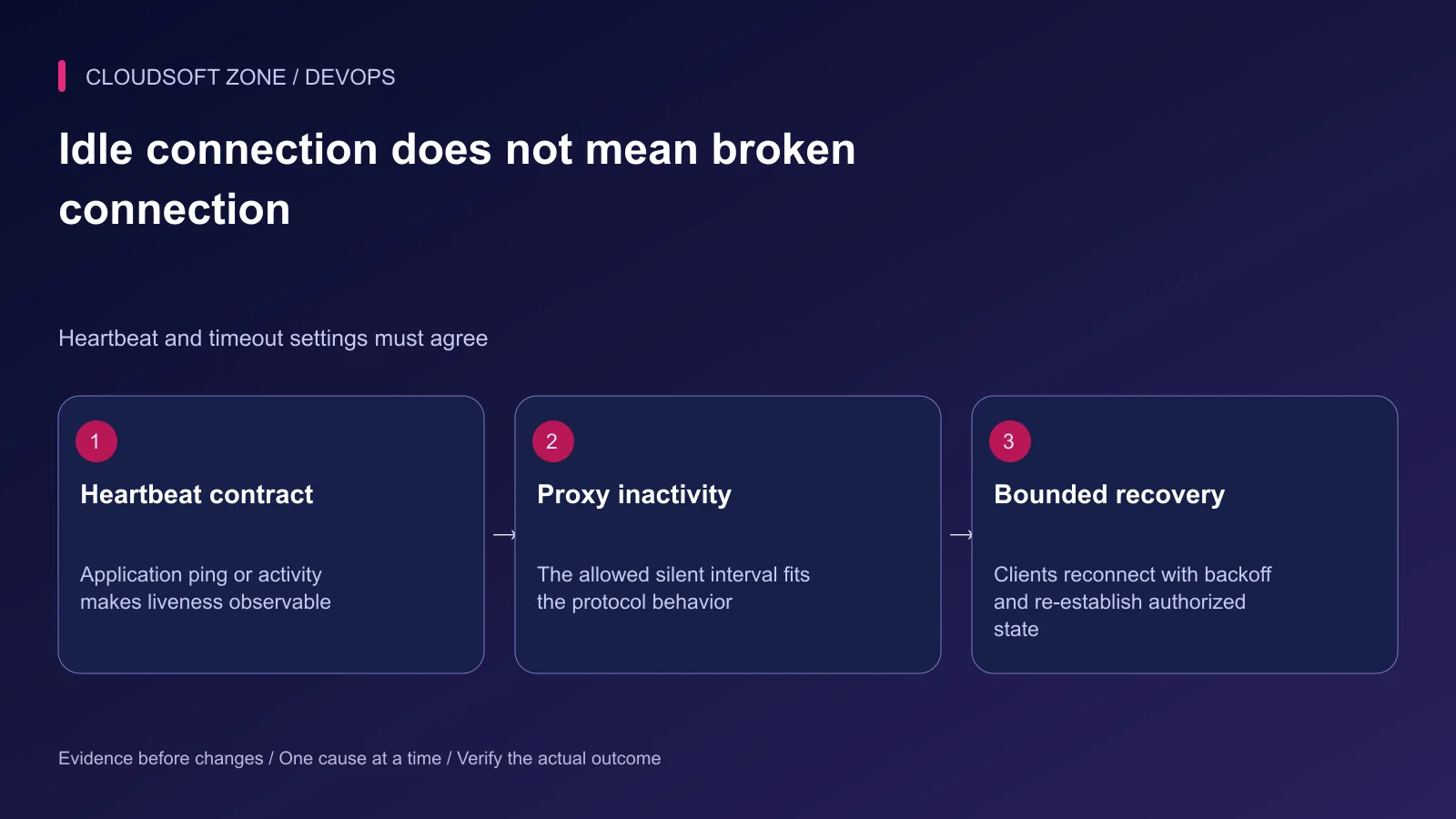
The 75-second example is a rehearsal value, not a universal recommendation. Compare it with the actual server heartbeat and maximum expected inactivity, plus any earlier edge timeout.
nginx's WebSocket documentation describes closure when the upstream sends no data within the configured read interval. Application ping frames or other intentional traffic can make liveness observable, but the protocol implementation must provide that behavior.
Do not simply set an enormous timeout after one idle disconnect. Check whether the client, server and edge agree on liveness, and whether dead connections are eventually reclaimed. Budget the maximum number of open connections as well.
Step 4: Preserve authentication and message authorization
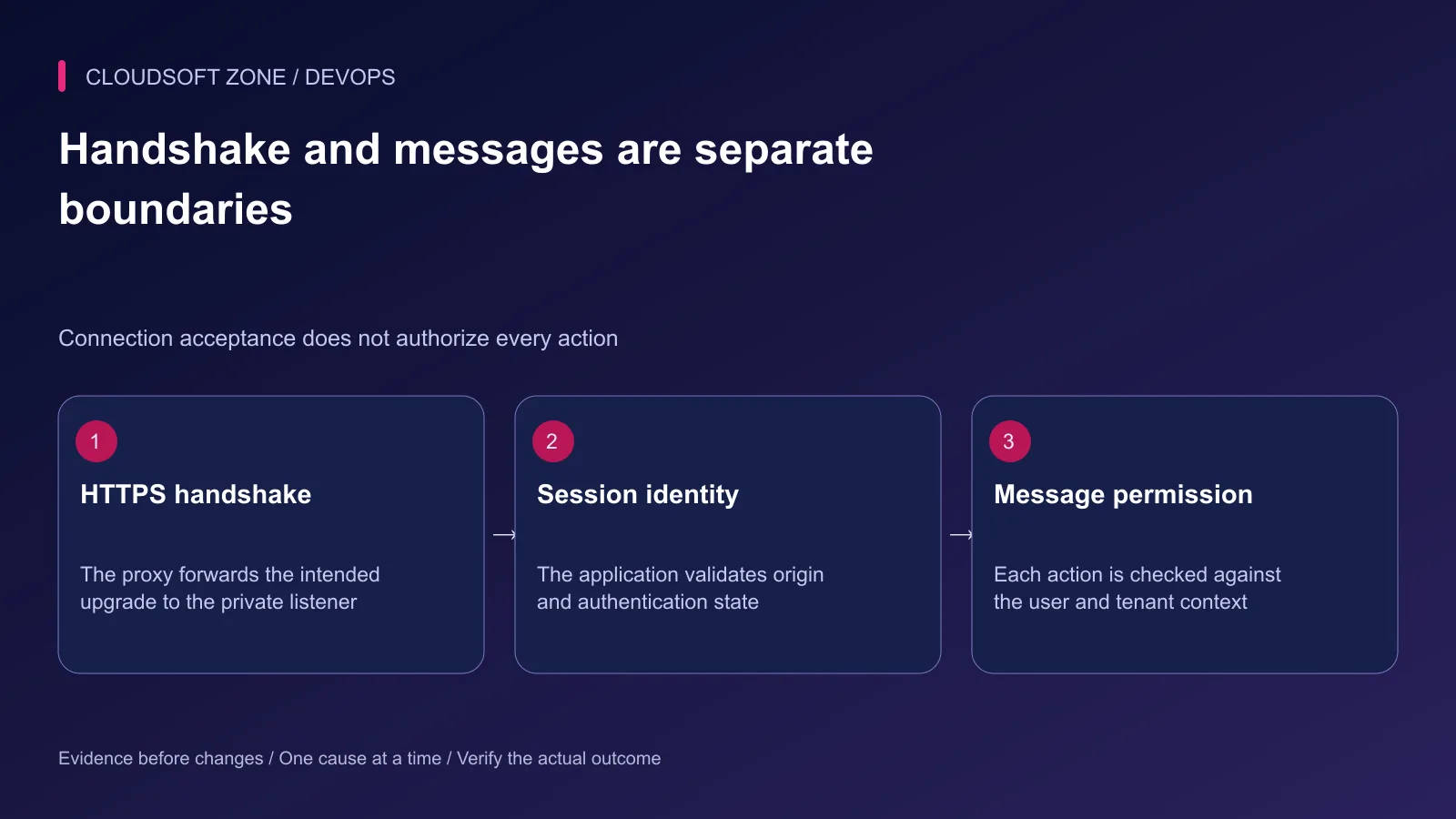
Use wss through the trusted public TLS boundary. Validate the handshake's origin according to the application's allowed browser clients, particularly when cookies authenticate the connection.
Do not assume a cookie-bearing connection is safe just because the upgrade succeeded. Establish the session and apply authorization to subscriptions, channels and individual actions. A user's connection must not grant access to another tenant's messages.
Avoid long-lived bearer tokens in logged query strings. If the design uses a short-lived connection ticket, bind its lifetime and purpose and enforce its consumption rules server-side. Log correlation and security outcomes without recording secrets or message bodies indiscriminately.
Step 5: Handle Socket.IO separately
Socket.IO's default endpoint convention and polling transport require the matching proxy path. Its heartbeat budget must fit the proxy read interval. A native WebSocket client cannot be assumed to speak the Socket.IO application protocol.
For several instances, evaluate the adapter and routing requirements of the chosen Socket.IO transports. Polling can require affinity while an inter-instance adapter distributes events; shared sessions and durable business state remain separate concerns.
For NestJS, confirm whether the gateway is using the Socket.IO adapter or a ws-based adapter and select the matching client and security implementation. Do not disable authentication to make an incompatible transport appear to work.
Step 6: Define reconnect and delivery semantics
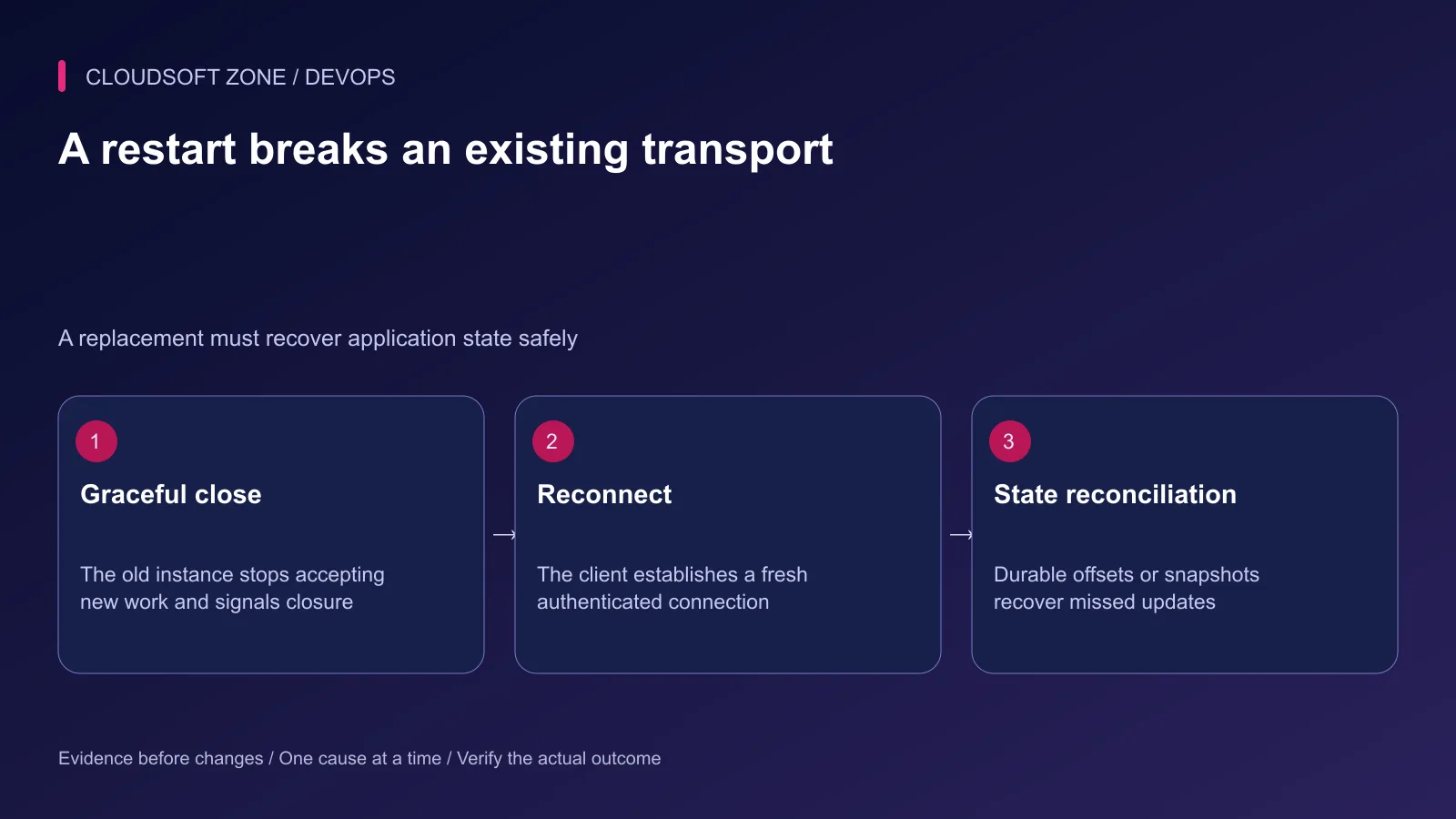
A restart, network change or expired session can close an established connection. Use bounded exponential backoff with jitter rather than having every disconnected browser reconnect immediately.
After reconnect, authenticate again and re-establish only permitted subscriptions. If messages matter beyond transient display, recover from a durable offset, sequence or current-state snapshot. A connection ID is not a durable business operation ID.
Our idempotent job guide explains the related distinction between retrying transport and safely repeating an effect. Apply that discipline to client commands as well as server events.
Step 7: Rehearse the real browser lifecycle
Use the intended browser client through the public route in an isolated environment. A bare HTTP request is not sufficient to verify the application's transport and authentication contract.
| Acceptance case | Expected behavior |
|---|---|
| Valid authenticated connection | Intended upgrade and permitted subscription |
| Invalid origin or expired identity | Rejected or closed under the application policy |
| Cross-tenant action | Denied even on an established connection |
| Quiet connection beyond normal heartbeat | Documented liveness behavior |
| Application replacement | Bounded reconnect and state reconciliation |
| Excessive message rate or payload | Enforced application limits without resource exhaustion |
Validate nginx configuration before reload. Keep the prior route and timeout policy available for rollback, and correlate handshake failures with application evidence. Watch connection count, reconnect rate and message authorization failures together.
For a realtime transport and deployment review, contact Cloudsoft Zone.
Featured image: Cloudsoft Zone technical layout with nginx artwork by Igor Sysoev (Public domain). Product mark resized proportionally for identification; no endorsement implied. Layout: CC BY-SA 4.0.
Frequently asked questions
Why does normal HTTP work but the WebSocket handshake fail?
Check the actual route, HTTP version and explicit Upgrade/Connection forwarding. Hop-by-hop upgrade headers are not automatically forwarded by the proxy.
Is Socket.IO the same as a native WebSocket endpoint?
No. Socket.IO uses its own protocol and can use HTTP long-polling as well as WebSocket transport. Configure its path and any multi-instance requirements deliberately.
Will a longer proxy_read_timeout prevent every disconnect?
No. Application heartbeat behavior, edge deadlines, authentication expiry, network loss and process replacement can all close connections. Use a bounded liveness and reconnect design.
Sources
- nginx WebSocket proxying — nginx
- WebSocket security controls — OWASP
- NestJS gateway transports — NestJS
- Socket.IO reverse proxy configuration — Socket.IO
- nginx proxy URI and timeouts — nginx
Read next
TutorialDevOps5 min read
nginx load balancing with multiple Node.js instances: capacity, state and safe draining
Configure nginx load balancing for equivalent Node.js instances, then review shared sessions, connection budgets, passive failure detection and deployment draining.
Comments
No comments yet. Be the first to join the conversation.
Leave a comment
Every comment is read by a moderator before it appears. Your email address is never published; it is used only to contact you about this comment.
More from Cloudsoft Zone
TutorialDevOps5 min read
nginx PHP upload limits: safely increase file sizes without exposing the server
Align nginx PHP upload limits with multipart overhead, PHP-FPM configuration, Laravel validation and temporary-storage capacity. Diagnose 413 errors before raising every limit.
By Nilesh Kushvaha
TutorialDevOps6 min read
nginx security headers for Laravel, Next.js and NestJS: set the policy in the right layer
Apply nginx security headers without duplicate CSP policies, broken Next.js scripts or premature HSTS commitments. Verify actual success, redirect and error responses.
By Nilesh Kushvaha
TutorialDevOps5 min read
nginx rate limiting for APIs and login endpoints: protect capacity without locking out users
Configure nginx rate limiting with trusted client addresses, bounded bursts, a dry-run rollout and application-level account controls for API and login traffic.
By Nilesh Kushvaha