
Docker Compose environment variables and secrets: interpolation, file delivery and rotation
Trace Docker Compose environment variables from interpolation to the running application. Use explicit secret-file consumption, protected build credentials and reviewed rotation.
6 min read
In this article
A secret is added to a Compose .env file, but the application still reports a missing setting. Another team mounts a password file and assumes Laravel understands the _FILE suffix. A third changes the file, yet the existing database rejects the new password.
Docker Compose environment variables do two different jobs: substitution in the file and delivery to containers. The guide compares a Docker Compose env file with a Docker Compose secrets file granted to one service, then covers rotation.
Docker Compose environment variables operate across separate stages: model interpolation, runtime delivery and application consumption. Secrets add a file-delivery and lifecycle contract; they do not erase those distinctions. This guide follows a value through the actual consumer without printing it.
Our NestJS production API guide provides related application validation. Fail startup clearly when required configuration is missing rather than silently inventing a production credential.
Step 1: Separate substitution from delivery
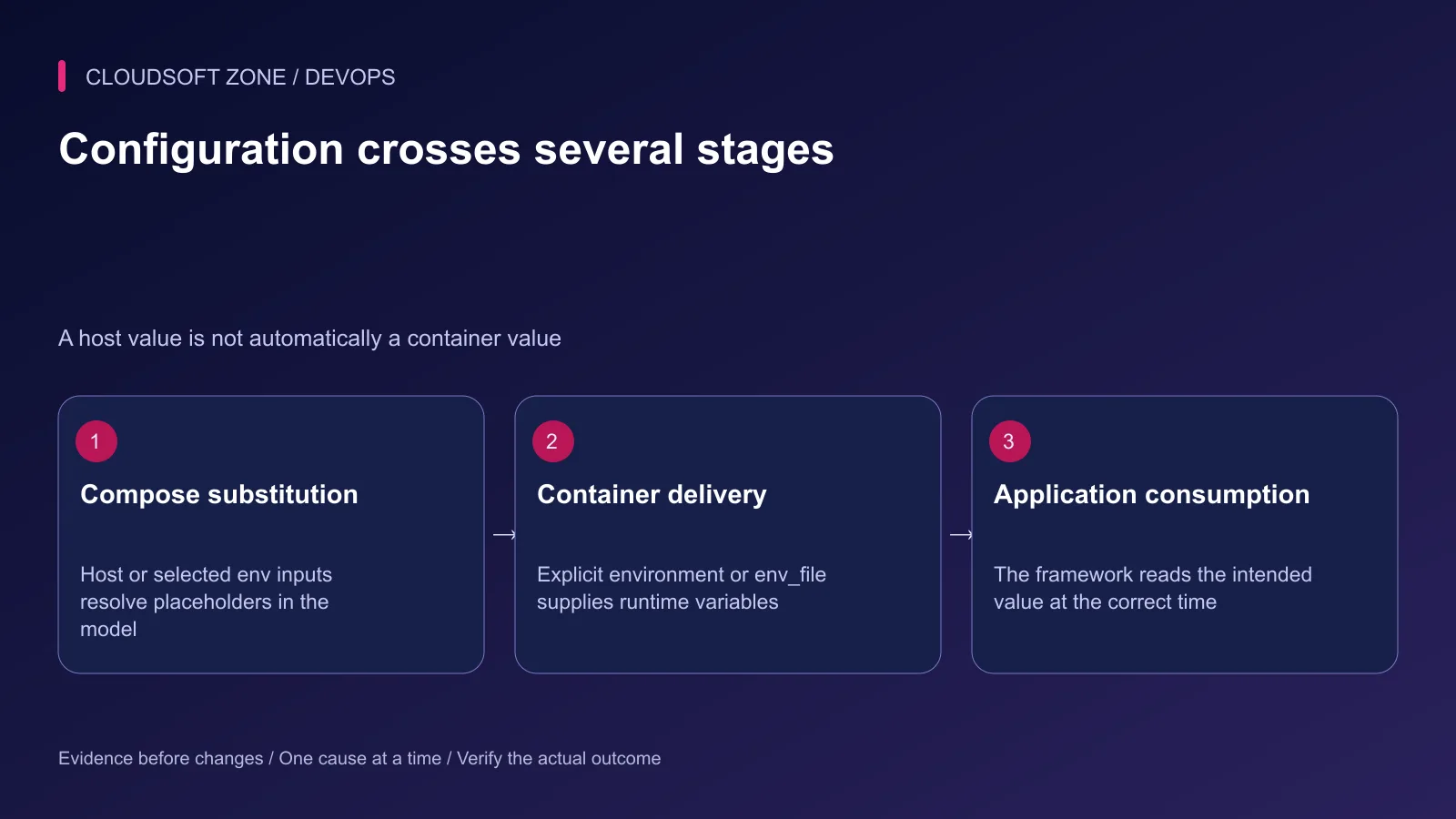
Compose can use host and selected environment-file inputs to resolve placeholders in its model. That does not mean every input becomes an environment variable in every service.
Use environment or env_file where the running container needs a value. Review documented precedence, including command-line overrides, rather than assuming the nearest .env wins.
| Stage | Purpose | Typical mistake |
|---|---|---|
| Model interpolation | Resolves selected Compose fields | Assuming all inputs enter the container |
| Container environment | Supplies process configuration | An override silently wins over the intended value |
| Secret mount | Delivers an explicit file to a service | The application never reads the file |
| Build secret | Temporarily supplies a build credential | The build command copies it into output |
| Application cache | Stores effective framework configuration | An old cached value survives a new environment |
Step 2: Validate required non-secret selectors
Require the intended image and environment selectors rather than falling back to an arbitrary latest artifact. This example illustrates Compose substitution without embedding credentials:
services:
  api:
    image: "registry.example.com/acme/api:${APP_RELEASE:?APP_RELEASE is required}"
    environment:
      NODE_ENV: production
      PORT: "3000"
The release selector identifies a real reviewed artifact; it does not prove its integrity by itself. Record the approved digest in the release process.
Validate the selected file set without printing all resolved values:
docker compose --project-name acme-prod --file compose.yaml config --quiet
Do not paste a full resolved configuration into an issue or shared build log. Interpolation can expose credentials even when the original YAML contains only placeholders.
Step 3: Grant a secret to the intended service
This fragment mounts one protected file only into api:
services:
  api:
    image: registry.example.com/acme/api:reviewed-release
    environment:
      API_TOKEN_FILE: /run/secrets/api_token
    secrets: [api_token]
secrets:
  api_token:
    file: /etc/acme/secrets/api-token
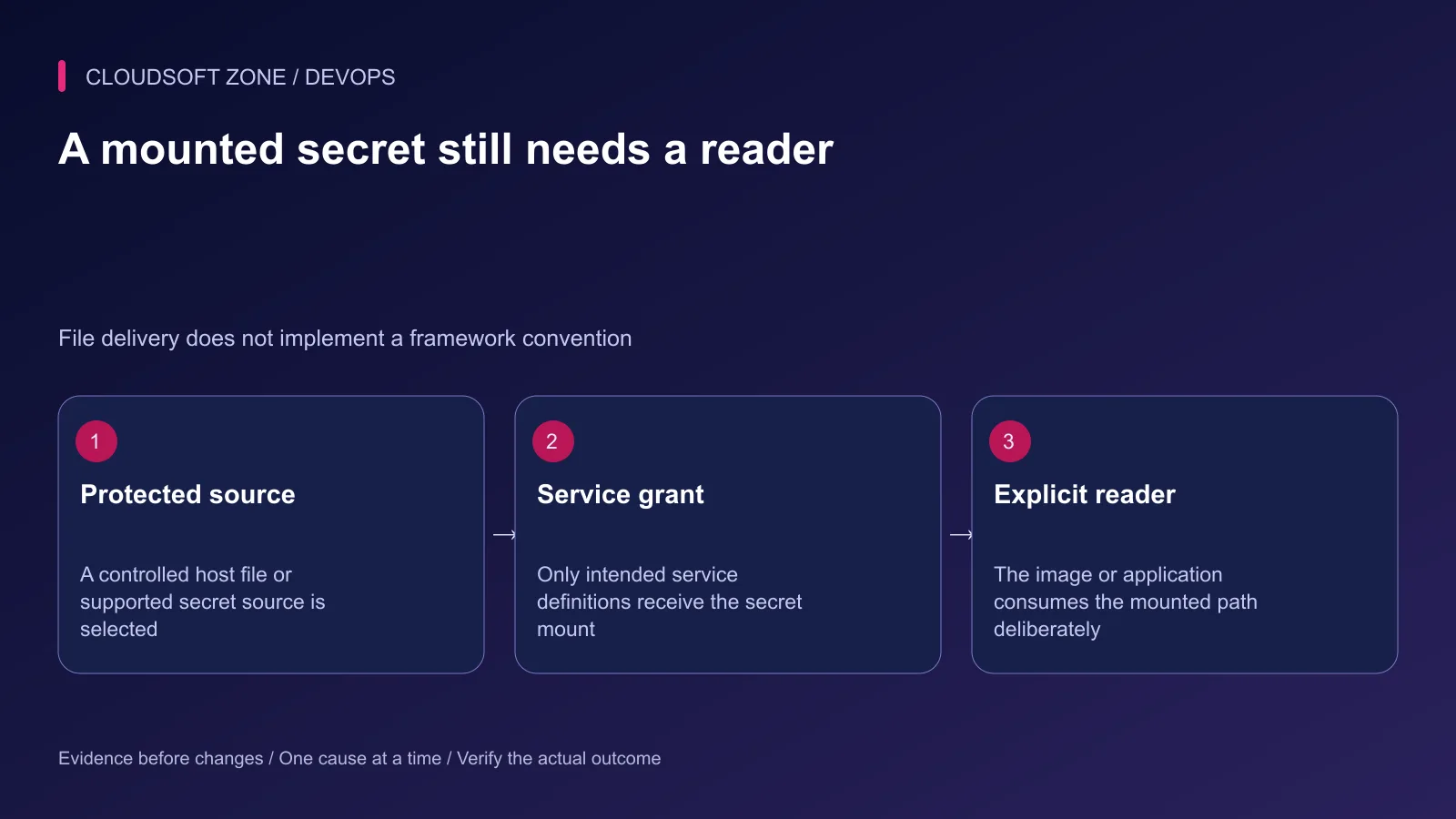
API_TOKEN_FILE is an application-specific contract in this example. It will do nothing unless the image or application implements a reader for that path. Do not rename a Laravel variable with _FILE and assume it has gained that behavior.
Protect the source file on the host and review the effective mounted permissions. Local file-backed Compose secrets are not automatically an encrypted centralized secret store. The Docker host and authorized runtime consumers remain part of the trust boundary.
Step 4: Implement an explicit reader safely
For a Node.js service whose configuration module supports the example contract, a small server-side reader can load the selected file. Keep this in the application's existing configuration owner, not a parallel secret subsystem.
import { readFileSync } from 'node:fs';

export function readApiToken() {
  const path = process.env.API_TOKEN_FILE;
  if (!path) throw new Error('API token file is required');
  const raw = readFileSync(path, 'utf8');
  const value = raw.replace(/\r?\n$/, '');
  if (!value) throw new Error('API token must not be empty');
  return value;
}
This example assumes a text token whose file writer appends at most one line ending. Do not use indiscriminate trimming for secrets whose whitespace is significant. Validate the actual credential format and define maximum file size in the production configuration boundary.
Do not log the returned token. Map file access or validation failures into a clear non-secret startup error under the existing logging policy. A cached token also needs an explicit refresh or process-replacement contract during rotation.
Step 5: Keep build credentials out of layers
Use supported build-secret mounts for private registries and similar build-only authentication. ARG and ENV are not safe substitutes for secret delivery, and deleting a copied credential in a later layer does not erase the earlier layer.
The invoked build command must avoid writing the secret into a dependency cache, generated file or log. A temporary secret mount controls availability; it cannot make an arbitrary script trustworthy.
Keep runtime credentials out of browser-visible Next.js variables and public assets. A browser bundle cannot protect a server credential regardless of how carefully Compose delivered it to the build.
Step 6: Rotate through the authoritative service
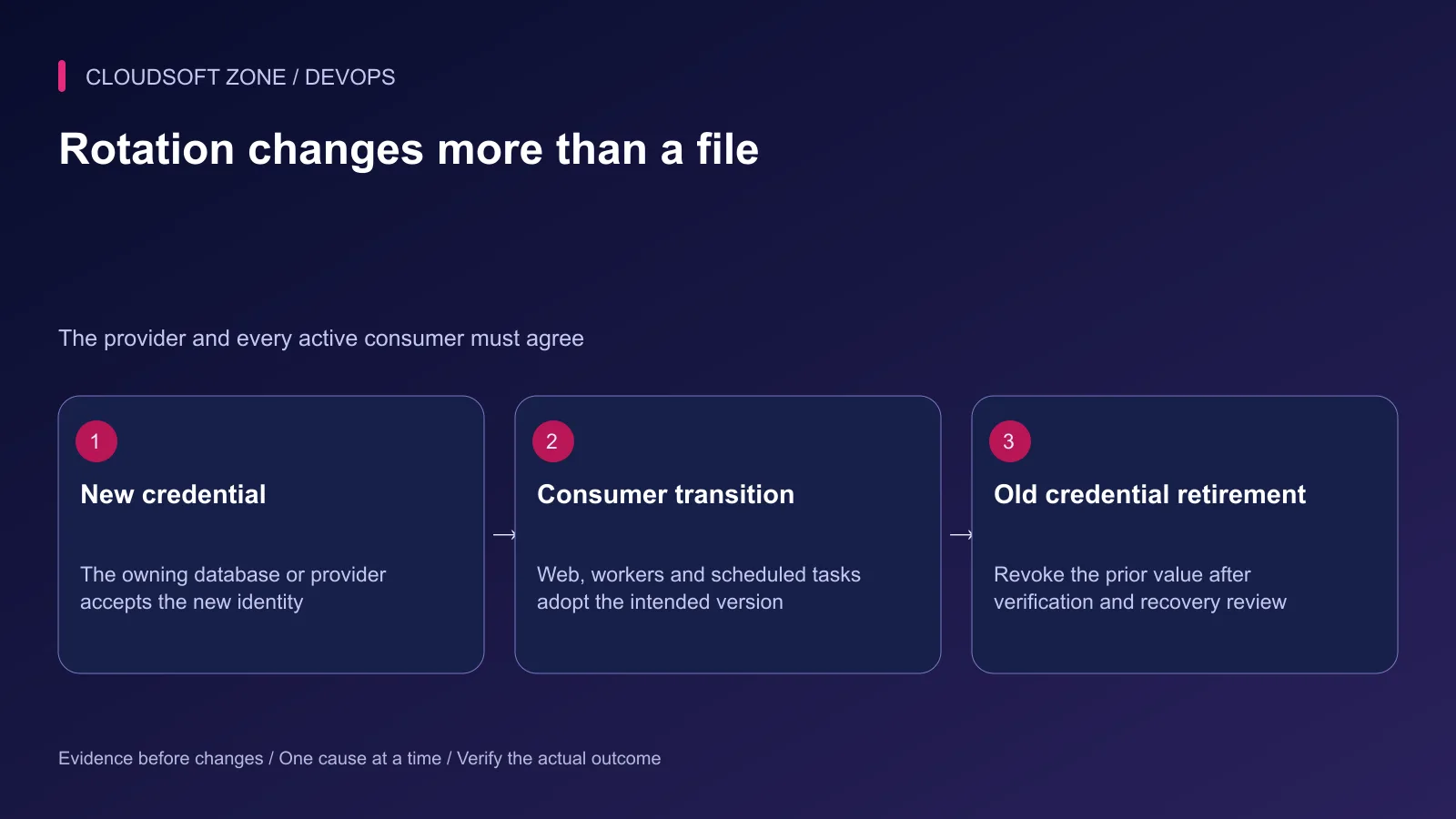
Create or activate the new credential at the database or provider first using its supported process. Transition web processes, workers, scheduled tasks and operating tools according to a controlled overlap policy.
MySQL image initialization values apply when initializing an empty data directory. Replacing MYSQL_PASSWORD_FILE is not a database-account rotation procedure after that directory already contains retained data.
Verify a harmless authenticated operation with every intended consumer. Retire the old credential only after the transition and recovery decision are complete. Record identifiers and versions rather than secret values in the audit trail.
Step 7: Rehearse precedence and failure cases
Use isolated credentials and the exact production file set. Check presence and behavior without printing values.
| Acceptance case | Expected outcome |
|---|---|
| Required selector absent | Clear validation failure before unintended artifact selection |
| Secret mount absent or unreadable | Bounded startup failure without value disclosure |
| Runtime override supplied | Documented precedence matches the deployment intent |
| Credential rotated | Every active consumer adopts the accepted version |
| Old credential revoked | No hidden worker or scheduler still relies on it |
| Logs and artifacts inspected | No credential copied into tracked files or public output |
For Laravel, include configuration-cache behavior in that review. A newly delivered environment does not repair an incorrectly built or stale config cache by itself.
Step 8: Keep recovery and access ownership explicit
Document who can supply, rotate and revoke each credential. A rollback image can still require the current credential version; restoring a revoked old token is not always a valid recovery path.
Our Laravel webhook idempotency guide covers an application boundary where provider credentials and durable effects meet. For deployment configuration and secret lifecycle review, contact Cloudsoft Zone.
Featured image: Cloudsoft Zone technical layout with docker artwork by dotCloud, Inc. (Apache License 2.0). Product mark resized proportionally for identification; no endorsement implied. Layout: CC BY-SA 4.0.
Frequently asked questions
Does the Compose .env file automatically become the container environment?
No. It is commonly an interpolation input. Runtime values need explicit environment or env_file configuration, subject to the documented precedence rules.
Are local Compose secret files encrypted just because they are called secrets?
Do not assume that. Local file-backed secrets depend on the protection of the host source and runtime delivery. They are not automatically equivalent to an encrypted centralized secret manager.
Can I rotate a MySQL password by replacing MYSQL_PASSWORD_FILE alone?
Not for an already initialized database account. Update the authoritative database credential through its supported rotation procedure and transition application consumers consistently.
Sources
- Compose variable interpolation — Docker
- Container environment precedence — Docker
- Compose secret grants and files — Docker
- Build-secret mounts — Docker
- Secret lifecycle and access controls — OWASP
- MySQL official image initialization — Docker Official Images
Read next
TutorialDevOps5 min read
Run AI coding agents in Docker Sandboxes with controlled workspace and tool access
Run AI coding agents in Docker Sandboxes with an explicit workspace mode, restricted network access, reviewed MCP integrations and a controlled path for accepting changes.
Comments
No comments yet. Be the first to join the conversation.
Leave a comment
Every comment is read by a moderator before it appears. Your email address is never published; it is used only to contact you about this comment.
More from Cloudsoft Zone
TutorialDevOps6 min read
Docker health checks: why a running container is not proof that the application is healthy
Design Docker health checks around bounded application readiness, distinguish them from liveness and public-path checks, and connect each failure signal to a deliberate response.
By Nilesh Kushvaha
TutorialDevOps5 min read
Docker networking for web, API, database and Redis containers: names, ports and trust boundaries
Understand Docker networking through service-name DNS, container versus host ports and explicit network membership. Diagnose connectivity without publicly exposing databases.
By Nilesh Kushvaha
Troubleshooting guideDevOps5 min read
Docker container keeps restarting: diagnose exit state, configuration and resource failures
When a Docker container keeps restarting, preserve its exit state and first error, check the intended entry point and isolate resource, configuration and dependency failures.
By Nilesh Kushvaha