
CI/CD secrets: protect production credentials without exposing them to builds or logs
Manage CI/CD secrets with separate verification and deployment authority, short-lived identity where supported, narrow provider permissions and explicit exposure recovery.
5 min read
In this article
A deployment token is masked in the job log, but a pull request modifies the build script to send environment values to another endpoint. The secret's display setting did not prevent code that could read it from using it.
CI/CD secrets need a trust boundary around each job and its inputs. The guide inventories credentials, keeps untrusted jobs away from production, uses GitHub Actions OIDC for short-lived identity and covers GitHub Actions secrets security, rotation and exposure response.
CI/CD secrets need a trust boundary around the job, its inputs and its provider permissions. This guide separates verification, deployment and runtime credentials, then shows the identity checks required for short-lived cloud access.
Our MCP least-privilege guide covers a related tool boundary. CI runners need the same discipline because repository scripts are executable authority consumers.
Step 1: Inventory credentials by purpose
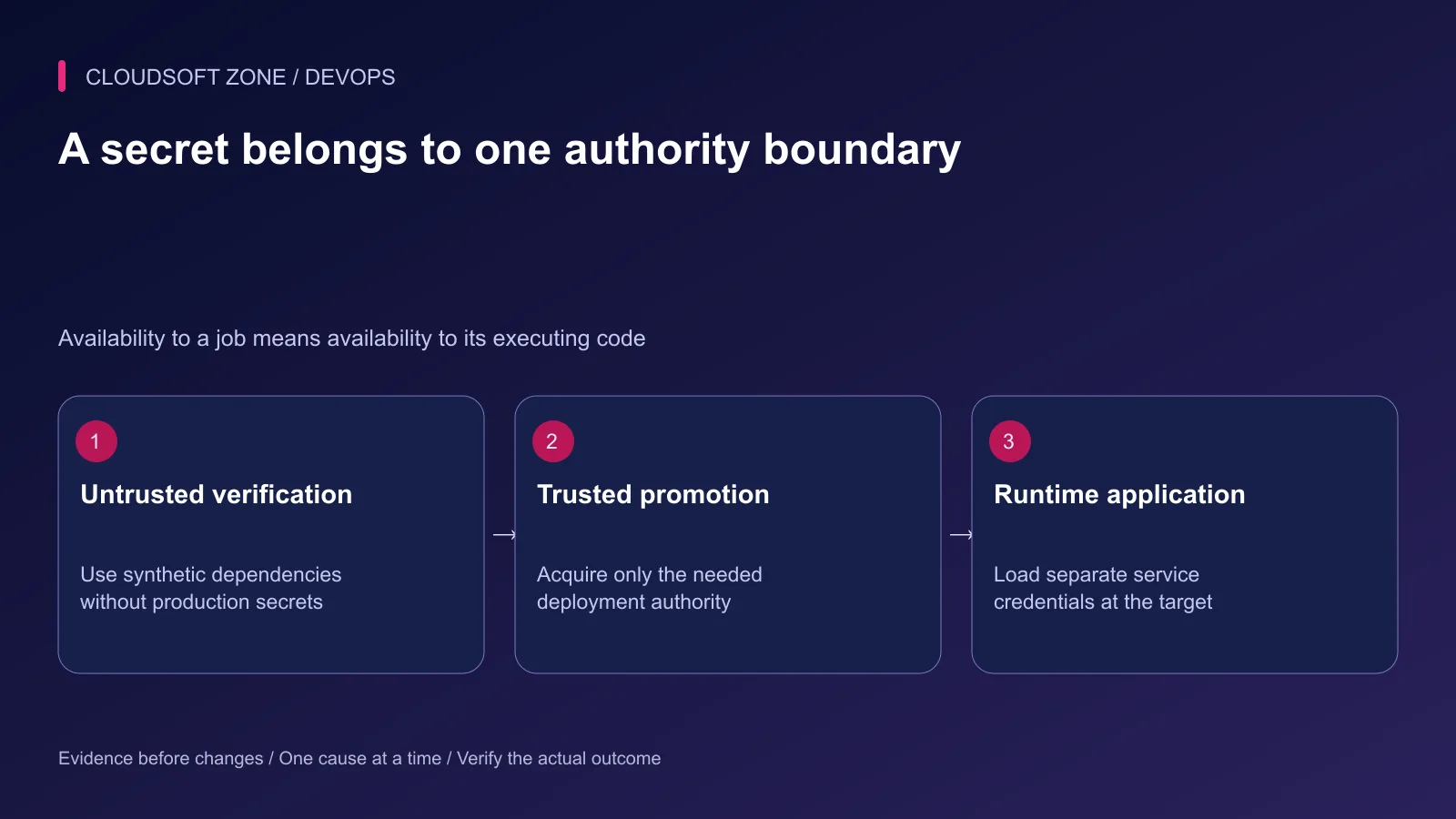
List the issuer, permitted resources, consumer jobs, expiration and rotation owner. Separate registry pulls, release uploads, server deployment and runtime database access.
| Credential purpose | Intended consumer | Avoid granting |
|---|---|---|
| Synthetic test database | Disposable verification job | Any retained production data |
| Artifact upload | Trusted build job | Broad cloud administration |
| Release deployment | Protected promotion job | Unrelated server or repository access |
| Runtime database | Application service at the target | Migration or account-management authority unless required |
| Provider API | Specific runtime integration | Full account permissions by default |
Remove credentials whose original consumer no longer exists. An unused long-lived deployment key is still a usable grant of authority.
Step 2: Keep untrusted jobs outside production access
Pull request code, package installation scripts and downloaded actions can execute on the runner. Do not expose production secrets merely because the job is called tests.
Separate trusted promotion from untrusted verification. Inspect self-hosted runner network reachability and mounted files too; hiding variables does not remove credentials already available on the machine.
Review workflow changes as release code. Pin reviewed actions to immutable commits and prevent an untrusted job from populating a cache or artifact that a privileged job executes without inspection.
Step 3: Prefer short-lived identity where supported
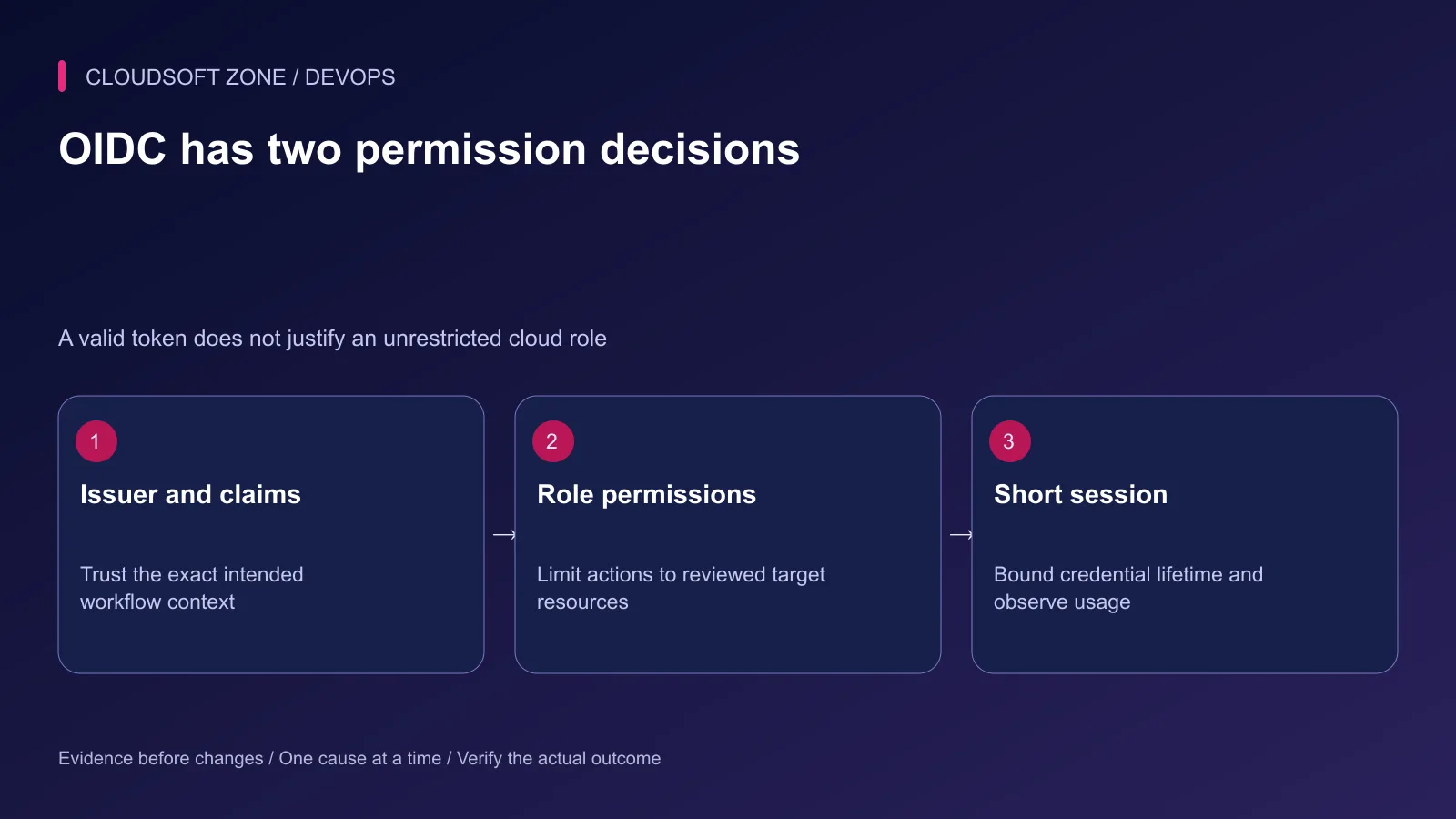
OIDC can let a workflow request temporary provider credentials without storing a long-lived cloud access key in CI. The provider must trust only the intended issuer, audience and workflow context.
Do not grant token-request permission to every job by default. In GitHub Actions, the protected deployment job can declare the minimal relevant permission fragment:
permissions:
  contents: read
  id-token: write
This permits requesting an OIDC token. It does not itself grant cloud resource modification; the provider's trust and role policies determine that authority.
Step 4: Match the actual subject format
GitHub's current AWS guide documents newer immutable subject formats for repositories created after 15 July 2026 or opted into that behavior. Do not assume a policy copied from an older repository uses the correct subject.
The following condition fragment illustrates the older environment-based shape. Use it only when it matches your repository's actual supported subject format; otherwise configure the corresponding immutable identity shape from the official reference.
{
  "Condition": {
    "StringEquals": {
      "token.actions.githubusercontent.com:aud": "sts.amazonaws.com",
      "token.actions.githubusercontent.com:sub": "repo:example-org/example-app:environment:production"
    }
  }
}
This is not a complete IAM policy. It needs the intended federated principal and role action, plus a separate narrow resource-permission policy. Configure environment protections and allowed deployment refs as well.
Verify selected non-secret identity claims through an approved diagnostic path without printing the complete JWT. If the subject fails to match, investigate the actual claim and environment context. Do not fix it by granting every repository or branch a wildcard trust.
Step 5: Keep values out of incidental outputs
Avoid shell tracing, environment dumps, full configuration exports and URLs containing credentials. Error handlers can leak sensitive data even when the successful command is quiet.
Review artifact contents explicitly. A release archive should not contain .env, private keys, database dumps or provider request traces. Docker build arguments and filesystem layers can also retain values after a later cleanup step.
Masking is useful defense against accidental output, but transformed or encoded values may escape automatic redaction. GitLab also documents that masking cannot protect a secret from malicious job code. Enforce job trust before relying on output filters.
Use the application's supported secret-loading mechanism at runtime. Do not compile server credentials into browser assets or bake environment-specific production keys into a reusable image.
Step 6: Rehearse denial and rotation
| Rehearsal | Expected evidence |
|---|---|
| Unapproved repository or environment | Identity exchange denied |
| Valid identity, unrelated resource | Provider permission denied |
| Missing required credential | Clear failure without secret output |
| Repeated job after expiry | Fresh permitted session or explicit denial |
| Rotated deployment credential | Intended consumer works and old access fails |
Use synthetic accounts for these checks. Record the exact role and policy version being evaluated; a later permission expansion changes the accepted boundary.
Step 7: Respond to an exposure at its owner
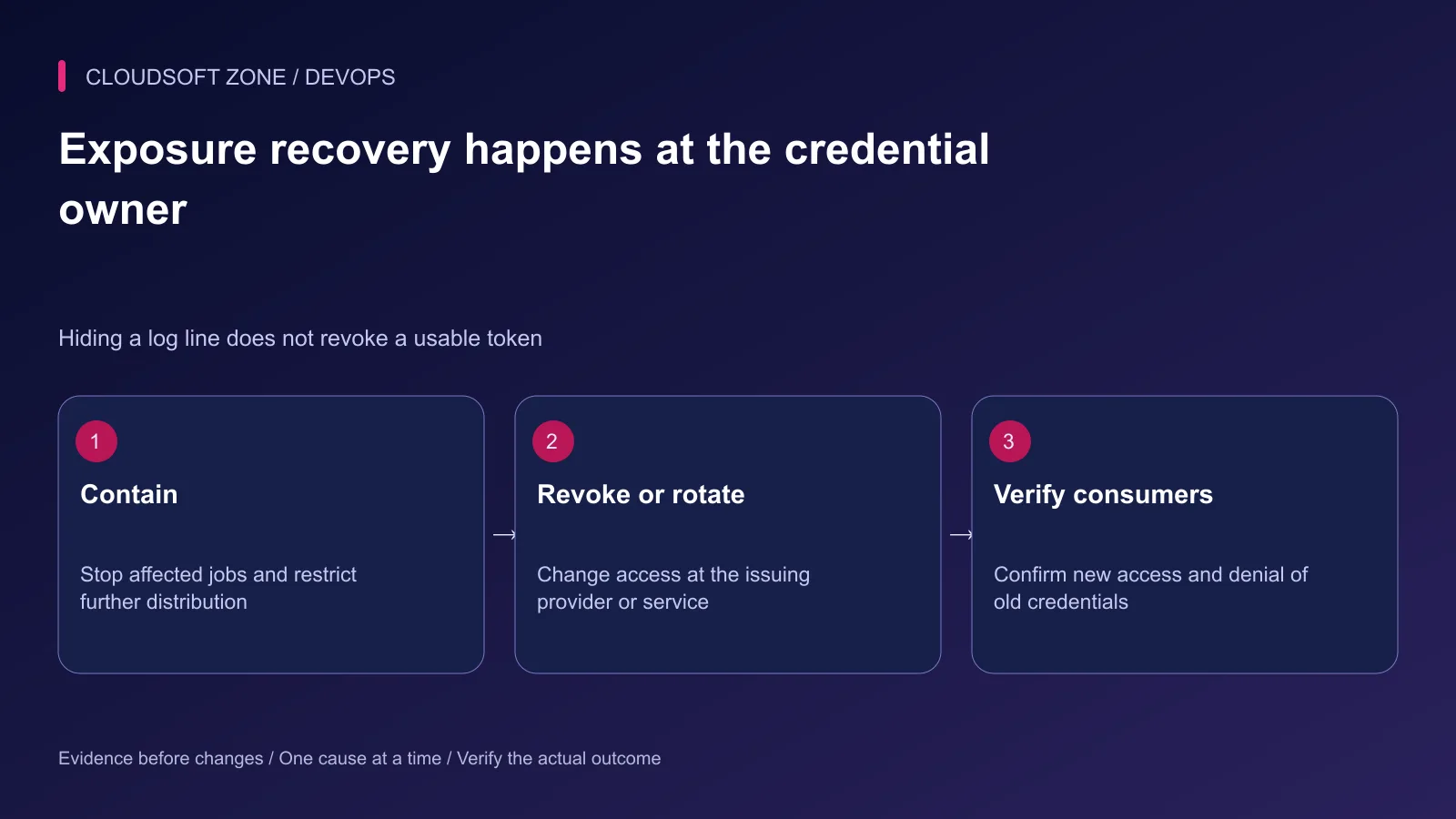
Stop affected jobs and restrict access to contaminated logs, artifacts and caches. Revoke or rotate the credential at the provider or service that issued it. Deleting a CI variable alone does not invalidate copies already obtained.
Update consumers deliberately and verify old-credential denial. Review provider audit records for unintended use during the exposure window and retain an incident record under the correct access controls.
Our production Dockerfile guide covers the build-artifact boundary. For CI identity and secret handling fitted to your release process, discuss the project with Cloudsoft Zone.
Featured image: Cloudsoft Zone technical layout with docker artwork by dotCloud, Inc. (Apache License 2.0). Product mark resized proportionally for identification; no endorsement implied. Layout: CC BY-SA 4.0.
Frequently asked questions
Does masked mean a malicious pipeline cannot use the secret?
No. Masking is a log-handling measure. Code running in a job with access can still use or transmit the credential.
Does OIDC eliminate the need to restrict cloud permissions?
No. Validate the identity claims and separately limit the assumed role to the intended actions and resources.
What should happen after a deployment key appears in logs?
Contain access to the output and revoke or rotate the credential at its owner, then verify affected consumers and old-credential denial.
Sources
- GitHub OIDC trust in AWS and current subject formats — GitHub
- GitHub secret handling — GitHub
- Secure workflow execution — GitHub
- GitLab protected and masked variables — GitLab
- Secret lifecycle and exposure response — OWASP
Read next
TutorialDevOps5 min read
Automated rollback for VPS deployments: release identity, compatibility and recovery gates
Design automated rollback around an exact previous release, schema compatibility and verified user recovery instead of blindly reverting every failed deployment.
Comments
No comments yet. Be the first to join the conversation.
Leave a comment
Every comment is read by a moderator before it appears. Your email address is never published; it is used only to contact you about this comment.
More from Cloudsoft Zone
ComparisonDevOps5 min read
Blue-green vs rolling vs recreate deployments: choose a strategy your small team can operate
Compare blue-green vs rolling vs recreate deployments through capacity, mixed-version compatibility, worker behavior and realistic recovery requirements for a small team.
By Nilesh Kushvaha
TutorialDevOps5 min read
Stop a failed database migration from turning into a broken production deployment
Contain a failed database migration with explicit release gates, schema postconditions and reviewed recovery instead of switching code or retrying blindly.
By Nilesh Kushvaha
TutorialDevOps5 min read
CI/CD for a Next.js and NestJS monorepo: shared packages, artifacts and compatible releases
Design CI/CD for a Next.js and NestJS monorepo with one lockfile, dependency-aware checks, separate runtime artifacts and verified API compatibility during promotion.
By Nilesh Kushvaha