
AI-assisted incident response: what to automate and what an operator must decide
Use AI-assisted incident response for evidence summaries and draft updates while keeping impact assessment, production changes and recovery decisions with accountable operators.
5 min read
In this article
The site is returning errors, a worker has stopped making progress and three people are trying different fixes. Adding an AI assistant can help summarize the evidence. It can also make the situation worse if its recommendations trigger another uncoordinated production change.
AI-assisted incident response works when the assistant summarises evidence and drafts updates while a named owner decides on production changes. Good AI incident response prefers a narrow incident response runbook to open-ended repair and keeps a shared action ledger.
AI-assisted incident response needs an operating plan that survives pressure. This guide separates helpful analysis and drafting from production action, shows how to choose bounded automation and defines the evidence needed before declaring recovery.
Our AI agents versus workflow automation guide explains why a predictable runbook can be a better executor than a free-form agent. Here the emphasis is incident coordination and verification.
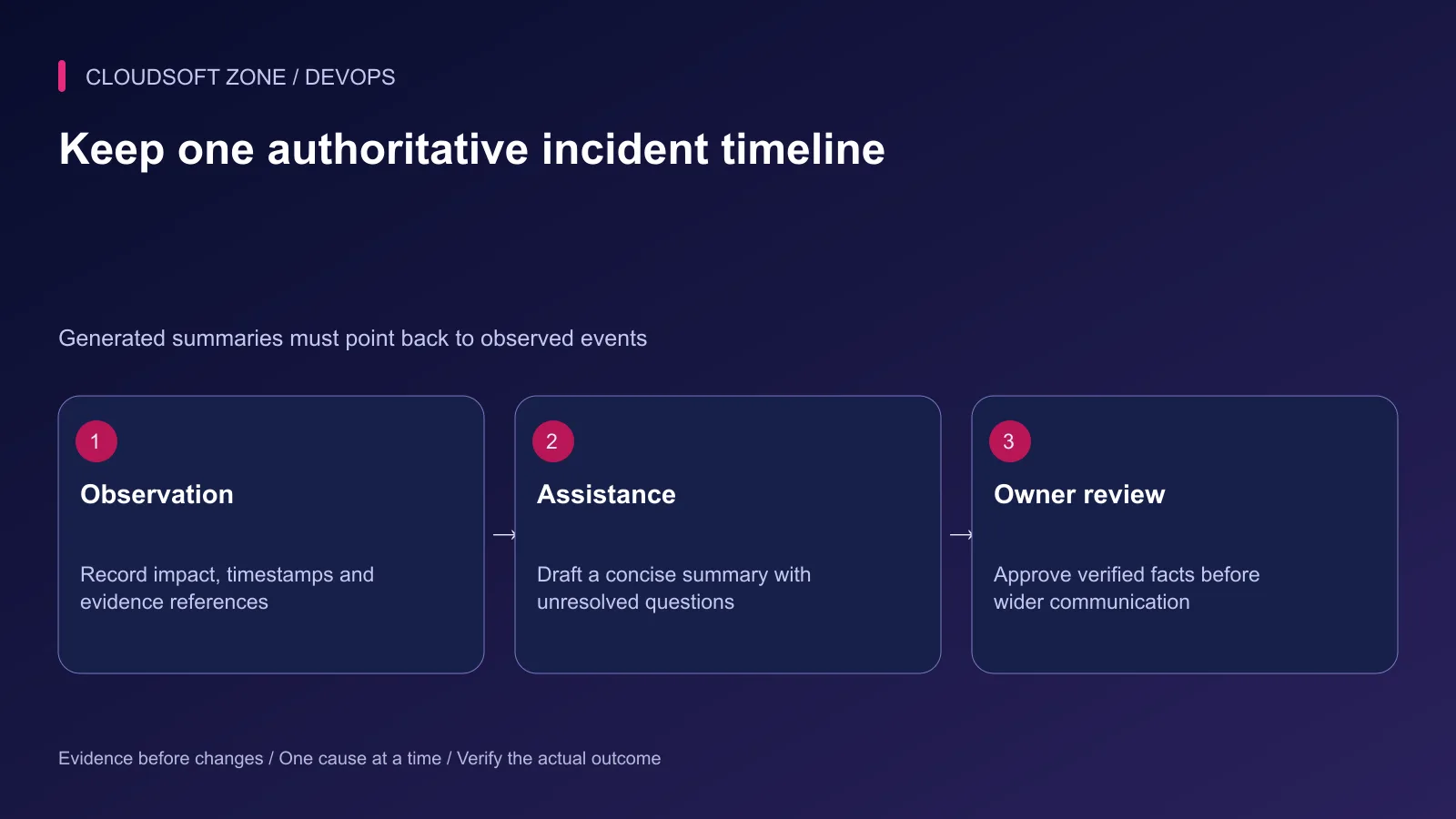
Step 1: Declare impact and name the owner
Start with the affected user journey, not a speculative cause. Record whether login, payments, uploads or background processing is failing, and which users or environments are affected.
Name an incident owner and an operational change owner. Small teams can combine roles, but everyone should know who coordinates changes and who approves public facts. Do not allow an assistant session to become a second independent incident commander.
Create a shared timeline with event time, observer, evidence reference and action outcome. Keep this record accessible even if the affected application is unavailable.
Step 2: Give AI a bounded assistance role
Useful first tasks include summarizing a selected log window, comparing a release timeline to error onset, drafting a status update from confirmed facts and listing missing evidence.
| Work item | Suitable automation boundary | Required human decision |
|---|---|---|
| Sanitized log summary | Read-only, bounded evidence | Whether the interpretation is supported |
| Incident update draft | Verified input facts | Approval before sending |
| Runbook recommendation | Known procedures and current evidence | Which procedure applies now |
| Production mutation | Predefined guarded operation | Authorization and change ownership |
| Data repair | Explicit reviewed repair plan | Business and recovery consequences |
Make the assistant distinguish observations, hypotheses and missing information. A generated causal story should not displace evidence that contradicts it.
Step 3: Establish a shared action ledger
Before changing a resource, record what is being changed and what outcome would show improvement. An illustrative incident entry uses stable resource and evidence references:
{
  "incidentId": "inc_example_17",
  "actionId": "act_example_03",
  "resourceId": "invoices-worker",
  "procedure": "reviewed-graceful-restart",
  "owner": "assigned-operator",
  "precondition": "No conflicting release operation is active",
  "expectedEvidence": "Queue age decreases and a synthetic job completes",
  "status": "proposed"
}
This is a coordination record, not an executable command. The actual operation still requires backend permissions, valid inputs and current resource state.
Record unsuccessful attempts too. Without that history, an assistant or another responder may repeatedly suggest the same failed restart while useful evidence disappears.
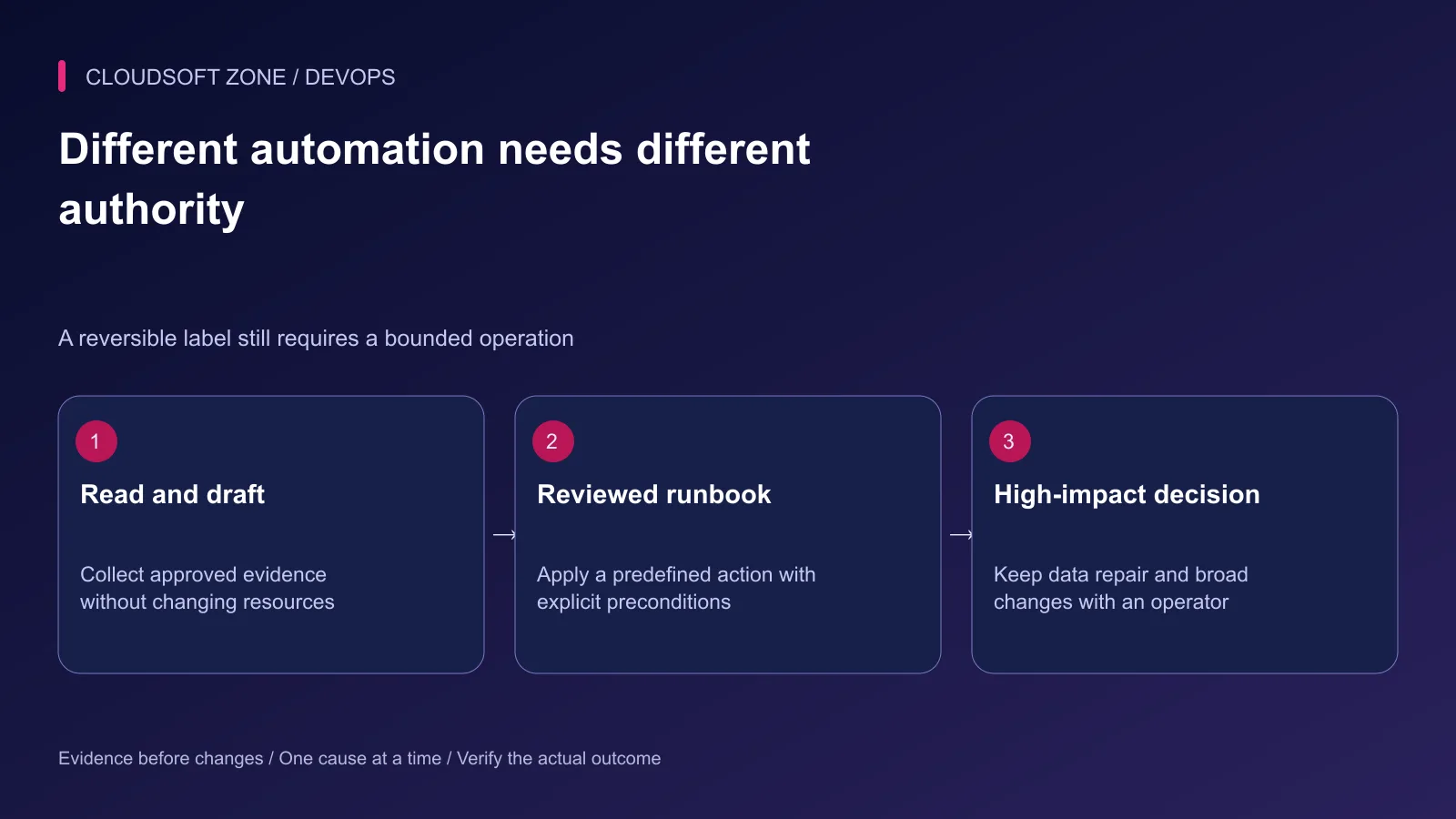
Step 4: Prefer narrow runbooks to open-ended repair
A reviewed runbook can define allowed inputs, preconditions, operation deadlines and recovery checks. For example, a worker restart procedure can identify one service, its drain behavior and the expected release identifier afterward.
Keep the executor independent of the model's wording. It should not accept a shell script returned in a chat response. Resolve a procedure ID into an application-owned operation with explicit authorization.
Approval-gated automation is an established pattern; AWS Systems Manager documents an approval action as one concrete example. The same principle still requires correct access control and a bounded procedure in your own stack.
Do not describe every restart as harmless. A worker can be processing a non-idempotent payment or a large export. A process-level command is short, but its business consequences may be substantial.
Step 5: Preserve evidence before broad changes
Collect the small diagnostic window that would disappear after a restart or rollback. Respect data-handling policy and redact provider-submitted inputs before analysis.
Avoid simultaneous speculative changes. Altering the proxy timeout, database pool and worker concurrency together makes the outcome difficult to interpret and may increase overload.
If a provider fails, stop relying on the assistant and continue through the existing incident process. A model outage should not prevent operators from reading dashboards, executing approved procedures or communicating verified impact.
Step 6: Verify mitigation against the original symptom
Check the affected workflow from the relevant user boundary. A private endpoint returning 200 does not establish that browser assets, authentication and queue-backed processing are working.
| Recovery evidence | What to confirm |
|---|---|
| Public route | Correct status, assets and intended content |
| Authentication | A permitted synthetic flow succeeds |
| Queue processing | Progress resumes without duplicate side effects |
| Data writes | New records are valid and old records remain intact |
| Capacity | Error rate and saturation stabilize |
| Communication | Reported facts match verified impact |
Choose an observation interval appropriate to the failure. Do not call a recurring five-minute queue issue resolved after watching one successful request.
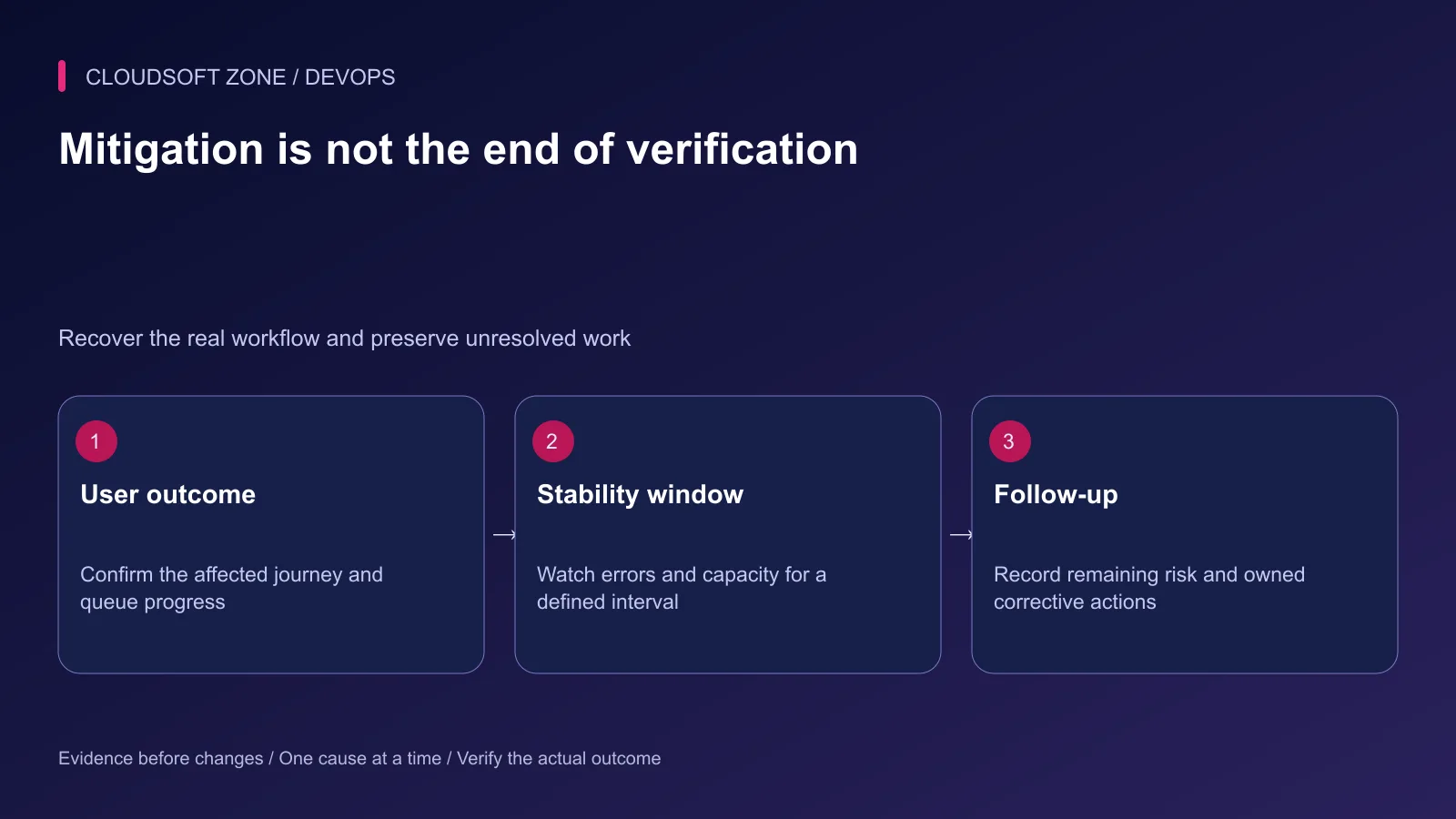
Step 7: Review the assistance after the incident
Preserve generated recommendations with their input evidence and operator decisions under the correct retention controls. Mark incorrect claims explicitly rather than rewriting them into a cleaner retrospective story.
Create corrective actions with owners and acceptance criteria. Improvements might include a missing readiness check, an unsafe worker retry or an overbroad tool credential. The review should improve the system rather than blame the person who followed an unclear procedure.
Rehearse the next scenario with synthetic data: incomplete evidence, an unavailable provider, a stale approval and a repeated action request. Confirm the process still has one operational owner and a usable manual path.
Our idempotent AI job guide covers repeat delivery and bounded retries. For incident tooling that fits your real release and permission model, discuss the workflow with Cloudsoft Zone.
Featured image: Cloudsoft Zone technical layout with nestjs artwork by NestJS (Public domain). Product mark resized proportionally for identification; no endorsement implied. Layout: CC BY-SA 4.0.
Frequently asked questions
Should AI decide when an incident is resolved?
No. An accountable incident owner should confirm the affected user workflow, stability evidence and remaining risk.
Can a reviewed runbook run without free-form model commands?
Yes. Use predefined operations with validated inputs, explicit permissions and measured preconditions; the model can recommend the relevant procedure.
What happens if the AI provider is unavailable during an outage?
The normal incident process must continue using monitoring, existing runbooks and human coordination without depending on the provider.
Sources
- Coordinated incident response — Google SRE
- Incident roles and state records — Google SRE
- Postmortems and corrective actions — Google SRE
- Excessive agency risks — OWASP
- An example of an automation approval gate — AWS
Read next
TutorialDevOps5 min read
Laravel CI/CD with GitHub Actions: verification, release artifacts and guarded deployment
Build Laravel CI/CD with GitHub Actions using locked dependencies, isolated verification, immutable release artifacts and a protected deployment job with explicit recovery gates.
Comments
No comments yet. Be the first to join the conversation.
Leave a comment
Every comment is read by a moderator before it appears. Your email address is never published; it is used only to contact you about this comment.
More from Cloudsoft Zone
TutorialDevOps5 min read
Build an AI-powered server log analyser with Laravel or NestJS and bounded jobs
Build an AI-powered server log analyser with authorized evidence snapshots, redacted fields, bounded queue jobs and validated findings that link back to actual records.
By Nilesh Kushvaha
TutorialDevOps5 min read
AI agents for production servers: permissions, approval boundaries and safe failure
Evaluate AI agents for production servers with bounded diagnostics, backend permissions, resource-specific approvals and failure controls before allowing operational changes.
By Nilesh Kushvaha
TutorialDevOps5 min read
AI for DevOps: practical log analysis, incident triage and deployment reviews
Use AI for DevOps to summarize sanitized logs, compare incident hypotheses and review deployment plans while preserving evidence, privacy and human control of production actions.
By Nilesh Kushvaha