
When to rebuild a WordPress site with Next.js and NestJS (and when not)
A decision guide for moving off WordPress: signs you have outgrown it, the features you would have to rebuild, editor workflow and SEO redirect risks, and a phased plan.
Updated 10 min read

In this article
Rebuilding a WordPress site in Next.js and NestJS can give you an application WordPress was never meant to be, or it can cost six months, your editors' goodwill and a chunk of search traffic to end up with a slower way to publish blog posts. This guide helps you decide which, using the questions that actually predict the outcome: what the site needs to do, who edits it, what you would have to rebuild, and how you would move without losing rankings. It ends with a phased plan that lets you stop at any stage and still have a working site.
Context: written for WordPress 7.1, Next.js 16.3 and NestJS 12.0, current on 28 August 2026. The redirect checker below was run on Node.js 24.19; the Next.js redirect behaviour was tested on a 16.3 production build.
Signs you have outgrown WordPress
WordPress is very good at publishing. It becomes the wrong tool when the business needs it to be an application:
- Product features, not pages. Customer accounts with their own data, multi-step workflows, approvals, dashboards, quotes, bookings with complex rules. Each one becomes a plugin or custom code inside a system built around posts.
- Logged-in traffic is the main traffic. Page caching, the cheapest WordPress speed-up, does little for personalised pages. If most requests are from signed-in users, you are paying for PHP to render every page.
- Plugin sprawl you cannot remove. Thirty or forty plugins, several abandoned, some overlapping, each a security and update risk. When updates are feared rather than routine, the platform is working against you.
- Other clients need the same data. A mobile app, partner integrations or a customer portal want a designed API with versioning, not the REST API of a CMS stretched to fit.
- Your developers write TypeScript all day. If the team that will maintain the system is a JavaScript team, a PHP codebase they avoid touching is a long-term cost.
Signs you have not
Most "WordPress is slow and insecure" complaints are about one specific installation, not the platform. Before planning a rebuild, rule these out:
- The site is mainly marketing pages, a blog and forms, edited weekly by people who are not developers.
- Speed problems come from cheap hosting, no page cache, unoptimised images or one heavy page builder. Our WordPress 7.1 performance guide fixes most of these in days.
- Security worries come from unmaintained plugins and shared admin passwords. The hardening checklist costs far less than a rebuild.
- The one feature you need (a member area, a booking flow) can be a separate small app, leaving the rest of WordPress alone.
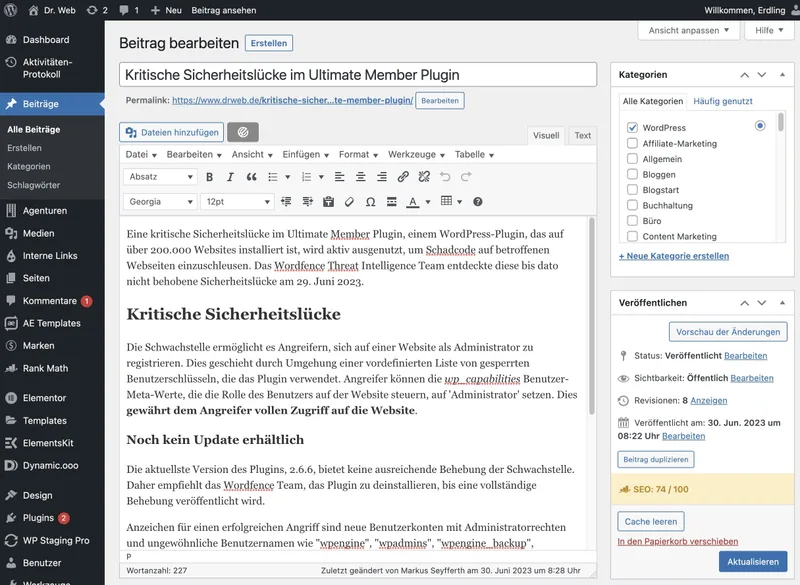
What a rebuild really costs: everything WordPress gave you
The build quote for a Next.js front end and a NestJS API is the visible part. The hidden part is the features WordPress and its plugins provide that someone now has to build, buy or give up:
| Feature your team uses today | In WordPress | After a rebuild |
|---|---|---|
| Writing, formatting, embeds | Block editor | A headless CMS, or a rich-text editor you integrate and maintain |
| Drafts, scheduling, revisions | Built in | Must be modelled in your database and admin UI |
| Preview before publishing | Built in | Draft mode in Next.js plus a preview link from the CMS |
| Roles: author, editor, admin | Built in | Your own role and permission model in the API |
| Media library, image sizes | Built in | Object storage, upload pipeline, image optimisation |
| SEO titles, sitemaps, schema, redirects | SEO plugin | Metadata API, sitemap route, a redirect store and admin screen |
| Forms and email notifications | Forms plugin | Form handling, spam protection, mail delivery |
| Search, comments, multilingual | Core or plugins | A search service, a comments system, an i18n strategy |
None of these are hard on their own. Together they are often more work than the features that motivated the rebuild. Write the list for your site before you get quotes, and ask every supplier how they will handle each row.
The editorial workflow is the part people regret losing
Developers judge a rebuild by the code. Editors judge it by whether they can still publish on a Friday afternoon without filing a ticket. The most common failure is a beautiful new front end where every content change needs a developer, because the content model was designed around components rather than how the team writes.
Before you commit, sit with the people who publish and list what they do in a normal week: which screens they use, which plugins they rely on, what they schedule, what they preview. Each item needs an answer in the new system, or an explicit decision to drop it. If the answer to most of them is "keep WordPress", that is the middle path below, not a failure.
SEO migration risk: redirects decide whether traffic survives
Changing platforms usually changes URLs, and changed URLs are where traffic is lost. Google's site move guidance is clear: map every old URL to its closest new equivalent, use server-side permanent redirects (301 or 308), avoid chains, do not send everything to the home page, update internal links and canonicals, submit a new sitemap, and keep the redirects for at least a year. Expect temporary ranking fluctuation even when you do it right.
Build the map from data, not memory: the WordPress sitemap, your analytics landing pages and Search Console's indexed pages together. Then test it before launch with a script against staging:
from,to
/2019/05/hello-world/,/blog/hello-world/
/category/news/launch-day/,/blog/launch-day/
/services/web-design/,/services/web-design/// Usage: node check-redirects.mjs redirects.csv https://staging.example.com
// CSV lines: /old-path,/new-path (first line is a header)
import { readFile } from 'node:fs/promises';
const [csvPath, base] = process.argv.slice(2);
const rows = (await readFile(csvPath, 'utf8')).trim().split('\n').slice(1)
.map((line) => line.split(',').map((s) => s.trim()));
let failures = 0;
for (const [from, to] of rows) {
const res = await fetch(new URL(from, base), { redirect: 'manual' });
const location = res.headers.get('location') ?? '';
const target = new URL(location, base);
const okStatus = res.status === 301 || res.status === 308;
const okTarget = target.pathname === to;
// The destination must answer 200 directly: no chains, no 404s.
const final = okTarget ? await fetch(target, { redirect: 'manual' }) : null;
if (!okStatus || !okTarget || final?.status !== 200) {
failures++;
console.log(`FAIL ${from} -> ${res.status} ${location} (final ${final?.status ?? '-'})`);
}
}
console.log(`${rows.length - failures}/${rows.length} redirects OK`);
process.exitCode = failures ? 1 : 0;$ node check-redirects.mjs redirects.csv https://staging.example.com
FAIL /old-page/ -> 308 /somewhere (final -)
2/3 redirects OKOne Next.js detail catches most WordPress migrations. WordPress URLs end in a slash; Next.js, by default, does not. On a 16.3 production build with the default setting, a request for /2019/05/hello-world/ first got a 308 to /2019/05/hello-world and only then a second 308 to the new page: a redirect chain on every old URL. With trailingSlash: true, the old URL redirected once, straight to the destination. Write destinations with the trailing slash too, or Next.js adds another hop:
import type { NextConfig } from 'next'
import redirectMap from './redirects.json' with { type: 'json' }

const nextConfig: NextConfig = {
  // WordPress URLs end in a slash. Match that, or every old URL
  // gets an extra 308 hop before your redirect even runs.
  trailingSlash: true,
  async redirects() {
    return redirectMap.map(({ from, to }) => ({
      source: from.replace(/\/$/, ''),
      destination: to, // include the trailing slash
      permanent: true, // 308
    }))
  },
}

export default nextConfig
Next.js's redirects uses 308 for permanent: true, which Google treats like a 301. For many thousands of URLs, keep the map in a database or at your CDN rather than in the config file, so editors can add redirects without a deploy. If a past migration already went wrong, our guide to fixing broken WordPress migrations covers recovery.
This is the step where a rebuild most often goes wrong, and where outside help pays for itself. If your site earns most of its leads from organic search, have the URL map, redirect tests and launch monitoring planned as part of a modernisation project rather than left to launch week.
The middle path: keep WordPress, build beside it
For many businesses the right answer is not "WordPress or Next.js" but both, each doing what it is good at:
- WordPress stays the CMS, either rendering the marketing site as it does today or running headless behind a Next.js front end. Editors keep their tools. Our headless WordPress architecture guide covers REST versus WPGraphQL, previews and caching.
- A new Next.js app on its own subdomain (for example
app.example.com) handles accounts, dashboards and workflows, backed by a NestJS API and a real database. - Shared sign-in and design make the two feel like one product: one identity provider, one design system.
This removes most of the risk. URLs on the content site do not change, editors lose nothing, and the application can be built and released in stages. The cost is running two systems, which is usually cheaper than rebuilding the first one.
A phased plan
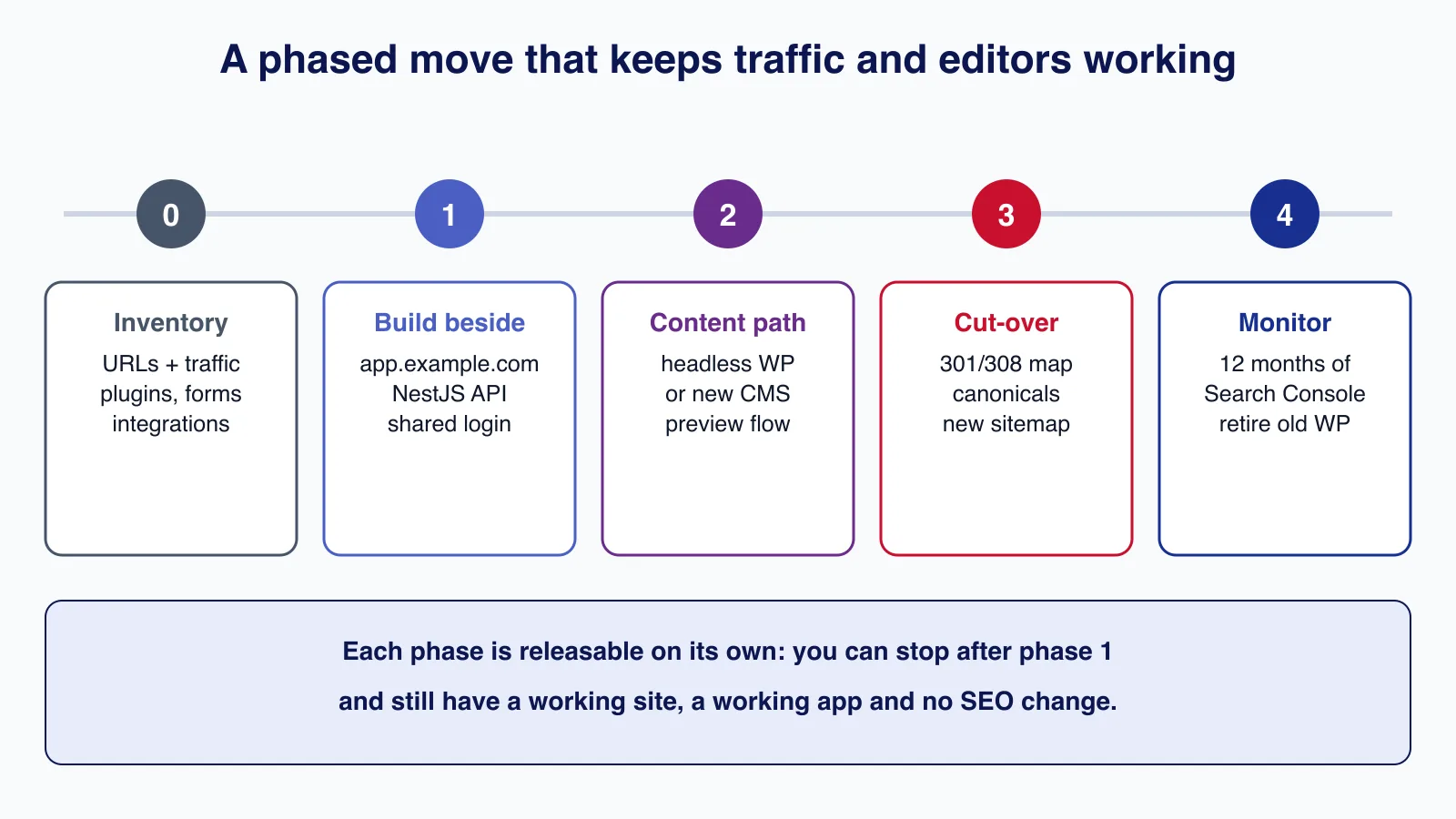
- Inventory. Every URL with traffic, every plugin and what it does, every form, integration and scheduled task, every user role. This list is your scope.
- Build beside. Ship the first application features on a subdomain with a NestJS API. The WordPress site is untouched. You learn the new stack on features that are actually new.
- Choose the content path. Keep WordPress as is, run it headless, or move to another CMS. Prototype the editor experience with the real editors before deciding.
- Cut over, if you still want to. Content migration, the redirect map tested on staging, canonical tags, a new sitemap, Search Console set up for the new property.
- Monitor for a year. Watch 404s and Search Console coverage weekly for the first months. Keep the redirects at least a year, and only then retire the old WordPress install.
Each phase is a release in its own right. Many teams stop after phase 2 and never need phase 4, which is the point.
Common mistakes
- Choosing the stack before listing what the site must do and who edits it.
- Pricing the new front end and forgetting the editorial, SEO and forms features in the table above.
- Launching with "we will sort the redirects out afterwards". Lost rankings can take months to recover.
- Redirecting all old blog posts to the new blog index, which Google can treat as soft 404s.
- Rebuilding to fix speed when a cache and a hosting change would have fixed it.
- Moving everything at once instead of releasing the new application features first.
When not to rebuild
Do not rebuild if the site is primarily content and the team that edits it is happy, if the problems are hosting, plugins or neglect, or if you do not have budget for a year of running and maintaining a custom system after launch. A rebuild is also a poor fit when nobody on your side can own a TypeScript codebase: an agency-built Next.js and NestJS system without an owner ages faster than a well-kept WordPress site. And if you only need one application feature, build that feature beside WordPress and stop there.
Cloudsoft Zone helps small businesses decide and deliver this move: an inventory and decision report first, then a phased modernisation from WordPress to Next.js and NestJS, or WordPress plus a new application, with redirects tested before launch. See our application modernisation service.
Frequently asked questions
Is Next.js better for SEO than WordPress?
Not by itself. Both can produce fast, crawlable pages with correct metadata. Rankings after a move depend far more on keeping URLs or redirecting each one correctly than on the framework.
Can I keep WordPress for editors and still use Next.js?
Yes. Run WordPress headless and render the site with Next.js, or keep the WordPress site as it is and build new application features in a separate Next.js app with a NestJS API.
How long should I keep redirects after leaving WordPress?
Google recommends keeping them as long as possible, generally at least a year. Many teams keep them permanently because they cost almost nothing to serve.
Why do my WordPress URLs redirect twice on Next.js?
WordPress URLs end in a slash and Next.js removes it by default with its own 308 before your redirect runs. Set
trailingSlash: trueand write destinations with a trailing slash so each old URL redirects once.
Your next customer could start right here.
Introduce your tool, product or business to readers exploring technology.
Explore placements and request a private quote
Sources
- Site moves with URL changes — Google Search Central
- redirects — Next.js documentation
- trailingSlash — Next.js documentation
- WordPress REST API Handbook — WordPress Developer Resources
- WordPress 7.1 “Mary Lou” — WordPress.org, 2026-08-19
- Next.js 16.3 — Vercel (Next.js blog), 2026-08-03
- NestJS v12.0.0 release notes — GitHub, 2026-08-27
Written with substantial AI assistance. Facts checked against cited sources. Editorial policy.
Comments
No comments yet. Be the first to join the conversation.
Leave a comment
Every comment is read by a moderator before it appears. Your email address is never published; it is used only to contact you about this comment.
More from Cloudsoft Zone

Resource guideWordPress
WordPress security hardening checklist for 2026 (WordPress 7.1)
A practical WordPress 7.1 hardening checklist based on the official handbook: updates, two-step logins, wp-config.php constants, file permissions, database privileges, firewalls, WP-CLI checksum checks and tested backups.
By Cloudsoft Zone

TutorialWordPress
How to update WordPress safely with WP-CLI: backup, update, verify, roll back
A repeatable WordPress update routine with WP-CLI: check pending updates, export the database and archive files, update core, plugins, themes and translations in order, verify checksums, and restore if something breaks.
By Cloudsoft Zone

ComparisonNode.js
Express 5 vs Fastify 5: which Node.js framework to pick in 2026
Express 5 and Fastify 5 compared on support status, validation, error handling, upgrades and performance, with the same API built and tested in both.
By Cloudsoft Zone