
nginx 502 vs 504 errors: distinguish failed upstream responses from timeout boundaries
Compare nginx 502 vs 504 errors using the response origin, upstream timing, connection failures and application evidence before changing limits or restarting services.
5 min read
In this article
A site returns 502 immediately after deployment. Another request waits and eventually returns 504. Both are gateway failures, but the operating response should follow the failed phase rather than a habit of restarting every service.
In nginx 502 vs 504 cases, an nginx 502 Bad Gateway usually means the upstream failed or refused the connection, while an nginx 504 Gateway Timeout means a timeout boundary was reached first. The steps locate the failed phase before any limit is changed.
This nginx 502 vs 504 guide compares response origin, upstream timing and application evidence. It covers HTTP-proxied Node.js services and the equivalent need to inspect PHP-FPM/FastCGI boundaries without treating every configuration directive as interchangeable.
Our nginx HTTPS guide covers the public proxy setup. For an incident, preserve the first failure and begin with one harmless reproducible request.
Step 1: Distinguish the HTTP meanings
At the protocol level, 502 indicates a gateway received an invalid response from an upstream server. 504 indicates it did not receive a timely upstream response. Those definitions describe the boundary; they do not identify a specific process or database cause.
| Status or symptom | Useful first question |
|---|---|
| Immediate 502 | Did connection or response handling fail immediately? |
| Delayed 504 | Which upstream phase exceeded its permitted wait? |
| Application returns its own 502 | Which dependency is the application acting as a gateway for? |
| CDN returns an error | Does the request reach the origin proxy at all? |
| Intermittent failures under load | Are process or dependency pools saturated? |
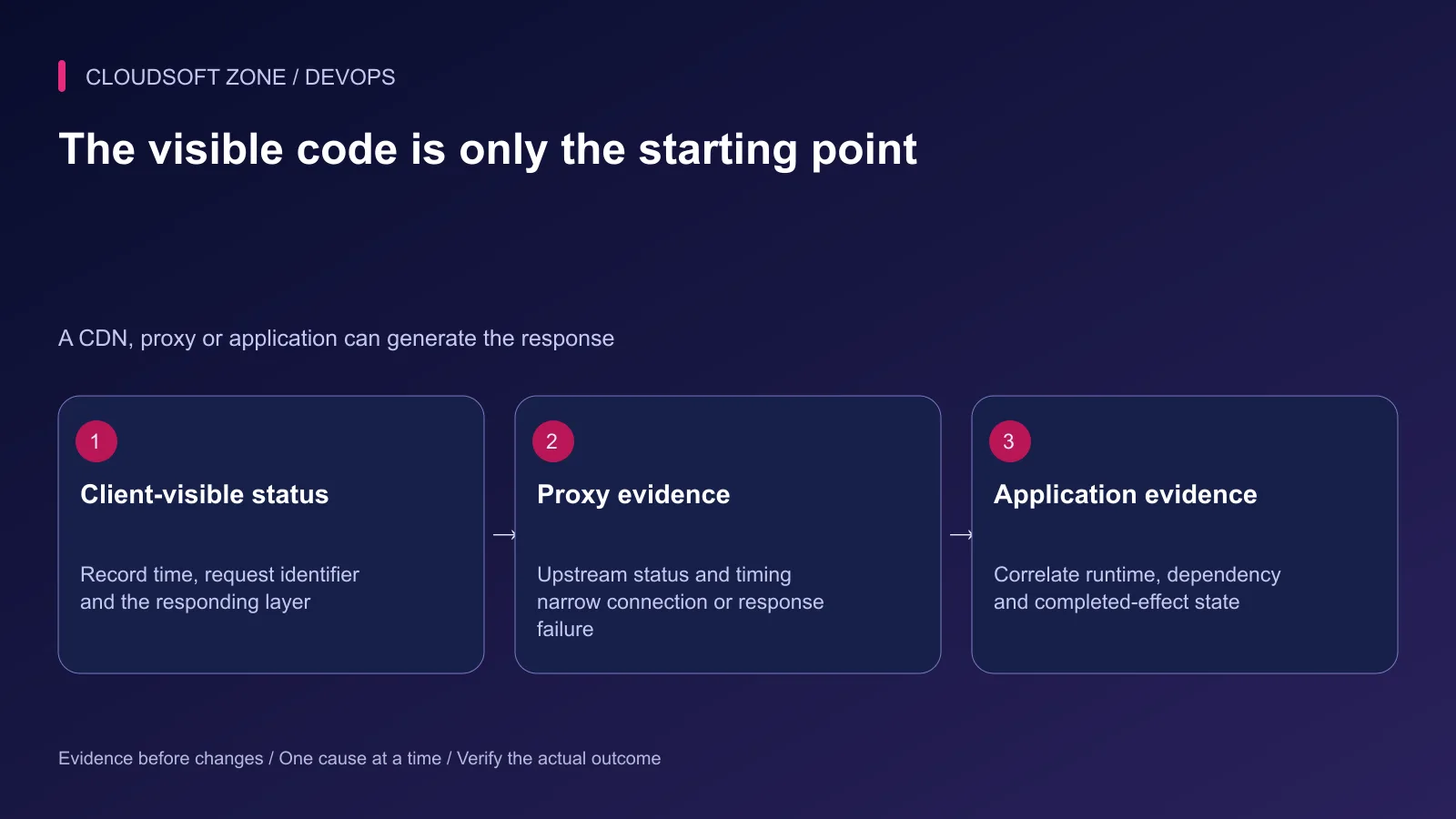
Use the actual responding layer's evidence. A status passed through nginx may have originated in the application or an earlier edge service.
Step 2: Correlate one request safely
Record the request identifier, time and intended route. Correlate nginx evidence with the application and provider records. Keep credentials, cookies and full query strings out of the shared diagnostic transcript.
An illustrative nginx log format in the http context records timing without logging the request body or raw query:
log_format upstream_timing
    '$time_iso8601 request_id=$request_id status=$status '
    'upstream_status=$upstream_status upstream_addr=$upstream_addr '
    'request_time=$request_time connect=$upstream_connect_time '
    'headers=$upstream_header_time response=$upstream_response_time';
Attach it to the intended protected access log through the existing logging policy. Upstream addresses are internal operating information and still need restricted access. Propagate a trusted correlation identifier into application diagnostics if the application supports it.
Step 3: Diagnose immediate connection failures
For a same-host HTTP upstream, verify the selected private listener, expected process and exact nginx address. A healthy application on a different port or address does not satisfy the configured upstream.
For PHP-FPM, inspect the intended socket or TCP listener and the effective nginx access permissions. Do not assume a socket path copied from another PHP version exists. Check the pool's startup error before changing proxy timeout values.
Connection refusal, permission denial and connection reset point at different causes. Preserve the precise sanitized error message and inspect the matching process lifecycle. A reset can occur after a runtime crash or during abrupt process replacement.
Step 4: Locate the timed-out phase
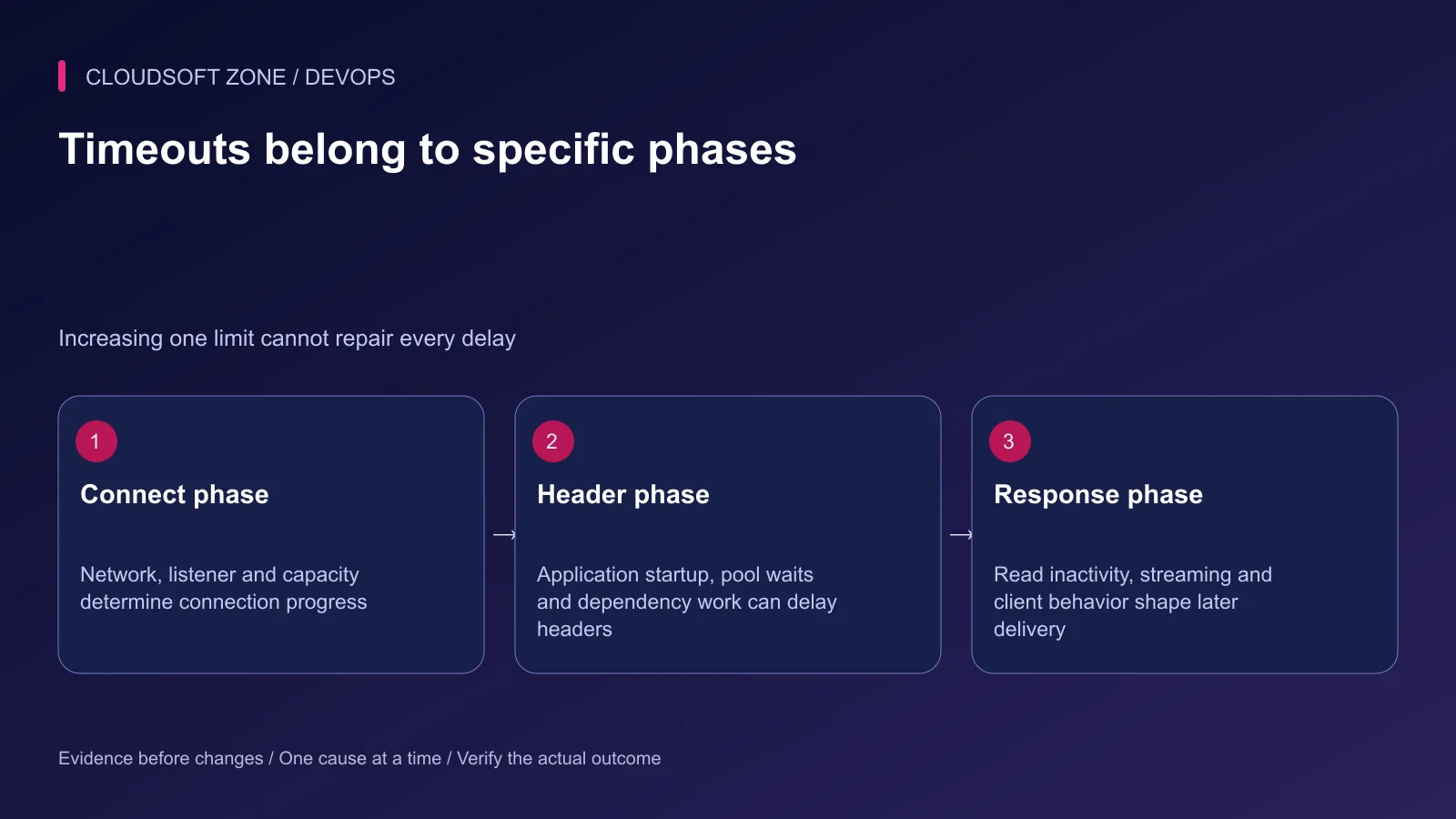
Connection, response-header and later response waits are different boundaries. Compare upstream timing with application traces and dependency wait evidence. Missing timing values can also mean a phase was never reached.
For an HTTP proxy, proxy_connect_timeout and proxy_read_timeout control different waits. FastCGI uses its own corresponding directives. Do not copy an HTTP timeout directive into a PHP location and expect it to govern FPM.
Read timeout is generally an inactivity limit between reads, not a universal total duration cap. A response that emits data periodically can behave differently from one that remains silent while a query runs.
Step 5: Check capacity and dependencies
A timed-out application may be waiting for a free PHP worker, a database connection, a lock or an external API. Increasing the proxy timeout can lengthen the queue of waiting requests without increasing useful capacity.
Check process restart trends, memory pressure, database waits and request concurrency. For Node.js, synchronous CPU work can delay the event loop; our Node.js event loop guide explains that boundary.
For FPM, compare the pool's measured demand with its child limit and host memory budget. Adding children without accounting for their memory and downstream connections can move the failure to another layer.
Step 6: Change limits only after diagnosis
If a legitimate endpoint needs a longer response wait, document the expected duration and the complete deadline chain: client, edge, nginx, application and downstream provider. One longer limit cannot override a shorter outer deadline.
Keep dependency calls bounded. Long exports or provisioning tasks may be better accepted into a durable background workflow with a status endpoint. Do not hold an unlimited HTTP request open to disguise slow or uncertain work.
For proxy retries, review which failures and methods are eligible. Do not enable replay of non-idempotent requests without an explicit application contract. A retry can reach another upstream after the first attempt already performed an effect.
Step 7: Reconcile timed-out writes
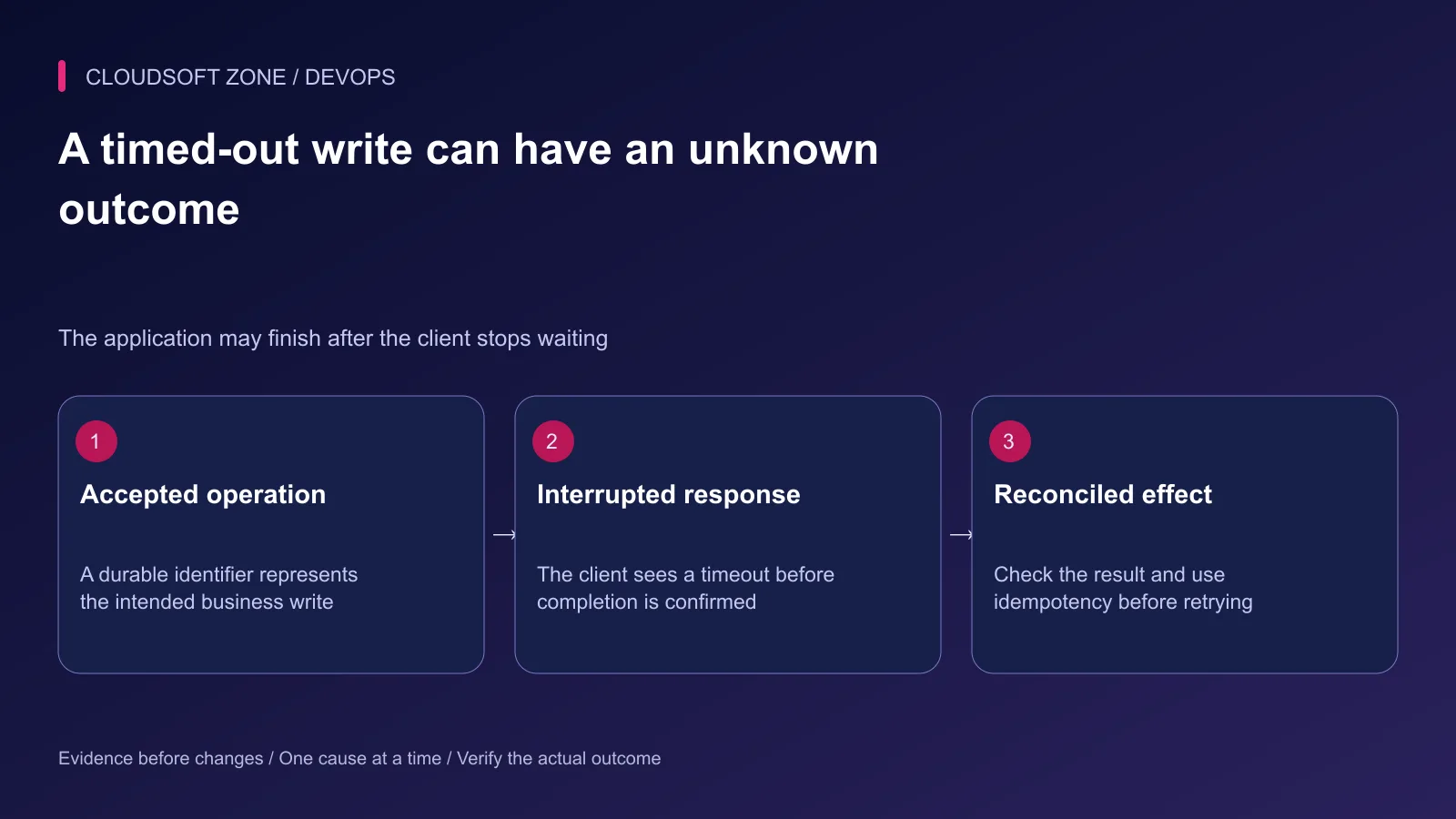
A gateway timeout does not establish that the application made no change. The original request can complete after the response path failed. Before retrying a payment, order or message delivery, inspect the durable operation identifier and its confirmed result.
Use provider idempotency keys and application constraints where appropriate. Track an unknown outcome separately from a proven failure. Our Laravel duplicate-payment and webhook guide explains the effect boundary.
Preserve failed-job and provider evidence. Clearing queues or deleting records to simplify the incident view makes reconciliation harder.
Step 8: Verify recovery at the original boundary
Repeat the harmless request through the real public path after the targeted correction. Check upstream timing, application result and failure rate under representative controlled load.
Confirm the service remains healthy through process replacement and dependency delays in an isolated rehearsal. Record the diagnosed cause and the limit or lifecycle change that addressed it rather than attributing recovery to a broad restart.
For gateway and upstream reliability work, contact Cloudsoft Zone.
Featured image: Cloudsoft Zone technical layout with nginx artwork by Igor Sysoev (Public domain). Product mark resized proportionally for identification; no endorsement implied. Layout: CC BY-SA 4.0.
Frequently asked questions
Does 502 always mean the upstream process is stopped?
No. Connection refusal is one cause, but connection resets, invalid upstream responses and failures reported by another layer can also produce a gateway error.
Will a larger proxy_read_timeout fix 504 errors?
Only if the diagnosed workload genuinely needs that response inactivity interval. Investigate slow dependencies, pool exhaustion and application deadlines first.
Can I safely retry a payment request after a 504?
Do not assume the original attempt failed before making a change. Check its durable operation identity and use the provider/application idempotency contract to avoid duplicate effects.
Sources
Read next
TutorialDevOps5 min read
Multiple Node.js applications behind nginx: host routing, process ownership and shared-server capacity
Run multiple Node.js applications behind nginx with explicit host-to-port routing, separate process ownership, scoped state and acceptance checks for every hosted service.
Comments
No comments yet. Be the first to join the conversation.
Leave a comment
Every comment is read by a moderator before it appears. Your email address is never published; it is used only to contact you about this comment.
More from Cloudsoft Zone
Troubleshooting guideDevOps5 min read
PM2 app disappears after server restart: diagnose startup, users and saved process state
If a PM2 app disappears after server restart, check the daemon owner, boot service, saved process list, runtime path and application startup failure before restoring it.
By Nilesh Kushvaha
TutorialDevOps5 min read
PM2 production guide: startup, restarts, logs, clustering and real readiness
Use this PM2 production guide to define process ownership, startup recovery, graceful restarts, log retention, capacity and application readiness on a VPS.
By Nilesh Kushvaha
TutorialDevOps5 min read
nginx reverse proxy explained: paths, headers and streaming for Next.js and NestJS
Understand nginx reverse proxy behavior for Next.js and NestJS: preserve API paths, set trusted headers, support streaming and diagnose the correct upstream boundary.
By Nilesh Kushvaha