
1Password vs Bitwarden for small teams: plans, prices and a rollout checklist
A plain comparison of 1Password and Bitwarden business plans for teams of 3 to 50, based on the vendors' published prices and features in October 2026, plus an eight-step rollout checklist that works with either.
Updated 8 min read
In this article
Most small businesses already have a password manager. It is usually a shared spreadsheet, a chat thread with the Wi-Fi password pinned to it, or one founder's browser that "knows everything". That works until someone leaves, a laptop is stolen, or the one person who can log in to the domain registrar is on a plane during an outage.
A team password manager fixes three problems at once: it stores credentials encrypted, it lets you share them without pasting secrets into chat, and it lets you remove access in one place when a person leaves. This article compares two widely used options for small teams, 1Password and Bitwarden, using their own published pricing and feature pages as of 7 October 2026, and ends with a rollout checklist you can use with either.
We did not run hands-on tests for this piece. Everything below is what the vendors state on their pricing and plan pages; check those pages again before you buy, because prices and plan names change.
What a small team actually needs
Before comparing products, write down what you need. For a team of 3 to 50 people, the list is usually short:
- Shared vaults or collections with permissions, so finance logins are not visible to everyone.
- Offboarding in one step: remove a person and their access to shared items goes with them.
- Apps for every device your team uses, plus browser extensions, so people actually use it.
- Strong account protection: two-step login on the manager itself, and support for passkeys.
- Recovery: an administrator can help a locked-out member without the vendor being able to read data.
- Single sign-on (SSO) and automatic user provisioning, but only if you already run an identity provider such as Microsoft Entra ID, Google Workspace or Okta.
The last point drives price more than anything else. Both vendors put identity-provider features into higher tiers, so decide early whether you need them.
Pricing compared (USD, billed annually)
| Plan | Published price | Who it is aimed at |
|---|---|---|
| 1Password Teams Starter Pack | $24.95 per month for up to 10 members ($299.40 per year); up to 10 more seats can be added at per-member pricing, to a maximum of 20 | Small teams that want a flat price |
| 1Password Business | $8.99 per user per month ($107.88 per user per year), 1 user minimum | Established businesses, identity-provider integration |
| Bitwarden Teams | $4 per user per month | "Teams and growing companies that need to move quickly" |
| Bitwarden Enterprise | $6 per user per month | "Businesses needing advanced protection and control" |
Both vendors offer a 14-day free trial of their business plans. Bitwarden also offers a free personal account that includes sharing with one other user, which some two-person businesses start with; it is not a substitute for a business plan once you need central ownership and event logs. Bitwarden states that its prices exclude taxes. If you buy from India or elsewhere, confirm with your accountant how tax applies to an overseas software subscription and make sure the invoice carries your business details.
For a 10-person team, the published figures work out to roughly $299 a year for 1Password Teams Starter Pack, $480 for Bitwarden Teams, $720 for Bitwarden Enterprise and about $1,079 for 1Password Business. For 25 people, the Teams Starter Pack no longer fits (it caps at 20), so the realistic 1Password option becomes Business.
What each plan includes
1Password
According to 1Password's business pricing page, the Teams Starter Pack covers sharing passwords and sensitive data, security alerts, role-based permissions, developer tools (SSH key signing, Git commit signing, a CLI and SDKs) and support with onboarding resources. Business adds integrations with identity providers such as Okta, Entra ID, OneLogin and Duo, Watchtower alerts, role-based vault sharing, custom groups, reporting, provisioning from directories (Azure AD, Google Workspace, Okta, OneLogin, Rippling, JumpCloud), event streaming to SIEM tools, and a free Families plan for every user's personal use.
On security, 1Password describes end-to-end AES 256-bit encryption, "Two-Key Derivation using your password and Secret Key", the Secure Remote Password (SRP) protocol for data in transit, sign-in with two-factor authentication, biometrics or passkeys, and SOC 2 Type II certification. The Secret Key is a design choice worth understanding: it is a second secret stored on your devices, so a weak account password alone is not enough to decrypt a vault taken from the server.
Bitwarden
Bitwarden's pricing page lists Teams as "centralized ownership and management, plus" secure credential sharing, event-log auditing, directory synchronisation and SCIM provisioning. Enterprise adds granular access control, passwordless SSO integration, enterprise policies, the option to self-host, an "Access Intelligence" risk view and a free Families plan for all users.
Every Bitwarden account includes what the vendor calls its core features: open-source code, zero-knowledge encryption, two-step login, phishing protection, passkey management, a password and username generator, email alias integration, encrypted export, unlimited devices and Bitwarden Send for sharing files and text. Open source matters to some buyers because the code can be reviewed publicly; self-hosting matters to those who must keep data in their own infrastructure, but it moves patching and backups onto you.
Side-by-side for small-team decisions
| Question | 1Password | Bitwarden |
|---|---|---|
| Cheapest business entry point | Teams Starter Pack, flat price for up to 10 members | Teams, per user |
| SSO with your identity provider | Business plan | Enterprise plan |
| Directory provisioning (SCIM or sync) | Business plan | Teams plan and above |
| Event logs and reporting | Business: custom reports, SIEM streaming | Teams: event logs |
| Self-hosting | Not listed on the business pricing page | Enterprise plan |
| Source code | Not listed as open source; independent third-party audits and SOC 2 Type II stated | Open source |
| Developer tooling | SSH key and Git commit signing, CLI, SDKs on all business plans | Separate Secrets Manager product for developer secrets |
| Personal plan for staff | Free Families plan with Business | Free Families plan with Enterprise |
A rough rule of thumb from the published plans: a team under 10 people with no identity provider gets the lowest bill from 1Password Teams Starter Pack; a team that wants directory provisioning at a low per-user price lands on Bitwarden Teams; a team that already runs SSO for everything compares Bitwarden Enterprise with 1Password Business, and the decision then turns on self-hosting, open source and how much the developer tooling matters to you.
Rollout checklist for either product
Buying the tool is the easy part. The value comes from moving every shared credential into it and closing the old channels. Use this sequence:
- Name two administrators. One person is a single point of failure. Store each administrator's account recovery details, as the vendor's setup process provides them, offline and somewhere both can reach. Test the recovery path once, before you need it.
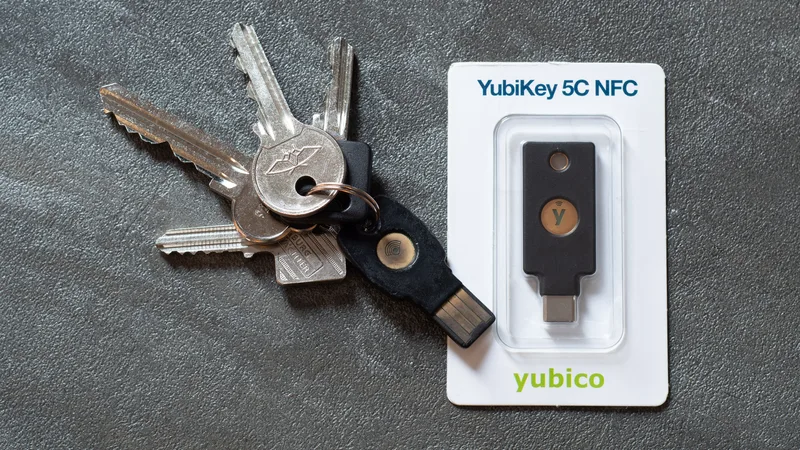
- Turn on two-step login for the password manager accounts first, starting with administrators. Prefer passkeys or hardware security keys where supported; an authenticator app is the minimum.
- Design vaults or collections around roles, not people: Finance, Marketing, Engineering, Infrastructure, Shared office. Give each the smallest audience that works.
- Inventory shared accounts: domain registrar, DNS, email admin, cloud hosting, payment gateway, bank, GST portal login, social media, accounting software. Move each into the right vault.
- Rotate passwords as you import them. Anything that lived in a spreadsheet or chat should be treated as exposed. Use the generator for long, unique passwords.
- Delete the old copies: the spreadsheet, the pinned chat message, the sticky note. Tell the team the manager is now the only source.
- Write an offboarding step: when someone leaves, remove them from the manager, then rotate any shared credential they could see.
- Review quarterly: check the security or health report for weak and reused passwords, and remove members who no longer need access.

Common mistakes
- Buying SSO you do not use. If your team signs in with ordinary Google or Microsoft accounts and you do not manage an identity provider, the cheaper tiers usually cover you.
- Leaving personal and business items mixed. Both vendors offer a Families plan with some business tiers precisely so staff can keep personal passwords separate; use it and keep business vaults for business.
- Sharing the master password of a "shared" account. Give each person their own account in the manager and share items, not logins to the manager itself.
- No exit plan. Test encrypted export once so you know you can move if prices or needs change.
Summary
Both 1Password and Bitwarden cover what a small team needs: encrypted shared vaults, permissions, device apps and central offboarding. On published prices, 1Password Teams Starter Pack is the lowest-cost route for up to 10 members, Bitwarden Teams is the lowest per-user price that includes directory provisioning and event logs, and the identity-provider features sit in 1Password Business and Bitwarden Enterprise. Pick the tier that matches the identity setup you have today, run the trial with your three most important shared accounts, and follow the rollout checklist so the spreadsheet actually goes away.
Frequently asked questions
Which is cheaper for a team of ten, 1Password or Bitwarden?
On published annual prices, 1Password Teams Starter Pack costs $24.95 a month for up to 10 members, about $299 a year. Bitwarden Teams at $4 per user per month is about $480 a year for ten users, but includes directory sync and SCIM provisioning.
Do I need SSO for a password manager?
Only if you already manage staff sign-in through an identity provider such as Entra ID, Google Workspace or Okta. Both vendors place identity-provider SSO in higher tiers: 1Password Business and Bitwarden Enterprise.
Can Bitwarden be self-hosted?
Bitwarden lists the flexibility to self-host as part of its Enterprise plan. Self-hosting means you take on patching, backups and availability.
Is there a free trial?
Yes. Both vendors advertise a 14-day free trial of their business plans.
Your next customer could start right here.
Introduce your tool, product or business to readers exploring technology.
Explore placements and request a private quote
Sources
- Business & Teams Pricing & Plans — 1Password
- Bitwarden Business Password Manager Pricing — Bitwarden
- Secure your important online accounts — National Cyber Security Centre (UK)
Written with substantial AI assistance. Facts checked against cited sources. Editorial policy.
Comments
No comments yet. Be the first to join the conversation.
Leave a comment
Every comment is read by a moderator before it appears. Your email address is never published; it is used only to contact you about this comment.
Related tools
- Directory profile
1Password
Password manager for individuals, families and businesses, with developer tools for handling infrastructure and CI/CD secrets.
This article discusses 1Password. Read the directory profile alongside the guide and verify current product details with its official sources.
- Directory profile
Okta
Identity platform providing single sign-on, multi-factor authentication and lifecycle management for workforce and customer identity.
The comparison explains single sign-on and provisioning with identity providers such as Okta.
More from Cloudsoft Zone

Resource guideBusiness Technology
10 practical AI automation ideas for small businesses in 2026
Ten AI automations that work for small teams in 2026, each with the workflow, real tools and checked prices, rough effort, risks, and the human review step that keeps it safe.
By Cloudsoft Zone

Troubleshooting guideBusiness Technology
Why business email lands in spam: fix SPF, DKIM and DMARC
Invoices and replies going to spam? Diagnose SPF, DKIM and DMARC step by step and meet the Gmail, Yahoo and Outlook.com sender rules in force in 2026.
By Cloudsoft Zone
Resource guideBusiness Technology
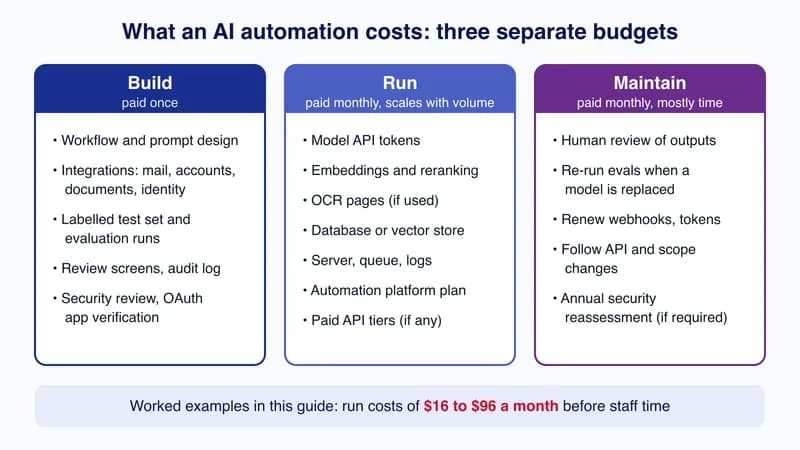
How much does AI automation cost in the US and UK in 2026?
Four AI automations priced from published API, database and hosting rates, with the arithmetic shown and build, run and maintenance costs kept separate.
By Cloudsoft Zone