
UPI AutoPay vs card mandates: India's 2026 e-mandate rules
RBI's 2026 e-mandate framework explained for subscription businesses: card and UPI AutoPay limits, 24-hour notices and the billing changes you need.
Updated 7 min read

In this article
If you charge Indian customers every month, renewals on Indian cards and UPI only work through a registered e-mandate. In April 2026 the Reserve Bank of India pulled the rules into one rulebook, the Digital Payments – E-mandate Framework, 2026. The headline numbers have not changed: renewals up to ₹15,000 can run without the customer authenticating again, and the bank must notify the customer at least 24 hours before each debit.
Card mandates and UPI AutoPay follow the same framework but behave differently in practice. This comparison covers what the rules require, how the two methods differ for a subscription business, and what to change in your billing flow.
The 2026 framework in one minute
The RBI issued the framework on 21 April 2026 (RBI/DPSS/2026-27/396), effective immediately. It applies to every payment system provider and participant processing recurring transactions, domestic or cross-border, using cards, prepaid payment instruments (PPIs) or UPI, and it repeals eight earlier circulars issued between 2019 and 2024. The key rules:
- Registration needs additional factor authentication (AFA), such as 3-D Secure for a card or the UPI PIN. So does the first transaction (the two can be combined), and so does any change to or withdrawal of a mandate.
- Every mandate has a validity period, and the customer can change the period or withdraw the mandate at any time.
- Fixed or variable amounts. For variable mandates, the customer can set a maximum per transaction.
- Pre-transaction notification at least 24 hours before the debit, with the merchant's name, amount, date and time, mandate reference and the reason for the debit. The customer can opt out of a single debit or the whole mandate.
- Post-transaction notification with the same details plus how to raise a grievance.
- Limits without AFA: ₹15,000 per transaction in general; ₹1,00,000 per transaction for insurance premiums, mutual fund subscriptions and credit card bill payments. Anything above needs AFA at the time of the debit.
- No charge to the customer for using e-mandates, and card issuers may map existing mandates to reissued cards.
Acquirers must make sure the merchants they onboard comply, so expect your payment gateway to enforce these rules for you.
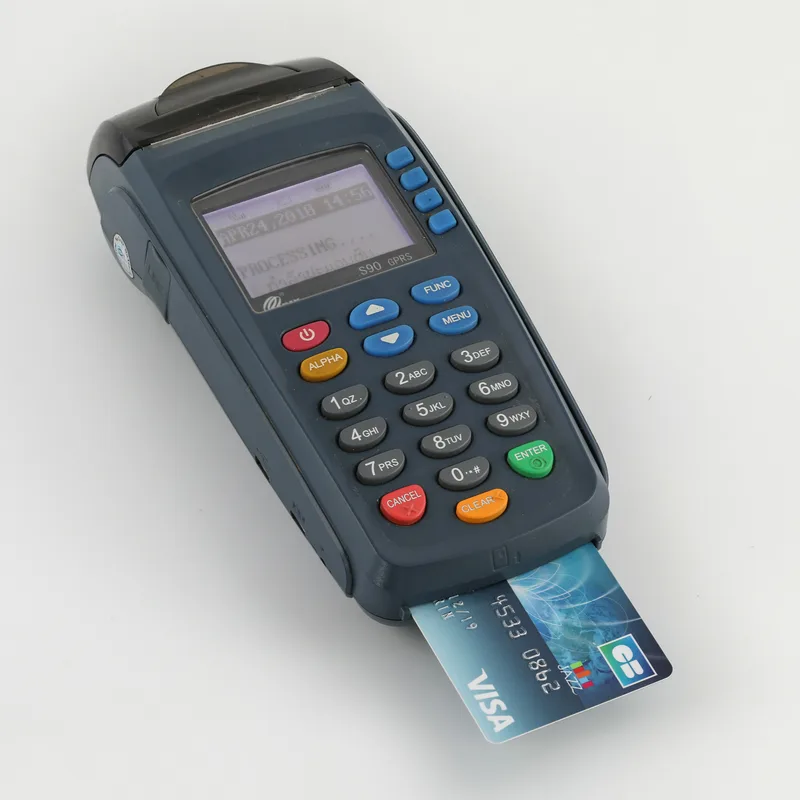
Card mandates vs UPI AutoPay compared
The table uses the RBI framework and Stripe's documentation as an example of how a gateway implements it. Other Indian gateways implement the same rules, but timings and limits on their side can differ; check your provider's documentation.
| Card e-mandate | UPI AutoPay | |
|---|---|---|
| How the customer approves | 3-D Secure (or other AFA) when the mandate is registered | Approves the mandate in their UPI app with the UPI PIN |
| Renewals without re-authentication | Up to ₹15,000 per transaction (₹1 lakh for the three listed categories) | Up to ₹15,000 per transaction (₹1 lakh for the three listed categories) |
| Above the limit | Stripe: the pre-debit notification carries a link to authenticate the payment with 3DS | Stripe: UPI recurring transactions above ₹15,000 are not supported |
| Notice before debit | At least 24 hours (Stripe waits 26 hours before charging) | At least 24 hours (Stripe charges one day after the notification) |
| Mandate expiry | Set by the mandate's validity period | Stripe default 10 years; up to 40 years under the UPI scheme |
| Typical risk | Card expiry or reissue (issuers can now map mandates to the new card) | Customer pauses or revokes the mandate in the UPI app |
Which one should you offer?
Offer both if your gateway supports them. UPI is widely used by Indian consumers and small businesses, while cards suit customers who expense software on a company card. For plans priced above ₹15,000 a month, cards are the more workable option, because each renewal above the limit needs the customer to authenticate, and UPI AutoPay cannot be used at all for those amounts through some gateways. Annual plans above the limit are better sold as one-time payments with a renewal reminder.
What changes in your billing flow
1. Expect a delay before every renewal
With the 24-hour notice, a renewal is not instant. Stripe, for example, moves an off-session card PaymentIntent into processing for the 26-hour notification period, and it cannot be cancelled during that time. Do not lock a customer out at the exact renewal time; give the payment at least two days to settle before treating it as failed.
2. Show the right message when a renewal needs action
Stripe's India recurring payments guide documents the fields and codes to watch. This helper turns them into customer-facing messages; it runs as-is in Node.js and needs no Stripe SDK because it only reads the PaymentIntent object:
// Decide what to tell the customer about a renewal PaymentIntent
// (fields and codes from Stripe's "India recurring payments" guide).
export function renewalStatus(paymentIntent) {
  if (paymentIntent.status === 'processing') {
    const notice = paymentIntent.processing?.card?.customer_notification;
    if (notice?.approval_requested) {
      const due = new Date(notice.completes_at * 1000).toISOString();
      return `Your bank needs you to approve this payment before ${due}.`;
    }
    return 'Your bank has notified you about this payment; it will be collected after the notice period.';
  }

  const code = paymentIntent.last_payment_error?.code;
  const decline = paymentIntent.last_payment_error?.decline_code;
  if (code === 'india_recurring_payment_mandate_canceled' || code === 'payment_intent_mandate_invalid') {
    return 'Your auto-pay mandate is no longer active. Please set up payment again.';
  }
  if (decline === 'transaction_not_approved') {
    return 'The payment was not approved: auto-debit may be paused, or authentication was not completed.';
  }
  return null; // nothing India-specific to say
}
Call it from your webhook handler for payment_intent.processing and payment_intent.payment_failed events, then email the customer or show the message in your billing page.
3. Check the mandate before charging
Charging against an inactive mandate fails with payment_intent_mandate_invalid. If your system creates renewal charges itself, check the mandate status first. Stripe also notes that you cannot pass an existing mandate to a Subscription, and that for non-INR subscriptions a mandate is created only if an Indian payment method is attached to the customer before the subscription is created.
4. Set honest mandate amounts
For variable mandates, the maximum amount is shown to the customer when they approve. Set it close to what you will actually charge, plus room for taxes or seat changes. An unexpectedly high maximum makes careful customers abandon the approval.

Testing before you go live
Stripe provides test cards that simulate mandate scenarios, including 4000003560000123 for successful setup and renewals and 4000003560000263 for a customer cancelling a mandate. In a sandbox, an off-session PaymentIntent leaves processing after about 15 minutes instead of 26 hours, which is enough to test your webhooks and customer messages end to end.
Limitations and gotchas
- NACH bank debits are separate. The framework covers cards, PPIs and UPI; recurring debits from bank accounts through NACH are not part of these Directions.
- Customers can opt out at any time. A renewal can fail because the customer used the opt-out link in the pre-debit notice, not because of a technical fault. Treat it as a cancellation signal and follow up politely.
- Old subscriptions. Stripe creates mandates automatically only for Subscriptions created after 1 October 2021; older ones need to be recreated.
- Grievances and liability. Issuers must run a dispute process, and RBI's rules limiting customer liability for unauthorised transactions apply to e-mandate debits too. Clear descriptions and easy cancellation reduce disputes.
- Read the source. This is a summary, not legal advice. The Master Direction on the RBI website is short and readable.

What to do next
- Confirm with your gateway that card and UPI mandates are enabled for your account.
- Review plan prices against the ₹15,000 limit and decide how plans above it renew.
- Add grace time for the 24-hour notice before suspending accounts.
- Handle the processing, mandate-cancelled and not-approved cases with clear customer messages.
- Test the scenarios with your gateway's test cards before launch.
Frequently asked questions
What is the e-mandate limit without OTP in India?
Under the RBI's Digital Payments – E-mandate Framework, 2026, recurring transactions can be processed without additional factor authentication up to ₹15,000 per transaction. Insurance premiums, mutual fund subscriptions and credit card bill payments have a limit of ₹1,00,000 per transaction.
How much notice must customers get before an auto-debit?
The issuer must send a pre-transaction notification at least 24 hours before the debit, including the merchant name, amount, date and time, mandate reference and reason. Notifications are not required for FASTag and NCMC auto-replenishment.
Can customers cancel a mandate?
Yes. The customer can opt out of a single transaction or the whole mandate, change its validity period or withdraw it at any time. Changes and opt-outs are validated with additional factor authentication.
Can I charge more than ₹15,000 with UPI AutoPay?
Above ₹15,000 the RBI requires authentication at the time of the debit (₹1 lakh for the three listed categories). Stripe's documentation states that its UPI recurring payments do not support transactions above ₹15,000; check your own gateway's limits.
Does the framework apply to foreign SaaS companies?
It applies to recurring transactions on Indian cards, PPIs and UPI, domestic or cross-border. Stripe states that both India-based and non-Indian Stripe users are affected if their customers pay with Indian cards or UPI.
Is there a fee for customers to use e-mandates?
No. The framework says no charges shall be levied on the customer for using the e-mandate facility.
Your next customer could start right here.
Introduce your tool, product or business to readers exploring technology.
Explore placements and request a private quote
Sources
- Digital Payments – E-mandate Framework, 2026 (Master Direction) — Reserve Bank of India, 2026-04-21
- India recurring payments — Stripe
- Recurring payments (UPI AutoPay) — Stripe
- RBI mandates additional factor authentication for e-mandates — MediaNama, 2026-04-24
Written with substantial AI assistance. Facts checked against cited sources. Editorial policy.
Comments
No comments yet. Be the first to join the conversation.
Leave a comment
Every comment is read by a moderator before it appears. Your email address is never published; it is used only to contact you about this comment.
More from Cloudsoft Zone

Resource guideBusiness Technology
10 practical AI automation ideas for small businesses in 2026
Ten AI automations that work for small teams in 2026, each with the workflow, real tools and checked prices, rough effort, risks, and the human review step that keeps it safe.
By Cloudsoft Zone

Industry updateNode.js
Which Node.js version to use in October 2026: LTS lines and the new schedule
Node.js 26 becomes LTS on 28 October 2026, Node.js 24 moves to maintenance and 20.x is already end of life. Here is every supported line, the new yearly release model from Node.js 27, and which version to run.
By Cloudsoft Zone

ComparisonNode.js
Express 5 vs Fastify 5: which Node.js framework to pick in 2026
Express 5 and Fastify 5 compared on support status, validation, error handling, upgrades and performance, with the same API built and tested in both.
By Cloudsoft Zone