
GitHub Copilot in Microsoft Teams: turn bug reports into pull requests
GitHub Copilot in Microsoft Teams can investigate an issue and open a pull request from a chat. Setup, review gates and the 16 November legacy app retirement.
2 min read
In this article
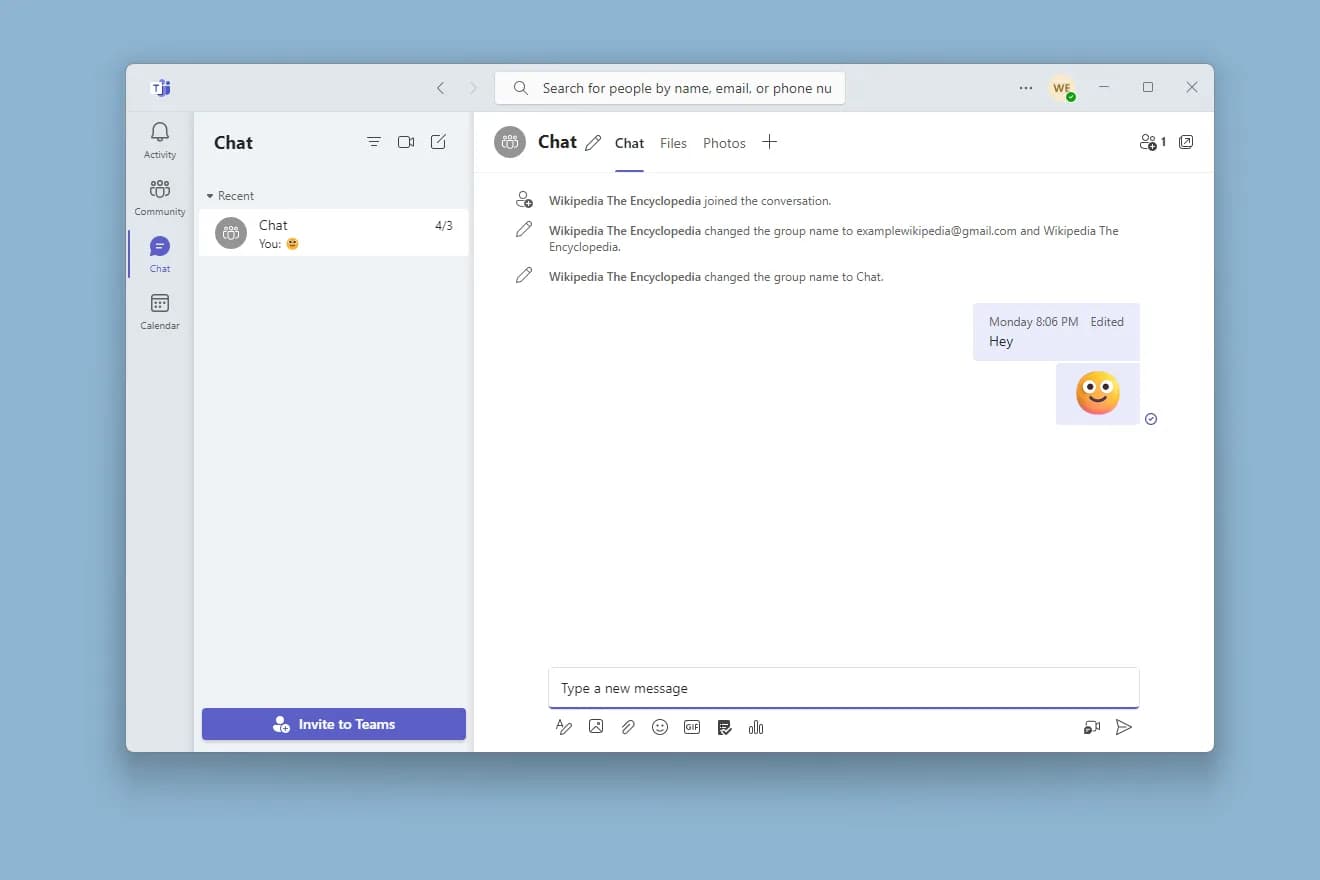
GitHub Copilot in Microsoft Teams can now turn a notification into code. Since 23 October 2026, the consolidated GitHub app for Teams lets you mention @GitHub in a channel or chat so Copilot investigates an issue, makes a fix and opens a pull request.
Your team still reviews, tests and merges the change. The older GitHub app will be renamed "GitHub (deprecated)" and retired on 16 November.
Sources checked on 26 October 2026. Features, prices and availability can change; confirm the linked primary sources before acting.
How the workflow runs
A bug report becomes a pull request without leaving the conversation. The review still happens on GitHub.
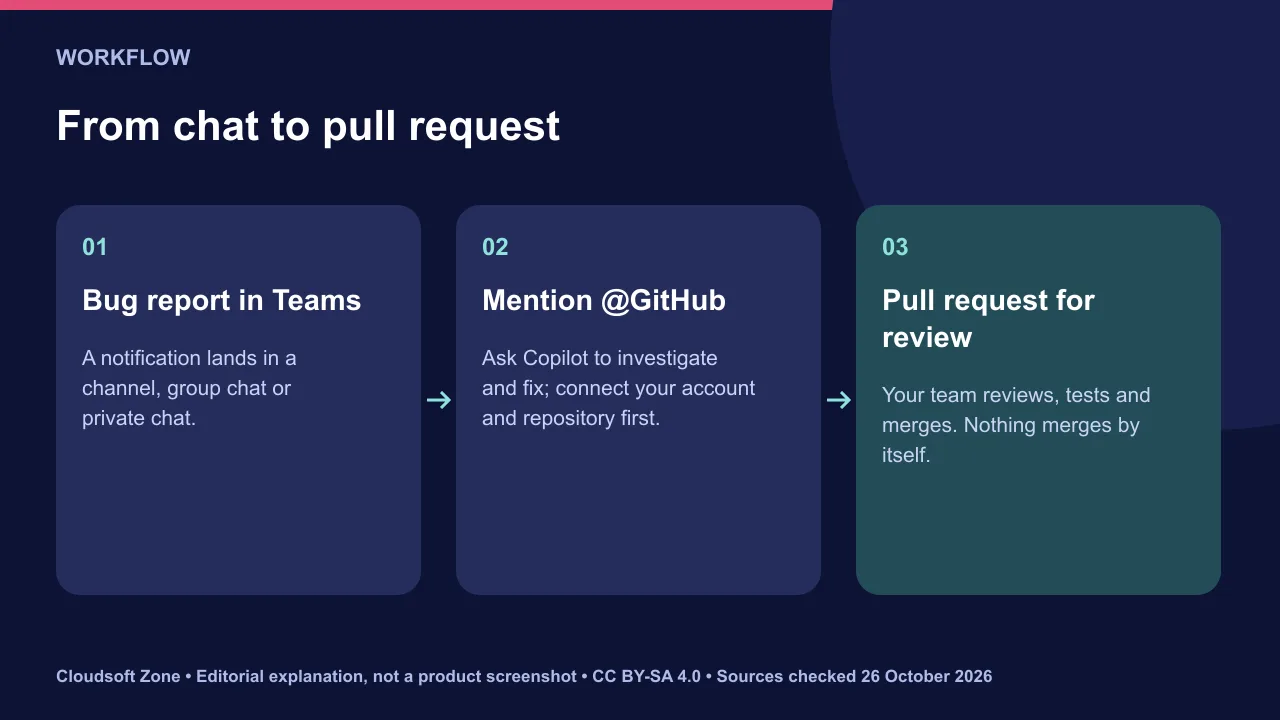
- A GitHub notification or bug report arrives in a Teams channel, group chat or private chat.
- Someone mentions @GitHub and asks Copilot to investigate and fix it.
- Copilot works on the change and opens a pull request.
- The team reviews it, CI runs and a person merges it.
Set up GitHub Copilot in Microsoft Teams
Install or update the consolidated GitHub app, then connect your account on first use. Existing notification features keep working after the update.
- Install the consolidated GitHub app in Teams, or update it if you already use GitHub notifications.
- If you use the legacy app, install the consolidated one to keep using Copilot in Teams.
- Mention
@GitHuband follow the prompts to connect your GitHub account and choose a repository.
GitHub's changelog does not list plan requirements. Confirm that your organisation's Copilot policy allows Copilot to create pull requests before rolling this out.
Review gates you should keep
Treat a Copilot pull request like any contributor's. Protect the branch before anyone can trigger one from chat.
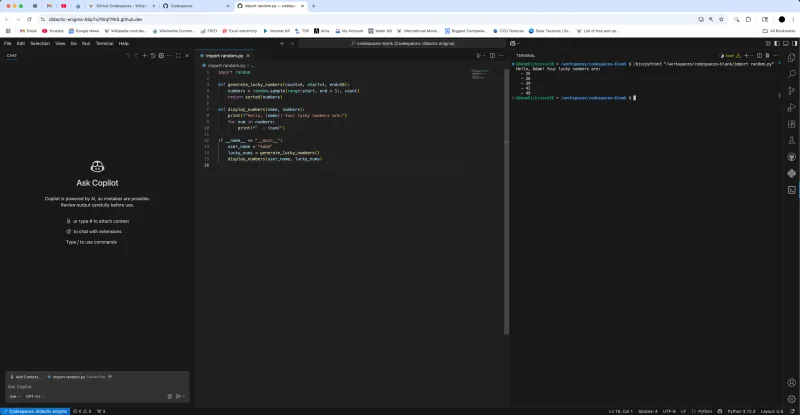
Ask for a failing test that reproduces the bug as part of the fix. Treat chat text as untrusted input too: a pasted report can contain instructions that should not shape the code.
Migrate from the legacy app before 16 November
List the channels that use the legacy app first. Then install the consolidated app, confirm notifications still arrive and remove the old app.
Do this per team, not all at once, so a missed subscription is noticed early.
Our verdict: useful for small, well-described bugs in repositories with good tests, and only with branch protection in place. Our code review checklist for small teams applies to agent pull requests too, and our Cursor vs GitHub Copilot comparison covers plans. For help wiring GitHub into your workflow, see our workflow automation service.
Sources and further reading
Image credits
Explanatory diagrams: Cloudsoft Zone, CC BY-SA 4.0. Featured photograph: Microsoft, CC0, via Wikimedia Commons. GitHub Codespaces side by side terminal: Wikideas1, CC0, via Wikimedia Commons.
Frequently asked questions
Does Copilot merge its own pull requests?
No. GitHub describes the team reviewing, testing and merging the change. Keep branch protection so that stays true.
When does the legacy GitHub app for Teams retire?
On 16 November. It is first renamed "GitHub (deprecated)".
Will my existing Teams notifications keep working?
Yes. GitHub says existing notification features continue to work after you update to the consolidated app.
Your next customer could start right here.
Introduce your tool, product or business to readers exploring technology.
Explore placements and request a private quote
Sources
- Turn notifications into code with GitHub Copilot in Teams — GitHub, 2026-10-23
Written with substantial AI assistance. Facts checked against cited sources. Editorial policy.
Comments
No comments yet. Be the first to join the conversation.
Leave a comment
Every comment is read by a moderator before it appears. Your email address is never published; it is used only to contact you about this comment.
More from Cloudsoft Zone
Development
WCAG 2.2 for developers: how to meet the six new A and AA rules
WCAG 2.2 adds six Level A and AA success criteria, from focus not obscured to accessible authentication. Here is what each requires and code that meets it.
By Cloudsoft Zone

ComparisonDevelopment
Vitest 5 vs Jest 30: which JavaScript test runner to choose
Vitest 5 shipped in September 2026 and Jest 30 is on 30.5. Compare ESM, TypeScript, mocking, speed and migration effort, then pick a runner with confidence.
By Cloudsoft Zone
Industry updateAI and Automation
AI model containment: lessons from OpenAI’s DNS egress incident
AI model containment lessons from OpenAI: an internal model reached the internet through a DNS resolver misconfiguration. How to design agent sandboxes.
By Cloudsoft Zone