
WordPress Multisite vs separate installs: which fits your sites?
Multisite shares one codebase, plugins and users across many sites; separate installs isolate them. Compare updates, security, backups and WP-CLI setup.
Updated 7 min read

In this article
Choose WordPress Multisite when one team runs many similar sites that should share the same code, plugins, themes and user accounts, such as university departments, regional offices or a franchise. Choose separate installations when sites have different owners, different plugins, different risk levels or might one day be sold or handed over; WP-CLI aliases let you manage a fleet of separate sites almost as easily.
The official handbook puts it bluntly: if your sites need to be strongly interconnected, share data or share users in complex ways, a network "might not be the best solution". This comparison explains how Multisite really works, where it saves time, where it costs you, and how to set up either option with WP-CLI.
How Multisite works
A Multisite network is one WordPress installation that serves many sites. According to the Advanced Administration Handbook:
- Core files are shared. Every site runs the same WordPress version, updated once.
- Plugins and themes are installed once for the network. Individual sites can activate them, but only a network administrator (the "super admin") can install them.
- Content is separate. Each site gets its own database tables, such as
wp_2_postsandwp_2_options, and its own uploads folder underwp-content/uploads/sites/2/. - Users are shared. There is one user table for the whole network; a person has one account and a role on each site they belong to.
- Addresses are subdomains or paths. A sub-domain install gives
site1.example.com; a sub-directory install givesexample.com/site1. Since WordPress 4.5, any site can also be mapped to its own domain without a plugin.
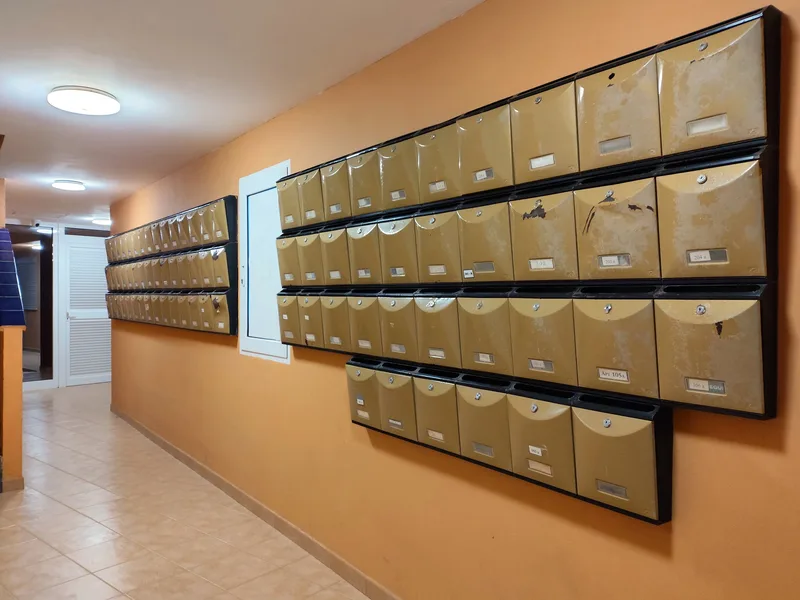
Multisite vs separate installs: side by side
| Concern | Multisite network | Separate installations |
|---|---|---|
| Core and plugin updates | Once for every site | Per site, or scripted across sites with WP-CLI |
| Plugin choice | Network installs only; every site must live with the same versions | Each site picks its own plugins and versions |
| User accounts | One login across the network | Separate accounts per site, or an SSO plugin |
| Security blast radius | A vulnerable plugin or compromised super admin affects every site | Problems usually stay within one site |
| Performance isolation | One busy site shares PHP workers and the database with all others | Each site can be sized and cached independently |
| Backing up or restoring one site | Possible, but you must export that site's tables and uploads only | Standard whole-site backup and restore |
| Moving one site elsewhere | Extracting a site from a network is a project | Copy files and database |
| Hosting | Needs a host that supports Multisite, rewrites and, for subdomains, DNS control | Any WordPress host |
| Plugin compatibility | Some plugins do not support Multisite or need network-specific setup | Everything that supports WordPress |
When Multisite is the right choice
- Many sites, one owner, one standard. A university with 60 department sites that must use the approved theme and plugin set.
- Sites created on demand. A platform where users or staff spin up new sites from a template, similar to WordPress.com.
- Shared accounts are a feature. Staff who write for several regional sites with one login.
- Central control matters more than flexibility. Site admins cannot install plugins, which is often exactly what IT wants.
When separate installs are better
- Clients or business units own their sites. An agency hosting 30 client sites should not let one client's plugin request, outage or breach affect the other 29.
- Sites differ. A shop, a membership site and a blog need different plugins and different caching.
- Traffic is uneven. One high-traffic site should not slow down the rest.
- Exit options matter. If a brand might be sold or spun off, a standalone site moves with it cleanly.
Option A: Create a network with WP-CLI
The handbook's preparation steps apply whichever tool you use: back up files and database, confirm pretty permalinks work, and deactivate all plugins before converting. Then convert an existing single site:
# Back up first
wp db export before-multisite.sql

# Convert to a sub-directory network (add --subdomains for a domain-based network)
wp core multisite-convert --title="Acme Network"

# Create a site, activate a plugin for every site, add a second super admin
wp site create --slug=london --title="Acme London" --email=london-admin@example.com
wp plugin activate acme-branding --network
wp super-admin add jane
multisite-convert adds the network constants to wp-config.php unless you pass --skip-config. On a sub-directory network the result looks like this:
define( 'WP_ALLOW_MULTISITE', true );
define( 'MULTISITE', true );
define( 'SUBDOMAIN_INSTALL', false );
define( 'DOMAIN_CURRENT_SITE', 'example.com' );
define( 'PATH_CURRENT_SITE', '/' );
define( 'SITE_ID_CURRENT_SITE', 1 );
define( 'BLOG_ID_CURRENT_SITE', 1 );
You still need the Multisite rewrite rules in .htaccess or your Nginx configuration; the Network Setup screen in wp-admin prints the exact rules for your installation.
Restrictions to check before you convert
- You cannot create a network if the WordPress address uses a port other than 80 or 443.
- A sub-domain network is not available if WordPress is installed in a path, or if the address is
localhostor an IP address. - A sub-directory network is not offered for an existing site that has been set up for more than a month, because of clashes with existing permalinks.
- On-demand subdomain sites need wildcard DNS; sites you create by hand do not.
- Decide on
wwwor nowwwbefore converting; changing it afterwards is harder.
Working with one site in a network
Most WP-CLI commands target a single site with --url. To back up just one site, export only its tables:
wp db export london.sql --tables="$(wp db tables --scope=blog --url=example.com/london --format=csv)"Remember that users live in the shared tables, so a single-site restore does not bring back user accounts. Copy wp-content/uploads/sites/<id>/ as well.
Option B: Manage separate installs as a fleet
Separate sites do not have to mean separate effort. WP-CLI aliases in a wp-cli.yml file let you run the same command against several installations over SSH, and alias groups combine them:
@client-a:
  ssh: deploy@server1.example.com
  path: /var/www/client-a
@client-b:
  ssh: deploy@server2.example.com
  path: /var/www/client-b
@clients:
  - @client-a
- @client-bwp @clients core version
wp @clients plugin list --update=available
wp @client-a plugin update --allPair this with a shared base theme or a must-use plugin deployed from Git, and you keep most of Multisite's consistency without coupling the sites' fate.
A quick decision test
Answer these five questions for your group of sites. If you answer "yes" to most of them, Multisite is likely a good fit; if you answer "no" to two or more, separate installs will probably cause fewer problems:
- Is one team responsible for every site, today and for the foreseeable future?
- Can every site run the same plugin and theme versions?
- Would shared user accounts help rather than confuse people?
- Is a short outage of all sites at once acceptable during an update?
- Is your host comfortable supporting a Multisite network?
Gotchas
- "Network Activate" is all or nothing. A network-activated plugin runs on every site; test it on a staging network first.
- Super admin is the most powerful account you have. Keep the number of super admins small and protect them with strong, unique passwords and two-factor authentication.
- Search and replace needs
--network. When moving a network, URLs live in every site's tables and inwp_blogsandwp_site. - Mapped domains need certificates. Each mapped domain needs TLS, and if logins fail with cookie errors the handbook suggests setting
COOKIE_DOMAINinwp-config.php. - Turning Multisite off is not a button. Going back to single sites means migrating each site out.
What to do next
- List your sites with their owners, plugins, traffic and likely future. Mixed answers point to separate installs.
- If Multisite still fits, build a staging network and test every plugin you need with network activation.
- Write down your backup and single-site restore procedure before launch.
- If you choose separate installs, set up WP-CLI aliases and a shared update routine on day one.
Frequently asked questions
Do sites in a WordPress Multisite network share a database?
They share one database, but each site has its own tables for posts, options and other content. The user tables are shared across the whole network.
Can each site in a network install its own plugins?
No. Only a super admin can install plugins and themes. Site administrators can activate plugins the network makes available, and super admins can network-activate a plugin for every site.
Does Multisite need a plugin for custom domains?
Not since WordPress 4.5. Domain mapping is built in: point the domain's DNS at the server, install a certificate and set the site's address in Network Admin > Sites.
Should I choose sub-domains or sub-directories?
Sub-directories (
example.com/site) are simpler and need no extra DNS. Sub-domains (site.example.com) need DNS for each site, or wildcard DNS for on-demand sites. Changing later is possible but difficult, so decide up front.Is Multisite faster than separate installs?
Not inherently. It saves maintenance time, not server resources. All sites share the same PHP workers and database, so one busy site can slow the others.
Can I convert a Multisite network back to single sites?
There is no built-in switch. Each site has to be exported and imported into a new single installation, including its users and uploads.
Your next customer could start right here.
Introduce your tool, product or business to readers exploring technology.
Explore placements and request a private quote
Sources
- WordPress Multisite / Network — WordPress Advanced Administration Handbook, 2023-03-28
- Before you create a network — WordPress Advanced Administration Handbook, 2023-03-28
- Create a network — WordPress Advanced Administration Handbook, 2023-03-28
- WordPress Multisite domain mapping — WordPress Advanced Administration Handbook
- wp core multisite-convert — WP-CLI Command Reference
- Config — WP-CLI Handbook
Written with substantial AI assistance. Facts checked against cited sources. Editorial policy.
Comments
No comments yet. Be the first to join the conversation.
Leave a comment
Every comment is read by a moderator before it appears. Your email address is never published; it is used only to contact you about this comment.
More from Cloudsoft Zone

Resource guideWordPress
WordPress security hardening checklist for 2026 (WordPress 7.1)
A practical WordPress 7.1 hardening checklist based on the official handbook: updates, two-step logins, wp-config.php constants, file permissions, database privileges, firewalls, WP-CLI checksum checks and tested backups.
By Cloudsoft Zone

TutorialWordPress
How to update WordPress safely with WP-CLI: backup, update, verify, roll back
A repeatable WordPress update routine with WP-CLI: check pending updates, export the database and archive files, update core, plugins, themes and translations in order, verify checksums, and restore if something breaks.
By Cloudsoft Zone

Troubleshooting guideCodeIgniter
CodeIgniter 4 validation not working? 9 causes and fixes
Fix CodeIgniter 4 validation problems fast: wrong input source, lost errors after redirect, permit_empty, strict JSON rules, is_unique placeholders and more.
By Cloudsoft Zone