
MySQL JSON columns: index, query and validate them properly
Store flexible data in MySQL 8.4 JSON columns without slow queries: generated-column and functional indexes, JSON_TABLE, partial updates and schema checks.
Updated 7 min read

In this article
MySQL's JSON column type is a good fit for data whose shape varies, such as event payloads, product attributes or responses from third-party APIs. It becomes a problem when you filter on JSON fields without an index, because every such query reads every row. The pattern that works is simple: store the document as JSON, pull the few fields you search on into indexed generated columns or functional indexes, and validate the shape on the way in.
This tutorial builds that pattern step by step on MySQL 8.4 LTS. Every statement and result shown was run on MySQL 8.4.11 in a throwaway schema; the same syntax works on 9.7 LTS.
When a JSON column is the right choice
- Good fit: optional attributes that differ per row, audit and event payloads, webhook bodies you keep for reference, configuration blobs read as a whole.
- Poor fit: values you join on, enforce foreign keys on, or update independently many times a second. Those belong in ordinary columns.
A useful rule: if a field appears in a WHERE, JOIN or ORDER BY in a hot path, give it a real or generated column. Keep JSON for everything else.
Create a table and let MySQL validate the JSON
MySQL stores JSON values in a binary format that allows fast access to individual elements without reparsing the text, and it rejects invalid documents on insert.
CREATE TABLE events (
  id         BIGINT UNSIGNED AUTO_INCREMENT PRIMARY KEY,
  created_at DATETIME NOT NULL DEFAULT CURRENT_TIMESTAMP,
  payload    JSON NOT NULL
);

INSERT INTO events (payload) VALUES
 ('{"type":"signup","user":{"id":42,"plan":"free"},"tags":["web","promo"]}'),
 ('{"type":"upgrade","user":{"id":42,"plan":"pro"},"amount":19.00,"tags":["web"]}'),
 ('{"type":"signup","user":{"id":7,"plan":"free"},"tags":["mobile"]}');

INSERT INTO events (payload) VALUES ('{"type": "signup",');
-- ERROR 3140 (22032): Invalid JSON text: "Missing a name for object member."
--   at position 18 in value for column 'events.payload'.
A stored document can be as large as max_allowed_packet. That is a ceiling, not a target: large documents are slow to send to the application and costly to rewrite.
Read values with ->, ->> and JSON_VALUE()
col->'$.path' is shorthand for JSON_EXTRACT() and returns a JSON value, quotes included. col->>'$.path' also unquotes it, which is almost always what you want for display and comparison.
SELECT id,
       payload->'$.type'       AS quoted,
       payload->>'$.type'      AS unquoted,
       payload->>'$.user.plan' AS plan
FROM events;
-- 1 | "signup"  | signup  | free
-- 2 | "upgrade" | upgrade | pro
-- 3 | "signup"  | signup  | free
When you need a typed value, use JSON_VALUE() with RETURNING. Missing paths return NULL by default, and you can choose DEFAULT ... ON EMPTY or ERROR ON ERROR instead.
SELECT id, JSON_VALUE(payload, '$.amount' RETURNING DECIMAL(10,2)) AS amount
FROM events;
-- 1 | NULL
-- 2 | 19.00
-- 3 | NULL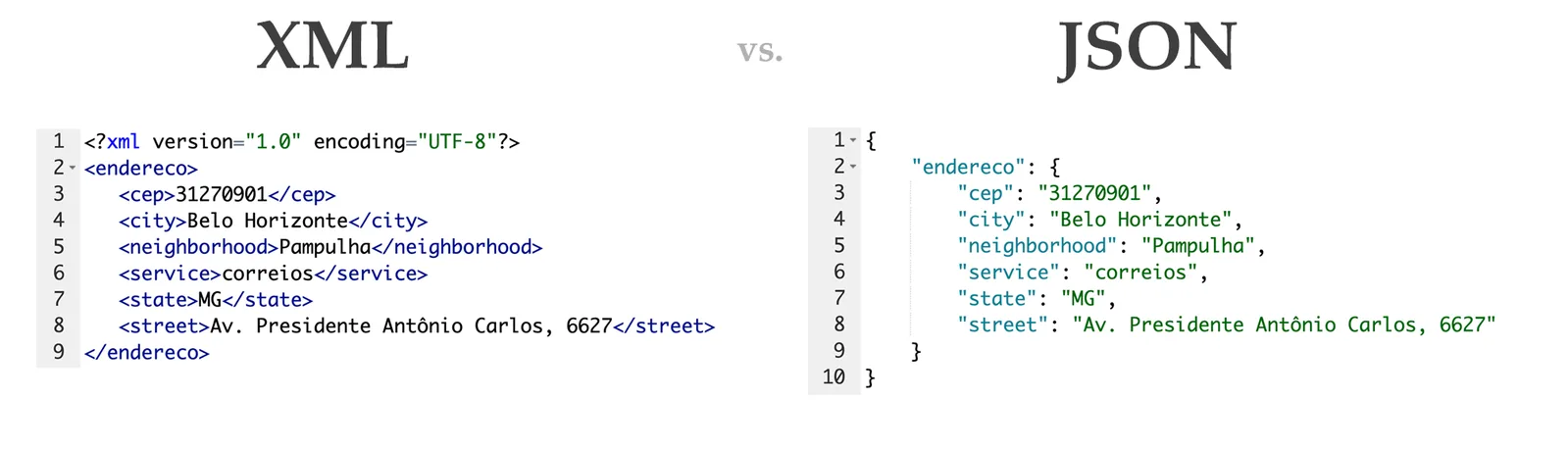
Index the fields you filter on
A JSON column cannot be indexed directly. MySQL gives you two ways to index a value inside it.
Option 1: a generated column with an index
ALTER TABLE events
  ADD COLUMN event_type VARCHAR(40)
    GENERATED ALWAYS AS (payload->>'$.type') VIRTUAL,
  ADD INDEX idx_event_type (event_type);

EXPLAIN SELECT id FROM events WHERE event_type = 'signup';
-- type: ref, key: idx_event_type

EXPLAIN SELECT id FROM events WHERE payload->>'$.type' = 'signup';
-- type: ref, key: idx_event_type
The second EXPLAIN is the useful part: because the expression matches the generated column's definition, the optimizer uses the index even when the query does not mention event_type. The match must be exact, so write the expression in queries the same way you wrote it in the column definition. A VIRTUAL column takes no space in the row; the index stores the values.
Option 2: a functional index
If you do not want an extra column, index an expression. The expression needs a definite type, so cast it or use JSON_VALUE(... RETURNING ...), and note the double parentheses:
ALTER TABLE events
  ADD INDEX idx_user_id ((CAST(payload->>'$.user.id' AS UNSIGNED)));

EXPLAIN SELECT id FROM events
WHERE CAST(payload->>'$.user.id' AS UNSIGNED) = 42;
-- type: ref, key: idx_user_id
Generated columns are easier to read in ORMs and reports; functional indexes keep the table definition smaller. Both work. Pick one convention per project.
The quoting trap
If the generated column uses -> instead of ->>, it stores the JSON string with its quotes. In our test, g VARCHAR(20) GENERATED ALWAYS AS (c->'$.name') stored "Fred", quotes and all, so WHERE g = 'Fred' would never match. Always unquote string values in generated columns.
Arrays: MEMBER OF, JSON_CONTAINS and JSON_TABLE
For array membership, use MEMBER OF() or JSON_CONTAINS(). On InnoDB both can use a multi-valued index on the array, created with CAST(... AS ... ARRAY).
SELECT id FROM events WHERE 'web' MEMBER OF (payload->'$.tags');
-- 1, 2

SELECT id FROM events WHERE JSON_CONTAINS(payload, '"promo"', '$.tags');
-- 1
When you need one row per array element, for reporting or for joining to another table, JSON_TABLE() turns JSON into a relational result:
SELECT e.id, t.tag
FROM events AS e,
     JSON_TABLE(e.payload, '$.tags[*]'
       COLUMNS (tag VARCHAR(20) PATH '$')) AS t
ORDER BY e.id, t.tag;
-- 1 | promo
-- 1 | web
-- 2 | web
-- 3 | mobile
JSON_TABLE() also supports FOR ORDINALITY row numbers, EXISTS PATH flags, NESTED PATH for arrays inside arrays, and DEFAULT ... ON EMPTY for missing values.
Update documents without rewriting them
Use JSON_SET(), JSON_REPLACE() and JSON_REMOVE() rather than sending a whole new document from the application:
UPDATE events SET payload = JSON_SET(payload, '$.user.plan', 'team') WHERE id = 2;
UPDATE events SET payload = JSON_REMOVE(payload, '$.tags')          WHERE id = 3;
InnoDB can apply such an update in place, as a partial update, when all of these hold: the column is JSON; the statement uses one of those three functions on the same column it assigns; the change replaces existing values rather than adding new members; and the new value is no larger than the old one. Assigning a complete new document is never partial. If you replicate, setting binlog_row_value_options = PARTIAL_JSON lets the binary log record only the changed part.
Validate the shape with JSON_SCHEMA_VALID()
Syntax validation is automatic; structural validation is up to you. MySQL supports JSON Schema Draft 4 through JSON_SCHEMA_VALID(), and you can enforce it with a CHECK constraint:
CREATE TABLE products (
  id    INT UNSIGNED AUTO_INCREMENT PRIMARY KEY,
  attrs JSON NOT NULL,
  CONSTRAINT attrs_shape CHECK (JSON_SCHEMA_VALID('{
    "type": "object",
    "properties": {
      "color":  {"type": "string"},
      "weight": {"type": "number", "minimum": 0}
    },
    "required": ["color"]
  }', attrs))
);

INSERT INTO products (attrs) VALUES ('{"color":"red","weight":1.5}');  -- ok
INSERT INTO products (attrs) VALUES ('{"weight":-2}');
-- ERROR 3819 (HY000): Check constraint 'attrs_shape' is violated.
SHOW WARNINGS;
-- 3934 The JSON document location '#/weight' failed requirement 'minimum'
--      at JSON Schema location '#/properties/weight'.
While designing a schema, JSON_SCHEMA_VALIDATION_REPORT() returns a JSON object explaining exactly which rule failed. Schemas that use external $ref references are not supported.
Gotchas worth knowing
| Behaviour | What it means for you |
|---|---|
| JSON strings compare case-sensitively | JSON_EXTRACT('{"a":"A"}','$.a') = 'a' returns 0. Normalise case before storing, or compare an unquoted, collated generated column. |
| Duplicate keys: last one wins | {"x": 17, "x": "red"} is stored as {"x": "red"}. Do not rely on duplicates surviving. |
| Key order is not guaranteed | MySQL sorts object keys internally and the manual says the order may change between releases. Never compare documents as text. |
null, true, false are lowercase only | JSON_VALID('Null') returns 0. |
BETWEEN and IN() do not work on JSON values | Extract with ->> or cast to a scalar type first. |
| Numbers are normalised | 19.00 came back as 19.0 in our test. Store money as a string or in a DECIMAL column if formatting matters. |
JSON_ARRAYAGG() has no guaranteed order | Our test returned [3, 1, 2]. Order the input in a derived table if order matters, and verify the result. |
What to do next
- List every query that filters or sorts on a JSON path (the
sys.statement_analysisview is a good place to start) and add a generated column or functional index for each field. - Run
EXPLAINon those queries and confirm thekeycolumn shows your new index. - Add a
JSON_SCHEMA_VALID()check for the minimum required shape, starting loose and tightening as you learn the data. - Promote any JSON field that becomes central to the domain into a real column with a migration. JSON is a place to start, not a reason to avoid modelling.
Frequently asked questions
Can I put a regular index on a MySQL JSON column?
No. Index a generated column that extracts the value, or create a functional index on an expression such as
CAST(payload->>'$.user.id' AS UNSIGNED). For arrays, InnoDB supports multi-valued indexes.What is the difference between -> and ->> in MySQL?
->returns the JSON value, so strings keep their double quotes.->>returns the unquoted value, equivalent toJSON_UNQUOTE(JSON_EXTRACT(...)).Is JSON slower than normal columns in MySQL?
Reading a single path from the binary format is fast, but filtering on a JSON path without an index scans the whole table. With a generated-column or functional index, lookups behave like an ordinary indexed column.
How large can a MySQL JSON document be?
A stored document is limited by the
max_allowed_packetsetting. In practice, keep documents small, because large ones are slow to transfer and expensive to update.Which JSON Schema version does MySQL support?
Draft 4, through
JSON_SCHEMA_VALID()andJSON_SCHEMA_VALIDATION_REPORT(). External$refreferences are not supported.Should I use JSON_VALUE or ->> ?
Use
->>for quick string extraction andJSON_VALUE(... RETURNING type)when you need a typed result, a default for missing values or explicit error handling.
Your next customer could start right here.
Introduce your tool, product or business to readers exploring technology.
Explore placements and request a private quote
Sources
- MySQL 8.4 Reference Manual: The JSON Data Type — Oracle (MySQL documentation)
- MySQL 8.4 Reference Manual: Functions That Search JSON Values — Oracle (MySQL documentation)
- MySQL 8.4 Reference Manual: JSON Table Functions — Oracle (MySQL documentation)
- MySQL 8.4 Reference Manual: JSON Schema Validation Functions — Oracle (MySQL documentation)
- MySQL 8.4 Reference Manual: Secondary Indexes and Generated Columns — Oracle (MySQL documentation)
- MySQL 8.4 Reference Manual: Optimizer Use of Generated Column Indexes — Oracle (MySQL documentation)
Written with substantial AI assistance. Facts checked against cited sources. Editorial policy.
Comments
No comments yet. Be the first to join the conversation.
Leave a comment
Every comment is read by a moderator before it appears. Your email address is never published; it is used only to contact you about this comment.
More from Cloudsoft Zone

ComparisonMySQL
MySQL 8.4 LTS, 9.7 LTS or 26.7 Innovation: choosing a version and upgrading
MySQL now ships LTS and Innovation releases with calendar version numbers. Compare 8.4 LTS, 9.7 LTS and 26.7 Innovation, see the supported upgrade paths, and follow a checklist for moving an application from 8.4 to 9.7.
By Cloudsoft Zone

Resource guideWordPress
WordPress security hardening checklist for 2026 (WordPress 7.1)
A practical WordPress 7.1 hardening checklist based on the official handbook: updates, two-step logins, wp-config.php constants, file permissions, database privileges, firewalls, WP-CLI checksum checks and tested backups.
By Cloudsoft Zone

TutorialWordPress
How to update WordPress safely with WP-CLI: backup, update, verify, roll back
A repeatable WordPress update routine with WP-CLI: check pending updates, export the database and archive files, update core, plugins, themes and translations in order, verify checksums, and restore if something breaks.
By Cloudsoft Zone