
Bitwarden vs 1Password: plans, security model and self-hosting compared (2026)
Bitwarden and 1Password compared from their published plans and documentation: free and personal tiers, business features, security design, self-hosting and a checklist for choosing between them in October 2026.
Updated 8 min read

In this article
Choosing a password manager for yourself, your family or a small company usually comes down to two names: Bitwarden and 1Password. Both store logins, passkeys and secure notes behind end-to-end encryption, both run on the major desktop and mobile platforms, and both sell business plans with admin controls. The differences are in price, in how each product is deployed, and in which extras come in which tier.
This comparison is based on the vendors' own pricing pages and documentation, checked on 7 October 2026. We did not run hands-on benchmarks, penetration tests or long-term usability trials, so treat it as a structured reading of what each vendor publishes, not a lab test. Prices are in US dollars, exclude taxes and can change; always confirm on the vendor's site before you buy.
By the end you will know what each plan costs today, where the two products genuinely differ, and which one is the more natural fit for an individual, a family, a small team or a company that wants to host its own vault.
Pricing at a glance (October 2026)
The table below lists the self-serve plans each vendor shows on its pricing pages. Both vendors quote business prices per user per month with annual billing.
| Plan type | Bitwarden | 1Password |
|---|---|---|
| Free | Free account with core password management, passkey management and sharing with one other user | No free plan listed; 14-day free trial on paid plans |
| Individual | Premium: $1.65 per month, billed annually at $19.80 | Individual: $3.99 per month regular price, shown at $2.99 during a current promotion, billed yearly |
| Family | Families: $3.99 per month for up to 6 users, billed annually at $47.88 | Families: $5.99 per month regular price for up to 5 family members, shown at $4.49 during a promotion |
| Small team | Teams: $4 per user per month, billed annually | Teams Starter Pack: $24.95 per month billed annually ($299.40 per year) for up to 10 members, with up to 10 more seats at per-member pricing |
| Business | Enterprise: $6 per user per month, billed annually | Business: $8.99 per user per month billed annually ($107.88 per user per year) |
| Large organisations | Enterprise plan above; sales contact available | Enterprise Password Manager and other enterprise products priced by quote |
On list price alone, Bitwarden is cheaper at every tier we compared. For a ten-person team paying annually, Bitwarden Teams works out to $40 per month and Bitwarden Enterprise to $60 per month, while the 1Password Teams Starter Pack is a flat $24.95 per month for up to ten members and 1Password Business is $89.90 per month. The 1Password Teams Starter Pack is therefore the cheapest of the four options for a team of exactly ten, but it stops at 20 users and lacks the identity-provider integrations of 1Password Business.
What you get on personal and family plans
Bitwarden
Bitwarden lists a set of core features in every account, including the free one: unlimited devices and passwords, zero-knowledge encryption, passkey management, a username and password generator, email alias integration, encrypted export, Bitwarden Send for encrypted sharing, and sharing with one other user. Bitwarden also lists "open source security" among those core features.
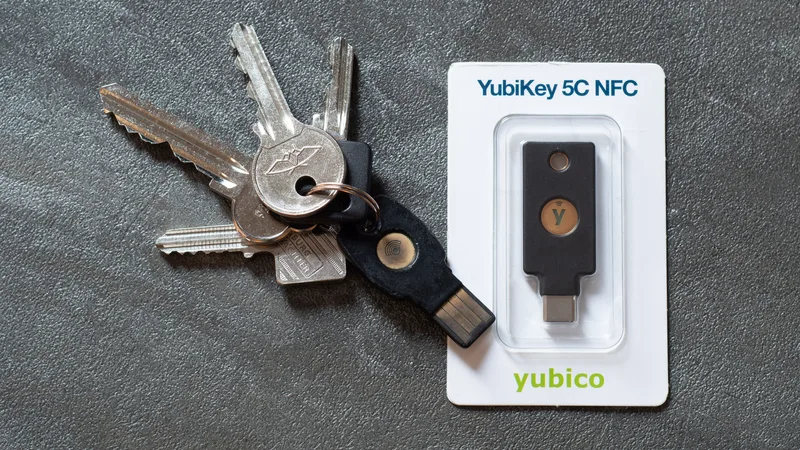
Premium adds an integrated authenticator for six-digit TOTP codes, 5 GB of encrypted file attachments (expandable for a fee), emergency access, security reports, and two-step login options that include up to 10 hardware security keys, Yubico OTP and Duo. Families turns that into six premium accounts with unlimited sharing, unlimited collections and an extra 5 GB for family items.
1Password
1Password does not list a free tier. Its Individual plan includes password generation, autosave and autofill, secure item sharing with people who do not use 1Password, security alerts and 1 GB of storage per user. Families adds up to five family members, unlimited shared vaults and simple admin controls. Both plans start with a 14-day trial that, according to the page, does not require a credit card.
Security model and deployment
Both products use end-to-end encryption, so the vendor stores encrypted data it cannot read. The way each adds protection beyond the master password differs.
- 1Password describes AES 256-bit end-to-end encryption, a Secret Key that is combined with your account password (it calls this Two-Key Derivation), and the Secure Remote Password (SRP) protocol for authentication. Its business page also lists SOC 2 Type II certification and independent third-party audits.
- Bitwarden supports two-step login with methods that include hardware security keys on paid plans. Its business pricing and help centre describe the option to run the Bitwarden server on your own infrastructure, with documentation for installing it on Linux.
Self-hosting is the clearest structural difference. Bitwarden's pricing pages list "Flexibility to self-host" on its Enterprise plan and describe self-host options for running the server application on your own network. 1Password's pricing pages that we checked list only its cloud service; we found no self-hosted option on them. If a regulator, a customer contract or internal policy requires that the vault server sit on infrastructure you control, Bitwarden is the one that offers it.
Self-hosting is not free of cost, though. You become responsible for patching, backups, TLS certificates and uptime. For most small teams the vendor-hosted cloud service of either product is the lower-risk choice.
Business features compared
| Capability | Bitwarden Teams / Enterprise | 1Password Teams Starter Pack / Business |
|---|---|---|
| Shared credentials | Yes, on both | Yes, on both |
| Event or activity logs | Event logs on Teams | Activity and usage reports; event streaming to SIEM tools listed on Business |
| Directory sync and provisioning | Directory sync and SCIM listed on Teams | Provisioning with Entra ID (Azure AD), Google Workspace, Okta, OneLogin, Rippling and JumpCloud listed on Business |
| Single sign-on | Passwordless SSO integration on Enterprise | SSO unlock and identity-provider integrations on Business |
| Policies | Enterprise policies on Enterprise | Custom policies and vault permissions on Business |
| Guest accounts | Not listed on the pricing page | 5 guests on Teams Starter Pack, 20 on Business |
| Free family plan for staff | Free Families plan for all users on Enterprise | Free Families plan for every user, listed in the comparison table |
| Self-hosting | Enterprise | Not listed |
Developers should also note 1Password's developer tooling: the Business page lists SSH key signing, Git commit signing, a CLI, SDKs and integrations with IDEs, CI/CD and infrastructure-as-code tools. Bitwarden sells a separate Secrets Manager product for developer and DevOps secrets, which sits outside the password manager plans compared here.
Day-to-day use and migration
For most people the deciding factor is not encryption detail but whether the product fits their daily routine. Both vendors offer browser extensions, desktop apps and mobile apps. 1Password's business page lists apps for macOS, iOS, watchOS, Windows, Android and Linux, and browser extensions for Chrome, Safari, Edge, Firefox and Brave. Bitwarden lists browser, mobile and desktop apps with unlimited devices on every account, including free.
Moving between the two is a normal task rather than a project. Export from the old manager, import into the new one, then check a sample of entries by hand. Pay particular attention to items that do not always convert cleanly: one-time-password seeds, file attachments, custom fields and passkeys. Delete the unencrypted export file securely once the import is confirmed, because it holds every password in plain text.
For teams, the harder part is people, not data. Plan a short rollout: admins first, then one department, then everyone. Give staff a deadline for moving shared logins out of spreadsheets and chat messages, and switch on the reports each product offers (Bitwarden's security reports, 1Password's Watchtower alerts on Business) to find reused or weak passwords after the move.
Who should pick which
Choose Bitwarden if
- You want a capable free plan, or the lowest paid price for an individual or a family of up to six.
- Your organisation must self-host the vault server.
- You need SCIM provisioning and directory sync at the lower Teams price point.
Choose 1Password if
- You prefer a fully vendor-hosted service and value the Secret Key design as a second factor built into account sign-in.
- You want guest accounts for contractors or clients, or event streaming into an existing SIEM.
- Your developers will use its SSH agent, commit signing and CLI as part of daily work.
- You are a team of up to 20 and the flat Teams Starter Pack price suits you.

Evaluation checklist before you commit
Whichever product you shortlist, run a short, structured trial rather than relying on comparison articles, including this one.
- List the platforms and browsers your people actually use, and confirm each is supported on the vendor's download page.
- Import a copy of an existing vault export into a trial account and check that folders, notes, TOTP seeds and passkeys come across.
- Turn on two-step login for every admin, ideally with a hardware security key, and test the recovery process before you need it.
- Connect your identity provider (Okta, Entra ID or Google Workspace) in the trial and test onboarding and offboarding a user.
- Decide who can create shared vaults or collections and write that rule down.
- Check where data is stored. 1Password's pricing page notes that data is stored in the region of the currency you choose (USD, CAD or EUR); confirm residency options with either vendor if you have legal requirements.
- Price your real head count for three years, including promotional prices that expire.
Summary
Bitwarden is the lower-cost option at every tier we compared and the only one of the two that offers self-hosting. 1Password costs more but bundles guest accounts, a Secret Key in its sign-in design, broad identity-provider provisioning on Business and strong developer tooling. For an individual or family on a budget, Bitwarden's free and Premium plans are hard to argue with. For a company that wants a hosted service with polished admin and developer features, 1Password Business is a reasonable spend. Use the checklist above during the free trials, and confirm current prices on the vendors' pages on the day you buy.
Frequently asked questions
Is Bitwarden cheaper than 1Password?
Yes, at list price on every tier we compared on 7 October 2026. Bitwarden Premium is $1.65 per month billed annually against $3.99 regular for 1Password Individual, and Bitwarden Teams is $4 per user per month against $8.99 for 1Password Business.
Does 1Password have a free plan?
Its pricing pages list no free plan. Individual, Families, Teams Starter Pack and Business each offer a 14-day free trial.
Can I self-host either password manager?
Bitwarden lists self-hosting on its Enterprise plan and documents installing its server on Linux. The 1Password pricing pages we checked list only its cloud service.
Was this comparison based on hands-on testing?
No. It is based on each vendor's published pricing pages and documentation, checked on 7 October 2026, not on benchmarks or a long-term trial.
Your next customer could start right here.
Introduce your tool, product or business to readers exploring technology.
Explore placements and request a private quote
Sources
- Bitwarden pricing (personal) — Bitwarden
- Bitwarden business pricing — Bitwarden
- Install and deploy Bitwarden on Linux — Bitwarden
- 1Password personal pricing — 1Password
- 1Password business pricing — 1Password
Written with substantial AI assistance. Facts checked against cited sources. Editorial policy.
Comments
No comments yet. Be the first to join the conversation.
Leave a comment
Every comment is read by a moderator before it appears. Your email address is never published; it is used only to contact you about this comment.
More from Cloudsoft Zone

ComparisonReviews
Vercel vs DigitalOcean App Platform: pricing, limits and which apps suit each
Vercel and DigitalOcean App Platform compared from their pricing pages and documentation: free-tier rules, usage-based versus per-container billing, function limits, workers and a decision checklist for October 2026.
By Cloudsoft Zone

ComparisonReviews
Figma vs Miro in 2026: whiteboards, seats and real team costs
Figma and Miro compared from their pricing pages and help centre: seat types, FigJam versus Miro boards, AI credits, free-plan limits and who should pick which.
By Cloudsoft Zone

Product reviewReviews
Docker subscriptions review 2026: Personal, Pro, Team or Business
A desk review of Docker's Personal, Pro, Team and Business plans: who may use Docker Desktop free, Docker Hub pull limits, Scout, SSO and which plan suits whom.
By Cloudsoft Zone